
소개
The Teenage Engineering EP-1320 is an electronic medieval sampler, high-resolution sequencer, and composer. This device is designed for creating music with a unique medieval sound palette, offering a range of built-in sounds, sampling capabilities, and performance effects. This manual provides essential information for setting up, operating, and maintaining your EP-1320.
설정
언박싱 및 구성품
포장을 개봉하신 후 모든 구성품이 있는지 확인하십시오. 기본 구성품은 다음과 같습니다.
- EP-1320 Unit
- 빠른 시작 가이드
- Encoder Knobs (x4)
- 10-inch Collector's Box and Paper Foam Tray
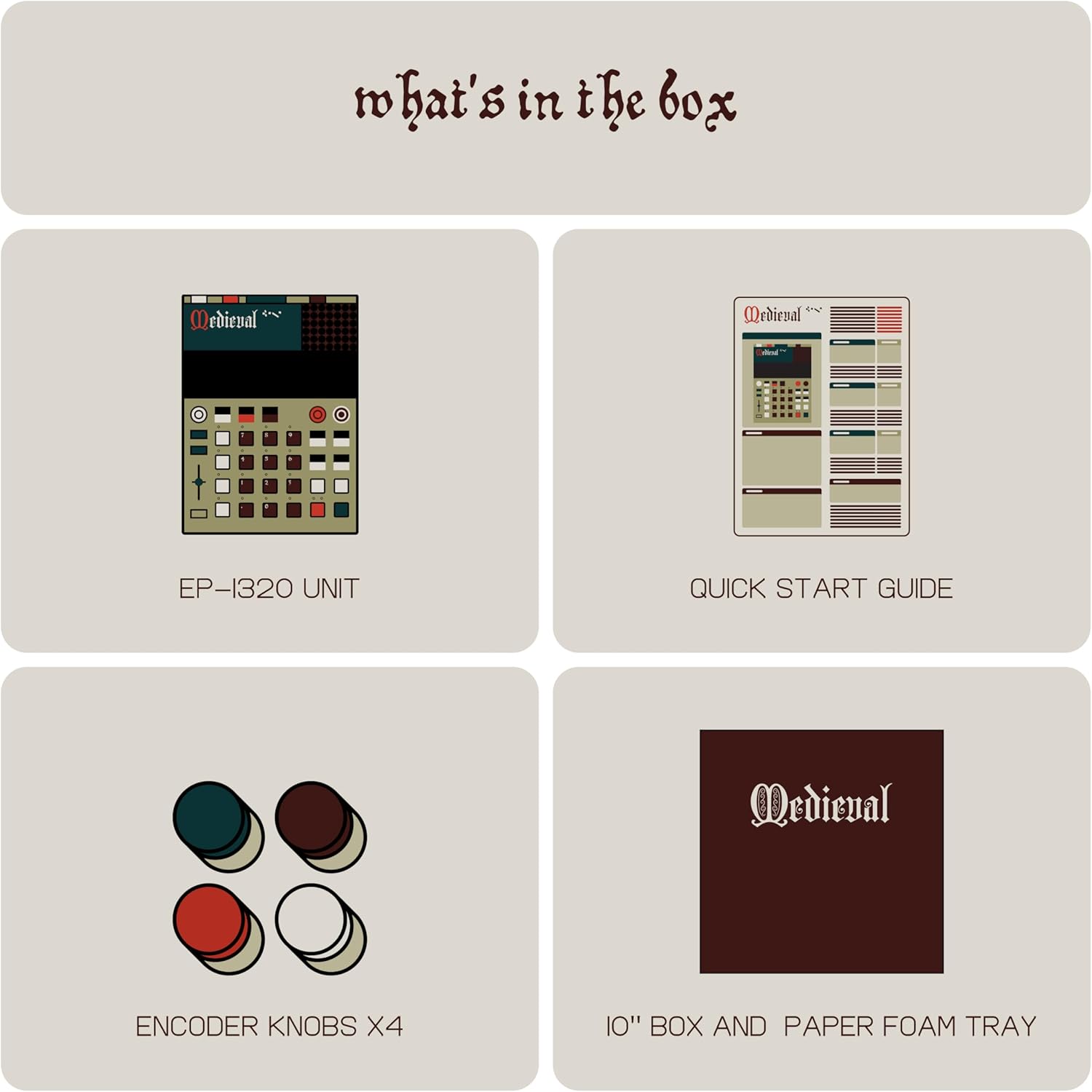
Image: Contents of the EP-1320 package, including the sampler unit, quick start guide, and encoder knobs.
전원 켜기
The EP-1320 is powered by AAA batteries for portability or via a USB-C connection. Insert fresh AAA batteries into the designated compartment or connect a USB-C cable to a power source. The device is designed to be highly portable.

이미지: 후면 view of the EP-1320, highlighting its power, USB-C, MIDI/SYNC, Input, and Output ports.
사이
The EP-1320 offers various connectivity options:
- USB-C : 전력 및 데이터 전송을 위해.
- 미디 인/아웃: Connect to other MIDI devices for synchronization and control.
- Sync In/Out: For analog clock synchronization with compatible instruments.
- 입력: For external audio sources to be samp주도.
- 산출: Connect to headphones or speakers for audio monitoring.
Software and Samp르 전송
To manage and transfer audio files 및 samples to and from your computer, utilize the dedicated EP Sample Tool. This tool facilitates the organization of your sound library.

Image: The EP Sample Tool interface for managing samples on a computer.
운영
사용자 인터페이스 및 디스플레이
The EP-1320 features a responsive and intuitive hybrid display, designed to make beat crafting efficient. The interface incorporates medieval-themed labeling for various functions.

Image: The EP-1320's display and control surface, featuring its unique medieval aesthetic.
Samp링
The device allows for direct audio sampling using its built-in microphone or via the line-in input. You can record your voice, external instruments, or other audio sources. The EP-1320 includes 999 sample slots for your recordings.

Image: The EP-1320 in use, demonstrating its built-in microphone for direct samp링.
Sequencer and Sound Library
The EP-1320 features a four-track sequencer with 6 stereo voices or 12 mono voices. It comes pre-loaded with a comprehensive medieval sound library, including hurdy-gurdys, lutes, Gregorian chants, and other period-appropriate sounds. The total memory is 128 MB, with 96 MB dedicated to ROM sounds and 32 MB available for user samp레.

이미지: 이상view of the EP-1320's features, including memory, sound capabilities, and sequencer details.
Effects and Performance
Enhance your compositions with stereo effects and next-generation punch-in effects, accessible via the multifunctional fader. The device also includes an arpeggiator, which is particularly effective with plucked instrument samp레.

Image: Visual representation of the EP-1320's sound library, effects, and performance modes.
유지
일반 관리
The EP-1320 is constructed from plastic. To ensure longevity, keep the device clean and free from dust and moisture. Avoid exposing it to extreme temperatures or direct sunlight. Use a soft, dry cloth for cleaning.
소프트웨어 업데이트
Periodically check the Teenage Engineering website for any available firmware updates for your EP-1320. Updates can provide new features, improvements, and bug fixes. Follow the instructions provided with the update package carefully.
공장 초기화
If you encounter persistent issues or wish to restore the device to its original settings, a factory reset option may be available. Refer to the Quick Start Guide or the official Teenage Engineering support resources for specific instructions on performing a factory reset.
문제 해결
If you experience any issues with your EP-1320, consider the following:
- 전원 없음: Ensure fresh AAA batteries are installed correctly or that the USB-C cable is securely connected to a working power source.
- 사운드 출력 없음: Check that headphones or speakers are properly connected to the output jack and that the volume is adjusted appropriately. Verify that samples are loaded and tracks are active.
- Samp링 문제: Confirm that the input source is connected correctly and that the input level is sufficient. Ensure the built-in microphone is not obstructed.
- Connectivity Problems (MIDI/Sync): Double-check all cable connections and ensure that external devices are configured to send/receive MIDI or sync signals correctly.
- Software/Sample Transfer Errors: Ensure the EP-1320 is properly connected to your computer via USB-C and that the EP Sample Tool is running and recognizing the device.
For more detailed troubleshooting, consult the official Teenage Engineering support documentation or contact customer support.
명세서
| 특징 | 세부 사항 |
|---|---|
| 상표 | 십대 공학 |
| 모델명 | EP–1320 medieval |
| 모델 번호 | TE032AS005 |
| 재료 | 플라스틱 |
| 품목 치수(L x W x H) | 9.45 x 0.63 x 6.93 인치 |
| 품목 무게 | 1.65 파운드 |
| 커넥터 유형 | USB 타입 C |
| 메모리 | 128 MB Total (96 MB ROM, 32 MB User) |
| Samp르 슬롯 | 999 |
| 목소리 | 6 Stereo or 12 Mono |
| 포함된 구성 요소 | EP-1320 Unit |
보증
The Teenage Engineering EP-1320 comes with a 1년 보증. Please retain your proof of purchase for warranty claims. For detailed terms and conditions, refer to the warranty information provided with your product or visit the official Teenage Engineering web대지.
지원하다
For further assistance, technical support, or to access additional resources, please visit the official Teenage Engineering website. You can find FAQs, updated manuals, and contact information for customer service there.
공식적인 Web대지: www.teenageengineering.com