
트랜스포머 G0483
Transformers Studio Series Shockwave Action Figure Instruction Manual
모델: G0483 | 브랜드: 트랜스포머
1. 안전 정보
경고: 질식 위험 – Small parts may be generated. Not for children under 3 years. This product is recommended for ages 8 and up.
2. 패키지 내용
패키지에 모든 구성 요소가 들어 있는지 확인하세요.
- 1x Shockwave Action Figure
- 1x NEST Paratrooper Figure with Parachute
- 1x Brains Figure
- 1x Wheelie Figure
- 1x Arm-Blade Accessory

이미지: 이상view of the Shockwave figure in both robot and cannon modes, along with the included NEST paratrooper, Brains, Wheelie figures, and the arm-blade accessory.
3. 제품 오버view
The Transformers Studio Series Leader Class Shockwave action figure is inspired by the character from the movie 트랜스포머: 달의 어둠. This collectible figure features movie-accurate details and accessories, designed for both display and interactive play. It converts between robot mode and cannon mode in 17 steps.
주요 특징:
- Articulated for poseability with movable head, arms, and legs.
- Converts from robot to cannon mode in 17 steps.
- Includes three additional figures: NEST paratrooper, Brains, and Wheelie.
- Comes with an arm-blade accessory.
- Designed with movie-inspired deco and details.
4. 설치 및 조립
액세서리 부착:
The arm-blade accessory can be attached to Shockwave's arm in robot mode. Ensure the peg on the accessory aligns with the port on the figure's forearm for a secure fit.

Image: Shockwave figure in robot mode, ready for accessory attachment.
5. Operating Instructions: Conversion from Robot to Cannon Mode
The Shockwave figure converts between robot mode and cannon mode in 17 steps. Follow these general steps for transformation. Refer to the packaging for detailed visual instructions if available.
- 로봇 모드 상태의 피규어부터 시작하세요.
- 양손을 팔꿈치 안쪽으로 모으세요.
- 허리 부분을 돌려주세요.
- Collapse the legs and feet, aligning them to form the rear section of the cannon.
- Adjust the chest and shoulder panels to form the main body of the cannon.
- Position the head and neck components.
- Extend the cannon barrel from the arm.
- Secure all panels and tabs to lock the figure into cannon mode.
- Ensure all parts are securely tabbed into place for a stable cannon mode.
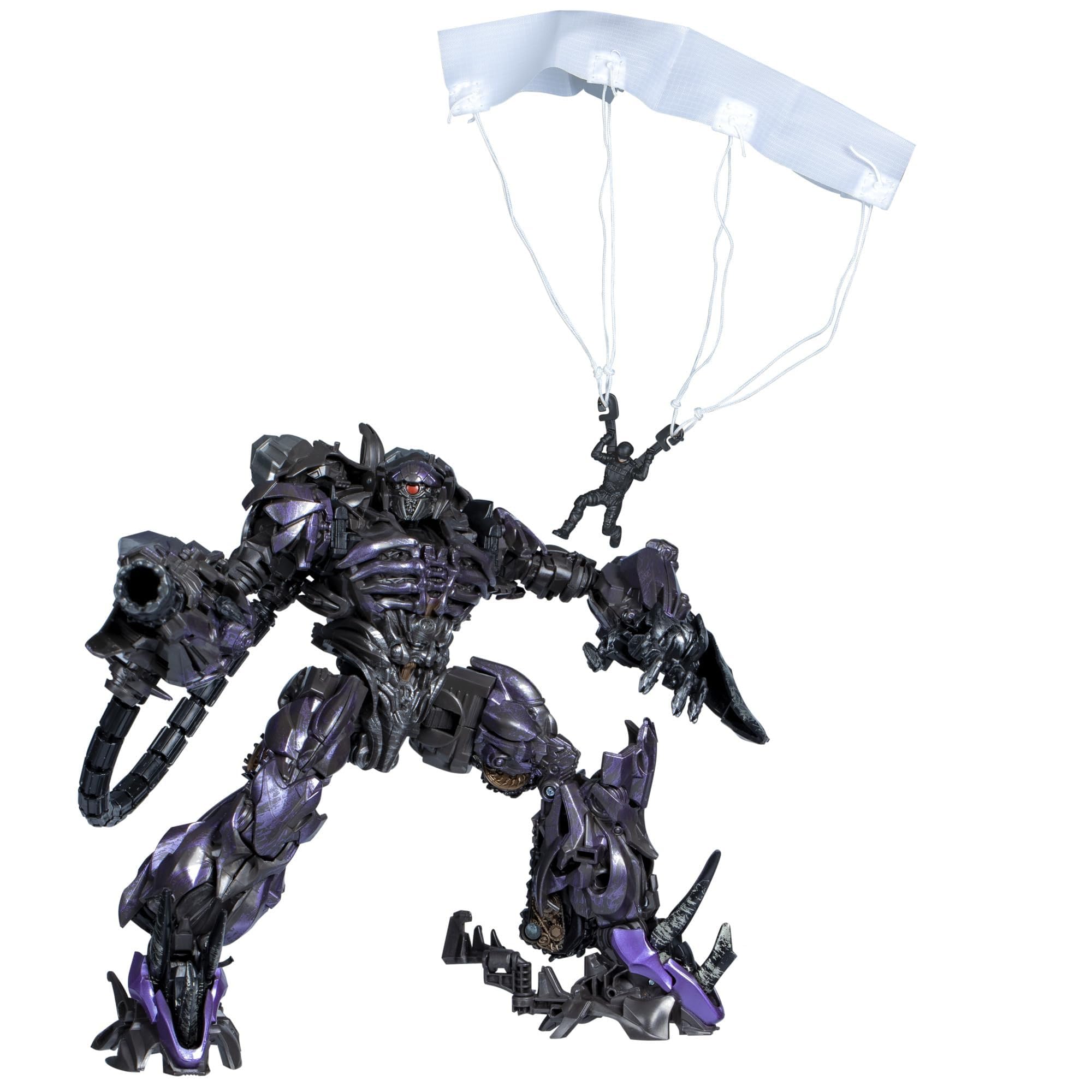
Image: Shockwave figure in its transformed cannon mode.
Conversion from Cannon to Robot Mode:
To convert back to robot mode, reverse the steps above. Carefully untab and unfold each section, ensuring proper alignment of joints and panels until the robot form is fully achieved.
Image: Shockwave figure in its robot mode.
6. 유지관리
- 청소: Use a soft, dry cloth to gently wipe the figure. Avoid harsh chemicals or abrasive materials, as these can damage the paint or plastic.
- 저장: Store the figure away from direct sunlight and extreme temperatures to prevent discoloration or warping. Keep it in a clean, dry environment.
- 손질: 피규어를 다룰 때는 특히 변형 과정에서 관절에 무리가 가거나 작은 부품이 파손되지 않도록 주의하십시오.
7. 문제 해결
- 관절이 뻣뻣함: If a joint feels stiff, gently work it back and forth. Do not force it, as this may cause breakage.
- 탭이 표시되지 않는 부품: Ensure all previous steps in the conversion process are correctly completed. Sometimes a slight adjustment is needed for tabs to align properly.
- Lost Small Figures/Accessories: Due to their small size, the NEST paratrooper, Brains, Wheelie figures, and arm-blade accessory can be easily misplaced. Store them in a secure container when not in use.
8. 사양
| 모델 번호: | G0483 |
| 제품 크기: | 9.02 x 4.02 x 10 inches (Robot Mode, approximate) |
| 품목 무게: | 15.6 온스 |
| 추천 연령: | 8세 이상 |
| 제조업체: | 하스브로 |
9. 보증 및 지원
For information regarding warranty, product support, or replacement parts, please contact Hasbro customer service directly. Refer to the product packaging for specific contact details or visit the official Transformers web대지.
You can visit the official Transformers store for more products: 트랜스포머 스토어
Ask a question about this manual
Ask about setup, troubleshooting, compatibility, parts, safety, or missing instructions. Manuals+ will review the question and use this page’s manual context to help answer it.