
Next YE-65GFSG8-QLED
Next YE-65GFSG8-QLED 65-inch UHD 4K QLED Google TV User Manual
Model: YE-65GFSG8-QLED
1. 서론
구매해주셔서 감사합니다asing the Next YE-65GFSG8-QLED 65-inch UHD 4K QLED Google TV. This manual provides essential information for setting up, operating, and maintaining your new television. Please read it thoroughly before use and keep it for future reference.

이미지 1.1: 앞면 view of the Next YE-65GFSG8-QLED 65-inch QLED Google TV.
2. 안전 정보
손상을 방지하고 안전한 작동을 위해 다음 안전 수칙을 준수해 주십시오.
- TV를 비나 습기에 노출시키지 마세요.
- 환기구를 막지 마십시오.
- 전기 연결 시 적절한 접지를 확보하세요.
- 텔레비전을 직사광선, 열원 및 화기로부터 멀리 두십시오.
- TV와 함께 제공된 전원 코드만 사용하세요.
- 텔레비전을 직접 수리하려고 하지 마십시오. 모든 수리는 자격을 갖춘 전문가에게 맡기십시오.
- TV를 안정적이고 평평한 곳에 놓거나 벽에 단단히 고정하십시오.
3. 패키지 내용
패키지에 모든 품목이 들어 있는지 확인하세요.
- Next YE-65GFSG8-QLED 65-inch UHD 4K QLED Google TV
- 원격 제어
- 전원 코드
- 사용 설명서 (본 문서)
- TV 스탠드 구성 요소(해당되는 경우)
- Screws for Stand Assembly (if applicable)
4. 설정
4.1. 스탠드 조립 (선택 사항)
TV를 벽에 장착하지 않는 경우 다음과 같이 스탠드를 부착하세요.
- 화면 손상을 방지하려면 부드럽고 깨끗한 표면에 TV를 뒤집어서 조심스럽게 놓으세요.
- 스탠드 구성품을 TV 바닥의 장착 구멍에 맞춥니다.
- 제공된 나사를 사용하여 스탠드를 고정하세요. 너무 세게 조이지 마세요.
- 안정된 표면에 TV를 조심스럽게 들어올려 수직으로 세웁니다.
4.2. 장치 연결
외부 장치를 TV 뒷면의 해당 포트에 연결하세요.
이미지 4.1: 후면 view of the TV with connection ports labeled.
- HDMI (3 ports, one with ARC): Connect Blu-ray players, game consoles, set-top boxes, etc. Use the HDMI (ARC) port for audio return channel functionality with compatible sound systems.
- USB(2개 포트): 미디어 재생이나 소프트웨어 업데이트를 위해 USB 저장 장치를 연결합니다.
- DVB-S / DVB-T (TV 1, TV 2): Connect satellite (DVB-S) or terrestrial (DVB-T) antenna cables for broadcast TV reception.
- CI Module: 암호화된 디지털 TV 서비스를 위한 조건부 액세스 모듈(CAM)을 삽입하십시오.
- Mini AV-IN: Connect older devices using an AV adapter cable (not always included).
- 옵티컬 출력: 사운드바 또는 오디오 리시버에 연결하여 디지털 오디오 출력을 제공합니다.
- 이더넷: 유선 인터넷 연결을 위해 이더넷 케이블을 연결합니다.
4.3. 전원 연결
전원 코드를 TV의 전원 입력 단자에 꽂은 다음 벽면 콘센트에 꽂으세요. TV가 대기 모드로 전환됩니다.
5. 사용 설명서
5.1. 최초 설정
When you power on the TV for the first time, follow the on-screen instructions to:
- 언어와 지역을 선택하세요.
- Connect to a Wi-Fi network or use the wired Ethernet connection.
- Sign in with your Google account to access Google TV features.
- Scan for available TV channels (if using antenna/satellite).

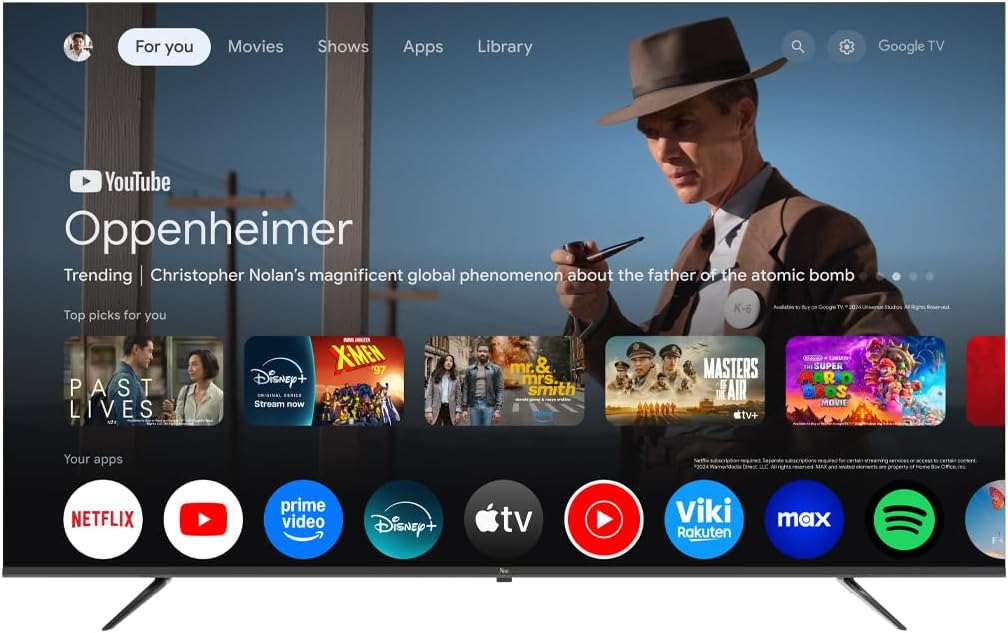
Image 5.1: Google TV interface on the Next QLED TV.
5.2. 구글 TV 기능
Your TV runs on Google TV, providing access to a wide range of content and smart features:
- 개인화된 추천: Get suggestions based on your view역사.
- 음성 제어: Use the built-in Google Assistant via the remote control to search for content, control smart home devices, and more.
- 앱 접근: Download and stream from popular services like YouTube, Netflix, Disney+, and more via the Google Play Store.
- Chromecast 내장: 호환되는 모바일 기기에서 TV로 직접 콘텐츠를 전송하세요.
5.3. QLED 디스플레이 기술
The QLED display technology in your TV offers enhanced picture quality:
- 생생한 색상: Quantum Dot technology produces a wider color gamut and higher color saturation.
- 고휘도 : Experience brighter images with improved contrast.
- HDR 지원: High Dynamic Range (HDR) content delivers greater detail in both bright and dark scenes.

Image 5.2: Visual representation of QLED technology's enhanced color saturation.

Image 5.3: Visual representation of HDR technology's improved dynamic range.
5.4. 원격 제어
The included remote control allows you to navigate the TV's interface, adjust settings, and access smart features. Refer to the remote control diagram (if available in the physical manual) for specific button functions.
5.5. 제품 오버view 동영상
간략한 개요를 보려면 이 영상을 시청하세요.view of the Next QLED Google TV's key features, including QLED technology, Ultra HD quality, Google TV integration, and frameless design.
비디오 5.1: 끝view of Next QLED Google TV features.
6. 유지관리
TV의 수명과 최적의 성능을 보장하려면 다음 사항을 준수하십시오.
- 화면 청소: 부드럽고 보풀이 없는 천으로 화면을 부드럽게 닦으세요. 잘 지워지지 않는 얼룩의 경우, 화면에 직접 닿지 않도록 천에 화면 전용 세척액을 묻혀 사용하세요.
- 캐비닛 청소: 부드럽고 마른 천으로 TV 캐비닛을 닦으세요. 연마성 세제나 용제는 사용하지 마세요.
- 통풍: 과열을 방지하기 위해 통풍구에 먼지나 방해물이 없는지 확인하세요.
- 전원 끄기 : Disconnect the TV from the power outlet during electrical storms or when it will be unused for extended periods.
7. 문제 해결
TV에 문제가 발생하면 다음의 일반적인 해결책을 참조하세요.
| 문제 | 가능한 해결책 |
|---|---|
| 전원이 없습니다 | 전원 코드가 TV와 벽면 콘센트에 단단히 연결되어 있는지 확인하세요. 콘센트가 제대로 작동하는지 확인하세요. |
| 화면은 나오지 않지만 소리는 나옵니다 | 올바른 입력 소스가 선택되었는지 확인하세요. 외부 장치와의 케이블 연결을 확인하세요. |
| 소리는 나지 않지만 화면은 나옵니다 | 볼륨 레벨과 음소거 상태를 확인하십시오. 오디오 케이블이 올바르게 연결되어 있는지 확인하십시오. TV 오디오 출력 설정을 확인하십시오. |
| 리모컨이 작동하지 않습니다 | 배터리를 교체하세요. 리모컨과 TV IR 센서 사이에 장애물이 없는지 확인하세요. |
| 화질이 좋지 않음 | 안테나/케이블 연결 상태를 확인하십시오. 화면 설정(밝기, 대비, 선명도)을 조정하십시오. 소스 콘텐츠가 고화질인지 확인하십시오. |
| Wi-Fi에 연결할 수 없습니다 | Restart your router. Ensure the Wi-Fi password is correct. Move the TV closer to the router or use a wired Ethernet connection. |
이러한 해결 방법을 시도한 후에도 문제가 지속되면 고객 지원팀에 문의하세요.
8. 사양
Key technical specifications for the Next YE-65GFSG8-QLED 65-inch UHD 4K QLED Google TV:
| 특징 | 세부 사항 |
|---|---|
| 모델 | YE-65GFSG8-QLED |
| 화면 크기 | 65인치(165cm) |
| 디스플레이 기술 | QLED |
| 해결 | 4K UHD(초고화질) |
| 새로 고침 빈도 | 60Hz |
| 운영 체제 | 구글 티비 |
| 연결성 | 블루투스, 이더넷, HDMI(3포트), USB(2포트), Wi-Fi |
| 종횡비 | 16시 9분 |
| 제품 크기(D x W x H) | 27.8D x 144.6W x 88.9Hcm |
| 제품 무게 | 16.3 킬로그램 |
| 포함된 구성 요소 | 원격 제어 |
| 특징 | 프레임리스 디자인 |
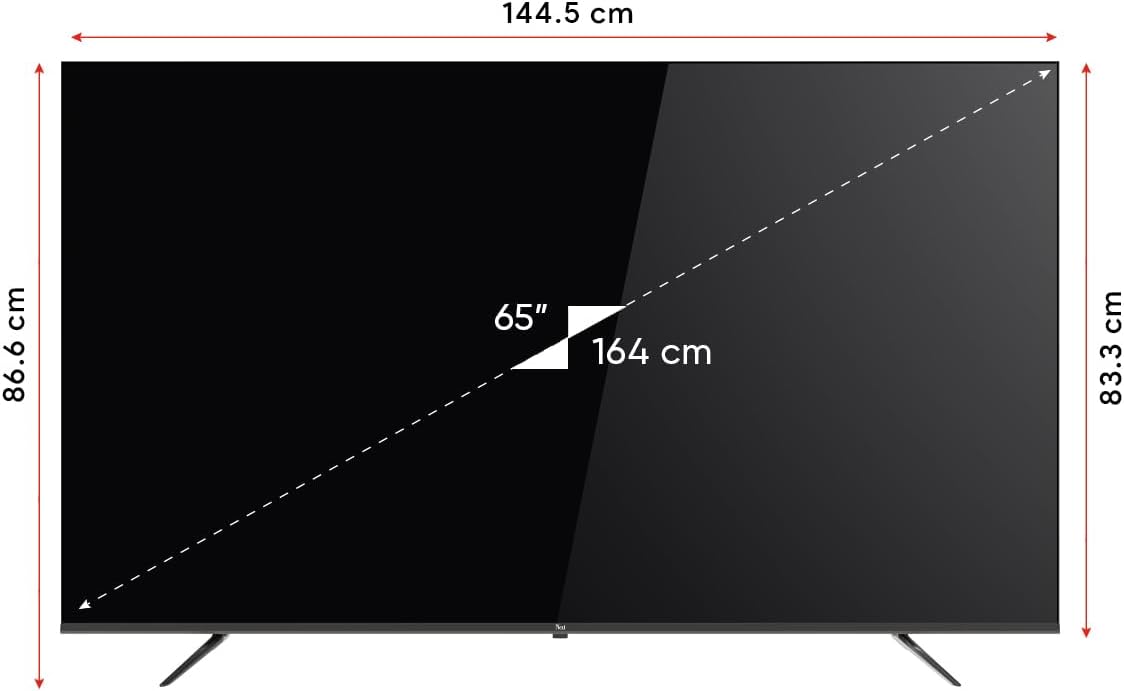
Image 8.1: TV dimensions (144.5 cm width, 86.6 cm height, 65" / 164 cm diagonal).
9. 보증 및 지원
Your Next YE-65GFSG8-QLED TV comes with a manufacturer's warranty:
- 보증 기간: 2년 제조사 보증.
- 지원하다: For technical assistance, warranty claims, or further inquiries, please refer to the contact information provided in your warranty card or visit the official Next web대지.
관련 문서YE-65GFSG8-QLED


Ask a question about this manual
Ask about setup, troubleshooting, compatibility, parts, safety, or missing instructions. Manuals+ will review the question and use this page’s manual context to help answer it.