
소개
This manual provides detailed instructions for the installation, operation, and maintenance of your aigo AF12 3-in-1 ARGB Fan Kit. Please read this manual thoroughly before use to ensure proper functionality and longevity of the product.
제품 특징
The aigo AF12 3-in-1 ARGB Fan Kit offers efficient cooling and customizable lighting for your computer system. Key features include:
- 모델: AF123IN1-BK
- 팬 수량: 3 x 120mm fans
- 팬 속도: 800-2000 RPM (±10%)
- Fan Noise Level: ≤30데시벨
- 공기 흐름: 86.6 퀴놀론
- 정적 압력 : 1.27mm-H²O
- Working Current (Motor): ≤0.2A (12V)
- Working Current (Light): ≤0.48A (5V)
- 치수: 120 x 120 x 25mm
- ARGB 조명: Addressable RGB lighting for customizable effects.
패키지 내용
아래 나열된 모든 품목이 패키지에 들어 있는지 확인하세요.
- 3 x aigo AF12 ARGB Fans
- 장착 나사
- ARGB Controller (if included in kit)
- Cables (Power, ARGB Sync)
설치 가이드
Follow these steps to properly install your aigo AF12 ARGB fans into your computer case.
- 시스템 준비: Power off your computer and disconnect it from the power source. Open your computer case.
- 설치 위치를 확인하십시오: Determine the desired locations for your fans (e.g., front, top, rear, bottom of the case). Ensure proper airflow direction.
- 팬을 장착하세요: Position each fan in its chosen location. Use the provided mounting screws to secure the fans to the case. Ensure the fan blades are not obstructed.
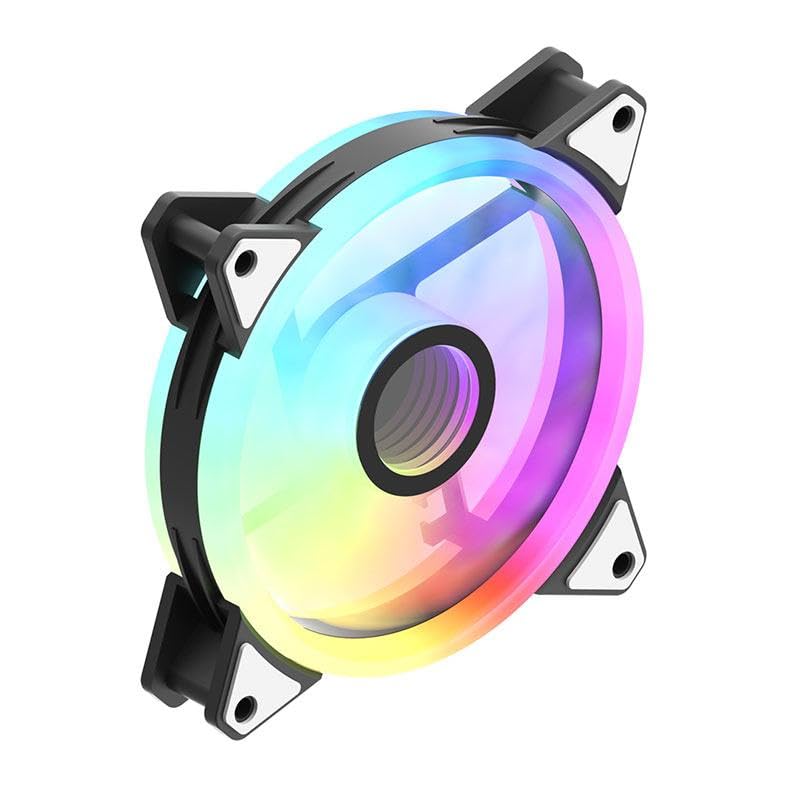
Image: An aigo AF12 fan viewed from an angle, highlighting the mounting points on its corners. This illustrates how the fan is secured.
- 전원 케이블 연결: Connect the 3-pin power connector from each fan to an available fan header on your motherboard or fan controller.
- ARGB 케이블을 연결하세요: Connect the ARGB cable from each fan to the ARGB controller (if applicable) or directly to a compatible 5V 3-pin ARGB header on your motherboard. Ensure correct pin orientation to avoid damage.
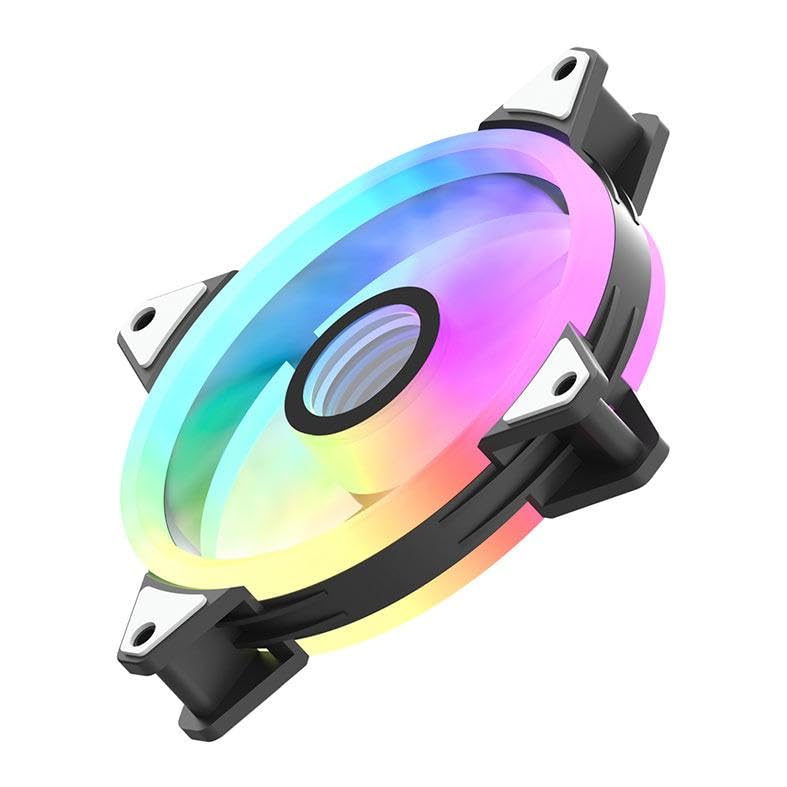
이미지: 사이드 프로file of the aigo AF12 fan, illustrating the thickness and potential locations for cable connections on the frame.
- 케이블 관리 : Route cables neatly to prevent interference with other components and to improve airflow.
- 케이스를 닫고 전원을 켜세요: 컴퓨터 케이스를 닫고 전원 케이블을 다시 연결한 후 시스템 전원을 켜십시오.
작동 지침
Once installed, your aigo AF12 ARGB fans will operate automatically based on your system's fan control settings. The ARGB lighting can be controlled via your motherboard's software or a dedicated ARGB controller.
팬 속도 제어
Fan speed can typically be adjusted through your motherboard's BIOS/UEFI settings or through fan control software provided by your motherboard manufacturer. Refer to your motherboard manual for specific instructions.
ARGB 조명 제어
If connected to a 5V 3-pin ARGB header on your motherboard, use your motherboard's ARGB synchronization software (e.g., ASUS Aura Sync, MSI Mystic Light Sync, GIGABYTE RGB Fusion, ASRock Polychrome Sync) to customize lighting effects, colors, and patterns.
If using a dedicated ARGB controller (often included with fan kits), refer to the controller's specific instructions for lighting adjustments.
유지
정기적인 유지보수는 최적의 성능을 보장하고 팬의 수명을 연장시켜 줍니다.
- 먼지 청소: Periodically clean dust from the fan blades and housing using compressed air or a soft brush. Ensure the system is powered off before cleaning.
- 케이블 점검: Verify that all cables are securely connected and free from damage.
- 소음 모니터링: Listen for unusual noises, which may indicate a fan bearing issue or obstruction.
문제 해결
If you encounter issues with your aigo AF12 ARGB fans, refer to the following common solutions:
팬이 회전하지 않음
- 전원 연결을 확인하세요. Ensure the fan's 3-pin power connector is securely plugged into the motherboard or controller.
- Check BIOS Settings: Verify that fan headers are enabled in your motherboard's BIOS/UEFI settings.
- Test Another Header: Try connecting the fan to a different fan header to rule out a faulty header.
ARGB Lights Not Working
- ARGB 연결을 확인하세요: Ensure the 5V 3-pin ARGB connector is correctly and securely plugged into the motherboard or controller. Verify the pin orientation.
- 소프트웨어 확인: Confirm that your motherboard's ARGB software is installed and configured correctly.
- 호환성: Ensure your motherboard has a compatible 5V 3-pin ARGB header. This product is not compatible with 12V 4-pin RGB headers.
과도한 소음
- 장애물 확인: 케이블이나 기타 부품이 팬 날개에 닿지 않도록 하십시오.
- 장착 나사: Verify that all mounting screws are tightened to prevent vibrations.
- 먼지 축적: 선풍기 날개에 묻은 먼지를 깨끗이 닦아내세요.
기술 사양
| 특징 | 사양 |
|---|---|
| 상표 | Aigo 사와 |
| 모델 | AF123IN1-BK |
| 팬 수량 | 3 x 120mm |
| 팬 속도 | 800 ± 2000 ± 10% RPM |
| 팬 소음 | ≤ 30데시벨 |
| 공기 흐름 | 86.6 퀴놀론 |
| 정압 | 1.27mm-H²O |
| Working Current (Motor) | ≤ 0.2A (12V) |
| Working Current (Light) | ≤ 0.48A (5V) |
| 치수 | 120 x 120 x 25mm |
| 전원 커넥터 유형 | 3핀 |
| 권tage | 12 볼트 |
| 냉각 방식 | 공기 |
| 호환 장치 | 데스크탑 |
| 품목 무게 | 10.6 온스 |
보증 및 지원
This aigo product comes with a 12개월 보증 구매일로부터 제조상의 결함에 대한 보증을 제공합니다.
For technical support, warranty claims, or further assistance, please visit the official aigo store or contact their customer service through the details provided on their web대지.
Official aigo Store: 아마존에서 aigo 스토어를 만나보세요