
1. 제품 오버view
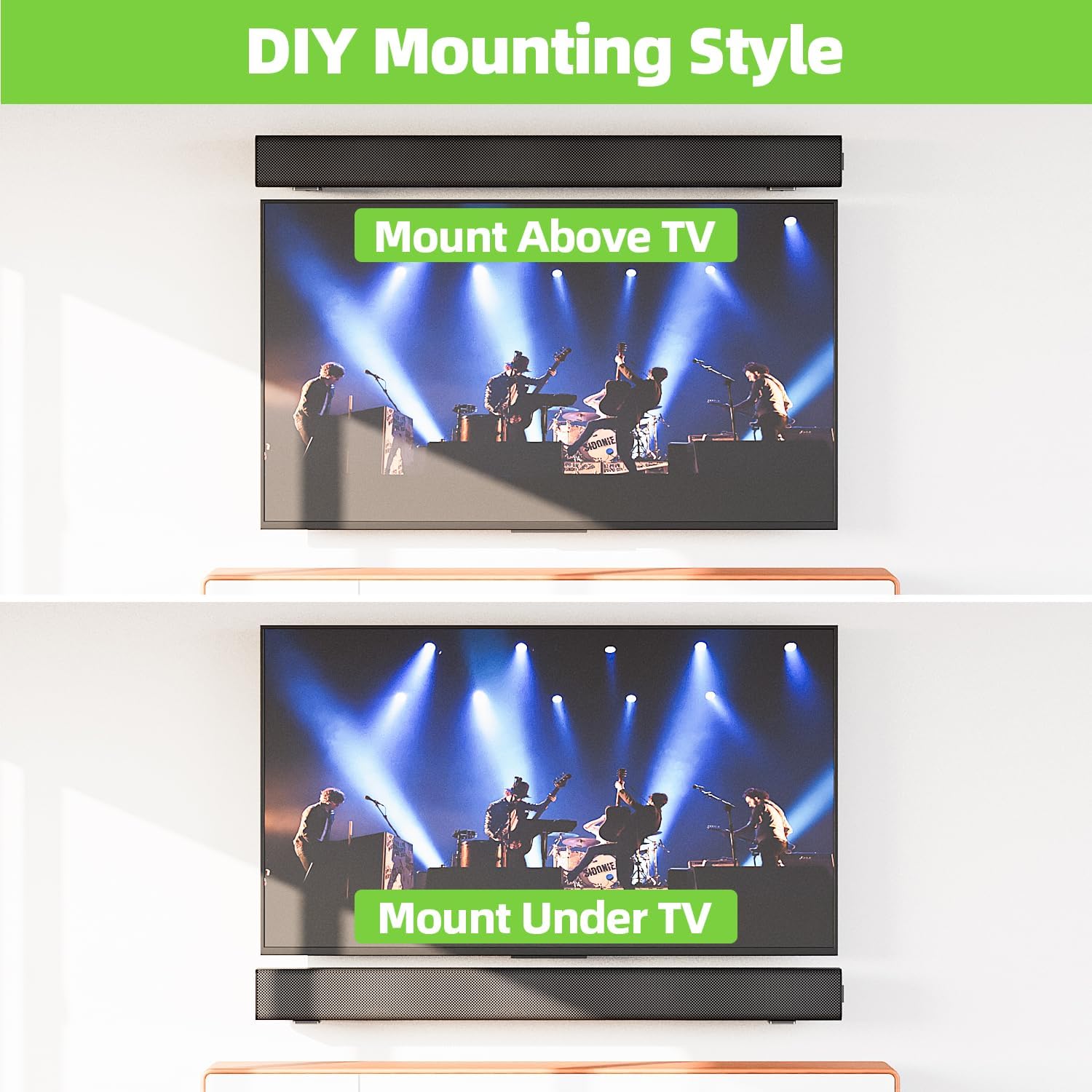
The USX MOUNT XAS010 is a universal soundbar mounting bracket designed to securely attach your soundbar to a wall, either above or below your television. This mount is constructed from high-quality metal, ensuring durability and stability for soundbars weighing up to 30 lbs. Its design aims to optimize sound projection and save space in your entertainment area.
주요 특징:
- 보편적 인 호환성 : Designed to fit most soundbars within 3.5 inches wide, compatible with major brands such as Samsung, Sony, LG, Vizio, Bose, Onn, TCL, JBL, Polk Audio, Roku, Harman Kardon, Denon, RCA, Nakamichi, Klipsch, Insignia, Panasonic, and Hisense.
- 튼튼한 구조: Made from high-quality metal, capable of safely supporting soundbars up to 30 lbs.
- 공간 절약형 디자인: Allows for mounting above or below the TV, freeing up desk or cabinet space.
- 향상된 사운드 품질: Wall mounting can improve audio clarity and provide a more immersive listening experience.
- 간편한 설치: Includes all necessary hardware for quick setup on various wall types.
- Non-Slip Protection: Features EVA material to protect the soundbar and prevent movement.
2. 패키지 내용
설치를 시작하기 전에 모든 구성 요소가 있는지 확인하세요.

- 2 x L-shaped Soundbar Mounting Brackets
- 장착 하드웨어(나사, 벽 앵커)
- EVA Non-Slip Pads
- 사용 설명서
3. 사양
| 모델 번호 | XAS010 |
| 제품 치수 | 3.66 x 2 x 2.99 인치 |
| 품목 무게 | 10.8 온스 |
| 중량 용량 | 최대 30kg(13.6파운드) |
| 재료 | 고품질 금속 |
| 색상 | 검은색 |
| 장착 유형 | 벽걸이형 |
4. 설정 및 설치
시작하기 전에:
- 설치하기 전에 모든 지침을 주의 깊게 읽으십시오.
- Ensure your soundbar's weight does not exceed 30 lbs.
- Identify your wall type (wood stud, concrete, or brick) to use the correct mounting hardware. 석고보드에만 설치하지 마십시오.
- Gather necessary tools: pencil, drill, level, screwdriver, tape measure.

설치 단계:
- Measure Soundbar Length: Measure the length of your soundbar to determine the appropriate spacing for the mounting brackets. The installation distance between the two wall plates should be less than the soundbar's total length.
- 드릴링 위치 표시: Hold the brackets against the wall at your desired height and position (above or below the TV). Use a level to ensure they are straight and mark the drilling points with a pencil.
- 드릴 구멍: For wood studs, drill pilot holes. For concrete or brick walls, drill holes with a 1/4 inch (6mm) diameter and 1.38 inch (35mm) depth, then insert the wall anchors.
- 브래킷 부착: Securely fasten the L-shaped brackets to the wall using the provided screws. Ensure they are firmly attached.
- Apply EVA Pads: Place the non-slip EVA pads onto the top surface of the brackets where the soundbar will rest. This protects your soundbar and prevents it from sliding.
- Place Soundbar: Carefully place your soundbar onto the mounted brackets, ensuring it is centered and stable.
설치 비디오 가이드:
This official video provides a step-by-step guide on how to properly install the USX MOUNT XAS010 Soundbar Mount, covering measurement, drilling, and securing the brackets.
5. 사용 설명서
Once installed, the USX MOUNT XAS010 requires minimal operation. The primary adjustment feature is the soundbar leveling. The brackets allow for minor adjustments to ensure your soundbar is perfectly level.
Soundbar Leveling Adjustment:
- The brackets feature adjustable slots. If your soundbar appears unlevel after initial placement, you can slightly loosen the screws holding the soundbar to the bracket (if applicable) or the bracket to the wall.
- Gently adjust the soundbar's position until it is level.
- Retighten all screws to secure the soundbar and brackets in the desired position.
6. 유지관리
To ensure the longevity and continued performance of your USX MOUNT XAS010 Soundbar Mount, follow these simple maintenance guidelines:
- 정기 청소: 먼지를 제거하려면 부드럽고 마른 천으로 거치대를 닦으십시오. 마감재를 손상시킬 수 있는 연마성 세척제나 용제 사용은 피하십시오.
- 패스너 확인: Periodically inspect all screws and fasteners to ensure they remain tight. Over time, vibrations or minor shifts can cause them to loosen. Retighten as necessary.
- 손상 여부 검사: Check the brackets for any signs of wear, corrosion, or damage. If any damage is observed, contact customer support for assistance.
- EVA Pad Condition: Ensure the EVA non-slip pads are intact and providing adequate cushioning and grip for your soundbar. Replace if they show signs of significant wear.
7. 문제 해결
If you encounter any issues with your USX MOUNT XAS010 Soundbar Mount, refer to the following common troubleshooting tips:
- Soundbar is not level: Loosen the screws slightly, adjust the soundbar until level using a spirit level, and then retighten the screws firmly.
- 산이 불안정하다고 느껴집니다: Ensure all wall screws are fully tightened. Verify that the correct wall anchors were used for your specific wall type. If mounted on wood studs, confirm screws are properly engaged in the stud. If the issue persists, consult a professional installer.
- Soundbar slides on the mount: Check if the EVA non-slip pads are correctly placed and in good condition. If they are worn, consider replacing them. Ensure the soundbar is not excessively heavy for the mount's capacity.
- 설치에 어려움이 있습니다: Review the installation video and steps carefully. Ensure you are using the correct tools and hardware for your wall type. If you are unsure, seek professional assistance.
8. 보증 및 지원
USX MOUNT products are manufactured with quality and customer satisfaction in mind. For specific warranty information, please refer to the product packaging or the official USX MOUNT website. If you require technical support, have questions about installation, or need assistance with any product-related issues, please contact USX MOUNT customer service.
제조업체: USX MOUNT
추가 지원이 필요하면 다음을 방문하세요. USX MOUNT Store.