
소개
The JUSTPRO 15W Mini Guitar Amp (Model GA-ONE) is a portable and versatile amplifier designed for both acoustic and electric guitars. Featuring a built-in rechargeable battery, wireless Bluetooth connectivity, and multiple effects like Reverb, Chorus, and Delay, it provides a comprehensive solution for practice, recording, and small performances. Its compact size and robust sound make it an ideal companion for musicians on the go or for desktop use.
상자 안에 무엇이 들어있나요?
- JUSTPRO 15W Mini Guitar Amp (Model GA-ONE)
- USB 충전 케이블
제품 특징
The JUSTPRO Mini Guitar Amp offers a range of features designed for versatile practice and performance:
- 4 EFX Volume Adjustment: Includes Reverb (Room/Hall), Chorus, and Delay effects for sound customization.
- 충전식 및 휴대용: 15-watt output with a built-in rechargeable battery providing approximately 4 hours of playtime on a full charge.
- 풍부한 인터페이스: Supports AUX input, REC output, OTG live streaming, and headphone output for diverse connectivity.
- Wireless Audio Design: Bluetooth connectivity allows pairing with mobile devices for audio playback.
- 소형 및 경량: Small footprint (7x4x6 inches) for easy transport and placement.
- 저음 및 고음 컨트롤: Independent knobs for precise tone shaping.
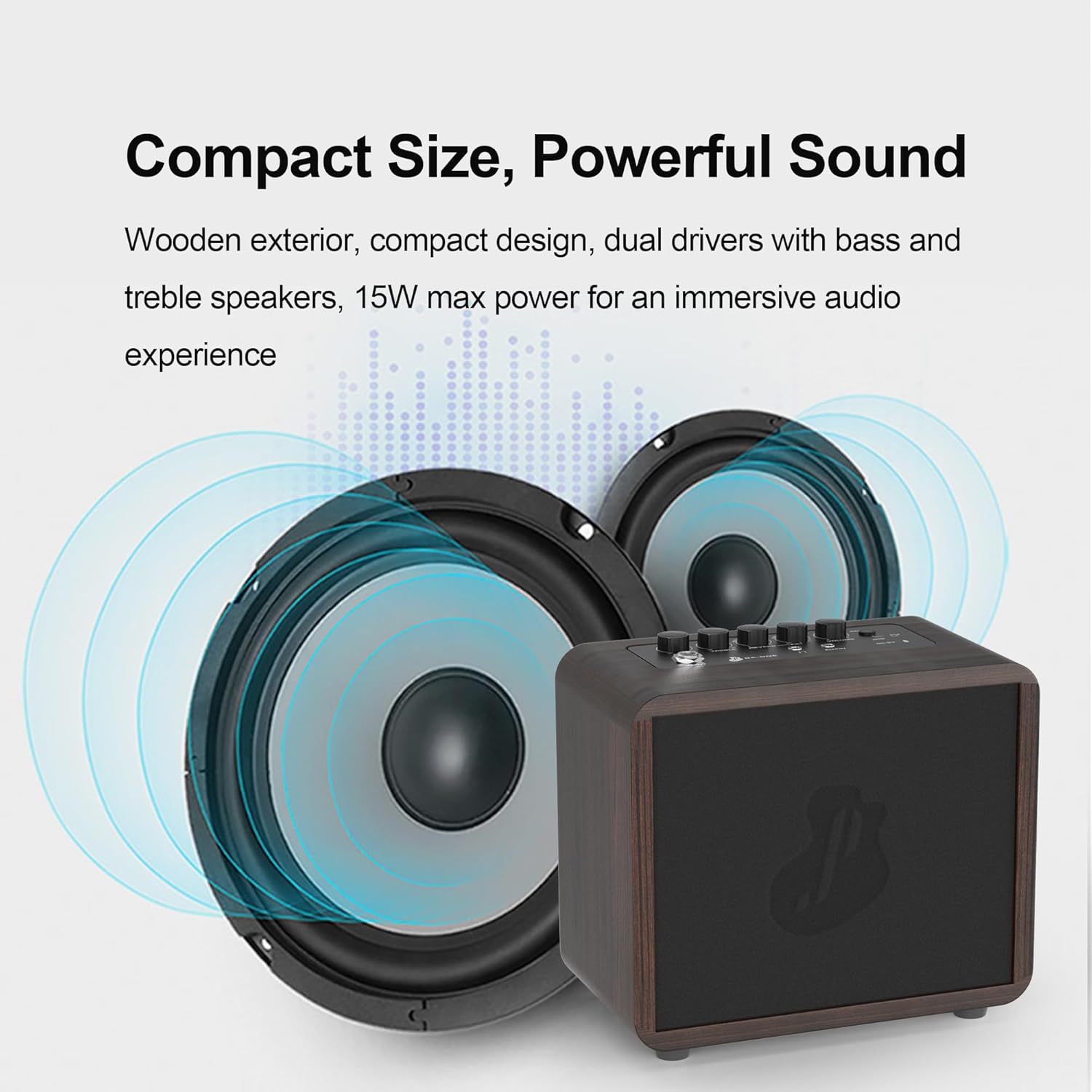
The compact design of the JUSTPRO Mini Guitar Amp delivers powerful sound, suitable for various practice environments.
Official product video demonstrating the features and sound capabilities of the JUSTPRO Mini Guitar Amp.
설치 가이드
1. 충전 중 Amp리퍼
처음 사용하기 전에 완전히 충전하십시오. amplifier. Connect the provided USB charging cable to the DC-5V/OTG port on the amplifier and the other end to a standard USB power adapter (not included) or a computer USB port. The charging indicator light will show the charging status.
2. 초기 전원 켜기
Press and hold the POWER/BT button located on the top panel to turn the ampliifier를 켜거나 끕니다.
3. Connecting to a Guitar
Insert your guitar's 6.35mm (1/4 inch) instrument cable into the INPUT jack on the amplifier's top panel.

그만큼 amplifier and its USB charging cable, essential for initial setup and power.
작동 지침
컨트롤 오버view

상세한 view 의 amplifier's top panel controls and input/output ports.
- POWER / BT: Power On/Off button. Short press to switch between modes (Guitar/Bluetooth). Long press to power on/off.
- 음량: 전체 출력 볼륨을 조정합니다. amp리퍼.
- CHORUS / DELAY (FX-): Controls the intensity of the Chorus and Delay effects.
- R-ROOM / R-HALL (REVERB): Selects and adjusts the Reverb effect (Room or Hall).
- 고음부: Adjusts the high-frequency tone of your sound.
- 베이스: Adjusts the low-frequency tone of your sound.
- DC-5V / OTG: USB-C port for charging and OTG (On-The-Go) live streaming/recording.
- AUX 입력 : 3.5mm input for connecting external audio sources like phones or MP3 players.
- 헤드폰: 3.5mm output for private practice with headphones.
- 입력: 6.35mm (1/4 inch) input for connecting your guitar.
Connecting Your Instrument
After plugging in your guitar to the INPUT jack, ensure the amplifier is powered on. Adjust the VOLUME knob to your desired listening level. Use the BASS and TREBLE knobs to shape your guitar's tone.
블루투스 오디오 사용
- 전원을 켜세요 amp리퍼.
- Short press the POWER/BT button to switch to Bluetooth mode. The Bluetooth indicator light will blink, indicating it's ready for pairing.
- On your mobile device (smartphone, tablet, etc.), enable Bluetooth and search for "JUSTPRO GA-ONE".
- Select "JUSTPRO GA-ONE" to pair. Once paired, the Bluetooth indicator light will become solid.
- 이제 장치에서 오디오를 재생할 수 있습니다. amp리퍼.
Applying Effects (Reverb, Chorus, Delay)
그만큼 amplifier includes built-in effects to enhance your sound:
- Reverb (R-ROOM / R-HALL): Turn the REVERB knob to select between Room and Hall reverb types and adjust their intensity.
- Chorus / Delay (FX-): Turn the FX- knob to apply and adjust the intensity of Chorus or Delay effects.

그만큼 amplifier's control knobs allow for free adjustment of tone and effects.
유지
- 청소: 부드럽고 건조한 천을 사용하여 청소하십시오. amp증폭기 외부를 청소할 때는 연마성 세척제나 용제를 사용하지 마십시오.
- 저장: 저장하다 amp직사광선과 극한의 온도를 피해 시원하고 건조한 곳에 보관하세요.
- 배터리 관리 : 배터리 수명을 연장하려면 배터리를 자주 완전히 방전시키지 마십시오. 장기간 보관할 경우 몇 달에 한 번씩 배터리를 약 50% 정도 충전하십시오.
- 손질: 처리하다 amplifier with care to prevent damage to internal components or the wooden casing.
문제 해결
| 문제 | 가능한 원인 | 해결책 |
|---|---|---|
| 기타에서 소리가 나지 않습니다. | Amplifier is off, volume is too low, guitar cable is faulty, or guitar volume is off. | 보장하다 amplifier is powered on and charged. Increase amplifier and guitar volume. Check guitar cable connection and try a different cable if necessary. |
| 블루투스가 연결되지 않습니다. | Amplifier not in Bluetooth mode, device Bluetooth is off, or device is too far. | Short press POWER/BT button to enter Bluetooth mode. Ensure Bluetooth is enabled on your device. Move device closer to the amplifier (within 10 meters). |
| Effects (Reverb/Chorus/Delay) not working. | Effect knobs are set to minimum or not properly engaged. | Rotate the REVERB and FX- knobs clockwise to increase effect intensity. Ensure the correct effect type is selected if applicable. |
| Amp앰프가 충전되지 않습니다. | Faulty USB cable, power adapter, or charging port. | Try a different USB cable and power adapter. Ensure the USB-C cable is fully inserted into the DC-5V/OTG port. If the issue persists, contact customer support. |
명세서
| 상표 | 저스트프로 |
| 모델 번호 | 가원 |
| 출력 와트tage | 15 와트 |
| 제품 치수 | 4 x 7 x 6 인치 |
| 품목 무게 | 3.45파운드 |
| 전원 | 배터리 구동(리튬 이온 배터리 1개 포함) |
| 재료 유형 | 목재 |
| 호환 장치 | 어쿠스틱/일렉트릭 기타 |
| 커넥터 유형 | 3.5mm 잭, 6.35mm 잭 |
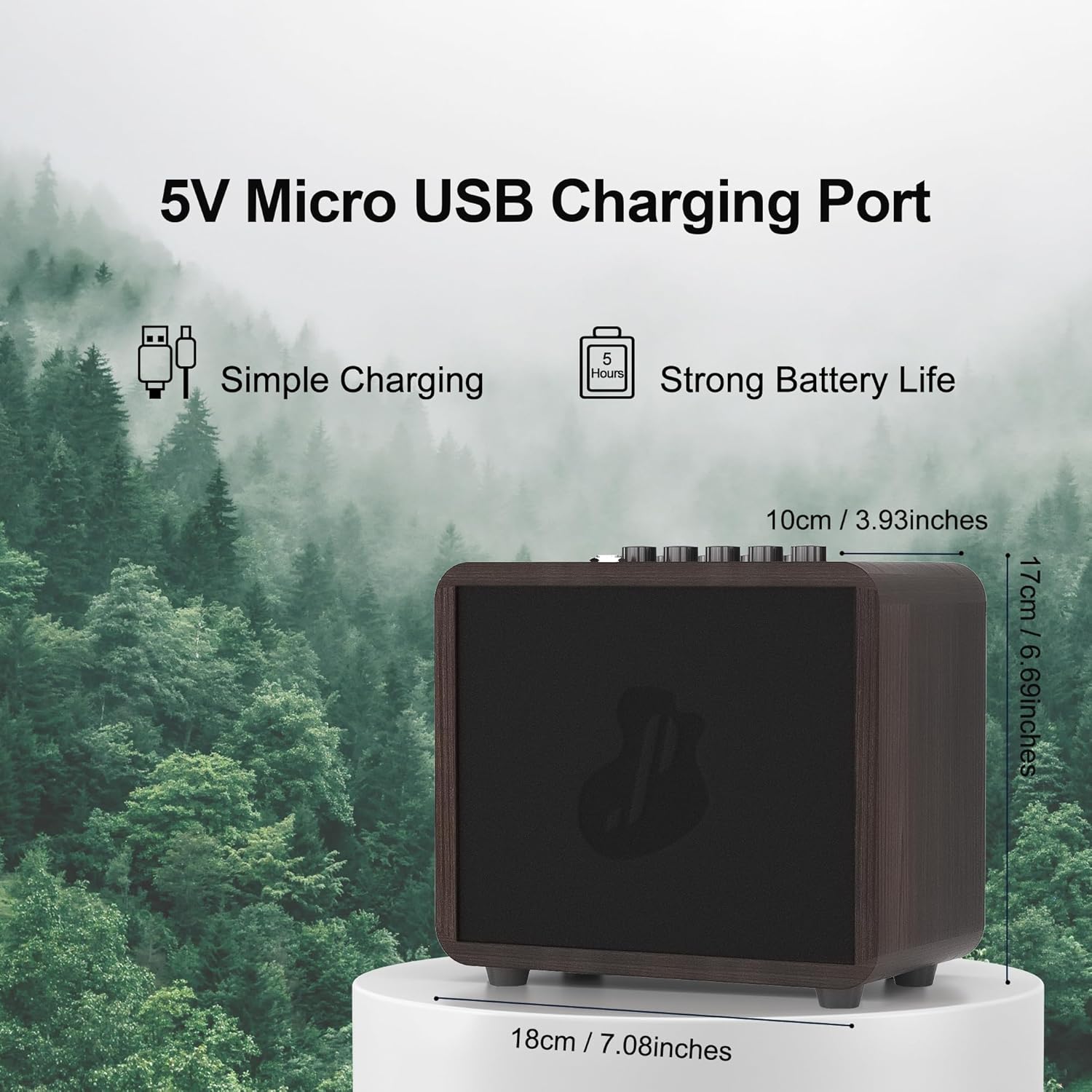
Dimensions of the JUSTPRO Mini Guitar Amp, highlighting its compact and portable design.
보증 및 지원
For detailed warranty information and customer support, please refer to the documentation included with your purchase or visit the official JUSTPRO website. You can also contact the seller directly through the platform where you purchased the product for assistance.
추가 자료 및 제품 업데이트를 보려면 다음 웹사이트를 방문하세요. JUSTPRO Store on Amazon.