
1. 서론
This manual provides detailed instructions for the installation, operation, and maintenance of the Novastar TU15PRO LED Vision Controller. Please read this manual thoroughly before using the device to ensure proper and safe operation. The TU15PRO is designed for controlling LED displays, offering robust performance and versatile connectivity.
2. 안전 정보
- 전원 공급 장치: Use only the specified power adapter (AC100-240V 50/60Hz). Ensure the power source is stable and matches the device's requirements.
- 환경: Operate the device in a dry, well-ventilated area. Avoid exposure to extreme temperatures, humidity, dust, or direct sunlight.
- 손질: Do not drop, disassemble, or modify the device. Refer all servicing to qualified personnel.
- 케이블 : Ensure all cables are securely connected. Avoid placing heavy objects on cables or bending them sharply.
- 청소: 청소하기 전에 전원을 분리하세요. 부드럽고 마른 천을 사용하세요. 액체 또는 에어로졸 세척제는 사용하지 마세요.
3. 패키지 내용
개봉 후 구성품을 확인해 주십시오. 누락되거나 손상된 품목이 있을 경우 즉시 판매처에 연락하십시오.
- Novastar TU15PRO LED Vision Controller
- 전원 어댑터
- USB 케이블
- 사용 설명서 (본 문서)
4. 제품 오버view
The Novastar TU15PRO is a compact and powerful LED vision controller designed for various display applications. It features multiple input and output ports for flexible connectivity.
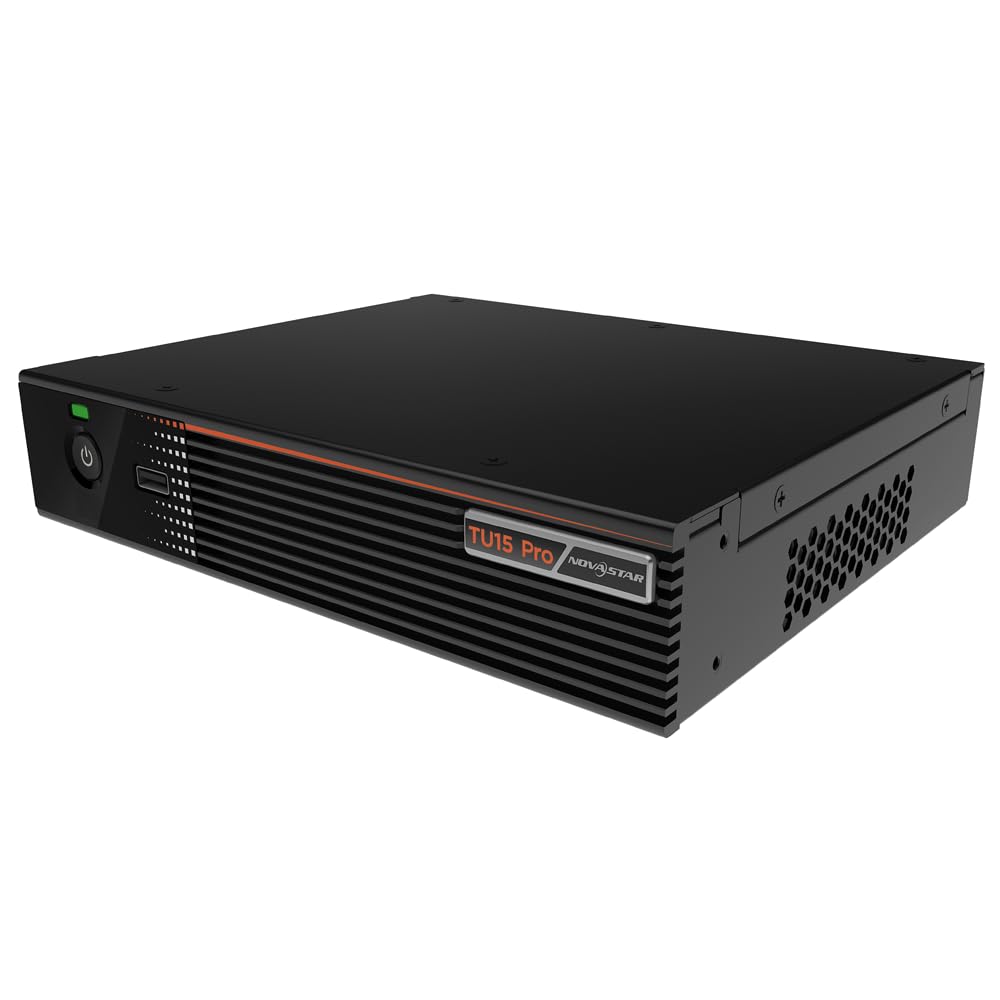
그림 4.1: 각도 view of the Novastar TU15PRO LED Vision Controller, highlighting the rear panel with various input and output ports.

그림 4.2: 상향식 view of the Novastar TU15PRO, showing the front panel with power button and USB port, and a detailed view 후면 패널 연결부.
4.1. 전면 패널
- 전원 버튼: 장치를 켜거나 끄는 데 사용됩니다.
- USB 2.0 포트 : For connecting USB devices, such as a mouse or keyboard for control, or for firmware updates.
4.2. 후면 패널
- WIFI-AP (1, 2): Wi-Fi Access Point antennas for wireless control or network extension.
- WIFI-STA: Wi-Fi Station antenna for connecting the device to an existing Wi-Fi network.
- 감지기: Port for connecting an external sensor.
- IR / I/O G RELAY: Input/Output General Purpose Relay terminal block for external control signals.
- 이더넷 : Ethernet port for network connection and control.
- USB 2.0(x2): Additional USB ports for peripherals or data transfer.
- HDMI 입력(x2): HDMI input ports for video sources.
- HDMI 출력 : HDMI output port for monitoring or cascading.
- SPDIF: 디지털 오디오 출력.
- AUDIO 12V === 3A: 전원 입력 포트(DC 12V, 3A).
5. 설정
- 풀다: Carefully remove the TU15PRO controller from its packaging.
- 안테나 연결: Attach the Wi-Fi antennas to the WIFI-AP and WIFI-STA ports on the rear panel.
- 비디오 소스 연결: Connect your video source (e.g., computer, media player) to one of the HDMI 입력 ports using an HDMI cable.
- LED 디스플레이에 연결하세요: Connect the controller's Network Ports (1-4) to your LED display receiving cards using Ethernet cables.
- 전원 연결: 제공된 전원 어댑터를 연결하세요 AUDIO 12V === 3A port and then plug it into a power outlet.
- 전원 켜기: 기기의 전면 패널에 있는 전원 버튼을 눌러 전원을 켜세요.
- Network Configuration (Optional): For network control, connect an Ethernet cable to the 이더넷 port or configure Wi-Fi settings.
6. 사용 설명서
Once the device is set up, you can begin operating it. Detailed operation typically involves using dedicated software on a connected computer or through a web 인터페이스.
- 소프트웨어 설치: Install the Novastar control software on your computer. Refer to the software's documentation for installation and usage.
- 장치 인식: Ensure the software recognizes the TU15PRO controller. This may require network configuration or direct USB connection.
- 화면 구성: Configure your LED screen parameters within the software, including resolution, cabinet layout, and connection method.
- 입력 소스 선택: Select the desired HDMI input source within the control software.
- 디스플레이 콘텐츠: Use the software to manage and display content on your LED screen.
7. 유지관리
- 정기 청소: Keep the device free from dust. Use a soft, dry cloth to wipe the exterior. Do not use harsh chemicals or abrasive materials.
- 통풍: 과열을 방지하려면 통풍구가 막히지 않도록 주의하세요.
- 펌웨어 업데이트: 정기적으로 노바스타 공식 웹사이트를 확인하세요. website for firmware updates to ensure optimal performance and access to new features. Follow the update instructions carefully.
- 케이블 관리 : Keep cables organized and free from kinks or damage to prevent signal loss or power issues.
8. 문제 해결
- 전원 없음:
- 전원 어댑터가 기기와 전원 콘센트에 제대로 연결되어 있는지 확인하십시오.
- 전원 콘센트가 작동하는지 확인하세요.
- 디스플레이 출력 없음:
- Ensure HDMI input source is active and correctly connected.
- Verify Ethernet cables to the LED display are properly connected.
- Check screen configuration in the control software.
- Device Not Recognized by Software:
- Confirm network settings (IP address, subnet mask) are correct if using Ethernet.
- Ensure USB cable is connected if using direct USB control.
- Temporarily disable firewall or antivirus software to check for interference.
- 간헐적 신호:
- 모든 케이블 연결 부위를 점검하여 느슨함이나 손상이 없는지 확인하세요.
- Ensure cables are of appropriate quality and length for the signal type.
9. 사양
| 특징 | 설명 |
|---|---|
| 상표 | 노바스타 |
| 모델 | TU15PRO |
| 입력 전원 | AC100-240V 50 / 60Hz |
| 본체 크기 (길이×너비×높이) | 211.7mm × 185.0mm × 50.6mm |
| Control Dots | 2,600,000 |
| Output LAN | Network Port × 4 |
| 최대 출력 폭 | 4096 픽셀 |
| 최대 출력 높이 | 1920 픽셀 |
| ASIN | B0D791C3C7 |
10. 보증 및 지원
보증 정보 및 기술 지원에 대해서는 Novastar 공식 웹사이트를 참조하십시오. web웹사이트를 방문하거나 공인 대리점에 문의하세요. 보증 청구를 위해 구매 증빙 자료로 구매 영수증을 보관하세요.
온라인 리소스: For the latest drivers, software, and additional documentation, please visit the official Novastar support page.