
소개
The VTech KidiMagic Galaxy Light is a versatile 9-in-1 device designed for children aged 6 to 12 years. It functions as an alarm clock, FM radio, speaker, and features an aurora borealis projector, interactive light effects, and various games and activities. This manual provides instructions for proper setup, operation, and maintenance of your device.
안전 정보
- 경고: 작은 부품으로 인해 36개월 미만의 어린이에게는 적합하지 않습니다.
- 사용 중에는 항상 어린이를 감독하십시오.
- Do not immerse the device in water. Clean with a dry cloth only.
- Use only the recommended batteries or VTech power adapter (sold separately).
- 열원과 직사광선을 피하십시오.
패키지 내용
- 1 KidiMagic Galaxy Light unit
- 4 LR6-AA batteries (for demonstration purposes)
- 1 Audio cable (for external music player connection)
제품 끝view
Familiarize yourself with the main components and controls of your KidiMagic Galaxy Light.

영상: 앞쪽 view of the KidiMagic Galaxy Light, illustrating the time display and the aurora borealis projection feature.

영상: 뒤쪽에 view of the KidiMagic Galaxy Light, highlighting the battery compartment and various connection ports.
컨트롤 및 디스플레이:
- LCD 화면: Displays time, game information, and settings.
- 감지기: Located on top, detects hand movements for light effects.
- 버튼: Various buttons for navigation, settings, and game control.
- 스피커: 오디오 출력을 위한 통합 스피커.
- 오디오 입력 잭: For connecting external music players.
- 배터리 칸: Located at the back.
설정
1. 배터리 설치
- 장치 뒷면에서 배터리 칸을 찾으세요.
- 드라이버를 사용하여 배터리실 덮개를 엽니다.
- 새로운 LR6-AA 배터리 4개를 삽입할 때, 극성(+/-)을 정확히 확인하십시오.
- 덮개를 교체하고 나사를 조입니다.
Alternatively, the device can be powered by a VTech duo AC adapter (002181), sold separately.
2. 초기 전원 켜기
Press the Power button to turn on the device. The screen will light up, and you may be prompted to set the time.
기본 동작
시간 설정
- Access the 'Settings' menu using the navigation buttons.
- Select 'Time' and adjust the hour and minute using the arrow buttons.
- Confirm your selection with the 'OK' button.
알람 설정
- Navigate to the 'Alarm' menu.
- Choose an alarm slot and set the desired wake-up time.
- Select an alarm melody from the available options.
- Confirm to activate the alarm.
볼륨 조절
Use the dedicated volume buttons (usually marked with '+' and '-') to increase or decrease the sound level.
자동 종료
The device features an automatic shut-off timer to conserve battery life. You can set it to 60 minutes, 120 minutes, 240 minutes, or disable the sleep mode entirely through the settings menu.
특징
Aurora Borealis Projection
The KidiMagic Galaxy Light projects beautiful aurora borealis effects onto the ceiling, creating a celestial atmosphere in the room. This feature can be activated and customized through the light settings.

영상: A child interacting with the KidiMagic Galaxy Light, demonstrating the dynamic light effects and color changes.
Interactive Light Effects and Color Changes
Wave your hand over the magic sensor on the device to change its color and activate 12 different light effects and 7 color variations. This allows for personalized ambiance.
FM 라디오
Tune into your favorite FM radio stations. The device can store preferred stations for quick access.
External Music Player (MP3) Connection
Connect an external music player, such as an MP3 player, using the included audio cable. This transforms the KidiMagic Galaxy Light into a speaker, allowing you to play your own music.

영상: 옆 view of the KidiMagic Galaxy Light, emphasizing its capability to function as a musical speaker when connected to an external device.
Integrated Games
The device includes 4 enchanting games for entertainment:
- Buzzy Adventure
- 숨바꼭질
- Magic Mushroom
- 마법의 정원
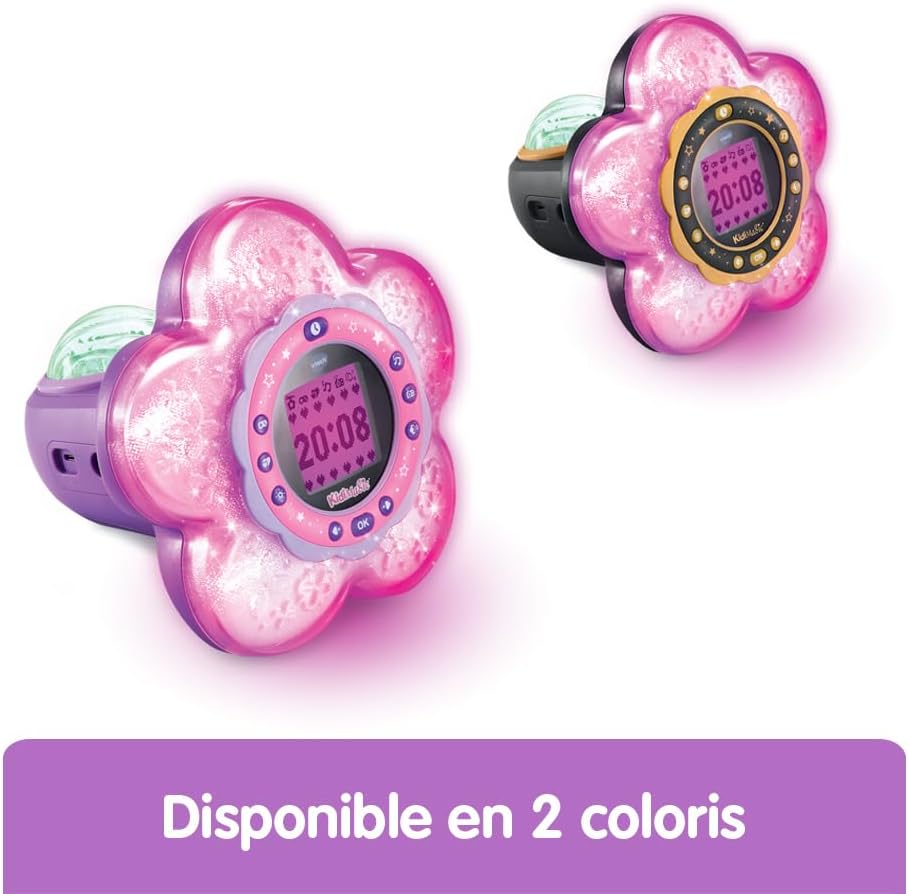
영상: A child engaged in playing one of the integrated games on the KidiMagic Galaxy Light's screen.
Magic Activities
Explore 6 magical activities designed for fun and relaxation:
- 수정 구슬
- Magic Card
- Your Elf of the Day
- Emotion Management
- Positive Emotions
- 기분 전환
유지
- 청소: 약간 d로 장치를 닦으십시오.amp 옷감. 강한 화학 물질이나 연마성 세제를 사용하지 마십시오.
- 배터리 교체: Replace batteries when the device's performance diminishes or if the screen becomes dim. Follow the battery installation steps.
- 저장: Store the device in a cool, dry place away from direct sunlight when not in use for extended periods. Remove batteries if storing for several months.
문제 해결
장치가 켜지지 않습니다:
- 배터리가 올바른 극성으로 올바르게 삽입되었는지 확인하세요.
- 새 배터리로 교체하십시오.
- If using an AC adapter, ensure it is properly connected and functional.
화면이 어둡거나 깜빡거립니다.
- 배터리가 부족할 수 있습니다. 교체하세요.
- 장치가 극한 온도에 노출되지 않도록 주의하세요.
사운드 문제:
- 볼륨 설정을 확인하세요.
- If using an external music player, ensure the audio cable is fully inserted and the external device's volume is up.
명세서
| 모델 번호 | 572705 |
| 치수(길이 x 너비 x 높이) | 18.5 x 18 x 17.3cm |
| 무게 | 635그램 |
| 추천연령 | 6 - 10 years (Manufacturer's minimum: 72 months, maximum: 120 months) |
| 전원 | 4 x LR6-AA batteries (included for demo) or VTech AC adapter (sold separately) |
| 재료 | 플라스틱 |
| 언어 | 프랑스어 (제품 내용) |
| 특징 | Alarm Clock, FM Radio, Speaker, Aurora Projection, 12 Light Effects, 7 Colors, 6 Magic Activities, 4 Games |
보증 및 지원
보증 정보 및 고객 지원에 대해서는 구매 시 포함된 문서를 참조하거나 공식 VTech를 방문하세요. web사이트. 보증 청구를 위해 구매 증빙 자료를 보관하세요.