1. 서론
Thank you for choosing the Damix M10 Wireless Headset. This manual provides essential information for the safe and efficient use of your new device. The M10 headset features Bluetooth V5.3 connectivity, a digital battery indicator, and touch controls for an enhanced audio experience.
2. 안전 정보
- 장치를 극한의 온도나 직사광선에 노출시키지 마십시오.
- 헤드셋을 떨어뜨리거나 강한 충격을 주지 마십시오.
- Keep the device away from water and liquids, despite its waterproof rating, to prevent damage.
- Do not attempt to disassemble or repair the headset yourself. Contact support if issues arise.
- 청력 손상을 예방하려면 적당한 볼륨으로 들으세요.
3. 패키지 내용
다음 품목이 패키지에 포함되어 있는지 확인하세요.
- Damix M10 Wireless Earbuds (Left and Right)
- Wireless Charging Case with Digital Indicator
- 충전 케이블
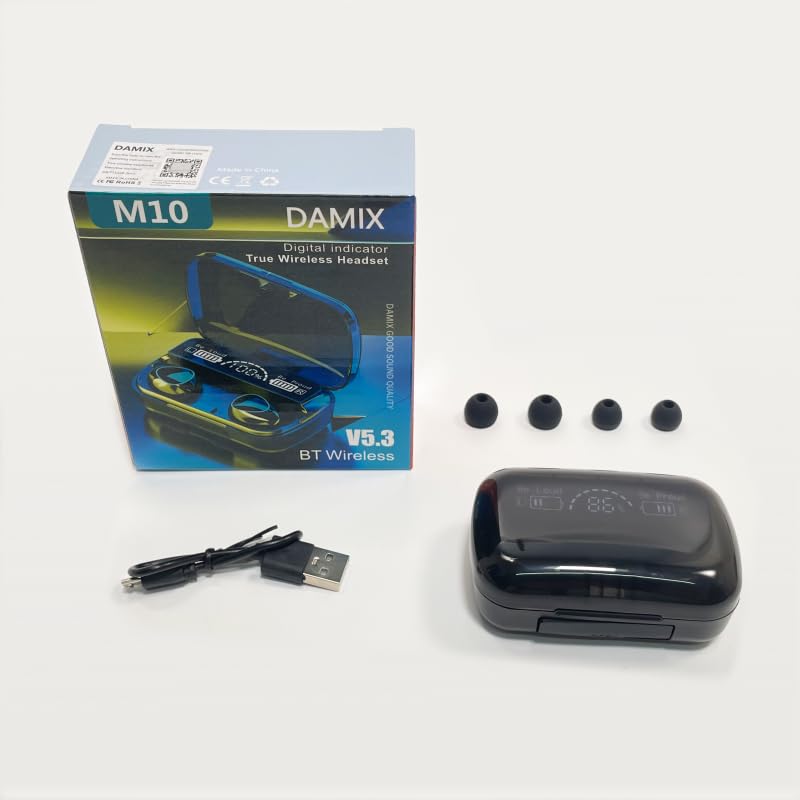
Image showing the Damix M10 wireless headset packaging, including the charging case, earbuds, and charging cable.
4. 제품 오버view
The Damix M10 Wireless Headset consists of two earbuds and a portable charging case. The charging case features a digital display that indicates the battery percentag케이스의 e 부분과 각 이어버드의 충전 상태를 보여줍니다.
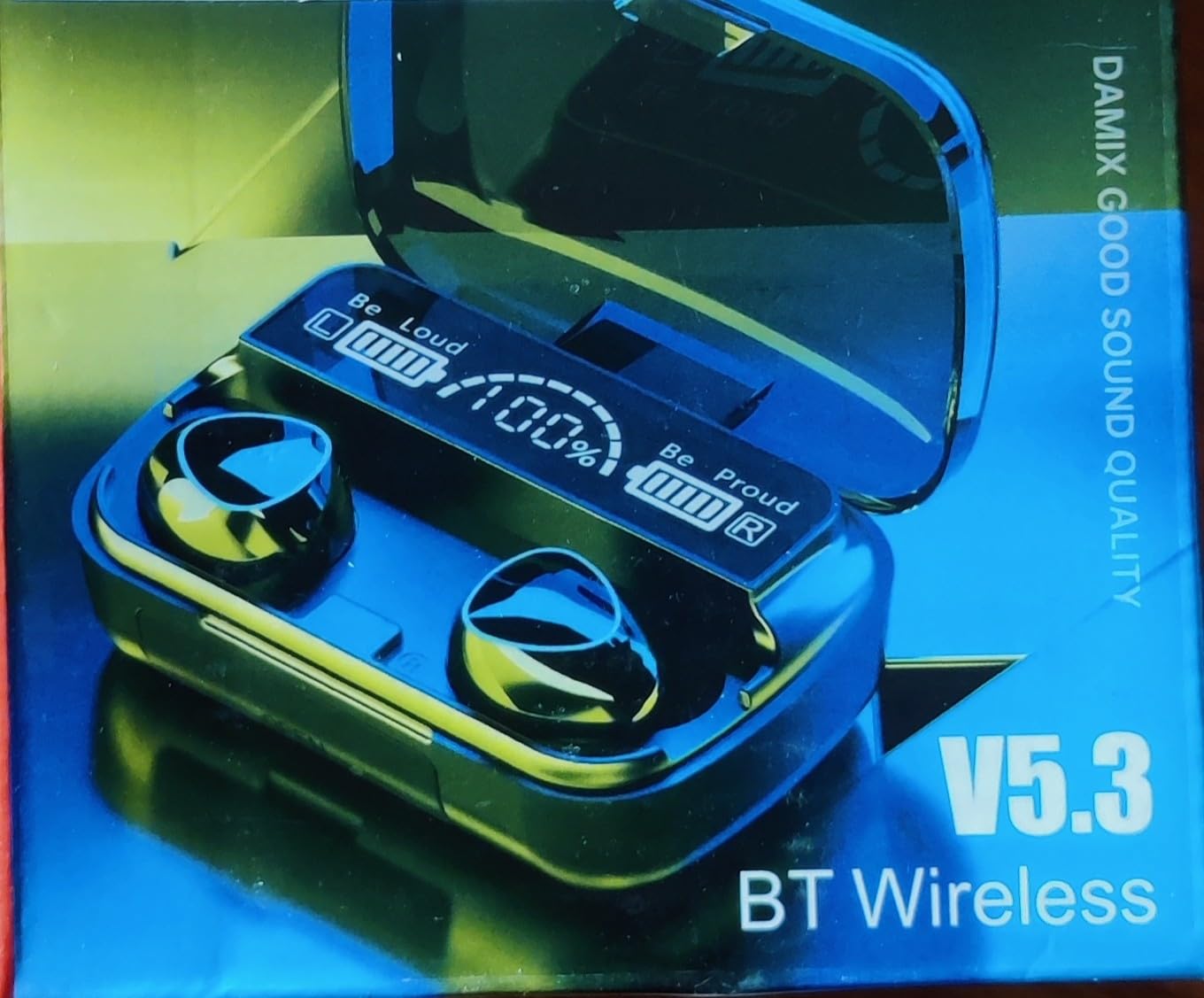
Image showing the Damix M10 wireless headset charging case open, revealing the two earbuds and the digital display indicating battery percentage 및 개별 이어버드 충전 수준.
5. 헤드셋 충전
5.1 초기 충전
Before first use, fully charge the charging case and earbuds. Connect the provided charging cable to the charging port on the case and a USB power source. The digital indicator will show the charging progress.
5.2 케이스 및 이어버드 충전
- 이어버드를 충전 케이스에 넣으세요. 자동으로 충전이 시작됩니다.
- 케이스의 디지털 디스플레이에 배터리 잔량이 표시됩니다.tage of the case and individual charging icons for each earbud.
- 케이스를 완전히 충전하는 데는 약 2시간이 걸립니다.
- The earbuds provide about 5 hours of music play time on a single charge. The case holds additional charges for extended use.
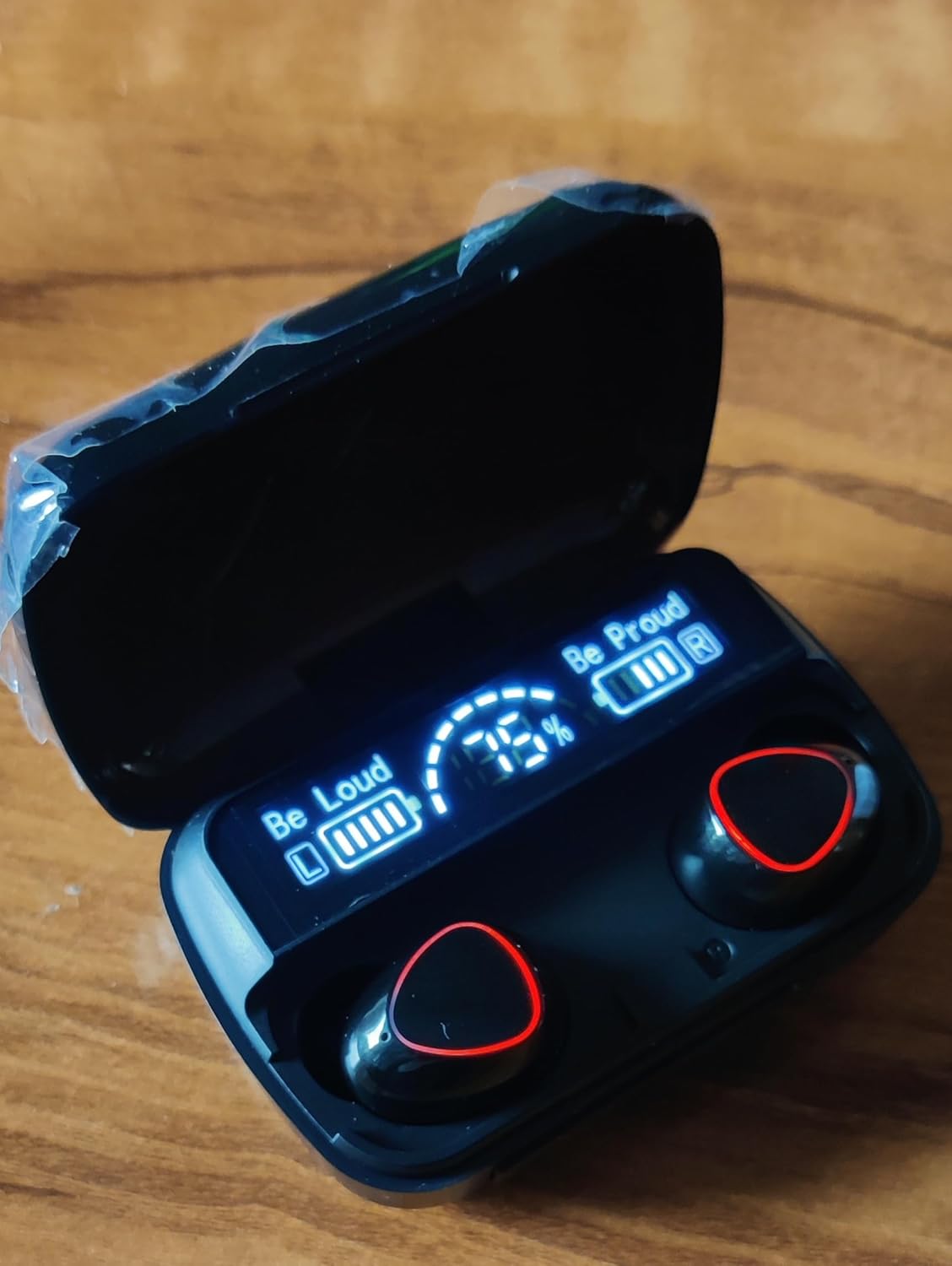
Image of the Damix M10 wireless headset charging case displaying '75%' battery level, with the earbuds inside.
6. 장치와 페어링
6.1 최초 페어링
- Ensure the charging case is charged and open the lid. The earbuds will automatically power on and enter pairing mode.
- 기기(스마트폰, 태블릿 등)에서 Bluetooth를 활성화하세요.
- 검색 available Bluetooth devices and select "Damix M10" (or similar name) from the list.
- 연결되면 확인음이 들리고 이어버드를 사용할 준비가 됩니다.
6.2 재 연결
초기 페어링 후, 이어버드는 충전 케이스에서 꺼내고 기기에서 블루투스가 켜져 있으면 마지막으로 페어링된 장치에 자동으로 연결됩니다.
The wireless transmission distance is approximately 10 meters (33 feet).
7. 사용 설명서
The Damix M10 headset features touch controls for various functions.
7.1 전원 켜기/끄기
- 전원 켜기: 충전 케이스를 열거나, 두 이어버드의 터치 영역을 몇 초간 길게 누르세요.
- 전원 끄기 : Place the earbuds back into the charging case and close the lid, or long-press the touch area on both earbuds for a few seconds.
7.2 음악 제어
- 재생/일시 중지: 양쪽 이어버드를 한 번 탭하세요.
- 다음 트랙: 오른쪽 이어버드를 두 번 탭하세요.
- 이전 트랙 : 왼쪽 이어버드를 두 번 탭하세요.
7.3 통화 관리
- 전화 받기/종료: 수신 전화나 통화 중일 때 한쪽 이어버드를 한 번 탭합니다.
- 전화 거부: 전화가 오는 동안 양쪽 이어버드를 길게 누릅니다.
7.4 음성 어시스턴트
- Voice Assistant 활성화 : 양쪽 이어버드를 세 번 탭합니다(기능은 기기마다 다를 수 있음).
8. 유지관리
8.1 청소
- 부드럽고 마른 보푸라기 없는 천으로 이어버드와 충전 케이스를 닦으세요.
- 연마성 세척제, 알코올, 화학 용제는 사용하지 마세요.
- 충전 접점이 깨끗하고 이물질이 없는지 확인하세요.
8.2 보관
- 사용하지 않을 때는 헤드셋을 충전 케이스에 보관하여 보호하고 충전 상태를 유지하세요.
- 직사광선 및 극한의 온도를 피해 서늘하고 건조한 곳에 보관하세요.
9. 문제 해결
9.1 이어버드가 기기와 페어링되지 않음
- 기기에서 Bluetooth가 활성화되어 있는지 확인하세요.
- 이어버드가 충전되어 있고 충전 케이스에서 꺼내져 있는지 확인하세요.
- 기기의 Bluetooth를 껐다가 다시 켜세요.
- Forget/delete "Damix M10" from your device's Bluetooth list and try pairing again.
- 기기를 다시 시작하세요.
9.2 이어버드에서 소리가 나지 않음
- 기기와 이어버드의 볼륨 레벨을 확인하세요.
- 이어버드가 기기에 제대로 연결되었는지 확인하세요.
- 다른 애플리케이션이나 소스에서 오디오를 재생해보세요.
9.3 충전 케이스가 충전되지 않음
- 충전 케이블이 케이스와 전원에 모두 단단히 연결되어 있는지 확인하세요.
- 다른 충전 케이블이나 전원 어댑터를 사용해 보세요.
- 케이스의 충전 포트가 깨끗하고 이물질이 없는지 확인하세요.
10. 사양
| 특징 | 사양 |
|---|---|
| 모델명 | M10 |
| 무선 버전 | V5.3 |
| 무선 프로files | A2DP/HFP/HSP/AVRCP |
| 전송 거리 | 10 미터 |
| 충전 시간 | 약 2시간 |
| 대기 시간 | 280시간 |
| 음악 재생 시간 | 약 5시간 |
| 산출 | 5V=1A |
| 제어 방법 | 만지다 |
| 방수 레벨 | 방수복 |
| 소음 제어 기능 | 능동 소음 제거 |
| 품목 무게 | 107그램 |
| 재료 | 플라스틱 |
11. 보증 및 지원
The Damix M10 Wireless Headset comes with a 6-month warranty from the date of purchase. This warranty covers manufacturing defects under normal use.
For technical support, warranty claims, or any inquiries, please contact the manufacturer:
- 제조업체: Siruxing co.ltd.shenzen
- 이메일: Siruxingtechnology@gmail.com


