
1. 서론
구매해주셔서 감사합니다asing the Zenwire D300S Mini Projector. This manual provides essential information for the safe and efficient operation of your device. Please read it thoroughly before use and retain it for future reference.
안전 예방 조치
- l을 사용할 때 프로젝터 렌즈를 직접 쳐다보지 마십시오.amp 켜져있습니다.
- 과열을 방지하기 위해 적절한 환기를 유지하세요. 환기구를 막지 마세요.
- 제공된 전원 어댑터만 사용하세요.
- 프로젝터를 물이나 다른 액체로부터 멀리하세요.
- 불안정한 표면에 프로젝터를 두지 마십시오.
- 프로젝터를 직접 분해하거나 수리하려고 하지 마십시오. 자격을 갖춘 서비스 담당자에게 문의하십시오.
2. 패키지 내용
패키지에 모든 품목이 들어 있는지 확인하세요.
- Zenwire D300S Mini Projector
- 원격 제어
- 전원 어댑터
- AV 케이블
- 사용 설명서 (본 문서)
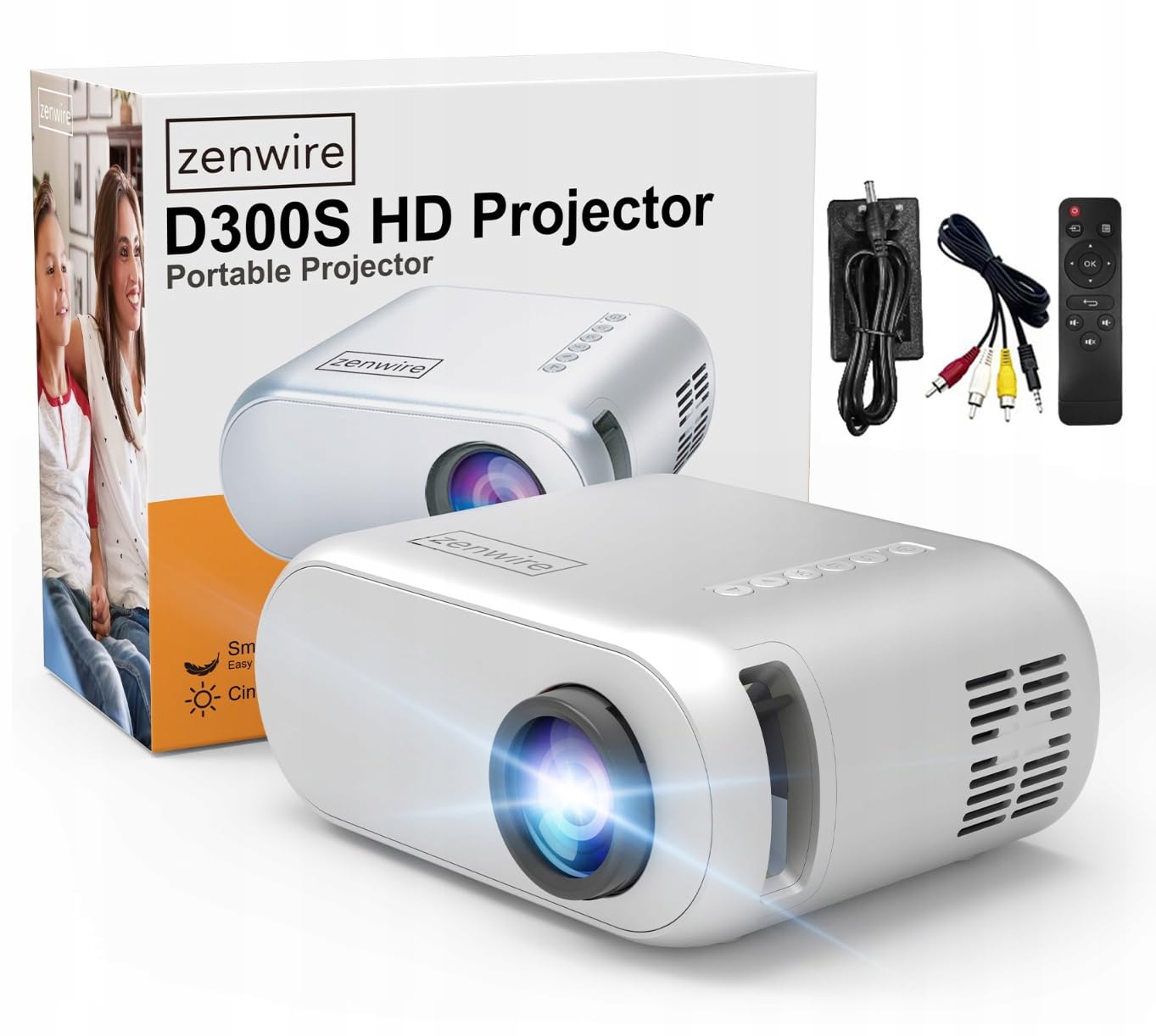
Image 2.1: Zenwire D300S Mini Projector and included accessories.
3. 제품 오버view
프로젝터 전면 및 상단 View
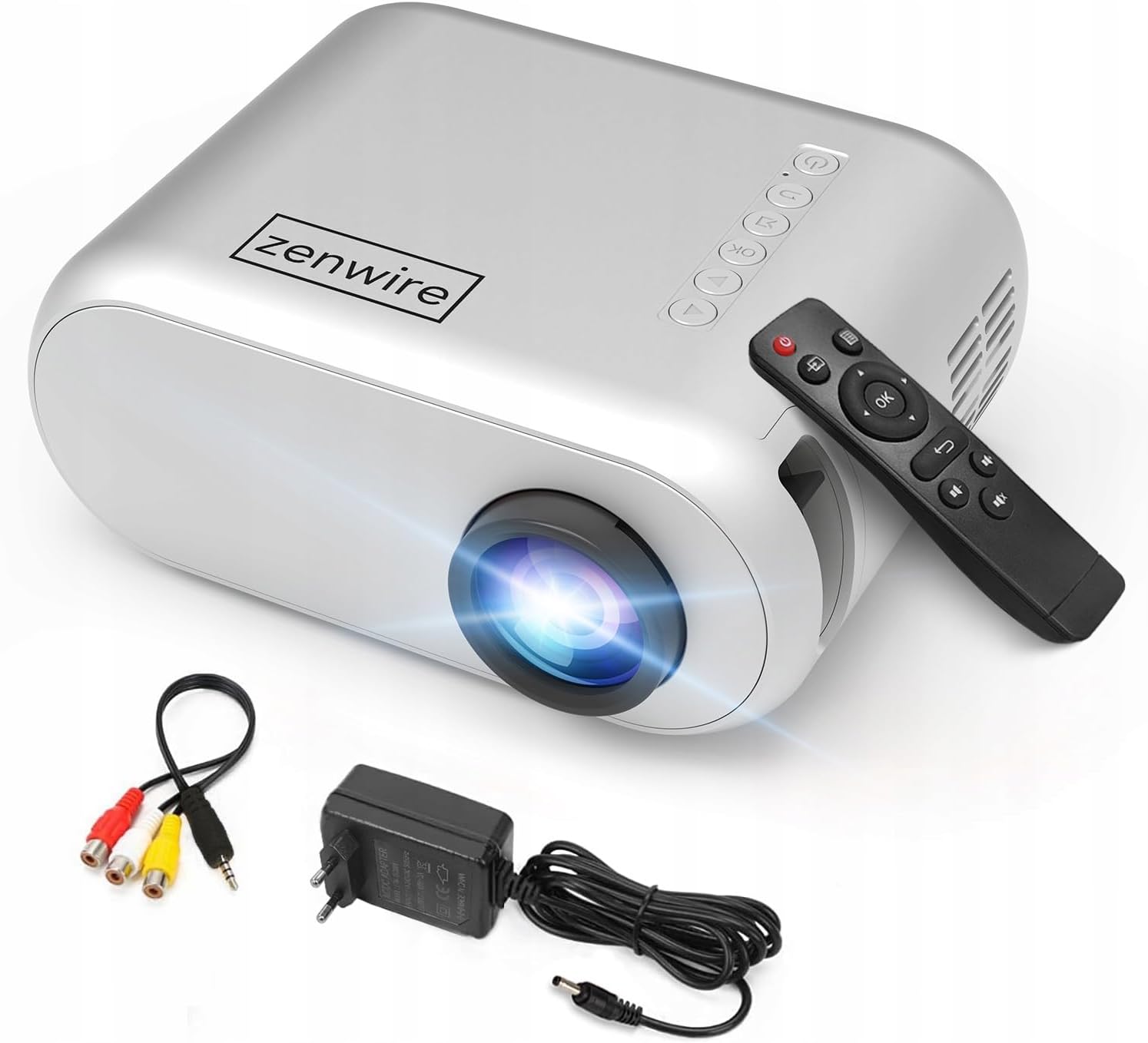
이미지 3.1: 앞면 및 상단 view of the projector, showing the lens and top control panel.
Rear Panel and Connectivity
The rear panel of the projector features various ports for connecting external devices:

이미지 3.2: 후면 view of the projector, highlighting the input/output ports.
- AV 입력: 동봉된 AV 케이블을 사용하여 기기를 연결하세요.
- HDMI 입력: For connecting devices such as laptops, gaming consoles, or streaming sticks.
- USB 포트: USB 플래시 드라이브를 연결하여 미디어를 재생하려면 file직접적으로.
- 보조 출력: 외부 스피커나 헤드폰을 연결하는 데 사용합니다.
- DC 전원 입력: 전원 어댑터를 연결합니다.
상단 제어판
The top of the projector features a control panel for basic operations:
- 전원 버튼: 프로젝터를 켜거나 끕니다.
- 탐색 버튼(위/아래/왼쪽/오른쪽): 메뉴를 탐색하는 데 사용됩니다.
- 확인 버튼: 선택 사항을 확인합니다.
- 뒤로가기 버튼: 이전 메뉴나 화면으로 돌아갑니다.
- 소스 버튼 : Selects input source (HDMI, AV, USB).
4. 설정
4.1 배치
Place the projector on a stable, flat surface. Ensure there is adequate space around the projector for ventilation. The projection distance affects the screen size. Refer to the image below for recommended distances and corresponding screen sizes.

Image 4.1: Recommended projection distances and screen sizes.
- 30인치 화면의 경우 프로젝터를 약 0.9m 떨어진 곳에 두세요.
- 50인치 화면의 경우 프로젝터를 약 1.5m 떨어진 곳에 두세요.
- For an 80-inch screen, place the projector approximately 2.4 meters away.
- 100인치 화면의 경우 프로젝터를 약 3.0m 떨어진 곳에 두세요.
4.2 전원 연결
Connect the power adapter to the DC Power Input port on the projector, then plug the adapter into a power outlet.
4.3 장치 연결
The Zenwire D300S supports various input sources:
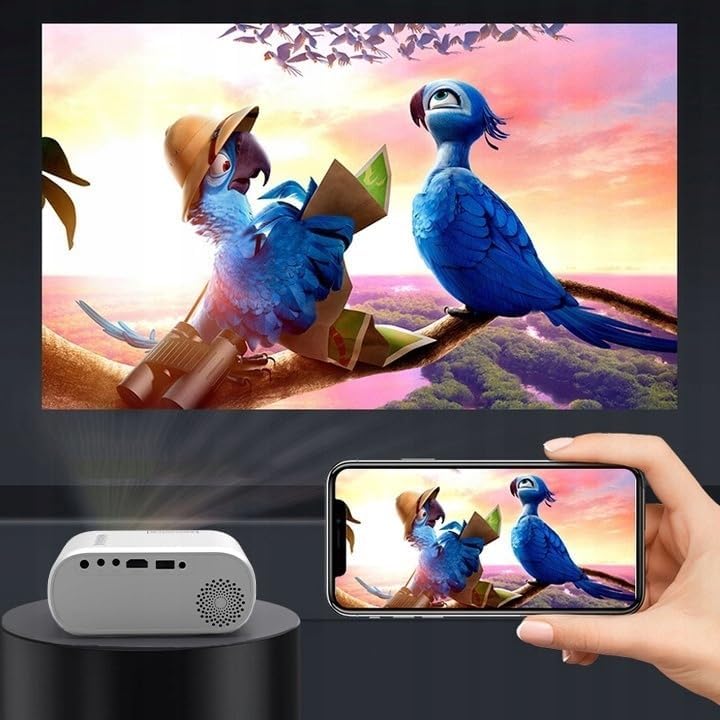
이미지 4.2: Examples of devices that can be connected to the projector.
- HDMI : Connect your laptop, gaming console, or streaming device using an HDMI cable.
- USB: 미디어를 재생하려면 USB 플래시 드라이브를 USB 포트에 삽입하세요. file직접적으로.
- 유명인 : 동봉된 AV 케이블을 사용하여 DVD 플레이어와 같은 구형 기기를 연결하세요.
- Audio Out (AUX): Connect external speakers or headphones to the AUX port for enhanced audio.
4.4 초점 조정
Turn on the projector. Adjust the focus ring located near the lens until the projected image is clear and sharp.
5. 사용 설명서
5.1 전원 켜기/끄기
프로젝터 또는 리모컨의 전원 버튼을 눌러 기기를 켜거나 끄세요.
5.2 소스 선택
After powering on, use the 'Source' button on the projector or remote control to select the desired input source (HDMI, AV, USB).
5.3 메뉴 탐색
Use the navigation buttons (Up/Down/Left/Right) on the projector or remote to browse through menus. Press 'OK' to confirm a selection and 'Back' to return.
5.4 볼륨 조절
리모컨의 볼륨 버튼을 사용하여 볼륨을 조절하세요.
5.5 Connecting to a Phone/Laptop
To project content from a phone or laptop:
- 노트북의 경우: Connect via HDMI cable. Select HDMI as the input source on the projector.
- 휴대전화의 경우: Depending on your phone model, you may need an adapter (e.g., USB-C to HDMI, Lightning to HDMI) to connect via HDMI. Alternatively, some phones support wireless display technologies that can be used with a compatible streaming stick connected to the projector's HDMI port.

Image 5.1: Projecting content from a smartphone to the Zenwire D300S Mini Projector.
6. 유지관리
6.1 렌즈 청소
광학 렌즈 전용으로 제작된 부드럽고 보풀 없는 천으로 프로젝터 렌즈를 살살 닦아주세요. 연마성 세척제나 과도한 힘을 사용하지 마십시오.
6.2 프로젝터 본체 청소
프로젝터 외부는 부드럽고 마른 천으로 닦으세요. 잘 지워지지 않는 얼룩은 가볍게 두드리세요.amp 천을 사용한 후 마른 천으로 닦아낼 수 있습니다.
6.3 환기
Regularly check that the ventilation openings are free from dust and obstructions to ensure proper airflow and prevent overheating.
7. 문제 해결
프로젝터 사용 중 문제가 발생하면 다음의 일반적인 문제 및 해결 방법을 참조하십시오.
| 문제 | 가능한 원인 | 해결책 |
|---|---|---|
| 이미지가 투영되지 않았습니다 | Power not connected, incorrect input source, device not sending signal. | Check power connection, select correct input source, ensure connected device is on and outputting video. |
| 이미지가 흐릿함 | Focus not adjusted, projector too close/far. | Adjust the focus ring, reposition the projector according to recommended distances. |
| 소리가 나지 않습니다 | Volume too low, external speakers not connected, audio format not supported. | Increase volume, connect external speakers via AUX, check audio settings on source device. |
| 리모컨이 작동하지 않습니다 | Batteries dead, obstruction between remote and projector. | Replace batteries, ensure clear line of sight to the projector's IR receiver. |
8. 사양
- 모델: Zenwire D300S
- 네이티브 해상도: 1280 x 720p HD
- 명도: 3000 루멘 (100 ANSI 루멘)
- 연결성: HDMI, USB, AUX, AV
- 종횡비: 16:9 / 4:3
- 투사 거리: 0.9m - 3.0m (approx. 30-100 inches)
9. 보증 및 지원
The Zenwire D300S Mini Projector comes with a standard manufacturer's warranty. Please refer to the warranty card included in your package for specific terms and conditions. For technical support or service inquiries, please contact your retailer or the Zenwire customer service department.