
1. 서론
The MIPRO ACT-311/ACT-32H Single-Channel Handheld Wireless System is engineered for professional audio applications, offering high-fidelity sound and dependable performance. This system features a premium condenser microphone capsule for clear, dynamic vocal reproduction. Its design prioritizes ease of use with MIPRO's patented ACT technology for rapid frequency synchronization and an Auto Scan function to identify interference-free channels. Advanced diversity technology further enhances reliability by minimizing signal dropouts. This manual provides essential information for the proper setup, operation, and maintenance of your wireless system.
2. 패키지 내용
Please inspect the package contents carefully. If any items are missing or damaged, contact your dealer.
- ACT-311 단일 채널 수신기
- ACT-32H Handheld Wireless Microphone (Transmitter)
- Power Adapter for Receiver
- Audio Cable (XLR to 1/4" Phone Jack)
- AA Batteries (for Transmitter)
- 사용 설명서 (본 문서)
3. 제품 오버view
The MIPRO ACT-311/ACT-32H system consists of a receiver unit and a handheld microphone transmitter.
3.1. ACT-311 Receiver
The ACT-311 receiver processes the wireless signal from the transmitter and outputs it as an audio signal. It features a clear LCD display, control buttons, and antenna inputs.
3.2. ACT-32H Handheld Transmitter
The ACT-32H is a robust handheld microphone with an integrated wireless transmitter. It includes a power switch, battery compartment, and an ACT sync port.
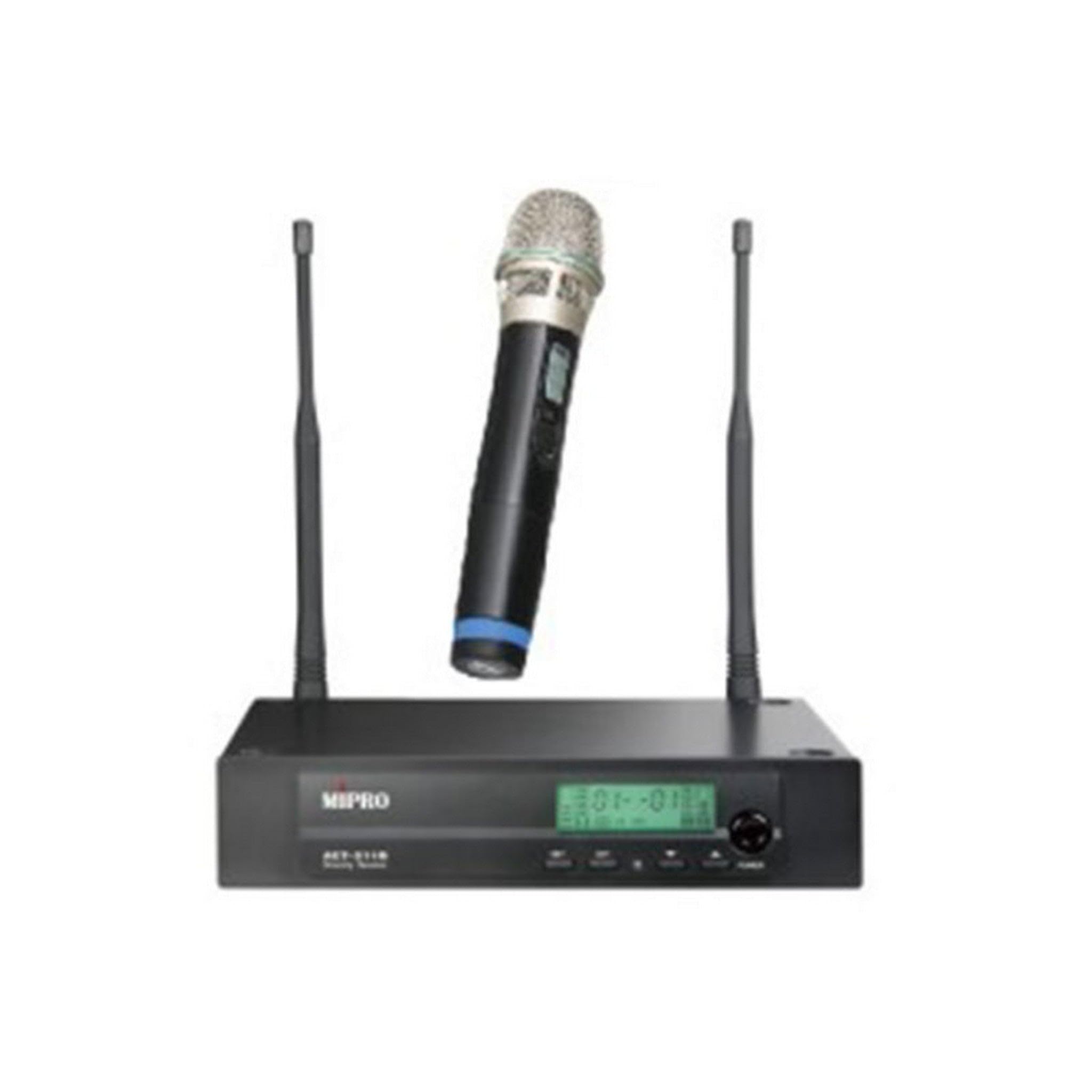
Figure 1: The MIPRO ACT-311/ACT-32H Single-Channel Handheld Wireless System, showing the receiver and handheld microphone.
4. 설정
Follow these steps to set up your MIPRO wireless system.
4.1. 수신기 배치
- Place the ACT-311 receiver in a location free from obstructions and away from potential sources of interference (e.g., computers, digital processors, other wireless devices).
- Ensure the receiver's antennas are fully extended and positioned vertically for optimal signal reception.
- Maintain a clear line of sight between the receiver and the area where the transmitter will be used.
4.2. 전원 연결
- Connect the supplied power adapter to the DC input jack on the rear panel of the ACT-311 receiver.
- Plug the power adapter into an appropriate AC power outlet.
- Do not power on the receiver yet.
4.3. 오디오 출력 연결
수신기의 오디오 출력을 믹서에 연결하세요. amplifier, or sound system.
- 밸런스드 출력(XLR): Use an XLR cable to connect the receiver's XLR output to a balanced input on your mixer.
- Unbalanced Output (1/4" Phone Jack): Use a 1/4" phone jack cable to connect the receiver's unbalanced output to an unbalanced input on your mixer or amp리퍼.
4.4. 송신기 배터리 설치
- Unscrew the lower part of the ACT-32H handheld microphone to reveal the battery compartment.
- Insert two fresh AA batteries, observing the correct polarity (+/-) as indicated inside the compartment.
- Securely screw the lower part back onto the microphone.
5. 사용 설명서
This section details how to operate your MIPRO wireless system.
5.1. 전원 켜기 / 끄기
- 수신기(ACT-311): 전면 패널의 전원 버튼을 누르세요. LCD 디스플레이에 불이 들어옵니다.
- Transmitter (ACT-32H): Slide the power switch on the handheld microphone to the "ON" position. The power indicator will light up.
- Always power on the receiver before the transmitter, and power off the transmitter before the receiver.
5.2. 주파수 동기화 (ACT 기능)
MIPRO's patented ACT (Automatic Channel Targeting) function allows for quick and precise frequency matching between the receiver and transmitter.
- Ensure both the receiver and transmitter are powered on.
- On the ACT-311 receiver, press the 행동 button. The ACT indicator on the receiver will flash.
- Align the ACT sync port on the ACT-32H handheld microphone (usually near the base or battery compartment) with the ACT window on the receiver.
- Hold them together within a few centimeters until the receiver's ACT indicator stops flashing and the transmitter's frequency display matches the receiver's.
- The system is now synchronized and ready for use.
5.3. Channel Selection (Auto Scan)
Use the Auto Scan function to find the clearest available frequency channel.
- On the ACT-311 receiver, press the 주사 단추.
- The receiver will automatically scan for an interference-free channel.
- Once a clear channel is found, the receiver will display it.
- Perform the ACT synchronization process (Section 5.2) to match the transmitter to this newly selected channel.
5.4. 볼륨 조절
Adjust the audio output level of the receiver using the 용량 control knob on the front panel of the ACT-311. Start with a low volume and gradually increase it to a suitable level on your mixer or amp리퍼.
5.5. 마이크 사용
- Hold the ACT-32H microphone approximately 2-6 inches (5-15 cm) from your mouth for optimal vocal pickup.
- Avoid covering the microphone grille with your hand, as this can affect sound quality and signal transmission.
- Be aware of the microphone's unidirectional polar pattern, which means it primarily picks up sound from the front, reducing background noise.
6. 유지관리
Proper maintenance ensures the longevity and optimal performance of your wireless system.
6.1. 청소
- Wipe the receiver and transmitter with a soft, dry cloth.
- 잘 지워지지 않는 먼지에는 약간의 d를 사용하세요.amp 천으로 닦아낸 후 완전히 말리세요.
- 연마성 세척제, 용제 또는 독한 화학 물질은 마감재나 내부 부품을 손상시킬 수 있으므로 사용하지 마십시오.
- Periodically clean the microphone grille to prevent debris buildup.
6.2. 배터리 교체
- Replace the AA batteries in the ACT-32H transmitter when the low battery indicator appears on the microphone or receiver, or if you notice a decrease in performance.
- Always use fresh, high-quality alkaline or rechargeable batteries.
- 송신기를 장기간 사용하지 않을 경우 누액을 방지하기 위해 배터리를 제거하십시오.
6.3. 보관
- 시스템을 직사광선, 극한 온도 및 높은 습도를 피해 서늘하고 건조한 곳에 보관하십시오.
- If transporting, use a protective case to prevent physical damage.
7. 문제 해결
If you encounter issues with your MIPRO wireless system, refer to the following common problems and solutions.
7.1. 소리가 나지 않음
- 전원 확인: Ensure both the receiver and transmitter are powered on and their respective power indicators are lit.
- 연결 확인: Verify that the receiver's audio output is correctly connected to your mixer/amplifier and that all cables are secure.
- 볼륨 확인: Ensure the receiver's volume control is not set to minimum and that your mixer/amplifier input gain is appropriately set.
- Check Frequency: Confirm that the transmitter and receiver are synchronized to the same frequency. Perform ACT synchronization if necessary.
- 배터리 확인: Replace the batteries in the handheld transmitter if they are low or depleted.
7.2. Interference or Signal Dropouts
- 수신기 배치: Relocate the receiver to a higher position or away from metal objects and other electronic devices that may cause interference.
- 안테나 위치: 수신 안테나가 완전히 펼쳐져 있고 올바른 위치에 있는지 확인하십시오.
- Scan for Clear Channel: Use the Auto Scan function on the receiver to find a new, clear frequency, then re-synchronize the transmitter.
- 작동 범위: Ensure the transmitter is within the recommended operating range of the receiver.
- 배터리 수준: Low transmitter batteries can cause signal instability. Replace them if needed.
7.3. Poor Sound Quality (Distortion, Weak Signal)
- 마이크 근접도: Ensure the microphone is held at an appropriate distance from the sound source (typically 2-6 inches).
- 게인 설정: 믹서의 입력 게인을 조정하세요/amplifier. If the signal is too hot, it can cause distortion; if too low, it will be weak.
- 배터리 수준: Weak batteries can affect audio quality. Replace them.
- 장애물: Ensure there are no physical obstructions between the transmitter and receiver.
8. 사양
Key technical specifications for the MIPRO ACT-311/ACT-32H Wireless System.
| 특징 | 사양 |
|---|---|
| 모델명 | ACT-311/ACT-32H |
| 상표 | 미프로 |
| 채널 수 | 1 |
| 주파수 응답 | 506-530 MHz (5A Band) |
| 신호 대 잡음 비율 | 70데시벨 |
| 연결 기술 | 무선 전화 |
| 마이크 폼 팩터 | 핸드헬드 |
| 극성 패턴 | 단방향 |
| 전원(송신기) | AA 건전지 사용 |
| 품목 무게 | 6 pounds (System total, approximate) |
9. 보증 및 지원
MIPRO 제품은 뛰어난 신뢰성과 성능을 위해 설계되었습니다. 구체적인 보증 정보는 제품에 동봉된 보증 카드를 참조하거나 MIPRO 공식 웹사이트를 방문하십시오. web대지.
If you require technical assistance or have questions not covered in this manual, please contact your authorized MIPRO dealer or MIPRO customer support.