
소개
This manual provides detailed instructions for setting up and operating your YNF Smart Plug. Please read this manual carefully before use to ensure proper functionality and safety. The YNF Smart Plug allows you to control your home appliances remotely, via voice commands, and through scheduled timers.

Image: The YNF Smart Plug, a compact white device designed for smart home integration.
안전 정보
- 장치를 분해하거나 개조하지 마세요.
- 물과 습도가 높은 환경을 멀리하십시오.
- Do not exceed the maximum load rating of the smart plug. Refer to specifications.
- 플러그가 벽면 콘센트에 완전히 삽입되었는지 확인하세요.
- 실내에서만 사용하세요.
패키지 내용
- 1 x YNF Smart Plug
- 1 x 사용자 매뉴얼(이 문서)
설정
1. 스마트라이프 앱을 다운로드하세요
검색 "Smart Life" in the Apple App Store or Google Play Store and download the application. Alternatively, scan the QR code provided in the product packaging (if available) to download.
2. 회원가입 및 로그인
Open the Smart Life App. If you are a new user, register for an account. If you already have an account, log in.
3. 장치 추가
- Plug the YNF Smart Plug into a wall outlet.
- Open the Smart Life App and tap the "+" icon in the top right corner to add a device.
- 기기 목록에서 "콘센트" 또는 "스마트 플러그"를 선택하세요.
- Confirm that the indicator light on the smart plug is blinking rapidly. If not, press and hold the power button on the plug for 5-10 seconds until it blinks rapidly.
- Enter your 2.4GHz Wi-Fi network password. The YNF Smart Plug supports 2.4GHz Wi-Fi and Bluetooth for stable connection.
- Wait for the app to connect to the device. Once connected, you can rename the smart plug.

Image: A comparison chart highlighting YNF Smart Plug's superior connectivity (Wi-Fi & Bluetooth), faster response time, higher stability, and broader compatibility (Alexa, Google, SmartThings) compared to other smart plugs.
작동 지침
Remote Control via Smart Life App
Once the smart plug is successfully added to the Smart Life App, you can control connected appliances from anywhere with an internet connection.
- 스마트 라이프 앱을 엽니다.
- Tap on the smart plug's name to access its control interface.
- Toggle the power button within the app to turn the connected appliance on or off.

Image: A user demonstrating remote control of a smart plug via the Smart Life app on a smartphone, showing a bedroom light being controlled.
음성 제어(Alexa 및 Google Home)
The YNF Smart Plug is compatible with Amazon Alexa and Google Home for hands-free voice control.
- Link Smart Life to Voice Assistant:
- Alexa 또는 Google Home 앱을 여세요.
- "기술 및 게임"(Alexa) 또는 "Google 연동"(Google Home)으로 이동하세요.
- 검색 "스마트 라이프"를 구현하고 기술/서비스를 활성화합니다.
- 자격 증명을 사용하여 Smart Life 계정을 연결하세요.
- 장치를 검색합니다.
- 음성 명령:
- "알렉사, [기기 이름] 켜줘."
- "헤이 구글, [기기 이름] 꺼줘."
- "Alexa, set [device name] to 50%." (If applicable for dimmable devices connected to the plug)
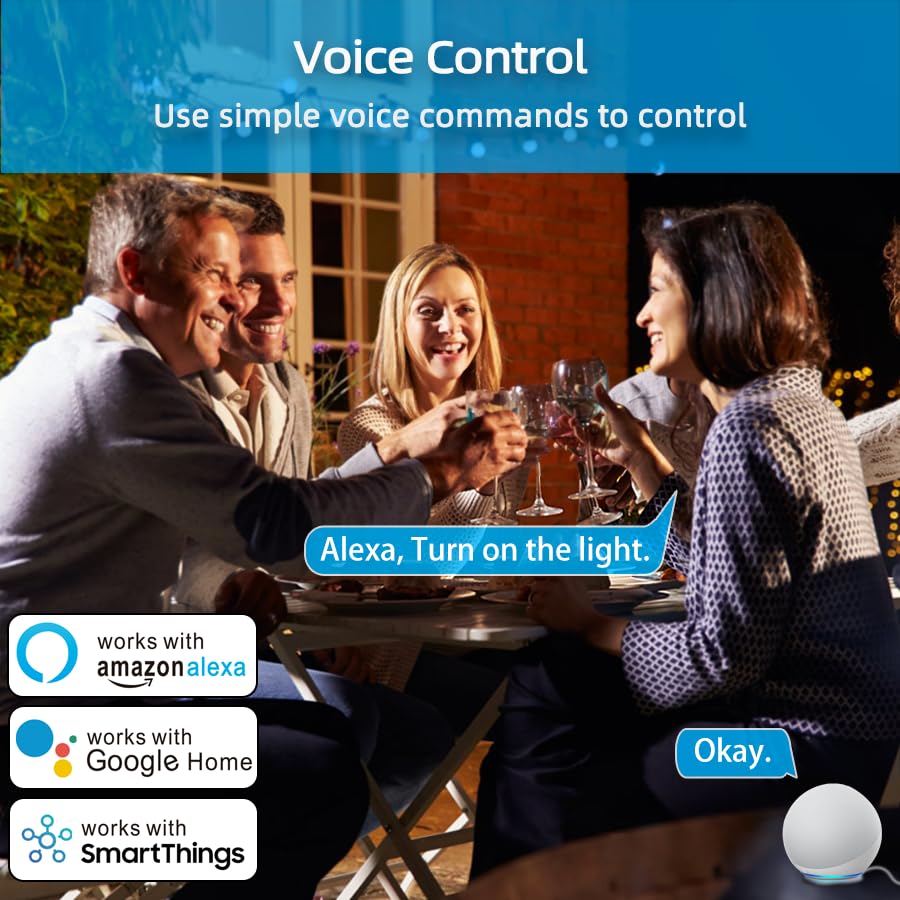
Image: An illustration of voice control in action, with people at a dinner table and a voice command "Alexa, Turn on the light." being processed, indicating compatibility with Amazon Alexa, Google Home, and SmartThings.
Timer Function and Schedules
Set schedules and timers to automate your appliances.
- In the Smart Life App, select your smart plug.
- Tap on "Timer" or "Schedule" to create new automation rules.
- You can set specific times for the plug to turn on or off daily, weekly, or on custom days.

Image: A visual representation of setting a schedule, with a sunrise icon at 7:00 AM and a sunset icon at 6:00 PM, demonstrating how to automate device operation based on time.
날씨 모드
Utilize the Weather Mode feature to automate actions based on local weather conditions.
- In the Smart Life App, navigate to the smart plug's settings or automation section.
- Look for "Weather Mode" or "Scene" creation.
- Configure rules, for example, "If weather is Rainy, turn on the light."

Image: A diagram illustrating the "Weather Mode" feature, where actions like "Turn on the light" are scheduled based on daily weather forecasts (e.g., Cloudy, Rainy, Snowy, Hazy).
그룹 제어 및 장치 공유
Manage multiple smart plugs simultaneously and share control with family members.
- 그룹 제어: In the Smart Life App, select multiple smart plugs and create a group to control them all with a single command.
- 장치 공유: Share access to your smart plugs with other Smart Life account users in your household.
유지
- 스마트 플러그를 깨끗하고 건조하게 유지하세요.
- Wipe with a soft, dry cloth. Do not use liquid cleaners.
- Ensure the firmware of the smart plug and the Smart Life App are updated to the latest versions for optimal performance and security.
문제 해결
| 문제 | 가능한 해결책 |
|---|---|
| 스마트 플러그가 Wi-Fi에 연결되지 않습니다. |
|
| 음성 제어가 작동하지 않습니다. |
|
| 플러그가 반응하지 않습니다. |
|
명세서
| 특징 | 세부 사항 |
|---|---|
| 상표 | YNF |
| 모델 | B0D6ZDR4KD |
| 색상 | 하얀색 |
| 재료 | 아크릴로니트릴 부타디엔 스티렌(ABS) |
| 커넥터 유형 | 전기 플러그 |
| 전선 수 | 3 |
| 플러그 유형 | B형 |
| 무선 연결 | 2.4GHz Wi-Fi, 블루투스 |
| 호환성 | Amazon Alexa, Google Home, SmartThings, Smart Life App |
| 인증 | ETL, UL, cUL |
보증 및 지원
For warranty information and technical support, please refer to the contact details provided on the product packaging or visit the official YNF web대지. 보증 청구를 위해 구매 영수증을 보관하십시오.
추가 지원이 필요한 경우, 제품을 구매한 플랫폼을 통해 판매자에게 문의할 수도 있습니다.