소개
This manual provides detailed instructions for the safe and efficient operation of your Generic Portable Type-C Rechargeable Fan. Please read this manual thoroughly before use and retain it for future reference.
제품 특징
- 휴대성과 가벼움: Designed for easy transport and use in various locations.
- Type-C 충전식: USB-C 포트를 통한 편리한 충전.
- 전원 디스플레이: Integrated display shows current battery level.
- 매우 조용한 작동: Operates at approximately 10 dB, minimizing noise disturbance.
- 조절 가능한 공기 흐름: Three-speed settings for personalized cooling.
- 360도 회전: Fan head can be manually adjusted for optimal airflow direction.
- 브러시리스 모터 : Ensures high-speed operation and durability.
패키지 내용
- 1 x Generic Portable Type-C Rechargeable Fan
- 1 x USB 충전 케이블(Type-C)
- 1 x 사용자 설명서
안전 지침
안전한 작동을 위해 다음 주의 사항을 준수하십시오.
- 팬 그릴에 손가락이나 다른 물건을 넣지 마십시오.
- 선풍기를 물이나 습기로부터 멀리하십시오. 습한 환경에서는 사용하지 마십시오.
- Do not disassemble, repair, or modify the fan yourself. Contact qualified service personnel.
- 어린이와 애완동물의 손이 닿지 않는 곳에 보관하세요.
- Use only the provided USB cable or a certified Type-C cable for charging.
- Avoid placing the fan near heat sources or in direct sunlight for extended periods.
- 선풍기가 넘어지지 않도록 안정적이고 평평한 표면에 놓으세요.
설정
- 풀다: 팬과 모든 부속품을 포장에서 조심스럽게 꺼내세요.
- 놓기: Place the fan on a stable, flat surface where airflow is desired.
- 초기 청구 : Before first use, fully charge the fan using the provided Type-C USB cable.

Image: The white portable fan showing its compact design and digital power display. The fan can rotate 360 degrees for versatile positioning.
작동 지침
- 전원 켜기/끄기: Press the power button located on the front of the fan to turn it on. Press again to cycle through speeds and turn off.
- 팬 속도 조정:
- Press the power button once for First Gear (Soft Breeze).
- Press the power button a second time for Second Gear (Natural Wind).
- Press the power button a third time for Third Gear (Strong Wind).
- 전원 버튼을 네 번째로 눌러 팬을 끕니다.
- 선풍기 각도 조절하기: Manually tilt the fan head up or down to adjust the airflow direction. The fan supports 360-degree vertical rotation.

Image: Illustration of the three adjustable wind speeds, demonstrating the airflow intensity for each setting.

Image: The fan demonstrating its 360-degree adjustable angle, allowing users to direct airflow as needed.
충전 중
The fan is equipped with a built-in rechargeable battery and a Type-C charging port.
- Connect the provided Type-C USB cable to the fan's charging port.
- Connect the other end of the USB cable to a compatible USB power source (e.g., computer, power bank, AC adapter).
- 디지털 디스플레이에는 충전 상태와 배터리 잔량이 표시됩니다.tage.
- A full charge can provide over 8 hours of operation, depending on the selected fan speed.
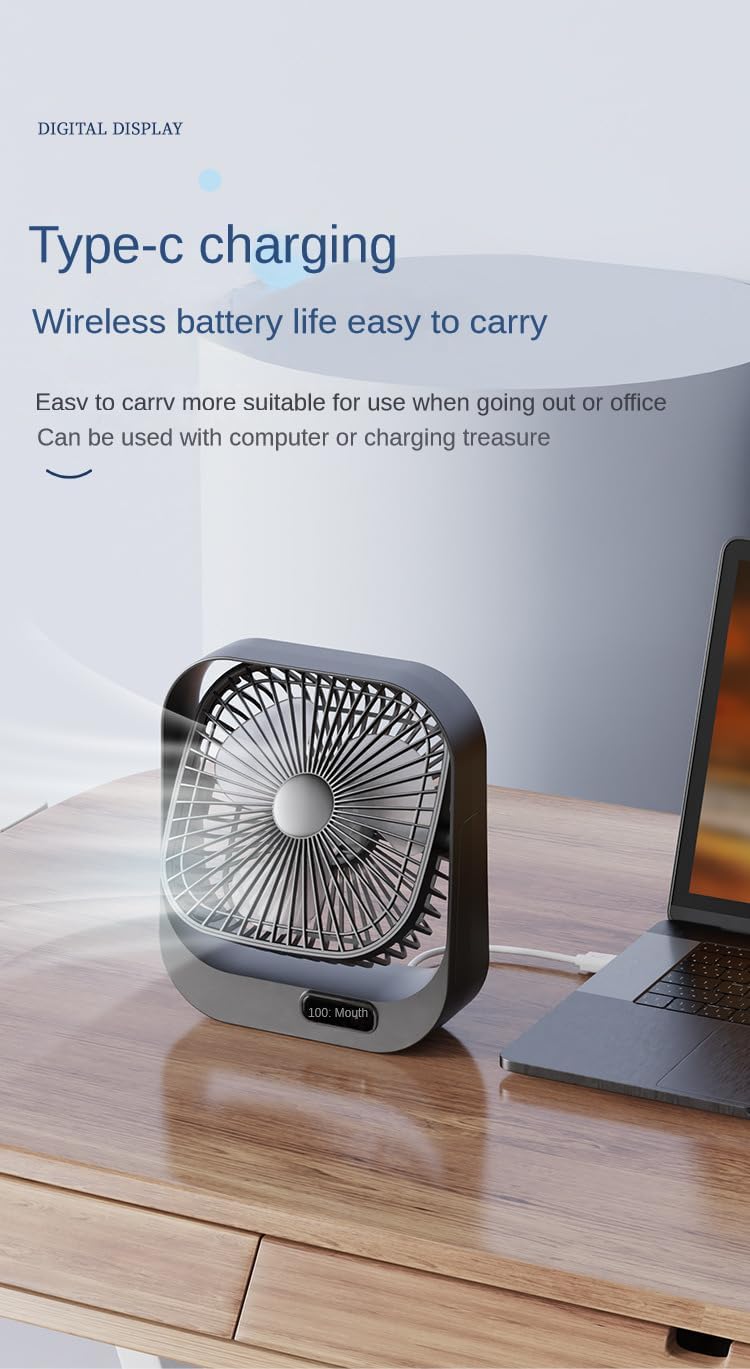
Image: The fan being charged via its Type-C port, connected to a laptop, highlighting its wireless battery life and portability.
유지
- 청소: 부드럽고 마른 천으로 선풍기 외부를 닦으십시오. 연마성 세제를 사용하거나 선풍기를 물에 담그지 마십시오.
- 저장: 장기간 사용하지 않을 때는 선풍기를 직사광선을 피해 서늘하고 건조한 곳에 보관하십시오.
문제 해결
| 문제 | 가능한 원인 | 해결책 |
|---|---|---|
| 팬이 켜지지 않습니다. | 배터리가 소진되었습니다. | Charge the fan using the Type-C USB cable. |
| Fan runs weakly. | 배터리 잔량이 부족합니다. | 선풍기를 재충전하세요. |
| 팬에서 이상한 소리가 납니다. | 선풍기 날개에 이물질이 끼었습니다. | Turn off and unplug the fan. Carefully check for and remove any obstructions. |
| 충전이 되지 않습니다. | 케이블 또는 전원 공급 장치에 문제가 있습니다. | Try a different Type-C USB cable or a different USB power adapter. |
명세서
| 상표 | 일반적인 |
| 모델 번호 | B0D6VRXS6G |
| 색상 | 하얀색 |
| 선풍기 디자인 | 테이블 선풍기 |
| 전원 | 강화 된 USB |
| 제품 치수 | 5인치 깊이 x 8인치 너비 x 10인치 높이 |
| 소음 수준 | 10데시벨 |
| 왓tage | 5 와트 |
| 블레이드 수 | 4 |
| 제어 방법 | 버튼 제어(터치) |
| 전력 수준의 수 | 3 |
| 모터 유형 | 무브러시 |
| 품목 무게 | 1파운드 |

Image: An illustration of the fan's brushless motor, highlighting its high-speed and concentrated airflow capabilities.
보증 및 지원
This product comes with a standard manufacturer's warranty. For specific warranty details, please refer to the product packaging or contact the retailer where the product was purchased.
For technical support or customer service inquiries, please contact your retailer or the manufacturer directly using the contact information provided with your purchase.