
lifoarey RL-HD082YC-HD2053
lifoarey 1080P Full Time Color CCTV Camera User Manual
Model: RL-HD082YC-HD2053
Brand: lifoarey

Figure 1: lifoarey 1080P Full Time Color CCTV Camera.
소개
This manual provides comprehensive instructions for the installation, operation, and maintenance of your lifoarey 1080P Full Time Color CCTV Camera. This 2MP wired outdoor security camera offers 24/7 recording surveillance with 4-in-1 compatibility (TVI/CVI/AHD/CVBS) and 100 ft colorful night vision, designed for home security applications.
상자 안에 무엇이 들어있나요?
- 보안 카메라
- 매뉴얼 지침
- 나사 팩
Note: BNC cable and power supply are not included and must be purchased separately.
주요 특징
- 4가지 제품과의 호환성: Compatible with 1080P COAX DVRs, supporting TVI, CVI, AHD, and CVBS video outputs. Factory default is 1080P@30fps HD-TVI. Ensure your DVR supports 1080p or higher.
- 1080P HD 해상도: Captures clear and colorful images with 1920 × 1080P resolution. Features a 3.6mm lens with two 3500k warm supplemental lights, providing an 82.2° viewing angle and 85ft color night vision range.
- 24/7 Full Time Color Night Vision: Built-in 2pcs warm light LEDs enable clear color images in low light conditions, enhancing recognition of people and objects at night.
- IP66 방수: Constructed from premium ABS material, designed for outdoor use and functional in all weather conditions including rain, storm, snow, and frost.
- 간편한 설치: Designed for wall or ceiling mounting with 3-axis adjustment for flexible positioning.
설치 가이드
1. 설치 전 체크리스트
- Ensure you have a compatible 1080P COAX DVR (TVI/CVI/AHD/CVBS).
- Obtain a BNC cable of appropriate length for your installation.
- Acquire a 12V DC power supply for the camera.
- Identify suitable mounting locations (wall or ceiling) that provide optimal viewing angles and are within reach of power and video cables.
2. 카메라 장착
The camera can be mounted on a wall or ceiling. Use the included pack of screws for secure installation.
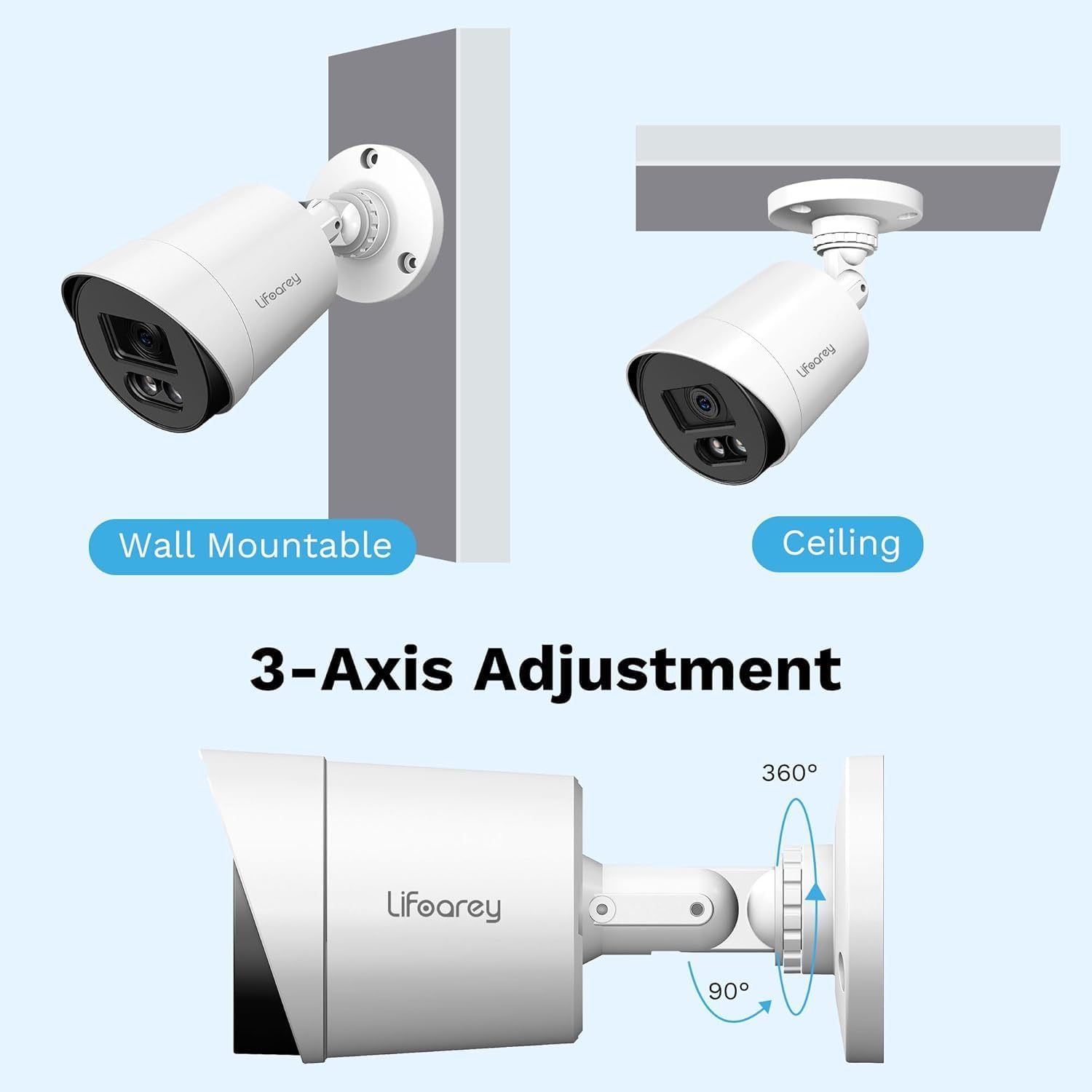
Figure 2: Mounting Options and 3-Axis Adjustment. The camera offers flexible positioning with 360-degree rotation and 90-degree tilt capabilities.
- Choose a mounting surface that is stable and can support the camera's weight.
- 카메라 바닥을 템플릿으로 사용하여 드릴링 지점을 표시합니다.
- 표시된 지점에 파일럿 구멍을 뚫습니다.
- 제공된 나사를 사용하여 카메라 받침대를 표면에 고정하십시오.
- Adjust the camera's angle using the 3-axis adjustment mechanism to achieve the desired view지역입니다.
3. 카메라 연결
- Connect one end of the BNC cable to the camera's video output port.
- Connect the other end of the BNC cable to an available video input port on your DVR.
- Connect the 12V DC power supply to the camera's power input port and plug it into a power outlet.
- Once connected, the camera should power on.
4. Switching Video Output Mode (if necessary)
By factory default, the camera is set to 1080P@30fps HD-TVI. If your DVR uses a different format (CVI, AHD, or CVBS), you may need to switch the camera's video output mode. This is typically done via the DVR's OSD (On-Screen Display) menu or a physical switch on the camera cable (if available, consult your DVR manual for specific instructions on accessing camera OSD).

Figure 3: 4-in-1 CCTV Camera Compatibility. This camera supports TVI, CVI, AHD, and CVBS formats, ensuring broad compatibility with various DVR systems.
작동 지침
1. View라이브 푸잉tage
After successful connection and power-up, access your DVR system. The camera's live feed should appear on the corresponding channel. Refer to your DVR's user manual for specific instructions on viewing live feeds and navigating channels.
2. Understanding Night Vision
This camera features 24/7 Full Time Color Night Vision, utilizing two built-in warm light LEDs. In low-light conditions, these LEDs automatically activate to provide vivid color images, unlike traditional IR cameras that produce black and white footage.

Figure 4: Color Night Vision in Operation. The camera's warm lights provide full-color visibility even in low-light nighttime conditions.

Figure 5: Full-Time Color vs. Ordinary IR Night Vision. Experience superior nighttime clarity with full-color imaging compared to standard black and white infrared cameras.
3. 녹음 및 재생
The camera provides continuous 24/7 recording when connected to a compatible DVR. All recording and playback functions are managed through your DVR system. Consult your DVR's manual for detailed instructions on setting up recording schedules, motion detection, and review녹화된 푸tage.
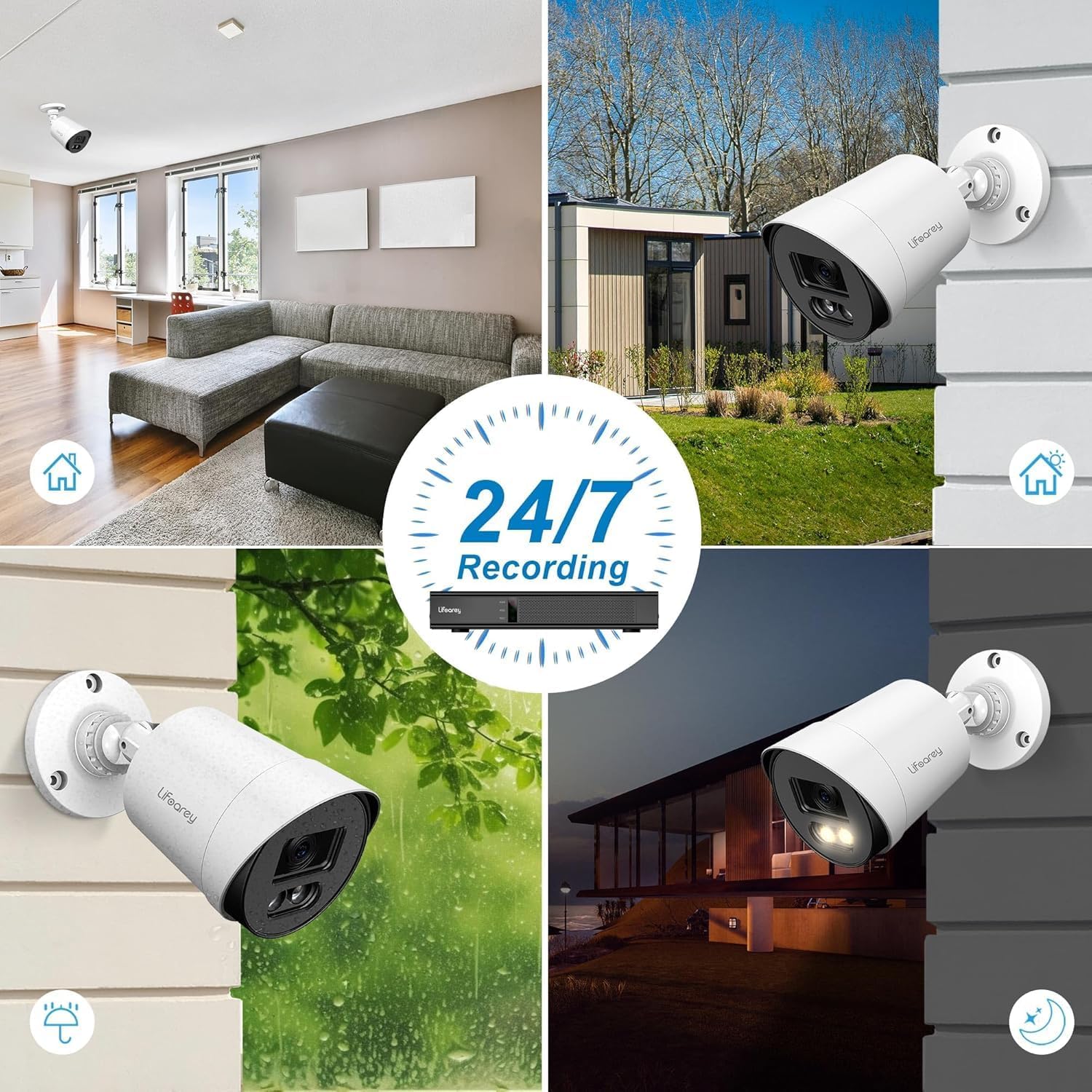
Figure 6: 24/7 Recording Capability. The camera is designed for continuous surveillance in various conditions, day and night.
유지
1. 카메라 청소
최적의 이미지 선명도를 유지하려면 카메라 렌즈와 하우징을 정기적으로 청소하십시오. 부드러운 천을 사용하십시오.amp cloth to wipe away dust and dirt. Avoid abrasive cleaners or solvents that could damage the camera's finish or lens.
2. 내후성
The camera is IP66 waterproof, designed to withstand various weather conditions. However, ensure that all cable connections are properly sealed and protected from direct water exposure to prevent damage.
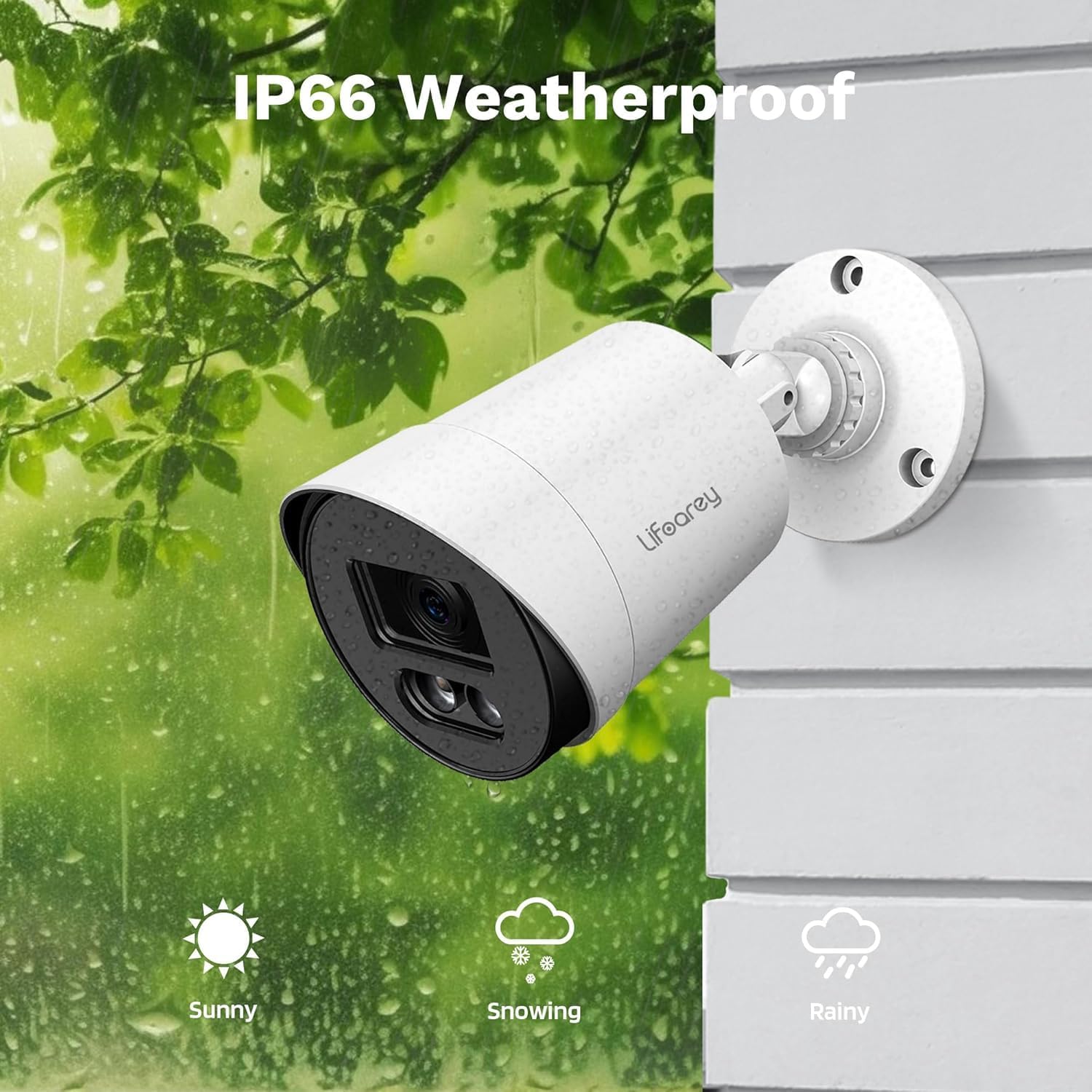
Figure 7: IP66 Weatherproof Design. The camera is built to endure diverse outdoor elements, ensuring reliable performance.
3. Cable and Connection Checks
Periodically inspect all cables and connections for any signs of wear, corrosion, or damage. Secure any loose connections to maintain stable video transmission and power supply.
문제 해결
| 문제 | 가능한 원인 | 해결책 |
|---|---|---|
| No image on DVR | No power to camera; Loose BNC cable connection; Incorrect video format; DVR channel not selected. | Check power supply and connections; Ensure BNC cable is securely connected; Verify camera video output matches DVR input (TVI/CVI/AHD/CVBS); Select correct DVR channel. |
| Poor image quality / Flickering | Dirty lens; Loose cable connection; Cable interference; Insufficient power. | Clean the camera lens; Secure all cable connections; Use shielded cables or relocate cables away from power lines; Ensure power supply meets camera requirements. |
| Night vision not working or dim | Insufficient ambient light for color vision; Warm LEDs not activating. | Ensure there is some ambient light for full-color night vision (e.g., streetlights, porch lights); Check camera settings via DVR OSD to ensure warm LEDs are enabled (if applicable). |
| Camera not recognized by DVR | Incompatible DVR; Incorrect video mode. | Confirm DVR supports 1080p resolution and the camera's video formats (TVI/CVI/AHD/CVBS); Switch camera's video output mode to match DVR. |
명세서
| 특징 | 세부 사항 |
|---|---|
| 모델 번호 | RL-HD082YC-HD2053 |
| 비디오 캡처 해상도 | 1080p(1920 x 1080) |
| 프레임 속도 | 초당 30프레임 |
| 렌즈 | 3.6mm |
| View잉 각도 | 82.2도 |
| 나이트 비전 범위 | 100 Feet (Colorful Night Vision) |
| 연결 기술 | Powerline, Wired (BNC) |
| 호환 장치 | DVR/TVI/CVI/AHD/CVBS |
| 전원 | 코드식 전기 (12볼트 DC) |
| 실내/실외 사용 | 실내, 실외 |
| 방수 레벨 | IP66 방수 |
| 재료 | 아크릴로니트릴 부타디엔 스티렌(ABS) |
| 치수(길이 x 너비 x 높이) | 3.2 x 3.2 x 6.5 인치 |
| 품목 무게 | 8.1 온스 |
| 광원 유형 | LED (Warm Light) |
| 장착 유형 | Ceiling Mount, Wall-Mounted |
보증 및 지원
This lifoarey security camera comes with a XNUMX 년 보증 구매일로부터. 본 보증은 정상적인 사용 중 발생한 제조상의 결함 및 고장에 적용됩니다.
For technical support, warranty claims, or any questions regarding your product, please contact lifoarey customer support:
- 이메일: support@lifoarey.com
- 온라인 지원: Visit the official lifoarey webFAQ 및 추가 리소스는 해당 사이트에서 확인하세요.
Please have your model number (RL-HD082YC-HD2053) and purchase details ready when contacting support.
Ask a question about this manual
Ask about setup, troubleshooting, compatibility, parts, safety, or missing instructions. Manuals+ will review the question and use this page’s manual context to help answer it.