
소개
The ECOSELF HAP602 Air Purifier is designed to provide cleaner, fresher air in your home or office. Featuring a 3-stage True HEPA filtration system, it effectively removes airborne particles, odors, and allergens. With smart features like real-time air quality monitoring, automatic mode, and ultra-quiet sleep mode, the HAP602 ensures a healthier living environment.

Figure 1: ECOSELF HAP602 Air Purifier in a home environment.
안전 지침
- 공기 청정기를 옮기거나 청소하거나 유지관리하기 전에는 항상 플러그를 뽑아 두세요.
- 손상된 코드나 플러그로 기기를 작동하지 마십시오. 도움이 필요하면 고객 지원 센터에 문의하십시오.
- Keep the air purifier away from water or wet areas to prevent electric shock.
- 장치 주변의 적절한 환기를 확보하세요. 공기 흡입구나 배출구를 막지 마세요.
- 본 기기는 신체적, 감각적 또는 정신적 능력이 저하된 사람(어린이 포함)이나 경험 및 지식이 부족한 사람이 사용하도록 의도된 것이 아니며, 안전을 책임질 사람으로부터 기기 사용에 관한 감독이나 지시를 받은 경우에만 사용할 수 있습니다.
- 통풍구에 손가락이나 이물질을 넣지 마십시오.
설치 가이드
1. Unpacking and Filter Installation
Before first use, remove the air filter from its plastic packaging. The filter is located inside the air purifier.
- 필터 덮개를 꺼냅니다.
- Remove the outer plastic package from the HEPA filter.
- Replace the new filter into the correct position.
- Hold and press the "Filter Reset" icon on the air purifier until you hear a "beep" sound.
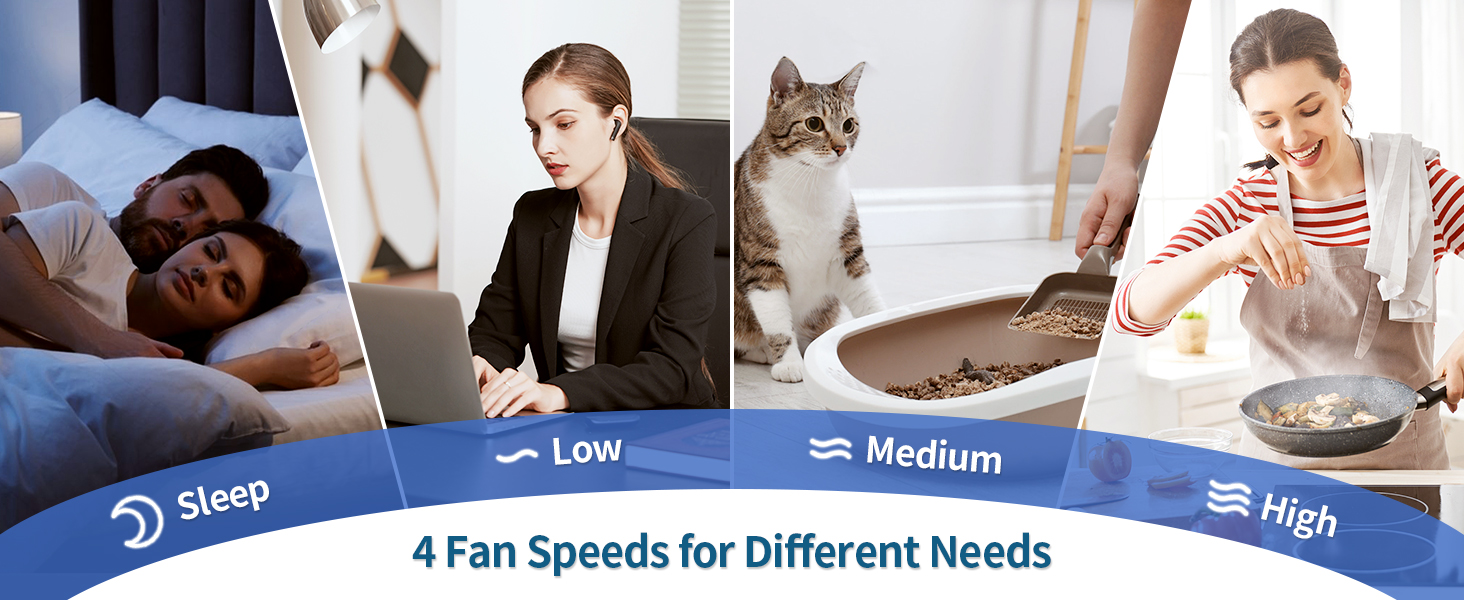
Figure 2: Steps for filter removal and installation.
2. 배치
Place the air purifier in a well-ventilated area. The HAP602 is designed for large rooms, covering up to 2400 sq ft in 30 minutes. Ensure it is placed on a stable, flat surface.

Figure 3: Optimal placement of the air purifier in different home settings.
3. 전원 연결
공기청정기에 전원 어댑터를 연결한 다음 일반 전기 콘센트에 꽂으세요.
4. 초기 활성화
For optimal performance, run the air purifier at MAX fan speed continuously for 24-48 hours after initial setup.
5. App Setup (Optional)
For remote control and additional features, download the Eco-Butler app. Scan the QR code provided in the Quick Start Guide or search for "Eco-Butler" in your app store. Follow the in-app instructions to connect your device.
메모: Ensure you are connected to a secure 2.4GHz Wi-Fi network. Your phone must have location turned on while connecting to your smart air purifier.
작동 지침
제어판 이상view
The intuitive touch control panel allows for easy operation of all functions.

그림 4: 상세 view 제어판의.
- 전원 버튼: 장치를 켜거나 끕니다.
- 속도 버튼: Adjusts between three fan speeds (Low, Medium, High).
- 자동 모드 : 감지된 공기 질에 따라 자동으로 팬 속도를 조절합니다.
- 라이트 버튼: 디스플레이 조명을 켜거나 끕니다.
- 잠금 버튼: Activates the child lock function.
- 타이머 버튼: Sets the operating time from 1 to 24 hours.
- 필터 재설정: Indicates when the filter needs replacement and resets the indicator after replacement.
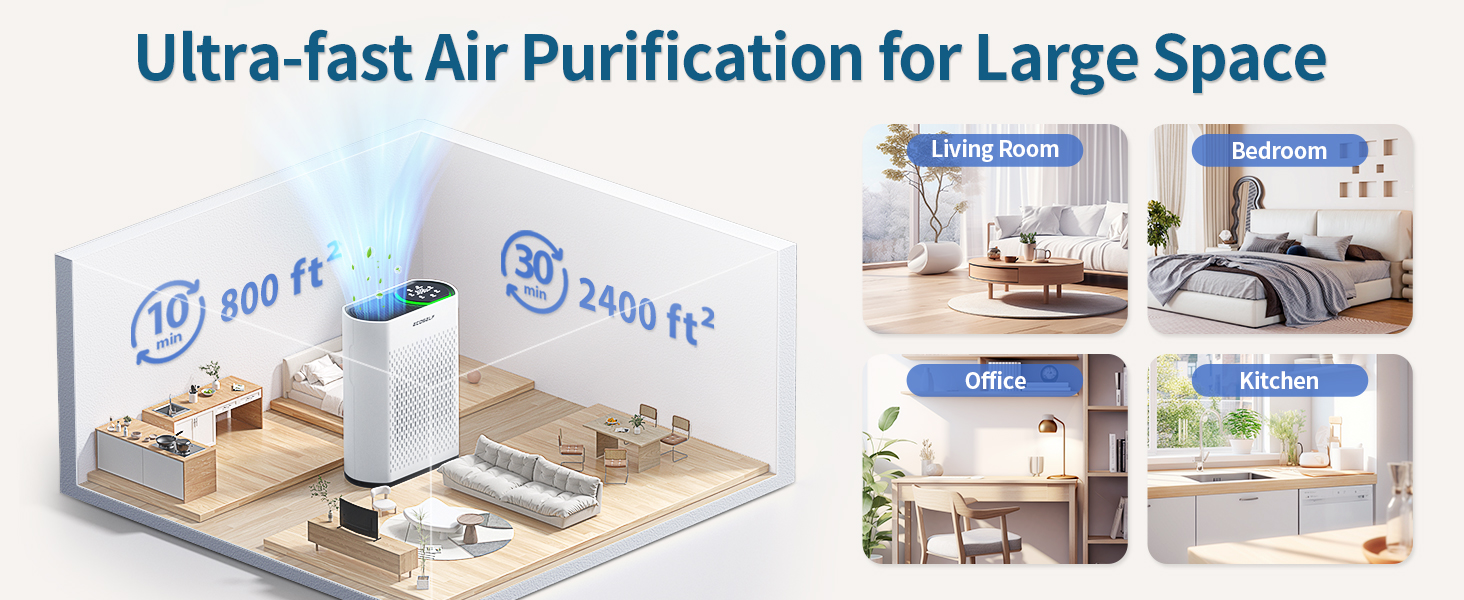
Figure 5: Key features of the touch control panel.
대기질 모니터링
The built-in PM2.5 sensor provides real-time air quality readings on the display. The indicator light changes color to reflect the current air quality:
- 녹색: Very Good (0-50 µg/m³)
- 파란색: 양호함 (50-100 µg/m³)
- 노란색 : 중간 수준(100-150 µg/m³)
- 빨간색: Bad (>150 µg/m³)

Figure 6: Real-time air quality display and color indicators.
수면 모드
Activate sleep mode for ultra-quiet operation, with a noise level as low as 20dB, ensuring an undisturbed environment for rest.
타이머 기능
Use the timer function to set the air purifier to operate for a specific duration, from 1 to 24 hours, conserving energy.
아동 잠금
Engage the child lock to prevent accidental changes to settings by children or pets.
유지
필터 교체
3초tage filtration system includes a pre-filter, activated carbon filter, and True HEPA filter. The filter needs to be replaced every 3 to 6 months, depending on usage and air quality. Do not clean the filter with water or other liquids.

그림 7: 3-stage advanced filtration system.
When the filter replacement indicator illuminates, it is time to replace the filter. Follow the steps outlined in the Setup Guide (Figure 2) to replace the filter.
그림 8: 예ample of a genuine replacement filter.
일반 청소
공기청정기 외부는 부드럽고 마른 천으로 닦으세요. 연마성 세제나 용제는 사용하지 마세요.
문제 해결
- 장치가 켜지지 않습니다: Ensure the power cord is securely plugged into both the unit and the wall outlet. Check if the outlet is functioning.
- Reduced airflow or purification: Check if the air filter is clogged or needs replacement. Ensure the filter's plastic packaging has been removed.
- 이상한 소음: Verify that the air filter is correctly installed and that no foreign objects are obstructing the fan.
- 앱 연결 문제: Ensure your phone is connected to a 2.4GHz Wi-Fi network and that location services are enabled. Refer to the app's troubleshooting guide or contact support.
명세서
| 모델 번호 | HAP-602 |
| 제품 치수 | 5.7 x 11.8 x 15.75 인치 |
| 품목 무게 | 8.55 파운드 |
| 전원 | AC |
| 제어 방법 | Touch, Button Control |
| 필터 유형 | HEPA (3-Stage) |
| 바닥 면적 적용 | 최대 2400평방피트 |
| 소음 수준 | 20데시벨(수면 모드) |
| 오염물질 여과 능력 | Cigarette smoke, dust, odors, pet dander, pet hair, pollen, volatile organic compounds (VOCs), wildfire smoke |
| 특별 기능 | Real-time air quality display, ultra-quiet sleep mode, large room coverage, advanced 3-stag전자 여과 |
| 포함된 구성 요소 | 1x Air Purifier, 1x HEPA Filter, 1x Power Adapter, 1x User Manual, 1x Warranty Card |

Figure 9: Product dimensions of the HAP602 Air Purifier.
보증
Your ECOSELF HAP602 Air Purifier comes with a warranty. Please refer to the included Warranty Card for detailed information regarding coverage, terms, and conditions. Keep your proof of purchase for warranty claims.
지원하다
For any questions, technical support, or customer service, please contact ECOSELF using the following information:
- 이메일: support@myecoself.com
- Web대지: www.myecoself.com
- 페이스북: facebook.com/EcoSelfOfficial
- 핸드폰: 1-855-831-9989 (M-F 9AM-5PM PST)
제품 비디오
Cleaner Air. Healthier Living. HAP602 Air Purifier
비디오 1: 오버view of the ECOSELF HAP602 Air Purifier's features and benefits for a healthier home environment.
3-에스tage Filtration for Cleaner Air & Healthier Living
Video 2: A visual explanation of the HAP602's 3-stage filtration process, detailing how it purifies the air.
Smoke Test. Rapid Results. HAP602 Sets a New Standard.
Video 3: Demonstrating the rapid smoke removal capability of the ECOSELF HAP602 Air Purifier in a controlled environment.