
1. 제품 오버view
The pTron Zenbuds 1 V2 ANC Bluetooth Earbuds are designed to provide an immersive audio experience with advanced noise cancellation and clear call quality. Featuring 32dB Active Noise Cancellation (ANC) and Quadpro ANC Microphones with TruTalk Environmental Noise Cancellation (ENC), these earbuds minimize background distractions and enhance voice clarity during calls. Dynamic 13mm Hyperdrivers deliver rich sound with deep bass, while Bluetooth v5.3 ensures stable wireless connectivity. The earbuds also offer a low-latency mode for gaming and music, and a combined playtime of up to 40 hours with the charging case.

Image: pTron Zenbuds 1 V2 ANC Bluetooth Earbuds and their charging case.
2. 상자 안에 무엇이 들어있나요?
모든 품목이 들어 있는지 확인하려면 패키지 내용물을 확인하세요.
- pTron Zenbuds 1 V2 ANC Earbuds
- 충전 케이스
- USB Type-C 충전 케이블
- S/M/L Soft Silicone Eartips
- 사용자 설명서

Image: The pTron Zenbuds 1 V2 earbuds, charging case, and included accessories.
3. 설정 및 충전
3.1 초기 충전
Before first use, fully charge the earbuds and the charging case. Connect the provided USB Type-C cable to the charging port on the case and a compatible power source. The charging time is approximately 1.5 hours for a full charge.

Image: The pTron Zenbuds 1 V2 charging case connected via a USB-C cable, highlighting its 40-hour playtime.
3.2 블루투스 페어링
- 이어버드가 충전되어 있고 충전 케이스에 넣어져 있는지 확인하세요.
- 충전 케이스 뚜껑을 여세요. 이어버드가 자동으로 페어링 모드로 진입합니다.
- 기기(스마트폰, 태블릿, 노트북)에서 Bluetooth를 활성화하세요.
- 검색 available Bluetooth devices and select "pTron Zenbuds 1 V2" from the list.
- 연결되면 음성 안내가 나오고 이어버드의 표시등이 바뀝니다.
The earbuds feature 1-step pairing for quick and easy connection. They support Bluetooth v5.3 technology for a stable wireless connection up to 10 meters.
4. 사용 설명서
4.1 전원 켜기/끄기
- 전원 켜기: Open the charging case lid, or long-press the touch sensor on both earbuds for a few seconds if they are outside the case and off.
- 전원 끄기 : Place the earbuds back into the charging case and close the lid, or long-press the touch sensor on both earbuds for a few seconds until they power off.
4.2 터치 컨트롤
The pTron Zenbuds 1 V2 feature intuitive touch controls for managing music, calls, and voice assistant functions. Specific touch gestures may vary; refer to the quick start guide included in your package for detailed controls.
4.3 능동 소음 제거(ANC) 및 투명 모드
The earbuds offer 32dB ANC to reduce ambient noise, providing a focused listening experience. Transparency Mode allows you to hear your surroundings without removing the earbuds, which is useful for situational awareness. Switch between these modes using the touch controls.

Image: Explanation of ANC and ENC features, showing how background noise is cancelled and voice clarity is enhanced.
4.4 Game/Music Modes
Optimize your audio experience with dedicated modes:
- 게임 모드: Provides ultra-low latency (40ms) for synchronized audio during gaming, ensuring a seamless experience.
- 음악 모드: Offers in-depth analysis of sound quality and HiFi audio for an enhanced music listening experience.
이어버드의 터치 컨트롤을 사용하여 이 모드들 간에 전환할 수 있습니다.
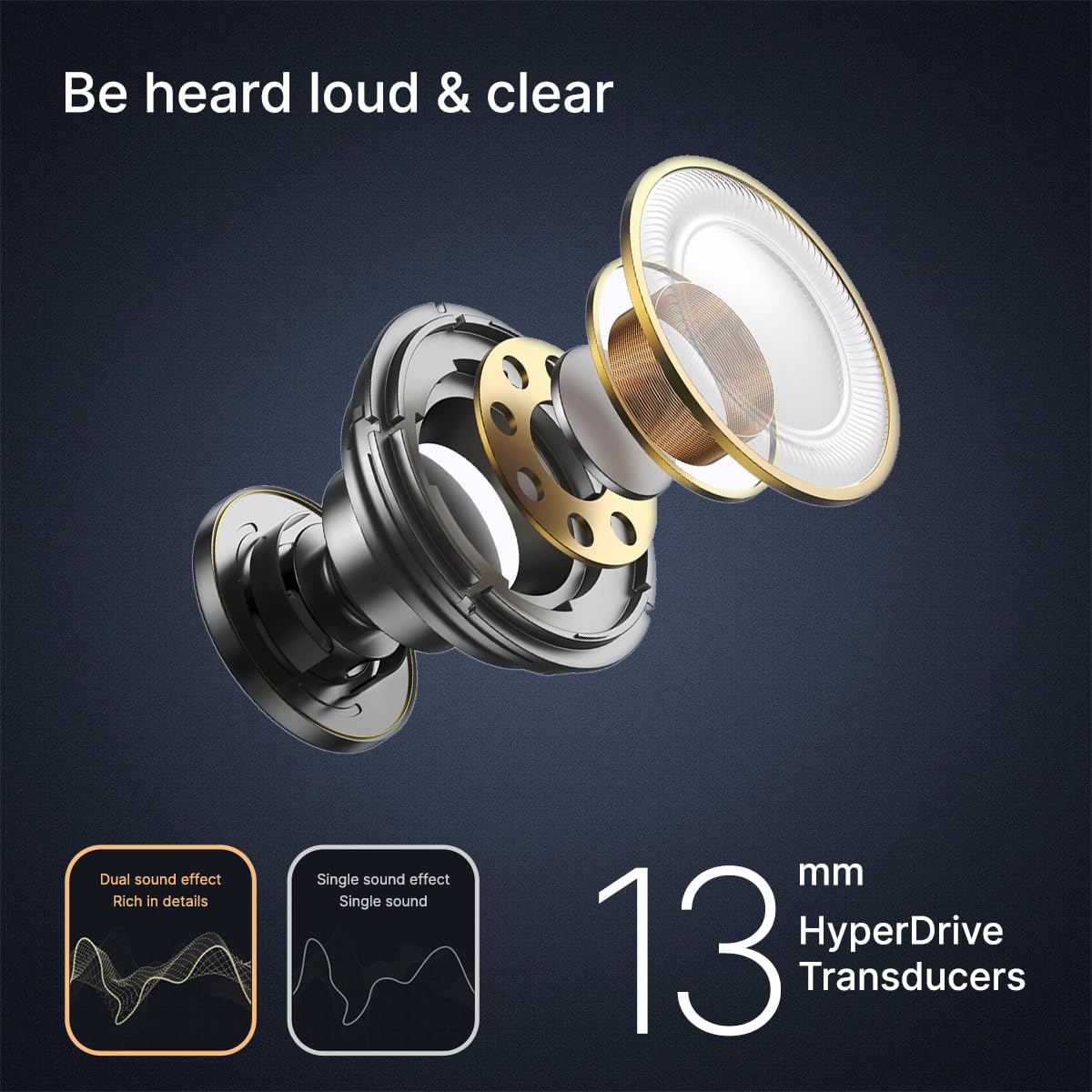
Image: Visual representation of Game Mode and Music Mode, detailing their respective benefits.
4.5 통화 기능
The earbuds are equipped with 4 Quadpro ANC Microphones and TruTalk ENC technology to ensure clear voice calls by filtering out environmental noise.
5. 유지관리
5.1 청소
Regularly clean your earbuds and charging case to maintain optimal performance and hygiene. Use a soft, dry, lint-free cloth. Do not use abrasive cleaners or immerse the earbuds in water.
5.2 방수성
The pTron Zenbuds 1 V2 are IPX5 rated for sweat and water resistance. This means they can withstand splashes of water and sweat, making them suitable for workouts and light rain. They are not designed for swimming or submersion in water.
5.3 이어팁
The package includes S/M/L soft silicone eartips. Choose the size that provides the most comfortable and secure fit for your ear canal to ensure optimal sound quality and noise isolation.
6. 문제 해결
If you encounter issues with your pTron Zenbuds 1 V2, try the following steps:
- 소리 없음: 이어버드가 충전되어 있고, 제대로 페어링되었는지, 그리고 이어버드와 기기의 볼륨이 모두 충분히 커져 있는지 확인하십시오.
- 페어링 문제: Turn off Bluetooth on your device, then turn it back on. Reset the earbuds by placing them in the case, closing the lid, and then reopening it. Try pairing again.
- 간헐적인 연결: 블루투스 범위 내 10미터 이내에 있는지, 이어버드와 기기 사이에 장애물이 없는지 확인하십시오.
- 충전 문제: Check the charging cable and adapter. Ensure the charging contacts on the earbuds and inside the case are clean and dry.
추가 지원이 필요하면 고객 지원팀에 문의하세요.
7. 사양
| 특징 | 사양 |
|---|---|
| 모델명 | 젠버드 |
| 소음 제어 | 능동 소음 제거(32dB) |
| 마이크 | 4 Quadpro ANC Mics with TruTalk ENC |
| 오디오 드라이버 크기 | 13mm 다이내믹 드라이버 |
| 블루투스 버전 | 5.3 |
| 블루투스 범위 | 10 미터 |
| 오디오 지연 | 40밀리초(게임 모드) |
| 배터리 수명 | 최대 40시간(충전 케이스 사용 시) |
| 충전 시간 | 1.5시간 |
| 충전 포트 | USB 타입-C |
| 방수성 | IPX5(땀 및 방수) |
| 제어 방법 | 만지다 |
| 품목 무게 | 45그램 |
| 포함된 구성 요소 | 케이블, 이어팁, 사용 설명서 |
8. 제품 비디오
8.1 pTron Zenbuds 1 V2 Overview
비디오: 간략하게 살펴보기view of the pTron Zenbuds 1 V2, highlighting key features like ANC, quad microphones, 13mm drivers, and Type-C charging.
8.2 Detailed Product Features
Video: A comprehensive presentation of the pTron Zenbuds 1 V2, covering design, key features, battery life, and included accessories.
9. 보증 및 지원
The pTron Zenbuds 1 V2 ANC Bluetooth Earbuds come with a 1년 제조업체 보증 구매일로부터 제조상의 결함에 대한 보증을 제공합니다.
For any support, queries, or warranty claims, please contact:
- 이메일: support@ptron.in
- 핸드폰: 040-67138888
Manufacturer details: Palred Electronics Pvt. Ltd., SY.NO. 56, 1ST FLOOR, GUNDLAPOCHAMPALLY VILLAGE, TECH PARK MTP, TSIIC-IALA NACHARAM, HYDERABAD - 500076, TELANGANA, INDIA.