
Sentry HPXBTA105
Sentry HPXBTA105 완전 무선 이어버드 사용 설명서
Model: HPXBTA105 | Brand: Sentry
소개
Thank you for choosing the Sentry HPXBTA105 True Wireless Earbuds. These earbuds are designed to provide a superior audio experience with active noise canceling technology, comfortable wear, and intuitive touch controls. This manual will guide you through the setup, operation, and maintenance of your new earbuds to ensure optimal performance and longevity.
안전 정보
부상이나 손상을 방지하기 위해 본 제품을 사용하기 전에 모든 안전 경고 및 지침을 주의 깊게 읽어 주십시오. 나중에 참조할 수 있도록 본 설명서를 보관하십시오.
- 이어버드나 충전 케이스를 극한의 온도, 습도 또는 액체에 노출시키지 마세요.
- 기기를 떨어뜨리거나 충격을 주거나 분해하지 마십시오.
- 제공된 충전 케이블이나 인증된 동등 제품만 사용하세요.
- Prolonged exposure to loud volumes may cause hearing damage. Adjust volume to a safe level.
- 주변 소리를 듣지 못하면 위험할 수 있는 상황(예: 운전, 자전거 타기, 교통량이 많은 곳에서 걷기)에서는 이어폰을 사용하지 마십시오.
- 어린이와 애완동물의 손이 닿지 않는 곳에 보관하세요.
상자 안에 무엇이 들어있나요?
모든 품목이 포장에 들어 있는지 확인하세요.
- Sentry HPXBTA105 True Wireless Earbuds (Left and Right)
- 충전 케이스
- USB 충전 케이블
- 사용 설명서 (본 문서)

Figure 1: Product packaging showing the Sentry HPXBTA105 True Wireless Earbuds and charging case.
제품 끝view
Familiarize yourself with the components of your Sentry HPXBTA105 True Wireless Earbuds.

Figure 2: The Sentry HPXBTA105 True Wireless Earbuds shown outside and inside their open charging case.
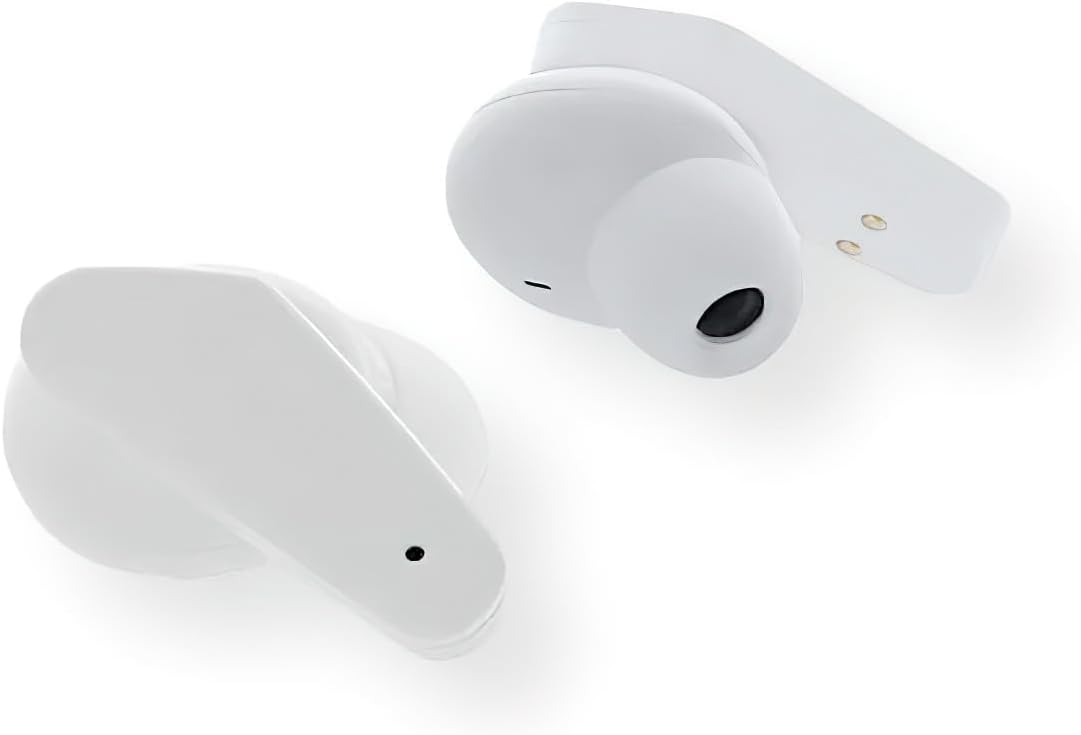
그림 3: 클로즈업 view of the Sentry HPXBTA105 True Wireless Earbuds, highlighting their design and in-line microphone.
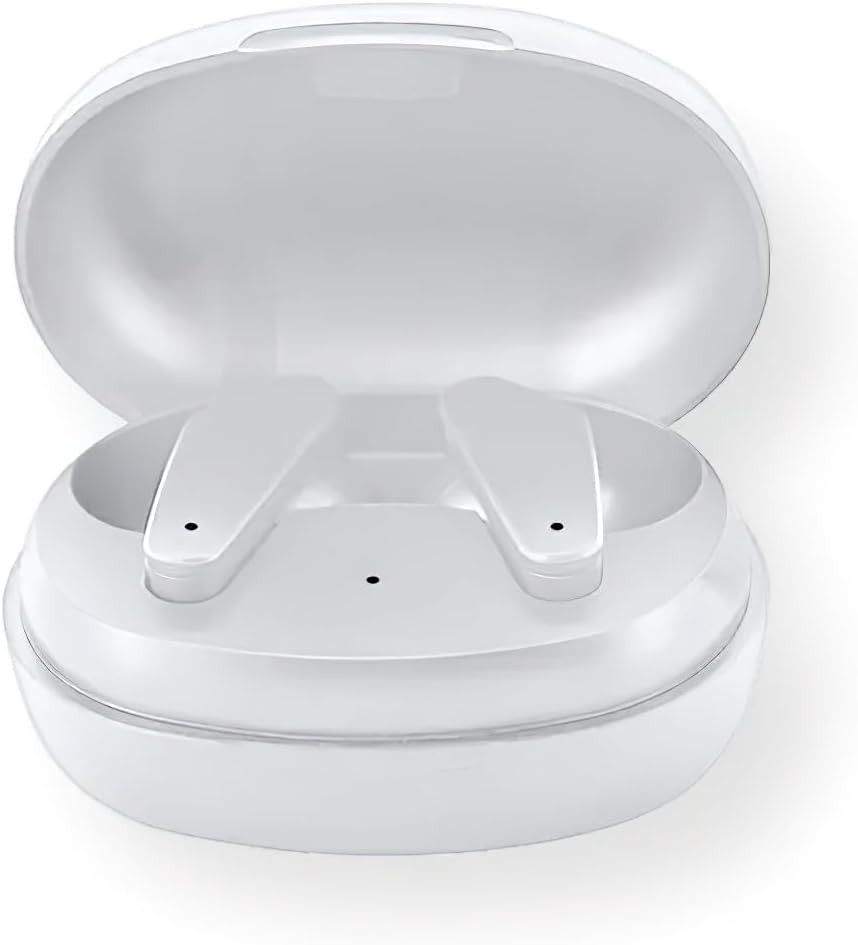
Figure 4: The Sentry HPXBTA105 charging case with both earbuds securely placed inside.
The earbuds feature a sleek white design with touch control buttons for easy operation. They are equipped with an in-line microphone for clear call handling and extra soft noise reduction earpads for comfort and effective noise cancellation.
설정
1. 이어버드와 케이스 충전
처음 사용하기 전에 이어버드와 충전 케이스를 완전히 충전하세요.
- 이어버드를 충전 케이스에 넣고 제대로 끼워졌는지 확인하세요.
- USB 충전 케이블의 다른 한쪽 끝을 케이스의 충전 포트에 연결하고, 다른 한쪽 끝은 USB 전원(예: 컴퓨터, 벽면 어댑터)에 연결하십시오.
- The indicator lights on the case and/or earbuds will show charging status. Refer to the specific light patterns in the quick start guide for details.
- 완전히 충전되면 충전 케이블을 분리하세요.
2. 블루투스 페어링
Pair your earbuds with your device (smartphone, tablet, laptop) for wireless audio.
- 이어버드가 충전되어 있고 충전 케이스에 넣어져 있는지 확인하세요.
- 충전 케이스 뚜껑을 여세요. 이어버드가 자동으로 페어링 모드로 전환됩니다(표시등이 깜빡입니다).
- 기기에서 Bluetooth 설정으로 가서 Bluetooth를 켭니다.
- 검색 available devices. Select "HPXBTA105" from the list.
- 연결되면 이어버드는 페어링 성공을 알려줍니다(예: 음성 안내 또는 표시등 점등).
- 기기에서 Bluetooth가 활성화되어 있는 경우, 이어버드를 케이스에서 꺼내면 마지막으로 페어링된 기기에 자동으로 다시 연결됩니다.
작동 지침
터치 컨트롤
The Sentry HPXBTA105 earbuds feature intuitive touch controls on each earbud. The specific functions may vary slightly, but common controls include:
- 재생/일시 중지: 양쪽 이어버드를 한 번 탭하세요.
- 다음 트랙: 오른쪽 이어버드를 두 번 탭하세요.
- 이전 트랙 : 왼쪽 이어버드를 두 번 탭하세요.
- 볼륨 업: 오른쪽 이어버드를 세 번 탭하세요.
- 볼륨 작게 : 왼쪽 이어버드를 세 번 탭합니다.
- 전화 받기/종료: 수신 전화나 통화 중일 때 한쪽 이어버드를 한 번 탭합니다.
- 전화 거부: 전화가 걸려오는 동안 이어버드 중 하나를 길게 누르세요.
- Voice Assistant 활성화 : Press and hold for 2 seconds on either earbud (e.g., Siri, Google Assistant).
- 액티브 노이즈 캔슬링(ANC)/투명 모드 전환: Long press (e.g., 3 seconds) on either earbud. Refer to the quick start guide for exact gesture.
액티브 노이즈 캔슬링(ANC)
The earbuds are equipped with Active Noise Canceling technology to reduce ambient noise. This feature is ideal for travel or noisy environments.
- To activate ANC, use the designated touch control gesture (as described above).
- You may hear a slight change in audio quality when ANC is engaged, which is normal.
- To deactivate ANC or switch to Transparency Mode (if available), repeat the touch control gesture.
Video 1: Official product video demonstrating key features and design of the Sentry HPXBTA105 True Wireless Earbuds, including active noise canceling.
유지
이어폰을 제대로 관리하면 수명을 연장할 수 있습니다.
- 청소: 이어버드와 충전 케이스는 부드럽고 마른 천으로 부드럽게 닦으세요. 강한 화학 물질이나 연마재는 사용하지 마세요.
- 저장: 사용하지 않을 때는 이어버드를 충전 케이스에 넣어 보호하고 충전 상태를 유지하세요. 서늘하고 건조한 곳에 보관하세요.
- 물을 피하세요: The earbuds are not waterproof. Avoid exposure to water, sweat, or rain.
문제 해결
이어버드에 문제가 발생하면 다음 해결 방법을 시도해 보세요.
| 문제 | 가능한 해결책 |
|---|---|
| 이어폰이 페어링되지 않음 |
|
| 하나의 이어 버드에서 소리가 나지 않음 |
|
| 충전 케이스가 충전되지 않음 |
|
| Active Noise Canceling not working |
|
명세서
| 특징 | 세부 사항 |
|---|---|
| 모델명 | HPXBTA105 |
| 연결 기술 | 무선(블루투스) |
| 구동 장치 | 10mm |
| 주파수 범위 | 20Hz - 20KHz |
| 감광도 | 103dB +/- 3dB |
| 임피던스 | 32옴 |
| 소음 제어 | 능동 소음 제거 |
| 마이크로폰 | 인라인 마이크 |
| 제어 유형 | 터치 컨트롤 버튼 |
| 색상 | 하얀색 |
| 품목 무게 | 6.4 온스 |
| 패키지 크기 | 8 x 5.75 x 2.5 인치 |
보증 및 지원
Sentry products are designed and manufactured to the highest quality standards. For information regarding warranty coverage, technical support, or service, please refer to the warranty card included with your product or visit the official Sentry web사이트. 보증 청구를 위해 구매 증빙 자료를 보관하세요.
For further assistance, you may also refer to the product detail page on Amazon.com: https://www.amazon.com/dp/B0D5DP1G3M
Ask a question about this manual
Ask about setup, troubleshooting, compatibility, parts, safety, or missing instructions. Manuals+ will review the question and use this page’s manual context to help answer it.