
LYEAA KS42
LYEAA KS42 Wireless Dual-Color Game Controller User Manual
모델 : KS42
1. 서론
Thank you for choosing the LYEAA KS42 Wireless Dual-Color Game Controller. This manual provides detailed instructions on how to set up, operate, maintain, and troubleshoot your new gamepad. Designed for seamless compatibility with Nintendo Switch, Switch OLED, and Switch Lite, the KS42 offers a precise and immersive gaming experience with its 6-axis gyroscope and comfortable design.
패키지 내용:
- 1 x LYEAA KS42 Wireless Game Controller
- 1 x 1M Data Cable (USB-C)
- 1 x 사용 설명서

Image 1.1: The LYEAA KS42 Wireless Dual-Color Game Controller, showcasin검은색 마감과 인체공학적 디자인이 특징입니다.
2. 제품 오버view
The LYEAA KS42 controller features a split design, allowing for flexible use. Each half is equipped with essential controls for an optimal gaming experience.

Image 2.1: Icons representing key features of the LYEAA KS42 controller: Wireless Connection, Motion Sensing, Vibration Feedback, TURBO Function, and Precise Joysticks.
컨트롤러 구성 요소:
- 왼쪽 컨트롤러: Directional Pad (D-Pad), Left Analog Stick, L/ZL Buttons, Capture Button, Minus (-) Button.
- 오른쪽 컨트롤러: A/B/X/Y Buttons, Right Analog Stick, R/ZR Buttons, Home Button, Plus (+) Button.
- 센터 섹션: Indicator Lights, Charging Port (USB-C).
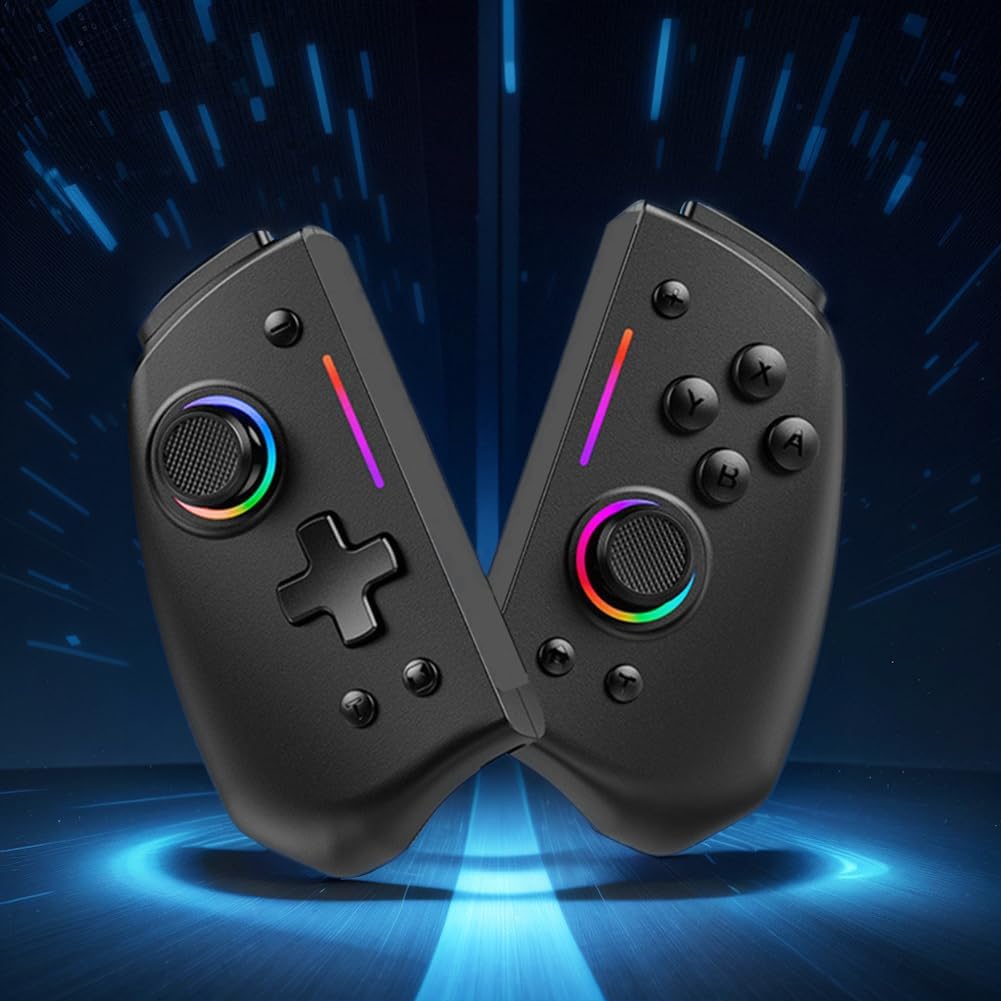
이미지 2.2: A view of the LYEAA KS42 controller split into its two halves, highlighting its modular design.
3. 사양
| 특징 | 세부 사항 |
|---|---|
| 모델 | KS42 |
| 호환성 | 닌텐도 스위치, 스위치 OLED, 스위치 라이트 |
| 연결성 | 무선 전화 |
| 배터리 용량 | 500mAh |
| 충전 시간 | 약 3시간 |
| 플레이 타임 | 최대 6.5시간 |
| 제품 무게 | 178g(0.39파운드) |
| Product Dimensions (Single Side) | 109.00 x 65.00 x 54.00mm(4.29 x 2.56 x 2.13인치) |
| 패키지 크기 | 145 x 145 x 65mm(5.71 x 5.71 x 2.56인치) |
| 특별 기능 | 6-axis Gyroscope, Vibration Feedback, TURBO Function |
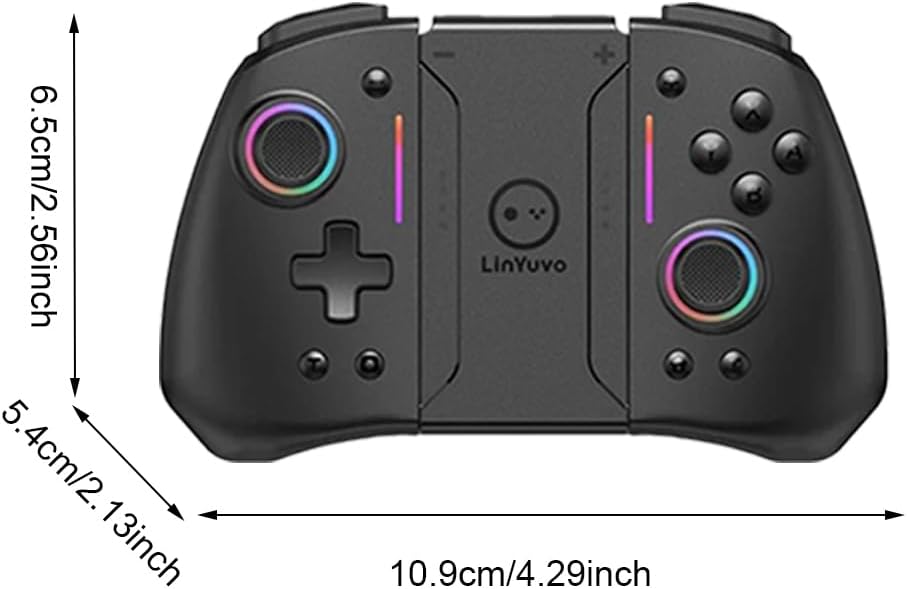
Image 3.1: Diagram illustrating the dimensions of the LYEAA KS42 controller in centimeters and inches.
4. 설정
4.1 컨트롤러 충전
Before first use, fully charge the controller. Use the provided USB-C data cable to connect the controller to a USB power source (e.g., Nintendo Switch dock, computer USB port, or a USB wall adapter).
- The indicator lights on the controller will show charging status.
- 완충하는 데는 일반적으로 약 3시간이 걸립니다.
- Once fully charged, the indicator lights will change or turn off, depending on the controller's state.
4.2 닌텐도 스위치/OLED/Lite 연결하기
The LYEAA KS42 controller connects wirelessly to your Nintendo Switch console.
- Nintendo Switch 콘솔에서 홈 메뉴로 이동합니다.
- 선택하다 "컨트롤러", 그 다음에 "그립/순서 변경".
- 이 화면에서 길게 누르세요 홈 버튼 on the LYEAA KS42 controller for a few seconds until the indicator lights start flashing rapidly.
- The controller will automatically pair with your Switch. Once connected, the indicator lights will become solid.
- You can now detach the Joy-Cons from your Switch (if applicable) and insert the Switch console into the LYEAA KS42 controller's central slot for handheld mode, or use it wirelessly.
Note: The controller supports automatic power-on and connectivity once paired.
5. 사용 설명서
5.1 기본 컨트롤
표준 버튼 레이아웃에 익숙해지세요.
- 아날로그 스틱: 움직임과 카메라 제어를 위해.
- 방향 패드: 방향 입력의 경우 메뉴 탐색을 사용합니다.
- A/B/X/Y 버튼: Action buttons, typically for confirm, cancel, jump, etc.
- L/R/ZL/ZR 버튼: 게임 내 다양한 동작을 위한 어깨 버튼과 트리거 버튼.
- 플러스(+) / 마이너스(-) 버튼: Equivalent to Start/Select or menu buttons.
- 홈 버튼: 닌텐도 스위치 홈 메뉴로 돌아갑니다.
- 캡처버튼: (게임에 따라) 스크린샷 또는 비디오 클립을 촬영합니다.

Image 5.1: A user holding the LYEAA KS42 controller, demonstrating its comfortable grip during gameplay.
5.2 고급 기능
- 6축 자이로스코프: The controller features a built-in 6-axis gyroscope for precise motion control. This allows for immersive gameplay in titles that support motion sensing. No special setup is required; the gyroscope activates automatically when supported by the game.
- 진동 피드백: Experience enhanced immersion with haptic feedback. The controller's vibration motors provide tactile responses to in-game events. This feature is automatically enabled.
- 터보 기능: TURBO 기능은 버튼을 빠르고 자동으로 누를 수 있도록 해줍니다.
- To activate TURBO: Press and hold the desired action button (e.g., A, B, X, Y, L, R, ZL, ZR), then press the 터보 버튼 (refer to controller diagram for location, typically a dedicated button or a combination).
- To deactivate TURBO: Repeat the same process.

Image 5.2: The LYEAA KS42 controller positioned with various game screenshots floating above, illustrating its compatibility with diverse gaming titles.
6. 유지관리
Proper care will extend the life of your LYEAA KS42 controller.
- 청소: 부드럽고 마른 천을 사용하여 컨트롤러를 닦으세요. 잘 지워지지 않는 오염의 경우, 가볍게 두드리세요.ampen the cloth with water or a mild electronic cleaner. Avoid excessive moisture. Do not use harsh chemicals or abrasive materials.
- 저장: Store the controller in a cool, dry place away from direct sunlight and extreme temperatures. When not in use for extended periods, ensure the controller is fully charged before storing.
- 배터리 관리 : To maintain battery health, avoid completely draining the battery frequently. Recharge the controller when the low battery indicator appears. If storing for a long time, charge it at least once every three months.
- 손질: Avoid dropping the controller or subjecting it to strong impacts. Do not attempt to disassemble the controller, as this will void any potential warranty.
7. 문제 해결
| 문제 | 가능한 원인 / 해결책 |
|---|---|
| 컨트롤러가 스위치에 연결되지 않습니다. |
|
| 컨트롤러가 충전되지 않습니다. |
|
| 버튼이나 조이스틱이 반응하지 않습니다. |
|
| Motion control (gyroscope) is not working. |
|
8. 보증 및 지원
LYEAA products are designed for reliability and performance. While specific warranty details are not provided in this manual, please retain your proof of purchase for any potential warranty claims. For product support, troubleshooting assistance beyond this manual, or inquiries about returns, please contact the seller or refer to the retailer's return policy where you purchased the product. Amazon.es typically offers a 30-day return policy for eligible items.
For the latest information and support, please visit the official LYEAA website or contact their customer service directly if available.
Ask a question about this manual
Ask about setup, troubleshooting, compatibility, parts, safety, or missing instructions. Manuals+ will review the question and use this page’s manual context to help answer it.