
DD Audio VO-W712-D2
DD Audio VO-W712-D2 12-inch Midwoofer User Manual
Model: VO-W712-D2
소개
This manual provides essential information for the proper installation, operation, and maintenance of your DD Audio VO-W712-D2 12-inch Midwoofer. Please read this manual thoroughly before attempting to install or operate the product to ensure optimal performance and safety.
The VO-W712-D2 is designed to bridge the gap between midrange and subwoofer frequencies, offering a balance of clarity and power. Its compact design allows for installation in various vehicle applications where space is limited.
안전 정보
- 전기 작업을 수행하기 전에 항상 차량의 배터리를 분리하세요.
- 모든 배선이 적절하게 절연되고 고정되어 단락 및 손상을 방지할 수 있는지 확인하세요.
- Do not expose the midwoofer to excessive moisture or extreme temperatures.
- 설치 시에는 안전 안경과 같은 적절한 개인 보호 장비(PPE)를 착용하십시오.
- 설치 과정의 어떤 부분이든 확실하지 않은 경우 전문 설치자에게 문의하세요.
- Operating audio systems at high volumes for extended periods can cause permanent hearing damage.
패키지 내용
패키지에 모든 품목이 들어 있는지 확인하세요.
- DD Audio VO-W712-D2 12-inch Midwoofer (1 unit)
- 사용 설명서 (본 문서)
- 장착 나사(수량은 다를 수 있음)
설정 및 설치
Proper installation is crucial for the performance and longevity of your midwoofer. Follow these guidelines carefully.
1. 외함 설계
The VO-W712-D2 is optimized for small vented box designs. Consult the specifications section for recommended enclosure volumes and tuning frequencies. An appropriately designed enclosure will maximize the midwoofer's performance and protect it from damage.
2. 장착
Ensure the mounting surface is rigid and free from obstructions. Use the provided mounting screws to secure the midwoofer firmly into the enclosure. Refer to the specifications for mounting diameter and depth.
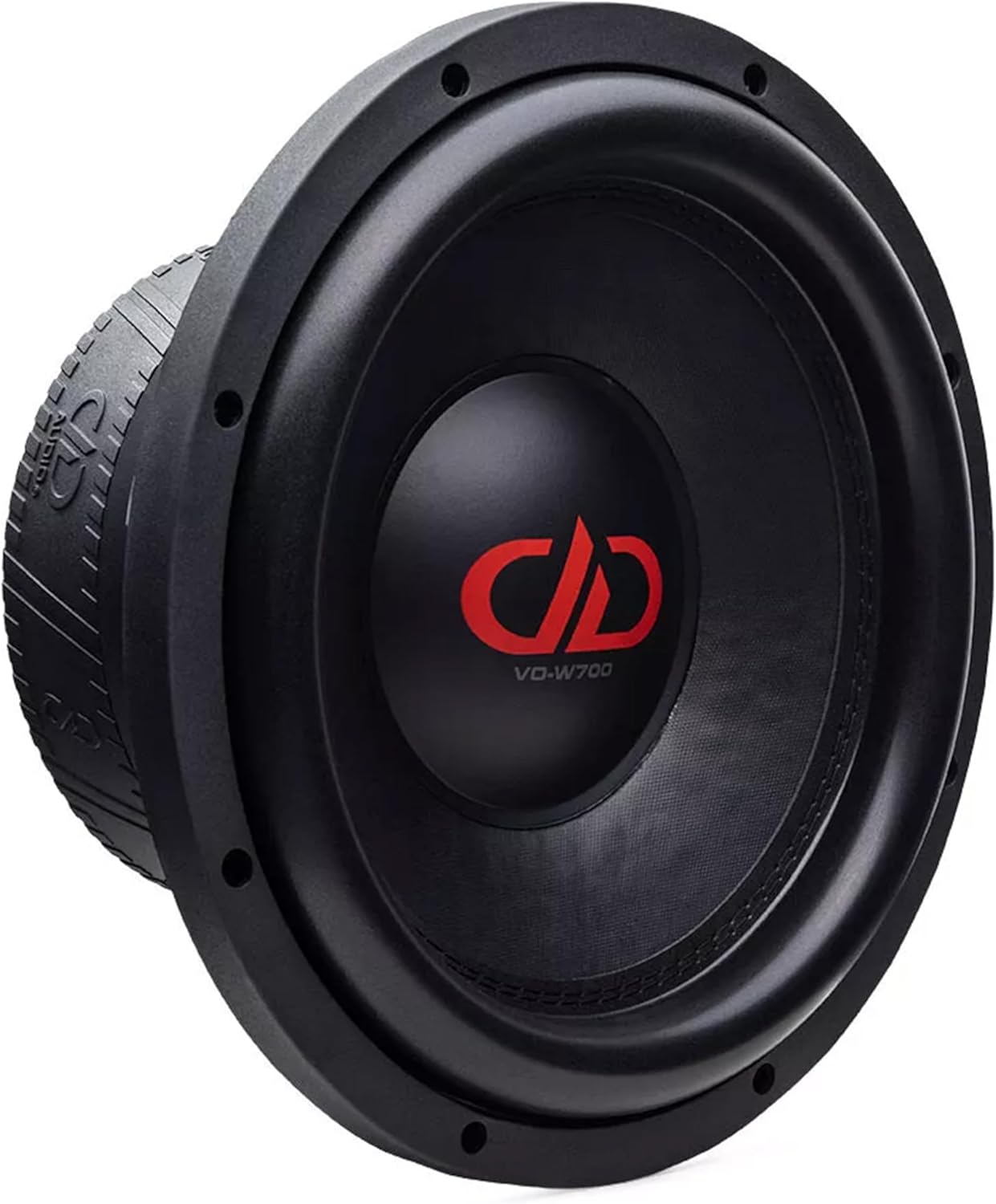
이미지 1: 앞면 view of the DD Audio VO-W712-D2 midwoofer, showing the cone and surround. This view highlights the speaker's primary radiating surface and mounting flange.

이미지 2: 측면 view of the DD Audio VO-W712-D2 midwoofer, illustrating its compact cast frame and the depth of the motor structure. This perspective is useful for assessing mounting depth requirements.
3. 배선
The VO-W712-D2 features a Dual 2-Ohm voice coil. Proper wiring configuration is essential for matching the midwoofer's impedance to your amp증폭기의 성능에 대해서는 제품 설명서를 참조하십시오. amp호환 가능한 부하 임피던스에 대한 앰프 설명서.
- 직렬 연결(4옴): 한 보이스 코일의 양극 단자를 다른 보이스 코일의 음극 단자에 연결합니다. 나머지 양극 및 음극 단자는 다음과 같이 연결합니다. amp리퍼.
- 병렬 배선(1옴): Connect both positive terminals together and both negative terminals together. Connect the combined positive and negative terminals to the amp리퍼.
Ensure all connections are secure and free from corrosion. Use appropriate gauge speaker wire for the power levels involved.

이미지 3: 후면 view of the DD Audio VO-W712-D2 midwoofer, highlighting the double magnet motor, voice coil terminals, and the embossed DD Audio logo on the magnet boot. This view is critical for understanding wiring connections.
작동 지침
설치가 완료되면 다음 단계를 따라 초기 작동을 진행하십시오.
- 초기 전원 켜기: After verifying all connections, turn on your audio system at a low volume.
- 침입 기간: Allow the midwoofer to break in for approximately 10-20 hours of normal listening at moderate volumes. This allows the suspension components to loosen and reach their optimal performance characteristics.
- 환경 Amplifier Gains: Carefully adjust your amplifier's gain settings to match the output of your head unit. Avoid setting the gain too high, which can lead to clipping and damage to the midwoofer.
- 크로스오버 설정: 당신의 능력을 활용하세요 amplifier's or head unit's crossover functions to properly filter frequencies. For the VO-W712-D2, a low-pass filter (LPF) is typically used to prevent it from playing frequencies too high, while a high-pass filter (HPF) might be used on other speakers to prevent them from playing frequencies too low. Refer to the specifications for recommended frequency response.
유지
The DD Audio VO-W712-D2 midwoofer requires minimal maintenance to ensure long-term performance.
- 청소: 부드럽고 마른 천으로 콘과 주변부를 살살 닦아주세요. 강한 화학 약품이나 과도한 습기는 피하십시오.
- 점검: Periodically inspect the midwoofer for any signs of damage to the cone, surround, or dust cap. Check wiring connections for tightness and corrosion.
- 환경 보호: Keep the midwoofer away from direct sunlight, extreme heat, and moisture.
문제 해결
If you encounter issues with your midwoofer, refer to the following common problems and solutions:
| 문제 | 가능한 원인 | 해결책 |
|---|---|---|
| No sound from midwoofer |
|
|
| 왜곡된 소리 |
|
|
| Midwoofer gets hot |
|
|
If the problem persists after attempting these solutions, please contact DD Audio customer support.
명세서
Detailed technical specifications for the DD Audio VO-W712-D2 12-inch Midwoofer:
| 특징 | 값 |
|---|---|
| 스피커 크기 | 12 인치 |
| 와트 RMS | 1200 와트 |
| 임피던스 | 듀얼 2옴(D2) |
| 보이스 코일 직경(VCD) | 3 인치 |
| 피스톤 직경 | 247.7mm(XNUMXmm) |
| 주파수 응답 | 35 - 2kHz |
| Fs(공진 주파수) | 40.85Hz |
| Qms (기계적 Q) | 5.807 |
| Qes (전기 Q) | 0.517 |
| Qts (총 Q) | 0.475 |
| 혈관 (등가 부피) | 17.57리터 |
| BL (운동 능력) | 30TM (주) |
| Xmech(기계적 변위) | 30mm(XNUMXmm) |
| Xmax(선형 이동) | 12mm(XNUMXmm) |
| 프레임 외경(가스켓 포함) | 12.625 인치 |
| 장착 직경 | 11 3/8 Inches (286 MM) |
| 장착 깊이 | 5.125인치(130mm) |
| 자석 모터 | Double Magnet |
| 냉각 시스템 | Multi-Vent Free Flow |
| 콘 소재 | Weather Resistant Pressed Cone |
| 거미 | 7.5” Dual Layer Cloth |
| 프레임 유형 | Compact Cast Frame |
| 품목 무게 | 26 파운드 |
| 오디오 드라이버 유형 | 동적 드라이버 |
보증 정보
The DD Audio VO-W712-D2 midwoofer comes with a 1년 제한 보증 구매일로부터 유효합니다. 본 보증은 정상적인 사용 조건에서 발생하는 재료 및 제조상의 결함에 적용됩니다. 부적절한 설치, 남용, 사고, 부주의, 무단 수리 또는 개조로 인한 손상은 보증 대상에서 제외됩니다.
Please retain your proof of purchase for warranty claims. For detailed warranty terms and conditions, please visit the official DD Audio web사이트를 방문하거나 고객 지원팀에 문의하세요.
고객 지원
For technical assistance, warranty inquiries, or replacement parts, please contact DD Audio customer support:
- Web대지: ddaudio.com
- 이메일: 참조 web문의 양식이나 이메일 주소를 위한 사이트입니다.
- 핸드폰: 참조 web현재 연락처 정보는 사이트에서 확인하세요.
When contacting support, please have your product model number (VO-W712-D2) and proof of purchase readily available.
관련 문서VO-W712-D2


Ask a question about this manual
Ask about setup, troubleshooting, compatibility, parts, safety, or missing instructions. Manuals+ will review the question and use this page’s manual context to help answer it.