
1. 서론
Thank you for choosing the XIAOVV 4G LTE Solar Outdoor Security Camera. This manual provides essential information for the proper installation, operation, and maintenance of your device. Please read it carefully before use and retain it for future reference. This camera is designed for outdoor surveillance, offering reliable monitoring with 4G LTE connectivity and solar power.
2. 제품 오버view
The XIAOVV P5plus is a robust outdoor security camera featuring a solar panel for continuous power and 4G LTE connectivity for remote access without relying on Wi-Fi. It offers high-definition imaging, advanced night vision, and intelligent security functions.
주요 특징:
- 4G LTE 연결: Supports 4G bands B1/B3/B5/B38/B39/B40/B41 for remote access in areas without Wi-Fi.
- 태양열 전원: Integrated solar panel provides continuous power, ensuring 365 days of uninterrupted monitoring.
- 5MP HD Imaging & 1080p Video: Captures clear 5-megapixel still images and records 1080p high-definition video.
- 컬러 나이트 비전: Advanced Starlight color night vision ensures clear, detailed footage 저조도 환경에서도 마찬가지입니다.
- 360° 모니터링: Dual-lens design allows for comprehensive 360-degree coverage without blind spots, with PTZ (Pan-Tilt-Zoom) capabilities.
- Smart Security Functions: AI-based person detection, dual PIR and radar alarms, automatic motion detection, and two-way audio communication.
- 로컬 및 클라우드 스토리지: Supports up to 128GB Micro SDHC card for local storage and optional cloud storage.
- H.265 압축: Efficient video compression for longer storage times and stable recordings.
- 비바람에 견디는 디자인: IP66 rated for outdoor use, protecting against dust and powerful water jets.
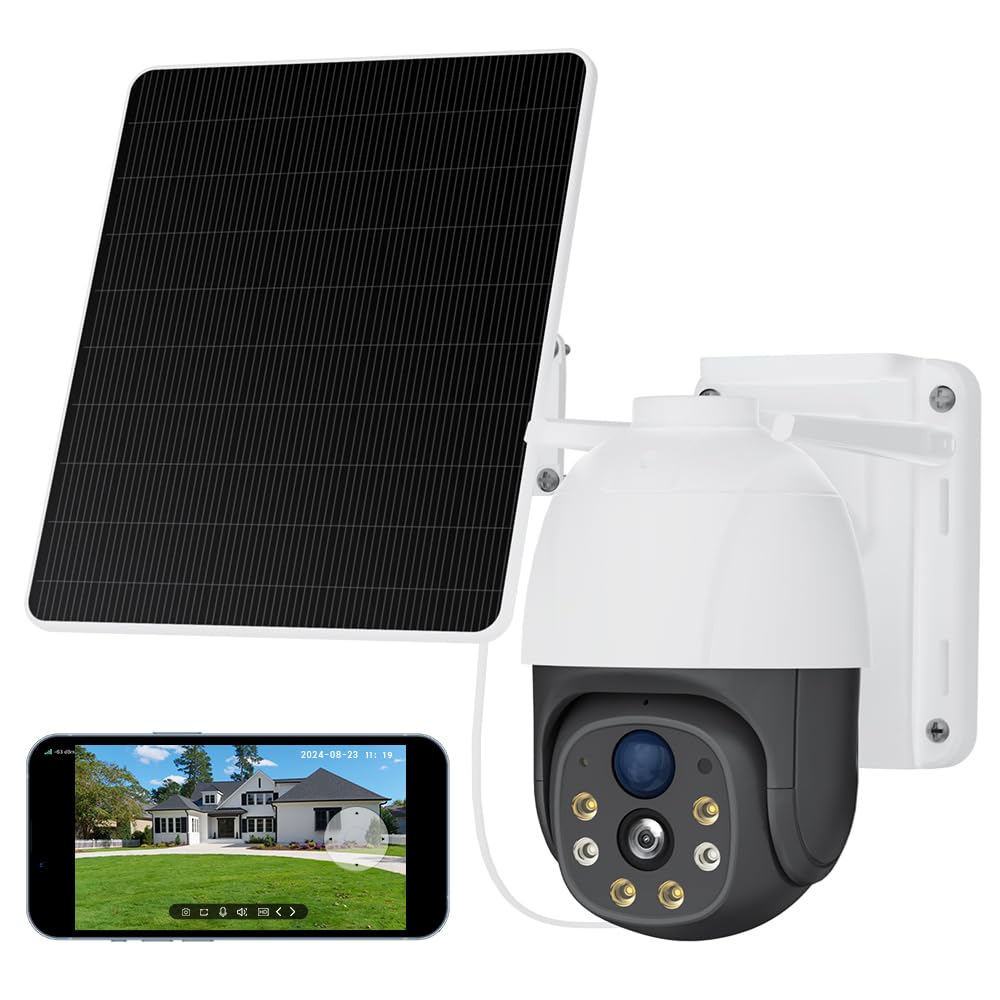
Image 2.1: The XIAOVV 4G LTE Solar Outdoor Security Camera, showcasing its solar panel and various features like 4G LTE signal, full color night vision, AI intelligence, IP65 waterproof rating, device sharing, 2-way audio, HD 1080P, siren, PIR motion detection, and 8000mAh battery capacity.

Image 2.2: A visual representation of the camera's 2K Starlight Color Night Vision, showing a building at night with clear, illuminated details, contrasting with a standard black and white night vision view.
3. 설정
3.1 패키지 내용
- XIAOVV Solar Camera (1)
- 장착 브래킷 및 나사
- 사용자 설명서
3.2 SIM 카드 및 마이크로 SD 카드 삽입
- Locate the SIM card and Micro SD card slot on the camera, usually protected by a rubber cover.
- 조심스럽게 뚜껑을 여세요.
- Insert a valid 4G LTE SIM card (not included) into the SIM card slot with the correct orientation. Ensure it clicks into place.
- Insert a Micro SDHC card (up to 128GB, not included) into the Micro SD card slot with the correct orientation.
- Close the rubber cover firmly to ensure IP66 weatherproofing.
3.3 카메라 장착
- Choose a suitable outdoor location with good 4G signal reception and direct sunlight exposure for the solar panel.
- 제공된 장착 브래킷과 나사를 사용하여 카메라를 벽이나 기둥에 단단히 고정하십시오.
- Adjust the angle of the solar panel to maximize sun exposure throughout the day.
- Ensure the camera has a clear line of sight to the area you wish to monitor.

Image 3.1: The XIAOVV camera with its solar panel, shown installed in diverse outdoor settings such as a pasture, fish pond, orchard, construction site, and backyard, illustrating its versatility for different surveillance needs.
3.4 앱 다운로드 및 페어링
- Download the XIAOVV app from your smartphone's app store (iOS or Android).
- 새 계정을 등록하거나 이미 계정이 있는 경우 로그인하세요.
- 앱 내 안내에 따라 새 카메라를 추가하세요. 일반적으로 카메라의 QR 코드를 스캔하거나 기기 ID를 직접 입력해야 합니다.
- Ensure the camera is powered on and the 4G SIM card is active during the pairing process.
4. 사용 설명서
4.1 라이브 View
Open the XIAOVV app and select your camera from the device list to access the live video feed. You can view 실시간 푸tage from your monitored area.
4.2 PTZ 제어
Utilize the on-screen controls in the live view to pan (rotate horizontally), tilt (rotate vertically), and digitally zoom the camera to adjust your viewing angle and focus on specific areas.
4.3 양방향 오디오
Tap the microphone icon in the app to speak through the camera's speaker, and listen to audio from the camera's microphone. This allows for real-time communication with visitors or to deter intruders.
4.4 녹음 및 재생
- 수동 녹음: 라이브 방송 중 녹화 버튼을 누르세요 view to start or stop manual video recording.
- 이벤트 녹화: The camera automatically records when motion is detected, based on your settings.
- 재생: 기록된 foo에 액세스tage via the 'Playback' or 'History' section in the app. You can filter by date and event.
4.5 동작 감지 및 알림
Configure motion detection sensitivity, detection zones, and alert preferences (e.g., push notifications, siren activation) within the app settings. The camera uses AI-based person detection, PIR, and radar for accurate alerts.

Image 4.1: A visual representation of the AI Automatic Tracking feature, showing a father and child playing in a park with a tracking box following their movement, indicating the camera's ability to automatically follow targets.
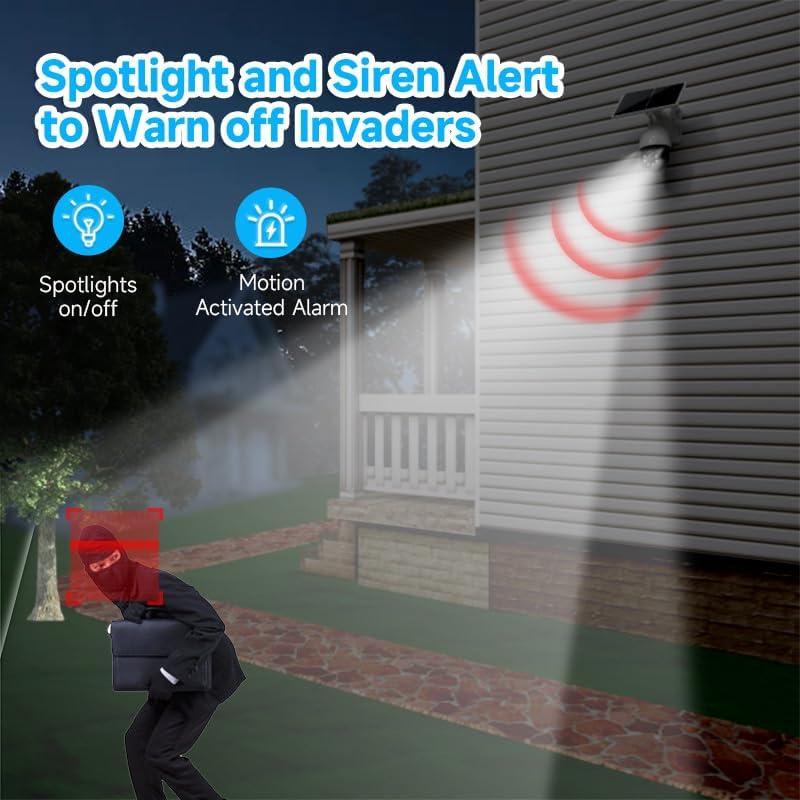
Image 4.2: The camera's spotlight and siren alert system activated at night, illuminating a detected intruder and emitting a warning sound, demonstrating its active deterrence capabilities.
5. 유지관리
5.1 청소
- 카메라 렌즈와 태양광 패널을 부드러운 천으로 정기적으로 청소하세요.amp 최적의 성능을 위해 천을 사용하십시오. 연마성 세척제 사용을 피하십시오.
- Ensure the solar panel is free from dirt, dust, leaves, or snow to maintain efficient charging.
5.2 펌웨어 업데이트
Check the XIAOVV app periodically for available firmware updates. Keeping your camera's firmware up-to-date ensures optimal performance, security, and access to new features.
5.3 스토리지 관리
If using a Micro SD card, regularly review 그리고 중요한 파일을 백업하세요tage. You can configure the camera to overwrite older footage automatically when the card is full. For cloud storage, manage your subscription and stored data through the app.

Image 5.1: A graph illustrating the benefits of H.265 Video Coding Technology compared to H.264, showing significant savings in storage space and broadband usage, leading to faster loading and smoother playback of videos.
6. 문제 해결
6.1 Camera Not Connecting to 4G
- SIM 카드가 올바르게 삽입되었고 데이터 요금제로 활성화되어 있는지 확인하세요.
- Check 4G signal strength at the camera's location using your smartphone.
- Restart the camera by pressing the reset button or power cycling it.
- Verify that the camera's 4G bands are compatible with your network provider.
6.2 이미지 품질이 좋지 않음
- 카메라 렌즈에 묻은 먼지나 얼룩을 닦아내세요.
- 렌즈 앞에 장애물이 없는지 확인하세요.
- Check your 4G signal strength; a weak signal can affect streaming quality.
6.3 배터리가 충전되지 않음
- Ensure the solar panel is clean and receives direct sunlight for several hours daily.
- 태양광 패널과 카메라의 연결 상태를 확인하십시오.
- Verify that the camera is placed in an area with sufficient sunlight.
6.4 동작 감지 기능이 작동하지 않음
- Check motion detection settings in the app; ensure it's enabled and sensitivity is adjusted.
- Verify that the detection zones are correctly configured.
- 카메라를 가로막는 물리적 장애물이 없는지 확인하십시오. view or PIR sensor.
7. 사양
| 특징 | 사양 |
|---|---|
| 모델명 | XIAOVV-P5PLUS-EU4G |
| 연결성 | 4G LTE (B1/B3/B5/B38/B39/B40/B41) |
| 전원 공급 장치 | Solar Powered (Integrated Solar Panel) |
| 이미지 해상도 | 5 MP (Stills) |
| 비디오 해상도 | 1080p(AVI 포맷) |
| 나이트 비전 | Starlight Color Night Vision, 15 Meters Range |
| View잉 각도 | 360도 (PTZ) |
| 특별 기능 | Two-way audio, Local recording, AI Person Detection, PIR/Radar Alarms, HD Resolution, PTZ Technology |
| 저장 | Micro SDHC (up to 128 GB), Optional Cloud Storage |
| 압축 | H.265 |
| 비바람에 견디는 등급 | IP66 |
| 제어 방법 | Smartphone App (XIAOVV App) |
| 치수 | 20 x 20 x 22cm |
8. 보증 및 지원
This XIAOVV product comes with a standard manufacturer's warranty. Please refer to the warranty card included in your package or visit the official XIAOVV web자세한 보증 약관은 해당 사이트에서 확인하세요.
For technical support, troubleshooting assistance, or any product-related inquiries, please contact XIAOVV customer service through the contact information provided on their official website or within the XIAOVV app.