
1. 제품 오버view
The INFINMIND D970 Wireless Bluetooth Multi-Device Mouse is designed for versatile and efficient use across various devices. It offers seamless connectivity options, precise control, and an ergonomic design for enhanced productivity and comfort.
주요 특징:
- 다중 연결성: Connects to up to three devices via 2.4G Wireless (USB receiver) and two Bluetooth 5.1 channels.
- 4-Way Hyper-Fast Scrolling: Features a stainless steel roller for rapid vertical and horizontal navigation.
- 조정 가능한 DPI: Four customizable DPI settings (1000/1600/2400/3000) for precise cursor control.
- 조용한 클릭: Reduces click noise by up to 90% for a quiet work environment.
- 긴 배터리 수명: Engineered for extended use with an intelligent auto-sleep function.
- 휴대성 있는 디자인: Slim, lightweight, and ergonomic for comfortable use and easy transport.
패키지 내용:
- 1 x INFINMIND D970 Wireless Bluetooth Mouse
- 1 x 2.4GHz USB Receiver (stored under the magnetic top cover)
- AA 배터리 1개 (사전 장착됨)
- 1 x 사용 설명서
2. 설정 가이드
2.1 배터리 설치
- Gently lift the magnetic top cover of the mouse to reveal the battery compartment.
- Locate the pre-installed AA battery. Remove any protective film or tab if present.
- Ensure the battery is correctly oriented according to the polarity markings (+/-).
- 자석식 상단 덮개를 다시 씌우고 제자리에 단단히 고정되었는지 확인하십시오.

Image: The INFINMIND D970 mouse with its magnetic top cover removed, revealing the battery compartment and the stored 2.4GHz USB receiver.
2.2 마우스 연결
The INFINMIND D970 mouse supports three connection modes: 2.4G Wireless (USB) and two Bluetooth 5.1 channels. You can switch between these modes using the dedicated button on the mouse.

Image: The INFINMIND D970 mouse connected to a laptop via 2.4G wireless, a tablet via Bluetooth 1, and a smartphone via Bluetooth 2, illustrating its multi-device capability.
2.2.1 2.4G Wireless Connection (USB Receiver)
- Open the magnetic top cover of the mouse and carefully remove the 2.4GHz USB receiver from its storage slot.
- USB 수신기를 컴퓨터나 노트북의 사용 가능한 USB 포트에 연결합니다.
- 바닥에 있는 ON/OFF 스위치를 사용하여 마우스를 켭니다.
- Press the mode switch button on the top of the mouse until the white LED indicator lights up, indicating 2.4G mode.
- 컴퓨터가 마우스를 자동으로 감지하고 연결해야 합니다.

이미지: 자세한 view of the INFINMIND D970 mouse, illustrating the convenient storage of the USB receiver under the magnetic top cover.
2.2.2 블루투스 연결(BT1 / BT2)
- 마우스 하단에 있는 전원 스위치를 사용하여 마우스를 켜세요.
- Press the mode switch button on the top of the mouse to select either Bluetooth Mode 1 (blue LED) or Bluetooth Mode 2 (green LED).
- For first-time pairing, press and hold the mode switch button for 3-5 seconds until the selected Bluetooth LED (blue or green) starts blinking rapidly. This indicates the mouse is in pairing mode.
- 기기(노트북, 태블릿, 스마트폰)에서 Bluetooth 설정으로 이동하여 새 기기를 검색하세요.
- Select "BT MOUSE-1" or "BT MOUSE-2" (depending on the mode selected) from the list of available devices to pair.
- Once paired, the LED indicator will stop blinking and remain solid.

Image: A close-up of the INFINMIND D970 mouse's top panel, highlighting the mode switch button and the LED indicators for 2.4G, Bluetooth 1, and Bluetooth 2 connections.
2.2.3 연결된 장치 간 전환
Once multiple devices are paired, simply press the mode switch button on the top of the mouse to cycle between the 2.4G Wireless, Bluetooth 1, and Bluetooth 2 connections. The corresponding LED indicator will light up to confirm the active connection.
3. 사용 설명서
3.1 DPI 조정
The mouse features four adjustable DPI levels to customize cursor sensitivity and speed. Press the DPI button located below the scroll wheel to cycle through the settings:
- 1000DPI: Suitable for precise tasks like graphic design.
- 1600DPI: Ideal for general office work and web 브라우징.
- 2400DPI: Good for faster navigation and some gaming.
- 3000DPI: High sensitivity for quick movements, especially in gaming.

Image: The INFINMIND D970 mouse highlighting the DPI button and illustrating the four adjustable DPI settings (1000, 1600, 2400, 3000) for various tasks.
3.2 4-Way Hyper-Fast Scrolling
The stainless steel scroll wheel provides both vertical and horizontal scrolling capabilities. This allows for efficient navigation through documents, spreadsheets, and web 페이지.
- 세로 스크롤: Scroll the wheel up or down for standard page navigation. The hyper-fast feature allows for rapid scrolling through long content.
- 가로 스크롤: Tilt the scroll wheel left or right to scroll horizontally, useful for wide documents or timelines.

Image: The INFINMIND D970 mouse in action, demonstrating its 4-way hyper-fast scrolling feature on a computer screen displaying a wide spreadsheet.
3.3 Silent Click Technology
The INFINMIND D970 mouse is designed with noiseless click technology, reducing click sounds by up to 90%. This feature is beneficial for maintaining a quiet environment in offices, libraries, or shared spaces.
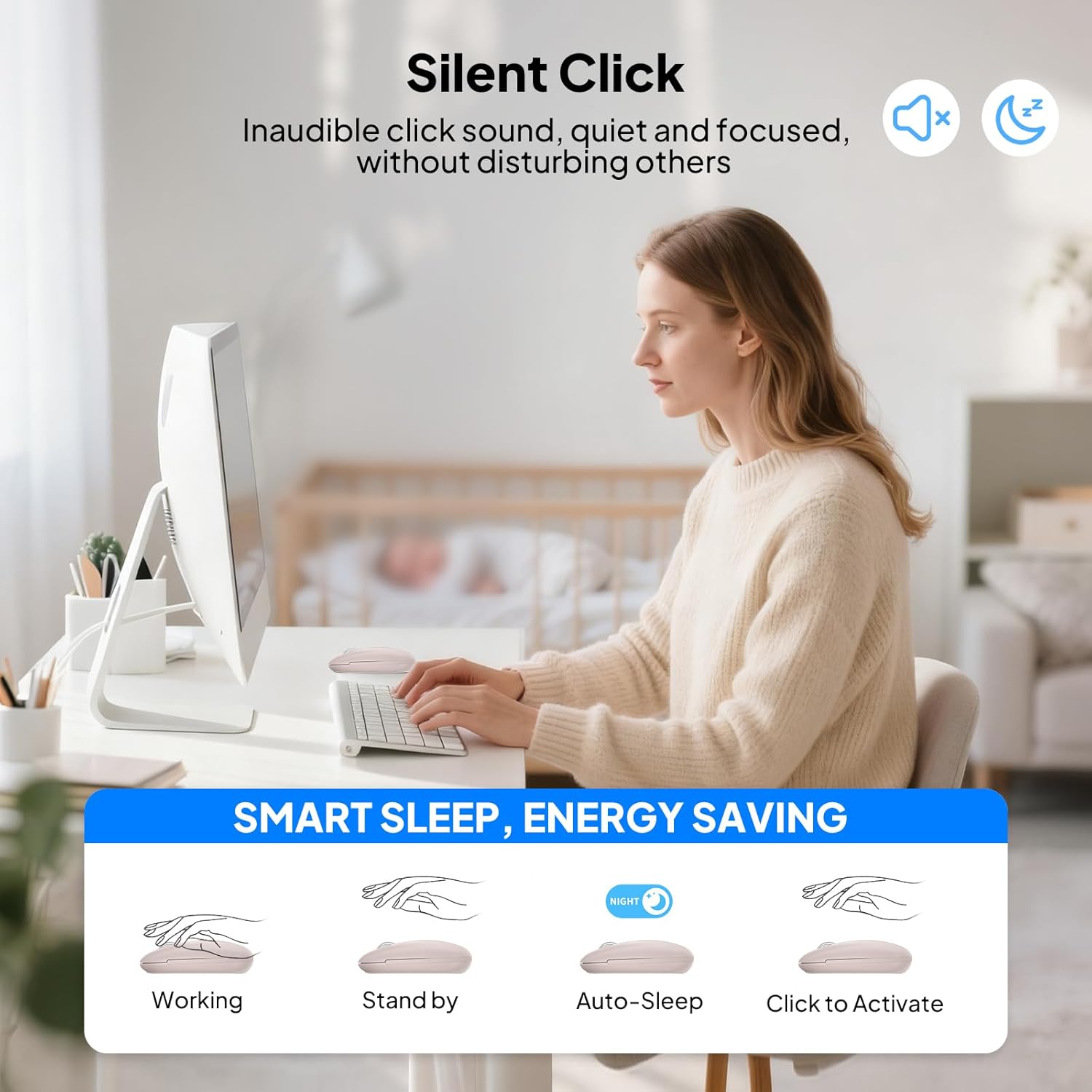
Image: A user operating the INFINMIND D970 mouse in a quiet office setting, emphasizing the silent click feature for an undisturbed work environment.
3.4 Auto Sleep Function and ON/OFF Switch
To conserve battery life, the mouse features an intelligent auto-sleep function and a manual ON/OFF switch.
- 자동 절전: After 5 minutes of inactivity, the mouse will automatically enter sleep mode. To reactivate, simply click any button or move the mouse.
- 온 / 오프 스위치: For extended periods of non-use, utilize the ON/OFF switch located on the bottom of the mouse to completely power it down and maximize battery efficiency.
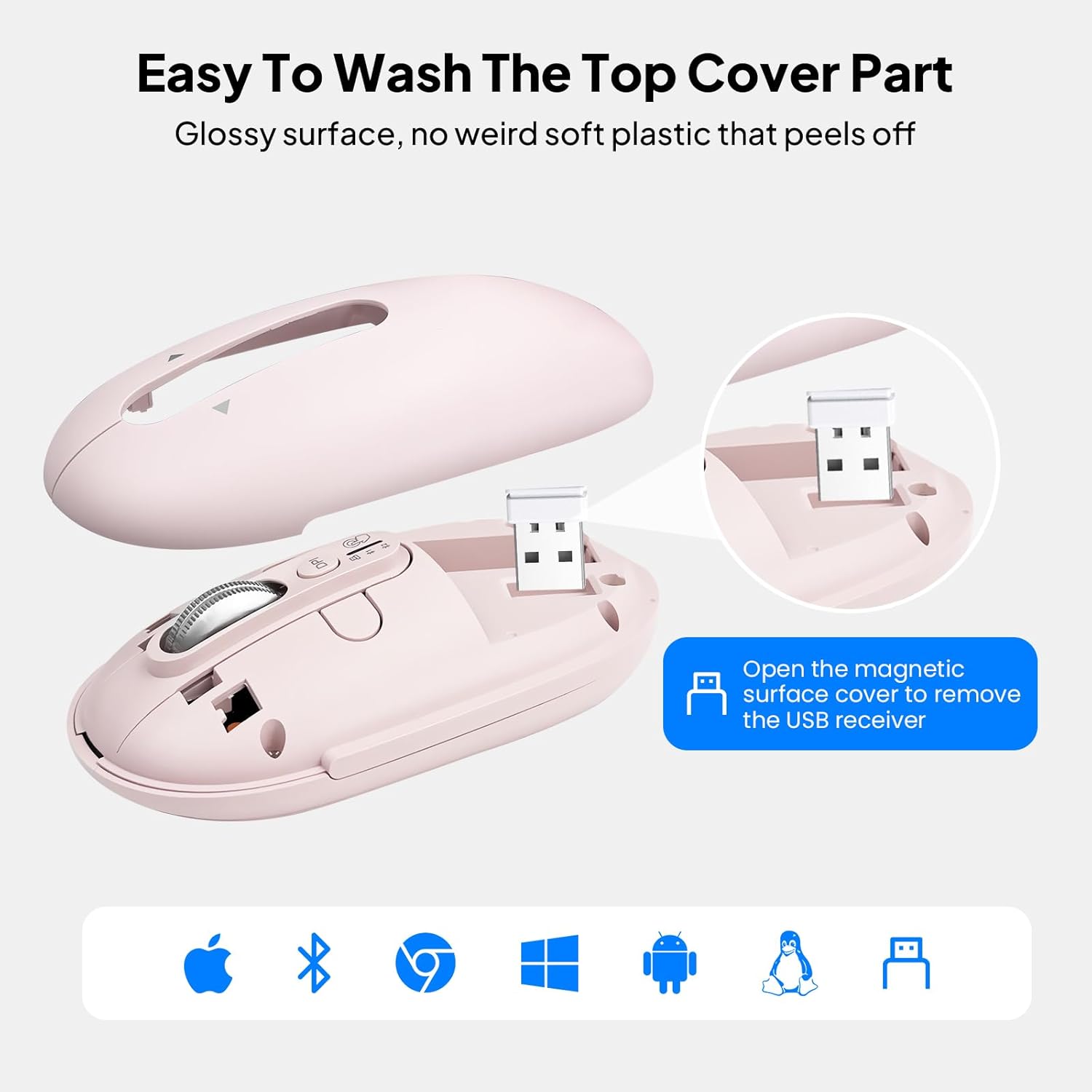
Image: The INFINMIND D970 mouse showcasing its intelligent energy-saving features, including the ON/OFF switch, LED indicator, and auto-sleep function, contributing to a 20-month battery life.
4. 유지관리
4.1 마우스 청소
The magnetic top cover of the INFINMIND D970 mouse can be easily removed for cleaning.
- Gently lift the magnetic top cover to detach it from the mouse body.
- Wipe the top cover and the mouse body with a soft, damp 옷감. 가혹한 화학 물질이나 연마재를 사용하지 마십시오.
- Ensure all parts are completely dry before reattaching the top cover.

Image: The INFINMIND D970 mouse with its magnetic top cover detached, illustrating the ease of cleaning the device.
4.2 배터리 교체
When the mouse's performance decreases or the LED indicator suggests low power, it's time to replace the AA battery.
- ON/OFF 스위치를 사용하여 마우스를 끕니다.
- 자석 상단 덮개를 제거합니다.
- Carefully remove the old AA battery from its compartment.
- 올바른 극성을 확인하여 새 AA 배터리를 삽입하세요.
- 자석식 상단 덮개를 교체하세요.
5. 문제 해결
일반적인 문제 및 해결책:
- 마우스가 응답하지 않습니다.
- 마우스가 켜져 있는지 확인하세요.
- 배터리 잔량을 확인하고 필요한 경우 교체하십시오.
- For 2.4G mode, ensure the USB receiver is securely plugged into the device.
- For Bluetooth mode, ensure the mouse is correctly paired and the correct Bluetooth channel (BT1 or BT2) is selected. Try re-pairing if connection is lost.
- 커서 움직임이 불규칙하거나 느립니다.
- Adjust the DPI setting using the DPI button to find a suitable speed.
- 마우스 센서가 깨끗하고 이물질이 없는지 확인하십시오.
- 깨끗하고 반사되지 않는 표면이나 마우스 패드 위에서 마우스를 사용하세요.
- 기기 간 전환이 불가능합니다.
- Ensure all devices are within range and their Bluetooth is enabled.
- Press the mode switch button firmly to cycle through the connections. Observe the LED indicators.
- 블루투스 페어링 문제:
- Ensure the mouse is in pairing mode (rapidly blinking LED).
- Remove previous pairings of the mouse from your device's Bluetooth settings and try pairing again.
- 기기와 마우스를 재시작하세요.
6. 사양
| 특징 | 세부 사항 |
|---|---|
| 제품 치수 | 2.45 x 4.37 x 0.04 인치 |
| 품목 무게 | 4.6 온스 |
| 배터리 | AA 배터리 1개 필요(포함) |
| 연결 기술 | 2*Bluetooth 5.0, USB (2.4GHz Wireless) |
| 특별 기능 | 3 Devices Mouse, 4 Way Scrolling, Hyper Fast Scrolling, Ergonomic Design, LED Indicator Lights, Portable, Soundless, Long Battery Life |
| 움직임 감지 기술 | 광학 |
| 제조업체 | 인피마인드 |
| 첫 번째 이용 가능 날짜 | 14년 2024월 XNUMX일 |
7. 보증 및 고객 지원
INFINMIND is committed to providing high-quality products and excellent customer service. Your D970 mouse comes with comprehensive support:
- 24-Hour Reply: 귀하의 문의사항에 대한 답변은 24시간 이내에 드리겠습니다.
- 365일 교체: Enjoy a full year of replacement coverage for any product defects.
- 평생 관리: 제품 수명 기간 동안 전담 지원을 제공합니다.
고객 서비스에 연락하는 방법:
For any questions, issues, or support needs, please contact INFINMIND customer service through your Amazon order details:
- Go to "Your Account" on Amazon.
- Navigate to "Your Orders" and find your INFINMIND D970 mouse order.
- Click on "Get product support" or "Contact Seller" to reach our support team.
8. 제품 비디오
INFINMIND D970 Flying Scroll Mouse Overview
영상: 이 영상은 간략한 개요를 제공합니다.view of the INFINMIND D970 mouse, highlighting its slim design, hyper-fast 4-way scrolling, adjustable DPI, quiet click, long battery life, and multi-device connectivity.
Slim Wireless Bluetooth Mouse for Computer, Laptop, Tablet
Video: This video demonstrates the ease of use and portability of the INFINMIND D970 mouse, showcasing its compatibility with various devices like computers, laptops, and tablets.