
Hisense RQ5P470SAFE
Hisense RQ5P470SAFE American Four-Door Refrigerator Instruction Manual
Model: RQ5P470SAFE
1. 중요한 안전 정보
Please read this manual carefully before using your new Hisense refrigerator. Keep it for future reference. This section contains critical safety warnings and guidelines to prevent injury and damage.
- 기기가 올바르게 접지되었는지 확인하십시오.
- 냉매 회로를 손상시키지 마십시오.
- 제조업체에서 권장하는 유형이 아닌 한 식품 저장실 내부에서 전기 제품을 사용하지 마십시오.
- 청소 또는 유지 관리를 수행하기 전에 제품의 플러그를 뽑으십시오.
- 통풍구에 장애물이 없도록 깨끗이 유지하세요.
- 이 제품은 가정용으로만 사용하도록 설계되었습니다.
2. 제품 오버view
The Hisense RQ5P470SAFE is a four-door American-style refrigerator designed for optimal food preservation. It features advanced cooling technologies and flexible storage options.

그림 2.1: 전면 view and internal layout of the Hisense RQ5P470SAFE refrigerator, showing overall dimensions (178.5 cm H x 79.4 cm W x 69.8 cm D) and compartment capacities (304L fridge, 92L freezer, 87L convertible zone).
주요 특징:
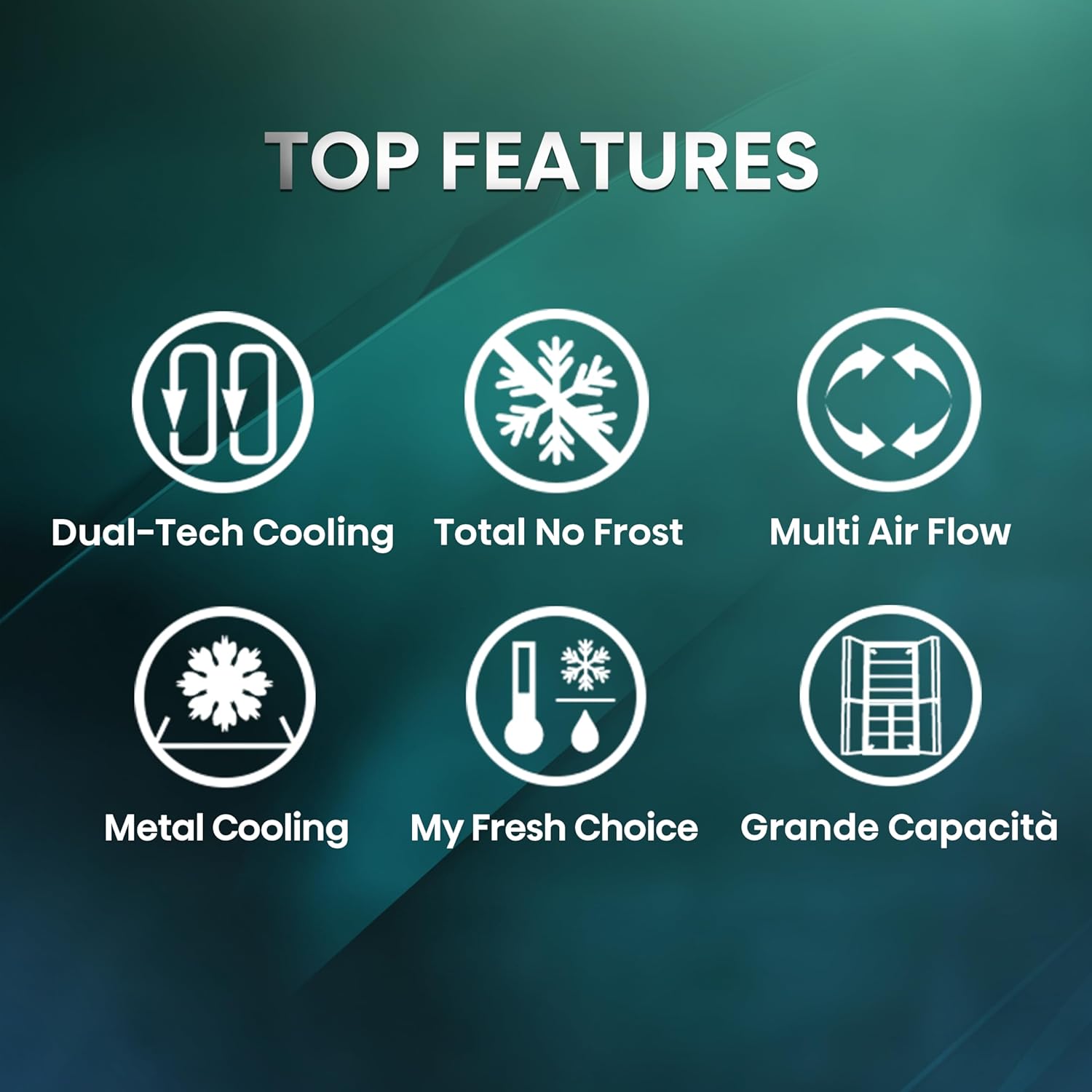
Figure 2.2: Visual representation of the refrigerator's main features.
- 총 서리 없음: 얼음이 쌓이는 것을 방지하여 수동으로 해동할 필요가 없습니다.
- Dual Tech Cooling: Separate cooling systems for the refrigerator and freezer compartments to maintain optimal humidity and prevent odor transfer.
- 다중 공기 흐름: Ensures even distribution of cold air throughout the refrigerator for consistent temperature.
- My Fresh Choice / Convert Zone: A flexible compartment that can be switched between refrigerator and freezer temperatures.
- 금속 냉각: An interior metal plate that helps maintain stable temperatures and quickly restores cooling after the door is opened.
- 수분감, 신선함, 더욱 아삭함: Adjustable humidity drawers for fruits and vegetables.
- 전자식 터치 컨트롤: Intuitive control panel for precise temperature management.
- WiFi 제어: Connect the appliance to the Connect Life app for remote monitoring and control.
3. 설정 및 설치
3.1 풀기
포장재를 조심스럽게 모두 제거하십시오. 냉장고에 손상이 없는지 확인하십시오. 포장재는 어린이의 손이 닿지 않는 곳에 보관하십시오.
3.2 배치
- 단단하고 평평한 표면에 냉장고를 놓으십시오.
- 기기 주변에 적절한 환기가 이루어지도록 하십시오. 뒷면과 측면에 최소 10cm(4인치)의 여유 공간을 확보하십시오.
- 직사광선과 열원을 피하십시오.
- 이 제품은 독립형 가전제품이며 빌트인 설치용이 아닙니다.
3.3 레벨링
Adjust the leveling feet to ensure the refrigerator is stable and level. This helps reduce vibration and noise.
3.4 전원 연결
전원 코드를 접지된 전용 콘센트에 연결하십시오. 냉매가 안정될 수 있도록 냉장고를 최소 2~4시간 동안 그대로 둔 후 플러그를 꽂으십시오.
4. 사용 설명서
4.1 제어판
The refrigerator features an electronic touch control panel located on the door for easy access and precise temperature adjustments.

Figure 4.1: Electronic Touch Control panel for temperature settings and feature activation.
4.2 온도 조절
Use the touch controls to set the desired temperature for the refrigerator and freezer compartments. The recommended temperature for the refrigerator is 4°C, and for the freezer is -18°C.
4.3 My Fresh Choice / Convert Zone
The bottom right compartment can be converted between a refrigerator and a freezer zone. This "My Fresh Choice" function allows you to set the temperature from -18°C (freezer) to +5°C (refrigerator) to suit your storage needs.

Figure 4.2: My Fresh Choice zone flexibility, illustrating temperature ranges for various storage needs.
4.4 특수 기능
- 슈퍼 쿨: Activates rapid cooling for the refrigerator compartment, ideal for quickly chilling newly added groceries.
- 다중 공기 흐름 시스템: Ensures uniform cold air distribution, maintaining consistent temperatures throughout the fridge.
- Dual Tech Cooling: Independent cooling circuits for the fridge and freezer prevent odor mixing and optimize humidity.
- Go'n Save Function: Refer to the full user manual for detailed instructions on this energy-saving feature.
- 문 열림 경보: 문이 장시간 열려 있으면 경보음이 울립니다.
- WiFi 제어: Use the Hisense Connect Life app to monitor and control your refrigerator remotely.

Figure 4.3: Super Cool function for rapid chilling.

Figure 4.4: Multi Air Flow system for even temperature distribution.

Figure 4.5: Dual Tech Cooling system for separate temperature and humidity control.
5. 유지관리 및 청소
5.1 일반 청소
Always unplug the refrigerator before cleaning. Use a soft cloth with a mild detergent and warm water to clean the interior and exterior surfaces. Avoid abrasive cleaners or solvents.
5.2 해동
이 기기의 특징 총 서리 없음 technology, meaning manual defrosting of the freezer compartment is not required. The refrigerator compartment also defrosts automatically. However, ensure drainage channels are clear to prevent water build-up.
5.3 도어 씰
문틈 고무 패킹에 음식물 찌꺼기가 끼지 않고 탄력성을 유지하도록 정기적으로 점검하고 청소하십시오. 밀폐가 잘 되어야 에너지 효율이 높아집니다.
6. 문제 해결
서비스에 문의하기 전에 다음과 같은 일반적인 문제를 확인하세요.
| 문제 | 가능한 원인 | 해결책 |
|---|---|---|
| 냉장고가 식지 않아요 | 파워 아웃tage; 플러그가 꽂히지 않음; 온도 설정이 너무 높음; 문이 열려 있음. | Check power supply; ensure plug is secure; adjust temperature; close door properly. |
| 비정상적인 소음 | Appliance not level; objects touching the back; compressor noise (normal). | Level the appliance; move objects away; normal operation sounds are expected. |
| 문 경보음이 울립니다 | 문이 완전히 닫히지 않았습니다. | Ensure all doors are fully closed. |
| 바닥에 물 | Drainage channel blocked. | Clear the drainage channel at the back of the refrigerator compartment. |
7. 사양
Detailed technical specifications for the Hisense RQ5P470SAFE refrigerator.
| 특징 | 값 |
|---|---|
| 모델 | RQ5P470SAFE |
| 유형 | American Four-Door Refrigerator |
| 총 용량 | 483리터 |
| 냉장고 용량 | 304리터 |
| 냉동고 용량 | 92리터 |
| Convert Zone Capacity | 87리터 |
| 치수(높이 x 너비 x 깊이) | 178.5cm x 79.4cm x 69.8cm |
| 에너지 효율 등급 | E |
| 연간 에너지 소비량 | 293kWh/연간 |
| 소음 수준 | 37dB(암페어) |
| 해동 시스템 | 총 서리 없음 |
| 권tage | 240볼트 |
| 특별 기능 | Convert Zone, Metal Cooling, WiFi Control, Multi Air Flow, Dual Tech Cooling |

Figure 7.1: EU Energy Label for model RQ5P470SAFE.
보다 자세한 제품 정보는 EPREL 데이터베이스를 참조하십시오. https://eprel.ec.europa.eu/qr/1711511
8. 보증 및 지원
8.1 보증 정보
This Hisense appliance comes with a standard 24개월 보증 from the date of purchase. Please retain your proof of purchase for warranty claims. The warranty covers manufacturing defects under normal household use.
8.2 고객 지원
For technical assistance, spare parts, or warranty service, please contact Hisense customer support. You can find more information and contact details on the official Hisense global web대지:
When contacting support, please have your model number (RQ5P470SAFE) and serial number ready.
Ask a question about this manual
Ask about setup, troubleshooting, compatibility, parts, safety, or missing instructions. Manuals+ will review the question and use this page’s manual context to help answer it.