
포메모 TP88
Phomemo TP88 Tattoo Transfer Stencil Printer User Manual
모델: TP88
1. 제품 오버view
The Phomemo TP88 Tattoo Transfer Stencil Printer is a compact, portable thermal printer designed for tattoo artists and enthusiasts. It utilizes HD thermal technology to produce clear tattoo stencils without the need for ink. The device supports both A4 and US Letter size transfer paper and offers wide compatibility with smartphones (iOS and Android) via Bluetooth and PCs (Windows, Mac OS, Chrome OS, Linux) via USB connection. Its built-in 1200 mAh battery ensures long-lasting operation, capable of printing up to 140 sheets on a full charge.
주요 특징은 다음과 같습니다.
- 무선 연결 : Bluetooth for smartphones and USB for PCs.
- 잉크 없는 열전사 인쇄: High-definition stencils without ink cartridges.
- 휴대성 있는 디자인: 소형이고 가벼워서 이동이 편리합니다.
- 다양한 용지 호환성: Supports A4 and US Letter size tattoo transfer paper.
- Anti-Wrinkle Function: Designed to prevent paper rolling during printing.
- Powerful Mobile App: Features image editing, cropping, and tattoo preview 기능.
2. 상자 안에 무엇이 들어있나요?
Upon unboxing your Phomemo TP88 Tattoo Transfer Stencil Printer, you should find the following items:
- 1x Phomemo TP88 Tattoo Transfer Stencil Printer
- 10x Thermal Transfer Paper sheets
- 1x Type-C 충전 케이블
- 1x Docking Station (USB-A to USB-C adapter)
- 1x Velvet Pouch for carrying
- 1x 퀵 스타트 가이드

Image: The Phomemo TP88 printer shown with its accessories, including transfer paper, charging cable, adapter, and velvet pouch.
Video: An unboxing demonstration of the Phomemo TP88 tattoo machine, showcasing 모든 구성 요소가 포함되어 있습니다.
3. Setup and Paper Loading
Follow these steps to prepare your TP88 printer for use:
- 전원 켜기: 프린터의 전원 버튼을 표시등이 켜질 때까지 길게 누르십시오.
- 프린터 열기: Press the two side buttons simultaneously to open the printer cover.
- 전사 용지를 준비하세요:
- Remove the yellow backing paper from the thermal transfer sheet.
- Carefully peel off the transparent protective paper.
- 용지 로드: Insert the white transfer paper (with the white side facing up) into the printer's paper slot until it is gently gripped by the rollers. Ensure the paper is aligned straight to prevent misprints.

Image: Visual instructions demonstrating how to prepare and load the thermal transfer paper into the TP88 printer.
Video: A demonstration of preparing and loading Phomemo tattoo thermal paper into the printer.
4. 사용 설명서
4.1. Printing from a Smartphone (Bluetooth)
- 앱 다운로드 : Download the "Phomemo" app from the App Store (iOS) or Google Play Store (Android).
- 블루투스를 통해 연결: Open the Phomemo app and enable Bluetooth on your smartphone. 검색 and select "TP88" from the list of available devices to connect.
- Select/Edit Design: Within the app, you can choose from massive material templates, upload your own images, or use the free editing tools to adjust, crop, or splice designs. The app also allows you to convert pictures into transfer lines and preview tattoo patterns.
- 인쇄: Adjust print parameters as needed within the app, then initiate printing. The printer will feed the paper and create your stencil.

Image: A smartphone screen showing the Phomemo app interface with options for editing and printing, connected to the TP88 printer.
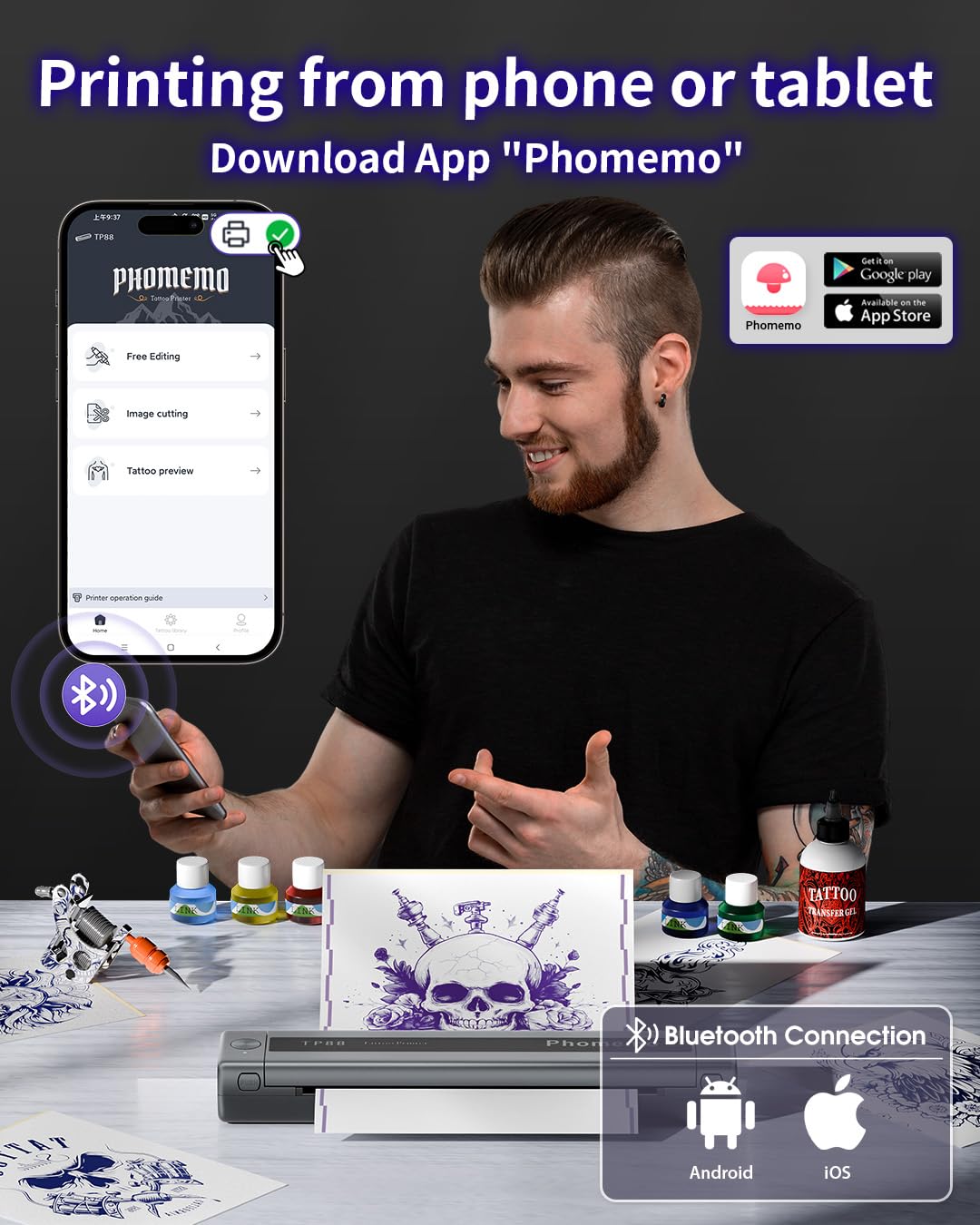
이미지: 상세 view of the Phomemo app's features, including tattoo library, image cutting, and tattoo preview.
4.2. Printing from a Computer (USB)
- 드라이버 다운로드: Phomemo 공식 웹사이트를 방문하세요. website (pages.phomemo.com/#/TP88) to download the appropriate driver for your operating system (Windows, Mac OS, Chrome OS, or Linux).
- 설치 드라이버: Follow the on-screen instructions to install the printer driver on your computer.
- 프린터 연결: Connect the TP88 printer to your computer using the provided Type-C charging cable. If your computer lacks a USB-A port, use the included docking station (USB-A to USB-C adapter).
- 인쇄: Open your desired image or design on your computer, select the TP88 printer from your print options, and initiate printing.

Image: A laptop connected to the Phomemo TP88 printer, demonstrating the process of printing a tattoo stencil from a computer.
Video: A step-by-step guide on how to use the Phomemo TP88 tattoo machine to print stencils via a computer connection.
5. 유지관리
To ensure the longevity and optimal performance of your Phomemo TP88 printer, regular maintenance is recommended:
- 청소: Periodically clean the paper path and thermal print head with a soft, lint-free cloth. If necessary, use a small amount of isopropyl alcohol on the cloth for stubborn residue, ensuring the printer is powered off and disconnected from power.
- 저장: 프린터를 직사광선과 극한 온도 변화를 피해 서늘하고 건조한 곳에 보관하십시오.
- 배터리 관리 : For extended storage, ensure the battery is charged to approximately 50-70% to maintain battery health. Avoid fully discharging the battery for long periods.
- 용지 취급: Always use high-quality thermal transfer paper designed for stencil printers. Store paper in its original packaging to protect it from light and moisture.
6. 문제 해결
If you encounter issues with your Phomemo TP88 printer, consider the following common solutions:
- 프린터 전원이 켜지지 않음: Ensure the printer is fully charged. Connect it to a power source using the provided Type-C cable and a standard 5V/2A (10W) charger.
- 인쇄 품질 불량:
- Check if the thermal transfer paper is loaded correctly (white side up).
- Ensure the paper is not wrinkled or damaged.
- 유지보수 섹션에 설명된 대로 열전사 프린트 헤드를 청소하십시오.
- Verify the image resolution and settings in the app or computer driver.
- 연결 문제 (블루투스):
- Make sure Bluetooth is enabled on your smartphone and the printer is within range.
- 프린터와 스마트폰을 모두 재시작하세요.
- 다른 장치가 Bluetooth 연결을 방해하지 않는지 확인하세요.
- Re-pair the device through the Phomemo app.
- 연결 문제(USB):
- Verify that the USB cable is securely connected to both the printer and the computer.
- Ensure the correct printer driver is installed and updated for your operating system.
- 다른 USB 포트나 케이블을 사용해 보세요.
- 용지 걸림: Power off the printer, gently open the cover, and carefully remove any jammed paper. Ensure no small pieces of paper remain inside before closing the cover and powering on.
7. 사양
| 특징 | 세부 사항 |
|---|---|
| 모델 번호 | TP88 |
| 제품 치수 | 12.2 x 1.57 x 2.64 인치 |
| 무게 | 2.47 파운드 |
| 배터리 | 1 Lithium Polymer battery (1200 mAh), included |
| 인쇄 기술 | 열전사(잉크 없음) |
| 용지 호환성 | A4, US Letter size thermal transfer paper |
| 연결성 | Bluetooth (iOS, Android), USB (Windows, Mac OS, Chrome OS, Linux) |
| 포함된 구성 요소 | TP88 Tattoo Machine, 10x Thermal Transfer Paper, Type-C Charging Cable, Docking Station, Velvet Pouch |
| 색상 | 검은색 |
| 방수 레벨 | 방수가 되지 않음 |
8. 보증 및 지원
For any product inquiries, technical support, or warranty claims, please contact Phomemo customer service:
- 이메일: bestservice2012@outlook.com
- 전화: + 1 833 879 0321 (무료)
- 왓츠앱: +1 971 476 7804
- 영업 시간: 월요일~금요일, 오전 9시~오후 5시 (미국 동부시간)
구체적인 보증 내용은 구매 서류를 참조하십시오.
Ask a question about this manual
Ask about setup, troubleshooting, compatibility, parts, safety, or missing instructions. Manuals+ will review the question and use this page’s manual context to help answer it.