
소개
Thank you for choosing the KOORUI 2.4G Silent Full Size Ergonomic Wireless Keyboard and Mouse Combo. This manual provides essential information for setting up, operating, maintaining, and troubleshooting your new wireless peripheral set. Please read this manual thoroughly before use to ensure optimal performance and longevity of your product.

Figure 0: KOORUI Wireless Keyboard and Mouse Combo
1. 설정
1.1 패키지 내용
- 무선 키보드
- 무선 마우스
- 2-in-1 USB Receiver
- 사용자 설명서
1.2 배터리 설치
- Locate the battery compartment on the underside of the keyboard. Insert one AAA battery (not included), ensuring correct polarity.
- Locate the battery compartment on the underside of the mouse. The 2-in-1 USB receiver is stored inside this compartment. Remove the receiver, then insert one AA battery (not included), ensuring correct polarity.
- 배터리 칸 두 개를 모두 단단히 닫으십시오.

그림 1: 배터리 및 USB 수신기 설치
1.3 장치에 연결하기
- Ensure both the keyboard and mouse are switched to the "ON" position using their respective power switches.
- Plug the 2-in-1 USB receiver into an available USB port on your computer (Laptop/PC/Gaming Console).
- Your operating system should automatically detect and install the necessary drivers. The keyboard and mouse are ready for use once the installation is complete.
Video 1: Demonstrating the setup and functionality of the KOORUI 104-key wireless keyboard and mouse combo.
2. 사용 설명서
2.1 키보드 기능
- 전체 크기 레이아웃: The keyboard features a full-size layout with 104 keys, including a numeric keypad, for comprehensive input.
- 무음 타이핑: Soft and responsive keys provide a quiet typing experience, reducing noise in shared environments.
- 인체공학적 디자인: Designed for comfort, the keyboard includes an 8° tilt angle to reduce wrist strain during extended use.
- 멀티미디어 및 바로가기 키: Access 5 multimedia keys and 12 shortcut functions (primarily for Windows systems) for quick control over media, applications, and system functions.

Figure 2: Ergonomic Design with 8° Tilt
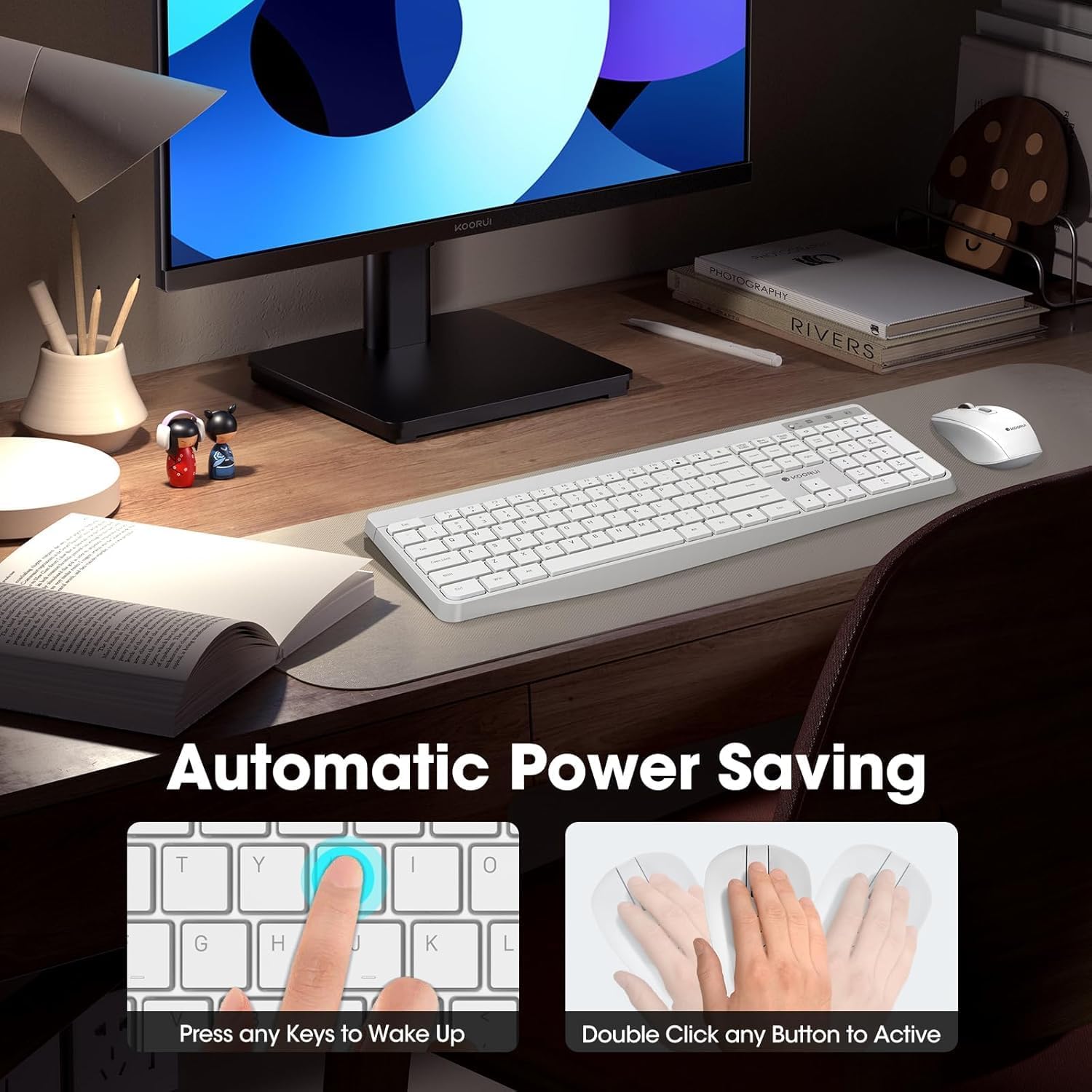
Figure 3: Multimedia and Shortcut Keys
2.2 마우스 기능
- 3단계 DPI 조절 가능: Cycle through 800, 1200, and 1600 DPI settings to adjust cursor sensitivity for precise control.
- 조용한 클릭: The mouse features ultra-quiet buttons, minimizing click noise.
- 인체공학적 디자인: Contoured shape fits comfortably in your hand for extended use.

Figure 4: Mouse DPI Settings
2.3 호환성
The KOORUI Wireless Keyboard and Mouse Combo is compatible with a wide range of operating systems, including Windows 7/8/10/11/Vista, macOS, and Linux. It can be used with laptops, personal computers, and gaming consoles.

그림 5: 폭넓은 호환성
3. 유지관리
3.1 청소
The keyboard features a waterproof design, offering protection against accidental spills. To clean, gently wipe the surfaces of the keyboard and mouse with a soft, damp cloth. Avoid using harsh chemicals or abrasive materials. Ensure the devices are completely dry before use.

Figure 6: Waterproof Keyboard Design
3.2 배터리 수명 및 절전
- The keyboard and mouse are equipped with an auto-sleep mode function to conserve battery life. They will enter sleep mode after a period of inactivity.
- 기기를 깨우려면 마우스의 아무 버튼이나 클릭하거나 키보드의 아무 키나 누르세요.
- Replace batteries when the low battery indicator light appears (Keyboard: 1 AAA, Mouse: 1 AA).
Figure 7: Battery Compartments and Power Indicators
4. 문제 해결
4.1 연결 문제
- 응답 없음:
- Ensure the keyboard and mouse power switches are in the "ON" position.
- 배터리가 올바르게 설치되었고 충전량이 충분한지 확인하세요. 필요하면 교체하세요.
- USB 수신기가 컴퓨터의 정상 작동하는 USB 포트에 제대로 꽂혀 있는지 확인하세요. 다른 USB 포트에 연결해 보세요.
- Move the keyboard and mouse closer to the USB receiver to rule out range issues (maximum 10m/33ft).
- 지연 또는 간헐적 연결:
- 다른 무선 장치를 수신기에서 멀리 옮겨서 간섭을 줄이세요.
- 기기와 수신기 사이에 큰 금속 물체가 없는지 확인하십시오.
4.2 키보드 관련 문제
- 키가 응답하지 않음:
- 배터리 잔량을 확인하십시오.
- 키보드가 절전 모드가 아닌지 확인하십시오 (아무 키나 눌러서 깨우십시오).
4.3 마우스 관련 특정 문제
- 커서가 움직이지 않음:
- 배터리 잔량을 확인하십시오.
- Ensure the mouse is not in sleep mode (click any button to wake).
- 마우스 밑면의 광학 센서를 청소하세요.
- 마우스를 적절한 표면에서 사용하고 있는지 확인하십시오.
5. 사양
| 상표 | 쿠루이 |
| 모델 | B0C4DVG5WV |
| 색상 | 하얀색 |
| 연결 기술 | 2.4GHz 무선 주파수 |
| 특징 | Ergonomic, Silent Keys, Waterproof Design, Auto Power Saving |
| 호환 장치 | Gaming Console, Laptop, Personal Computer |
| 움직임 감지(마우스) | Optical (800/1200/1600 DPI) |
| 운영 체제 호환성 | Windows 7/8/10/11/Vista, macOS, Linux |
| 키보드 레이아웃 | QWERTY, Full Size (104 keys) |
| 전원 | 배터리 작동 (키보드: AAA 1개, 마우스: AA 1개) |
| 무선 범위 | 최대 10m(33피트) |
| 품목 무게 | 0.7 킬로그램 |
| 한국어: | 738060953515 |
6. 보증 정보
This KOORUI product comes with a 1년 한정 보증 구매일로부터 적용됩니다. 본 보증은 정상적인 사용 조건에서 발생하는 제조상의 결함 및 제작상의 하자에 적용됩니다. 단, 오용, 사고, 무단 개조 또는 외부 요인으로 인한 손상은 보증 대상에서 제외됩니다.
보증 청구를 위해 구매 증명서를 보관하십시오.
7. 고객 지원
For any questions, technical assistance, or warranty inquiries regarding your KOORUI Wireless Keyboard and Mouse Combo, please contact our customer support team. We are committed to providing 24-hour service to assist you.
Please refer to the product packaging or the official KOORUI web최신 연락처 정보는 사이트에서 확인하세요.