
1. 서론
This manual provides comprehensive instructions for the Andoer Mini Compact Digital Camera. This portable device is designed for capturing 1080P photos and videos, featuring a built-in LCD screen, flash, and rechargeable battery. It is suitable for beginners and casual users seeking a simple and functional camera.
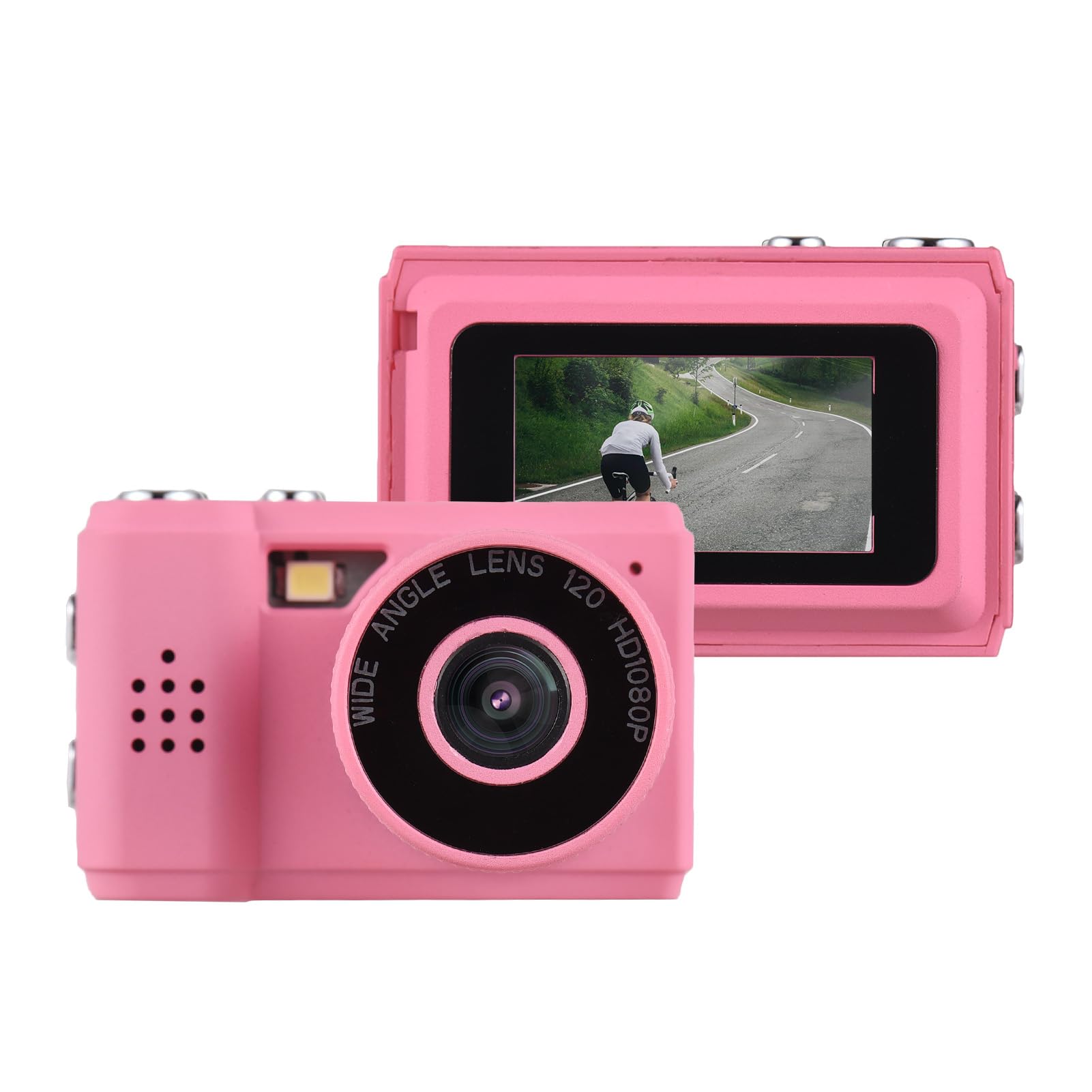
Image: The Andoer Mini Compact Digital Camera, demonstrating its compact size when held in a hand.
2. 상자 안에 무엇이 들어있나요?
패키지를 열면 모든 구성품이 들어 있는지 확인하세요.
- 카메라 바디
- Accessories (e.g., USB charging cable, strap)
3. 제품 특징
The Andoer Mini Compact Digital Camera offers the following key features:
- Super mini size, with a net weight of only 18g, ensuring portability.
- Capable of capturing both still images and 1080P videos.
- Integrated LCD screen for direct view사진과 비디오 촬영.
- Built-in flash for improved low-light photography.
- Includes 5 filter effects for creative photo enhancements.
- Built-in rechargeable battery, chargeable via the included USB cable.
4. 설정
4.1 배터리 충전
The camera is equipped with a built-in rechargeable lithium-ion battery. Before initial use, fully charge the battery.
- Locate the USB charging port on the camera.
- Connect one end of the provided USB charging cable to the camera's port.
- USB 케이블의 다른 쪽 끝을 호환되는 USB 전원(예: 컴퓨터 USB 포트, USB 벽면 어댑터)에 연결합니다.
- 충전 표시등은 충전 중에 켜지고, 완전히 충전되면 일반적으로 꺼지거나 색상이 변경됩니다.
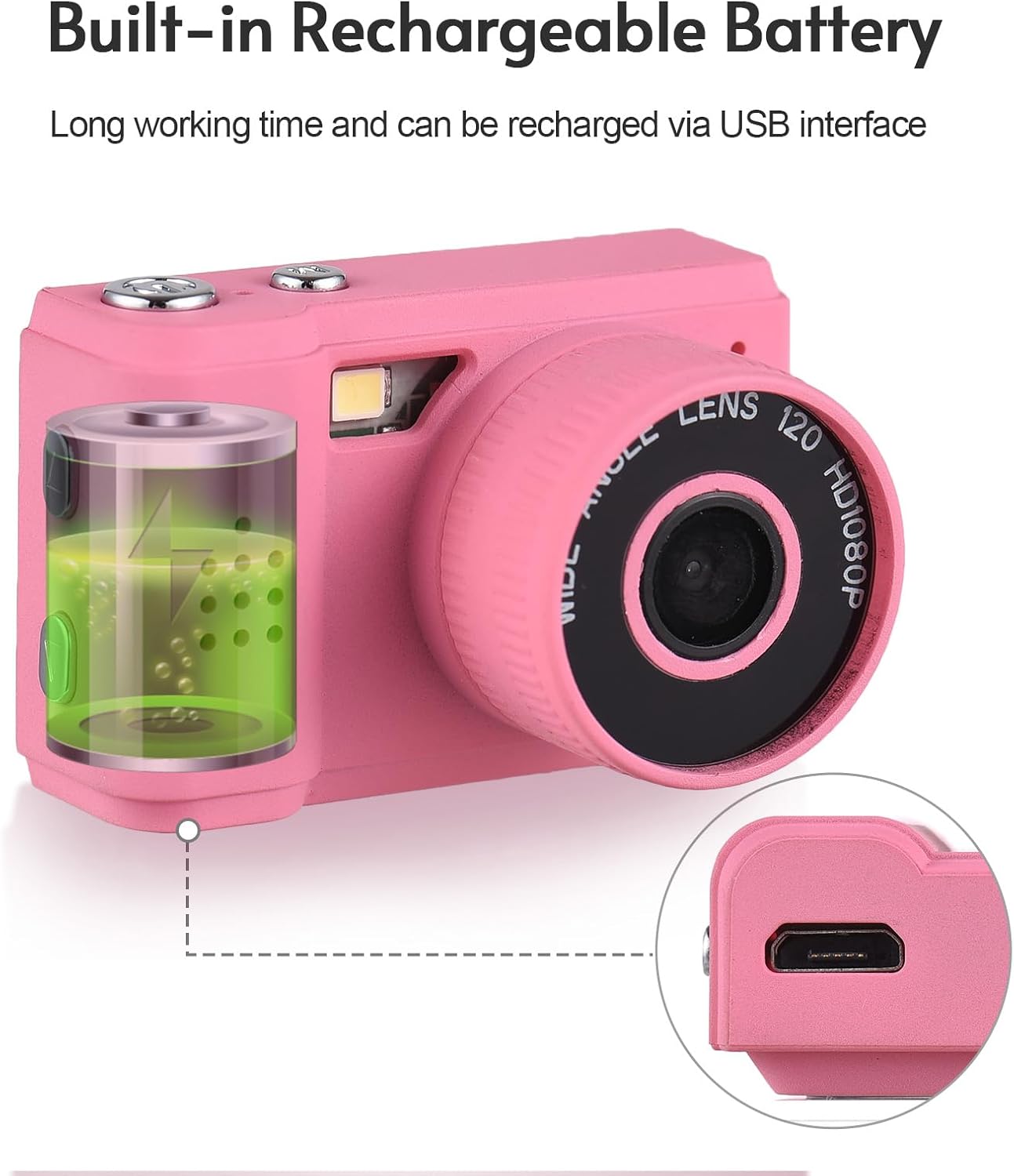
Image: Illustration of the camera's built-in rechargeable battery and the location of the USB charging port.
4.2 마이크로 SD 카드 삽입
A Micro SD card (not included) is required to store photos and videos. The camera supports Micro SD cards.
- Locate the Micro SD card slot on the camera, usually on the side or bottom.
- Insert the Micro SD card with the metal contacts facing downwards (or as indicated by a diagram near the slot) until it clicks into place.
- 카드를 제거하려면 카드가 튀어나올 때까지 부드럽게 밀어 넣으세요.
5. 사용 설명서
5.1 전원 켜기/끄기
Press and hold the power button (typically located on the top or side) for a few seconds to turn the camera on or off.
5.2 사진 촬영
- Ensure the camera is in photo mode. This is usually indicated by an icon on the LCD screen.
- Frame your desired shot using the LCD screen.
- Press the shutter button (usually a larger button on the top) to capture the photo.

Image: The camera's rear view, highlighting the LCD screen for framing and review촬영 중입니다.
5.3 비디오 녹화
- 카메라를 동영상 녹화 모드로 전환하세요.
- Press the record button (often marked with a red dot or video camera icon) to begin recording.
- Press the record button again to stop recording. The camera records videos in 1080P resolution.
5.4 내장 플래시 사용
The camera features a built-in flash to assist in low-light conditions.
- Access the camera's menu or dedicated flash button to cycle through flash modes (e.g., Auto Flash, Fill Flash, Flash Off).
- Select the appropriate mode based on your lighting environment.

Image: The camera with its built-in flash activated, demonstrating its use in a low-light setting.
5.5 View사진 및 비디오
다시view 캡처한 미디어:
- Enter playback mode (usually indicated by a play icon).
- Use the navigation buttons (up/down/left/right) to scroll through your photos and videos on the LCD screen.
- Press the 'OK' or 'Play' button to view 비디오
5.6 컴퓨터에 연결하기
전송하려면 file컴퓨터에 대한 설명:
- 카메라의 전원이 켜져 있는지 확인합니다.
- 제공된 USB 케이블을 사용하여 카메라를 컴퓨터에 연결합니다.
- The camera should appear as a removable disk or mass storage device on your computer.
- Open the camera's folder to access and transfer your photos (JPEG) and videos (MJPEG).
6. 유지관리
6.1 청소
- 부드럽고 마른 보풀 없는 천으로 카메라 본체를 닦으세요.
- For the lens and LCD screen, use a specialized lens cleaning cloth and a small amount of lens cleaning solution. Avoid applying liquid directly to the screen or lens.
- 연마성 세척제, 용제 또는 강한 화학 물질을 사용하지 마십시오.
6.2 보관
- Store the camera in a cool, dry place, away from direct sunlight, high humidity, and extreme temperatures.
- If storing for an extended period, remove the Micro SD card.
6.3 배터리 관리
- Charge the battery regularly, even if the camera is not in frequent use, to help maintain its lifespan.
- Avoid fully discharging the battery frequently, as this can reduce its overall capacity over time.
7. 문제 해결
일반적인 문제에 대해서는 다음 솔루션을 참조하세요.
7.1 카메라가 켜지지 않음
- Ensure the battery is sufficiently charged. Connect the camera to a power source using the USB cable and try again.
- 전원 버튼을 5~10초 동안 길게 누르세요.
7.2 Cannot Take Photos or Record Videos
- Verify that a Micro SD card is inserted correctly.
- Check if the Micro SD card has sufficient free space. Delete unnecessary files or insert a new card if full.
- 카메라가 올바른 모드(사진 또는 비디오)로 설정되어 있는지 확인하십시오.
7.3 이미지 품질이 좋지 않음
- Clean the camera lens with a suitable lens cleaning cloth.
- Ensure adequate lighting. Use the built-in flash in low-light conditions.
- Hold the camera steady during capture to prevent blur.
7.4 Files Not Transferring to Computer
- USB 케이블이 카메라와 컴퓨터에 제대로 연결되어 있는지 확인하십시오.
- Try connecting to a different USB port on your computer or using a different USB cable.
- Verify that the camera is powered on and recognized as a storage device by your computer's operating system.
8. 사양
Detailed technical specifications for the Andoer Mini Compact Digital Camera:
| 특징 | 사양 |
|---|---|
| 상표 | 안도어 |
| 모델명 | 미니 |
| 모델 번호 | ded11659-e9f8-4b07-a44a-8be1159f3ded |
| 사진 센서 해상도 | 2.1MP (총 정지 이미지 해상도: 2MP) |
| 비디오 해상도 | 1080p |
| 디스플레이 유형 | 액정표시장치 |
| 연결 기술 | USB |
| 배터리 유형 | 리튬 이온(내장) |
| 플래시 메모리 유형 | 마이크로SD |
| 지원됨 File 체재 | JPEG (Image), MJPEG (Video) |
| 이미지 안정화 | 디지털 |
| 품목 치수(D x W x H) | 1인치 깊이 x 1.7인치 너비 x 1인치 높이 |
| 순중량 | 18그램 |
| 색상 | 분홍색 |
9. 보증
This product is sold without an explicit manufacturer's warranty. For information regarding returns or exchanges, please refer to the return policy of the retailer from whom you purchased this device.
10. 지원
For further assistance, technical support, or any inquiries not covered in this manual, please contact Andoer customer support through their official channels. You may also visit the official Andoer Store on Amazon for additional product information and resources: