1. 서론
Thank you for choosing the HY-T26 Headphones. These innovative open-ear earbuds are designed to provide a comfortable and high-quality audio experience, perfect for sports, daily use, and active lifestyles. Featuring Bluetooth 5.4 connectivity, HiFi stereo sound, and intuitive touch controls, the HY-T26 ensures seamless audio playback and communication while keeping you aware of your surroundings.
This manual provides detailed instructions on how to set up, operate, and maintain your new headphones.
2. 상자 안에 무엇이 들어있나요?
- 1 x Pair of HY-T26 Earphones
- 1 x 라니어드
- 1 x 무선 충전 케이스
- 1 x Type-C 충전 케이블
- 1 x 사용자 매뉴얼(이 문서)

Image: The HY-T26 headphones and their packaging, showcasing the black color variant.
3. 제품 특징
3.1 Innovative Ergonomic Open-Ear Design
The HY-T26 headphones feature a unique open-ear design that rests securely atop your ears, avoiding insertion into the ear canal. This design enhances comfort during prolonged wear and reduces the risk of ear fatigue or hearing loss, allowing you to stay aware of your surroundings.

Image: A close-up of the HY-T26 earbud resting comfortably on an ear model, illustrating its open-ear placement.
3.2 Exceptional HiFi Stereo Sound
Equipped with a built-in 16mm dynamic speaker, these headphones deliver 360° Hi-Fi stereo sound with clear clarity and powerful bass. Advanced noise reduction technology ensures crisp vocals and immersive audio at any volume level.
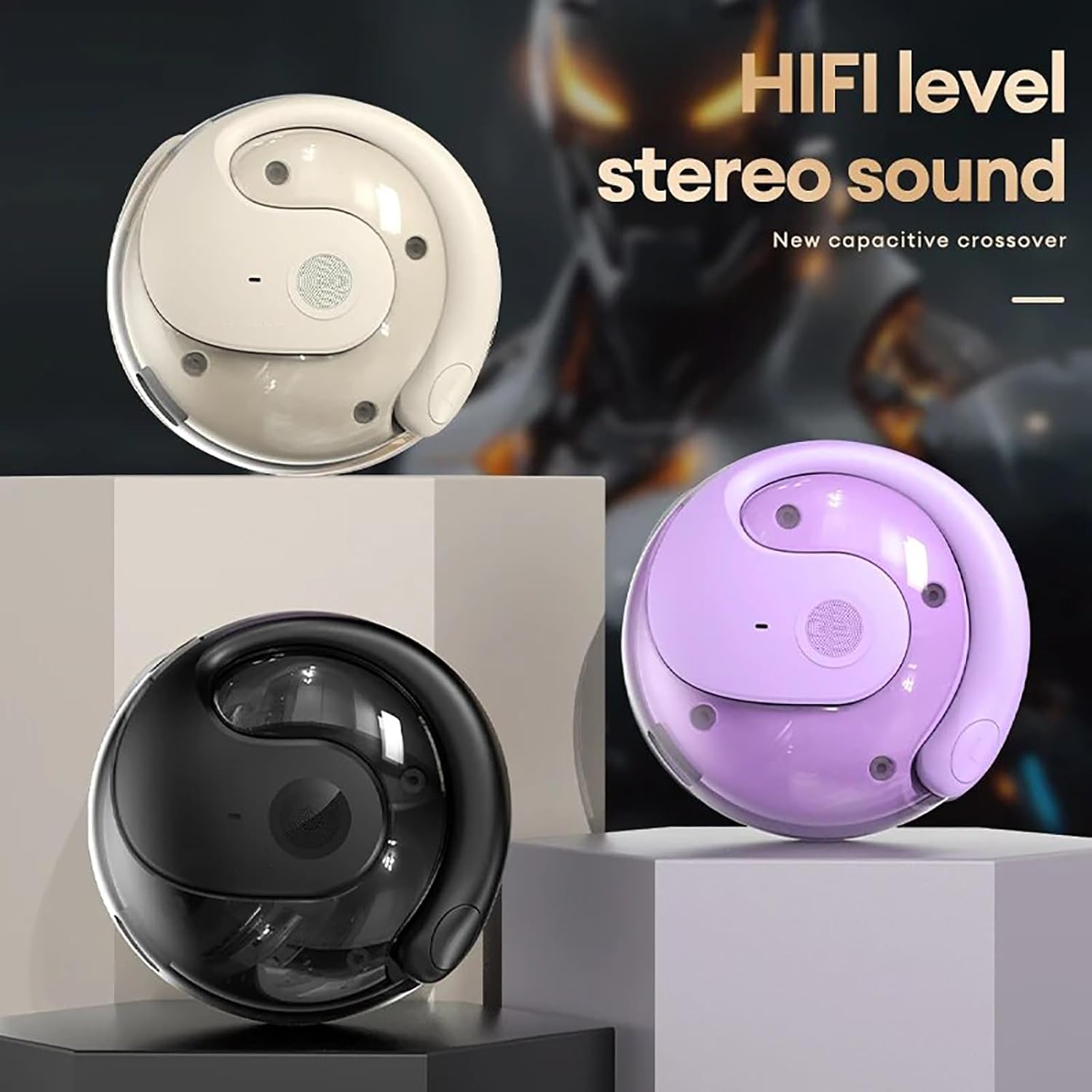
Image: Three HY-T26 charging cases in white, purple, and black, emphasizing the HiFi stereo sound capability.

Image: A detailed diagram illustrating the metal diaphragm component responsible for powerful and immersive sound.
3.3 Secure Fit for Active Lifestyles
Designed with ergonomic and flexible ear hooks, the HY-T26 headphones distribute weight evenly for a secure fit. The soft silicone ear hooks with memory recall ensure comfort and prevent slippage during workouts or outdoor activities.
3.4 직관적인 터치 컨트롤
Each earphone features a touch panel for easy management of audio playback and calls. Functions include play/pause, volume adjustment, answering/hanging up calls, and voice assistant activation.
3.5 Sweatproof Durability
Utilizing new technology, these headphones offer maximum protection against sweat and moisture, safeguarding internal components for enhanced durability and longevity during intense activities.

Image: The HY-T26 earbud with overlaid text emphasizing its pleasant and sound-proof qualities, including HD calls and HiFi sound.
4. 설정
4.1 헤드폰 및 케이스 충전
Before first use, fully charge the headphones and the charging case. Connect the provided Type-C charging cable to the charging port on the case and a power source. The charging time for the case is approximately 1 hour. The earphones will charge automatically when placed inside the case.

Image: The HY-T26 charging case with a Type-C cable plugged in, demonstrating its large battery life and charging capability.
Video: A demonstration of the HY-T26 charging case and lanyard, highlighting its portability and charging functionality.
4.2 블루투스 페어링
- 충전 케이스를 여세요. 이어폰의 전원이 자동으로 켜지고 페어링 모드로 진입합니다.
- 기기(스마트폰, 태블릿 등)에서 Bluetooth를 활성화하세요.
- 검색 사용 가능한 Bluetooth 장치 목록에서 "HY-T26"를 선택하고 연결하세요.
- Once connected, you will hear a confirmation prompt, and the indicator light on the earphones will change.
헤드폰은 최대 10미터(33피트)까지 안정적인 연결을 위해 Bluetooth 5.4을 지원합니다.

Image: An HY-T26 earbud positioned near a smartphone displaying a video game, illustrating seamless audio and video synchronization.
5. 사용 설명서
5.1 이어폰 착용하기
Gently slide the ear hooks over the top of your ears, ensuring the main earbud unit rests comfortably outside your ear canal. Adjust for a secure and comfortable fit. The earphones are marked 'L' for left and 'R' for right.
5.2 터치 컨트롤
The HY-T26 headphones feature intuitive touch controls on each earbud:
- 재생/일시 중지: 양쪽 이어버드를 한 번 탭하세요.
- 볼륨 높이기/낮추기: Specific gestures (refer to quick start guide for exact taps, typically long press or multiple taps).
- 다음 트랙: 오른쪽 이어버드를 두 번 탭하세요.
- 이전 트랙 : 왼쪽 이어버드를 두 번 탭하세요.
- 전화 받기/종료: 전화가 오는 동안 양쪽 이어버드를 한 번 탭하세요.
- 전화 거부: 전화가 오는 동안 양쪽 이어버드를 길게 누릅니다.
- Voice Assistant 활성화 : 양쪽 이어버드를 세 번 탭하세요.
6. 유지관리
To ensure the longevity and optimal performance of your HY-T26 headphones:
- 부드럽고 마른 천으로 이어버드와 충전 케이스를 정기적으로 청소하세요.
- Avoid exposing the headphones to extreme temperatures or direct sunlight for extended periods.
- While sweatproof, avoid submerging the headphones in water.
- 헤드폰을 사용하지 않을 때는 충전 케이스에 보관하여 보호하고 충전 상태를 유지하세요.
7. 문제 해결
If you encounter issues with your HY-T26 headphones, try the following steps:
- 소리가 나지 않거나 연결 문제가 있습니다.
- 두 이어폰이 모두 충전되어 있는지 확인하세요.
- 기기의 블루투스를 껐다가 다시 켜고 페어링을 시도해 보세요.
- Place both earphones back into the charging case, close the lid, wait a few seconds, then open it again to reset.
- Ensure the headphones are within the 10M Bluetooth transmission distance of your device.
- Earphone Not Charging:
- 충전 케이스에 충분한 전력이 있는지 확인하세요.
- 이어폰과 케이스 내부의 충전 접점이 깨끗하고 이물질이 없는지 확인하세요.
- 다른 Type-C 충전 케이블과 전원 어댑터를 사용해 보세요.
- 음질 문제:
- 이어폰이 귀에 제대로 착용되었는지 확인하십시오.
- Clean the speaker mesh if it appears obstructed.
- 다른 소스나 기기에서 오디오를 재생해 보세요.
8. 사양
| 특징 | 세부 사항 |
|---|---|
| 모델명 | HY-T26 |
| 블루투스 버전 | 5.4 |
| 전송 거리 | 10미터(33피트) |
| 충전 인터페이스 | C타입 |
| 충전실 용량 | 300mAh |
| 충전 시간(케이스) | 약 1시간 |
| 연속 사용 시간 | 최대 36시간(충전 케이스 포함) |
| 오디오 드라이버 크기 | 16mm |
| 주파수 범위 | 20Hz - 20,000Hz |
| 방수 레벨 | 방수(땀 방지) |
| 제어 유형 | 터치 컨트롤 |
| 귀 위치 | 오픈 이어 |
9. 보증 및 지원
For detailed warranty information and customer support, please refer to the warranty card included with your product or visit the official Generic product support web대지. 보증 청구를 위해 구매 영수증을 보관하십시오.


