
1. 서론
This manual provides detailed instructions for the installation, operation, and maintenance of your Elsys DS4100V Digital Overlay Lock. Please read this manual carefully before using the product to ensure proper functionality and safety. The Elsys DS4100V offers advanced security features, multiple access methods, and smart home integration for enhanced convenience and protection.
2. 제품 특징
- 다양한 접근 방법: Open with numeric passwords, biometric fingerprints (up to 100), key tags (up to 300), or adhesive tags.
- 스마트 홈 통합: Compatible with Wi-Fi and Alexa for voice control and remote management.
- Dual Locking Mechanism: Enhanced security with a robust dual lock system.
- 자동 잠금: Ensures your door is always secured after closing.
- Luminous Touch Keypad: Backlit keypad for easy operation in low light conditions, featuring an Elsys key.
- Audible Doorbell Function: Integrated doorbell for visitor notification.
- 비상 전원 : Operates on 4 AA alkaline batteries and includes a USB-C port for emergency power supply if batteries are depleted.
- 배터리 부족 경고: 배터리 교체가 필요할 때 알려줍니다.
- Guest Function: Create temporary, single-use passwords for visitors.
- Secure Password Function: Allows entry of random numbers before or after the actual password to prevent unauthorized observation.
- Violation Lock: The lock blocks access for 1 minute after 5 consecutive incorrect attempts or detected tamp에링.
- 내구성 있는 디자인: Glass finish with mark-reducing protection and an internal aluminum button.
- 폭넓은 호환성: Suitable for various door types (swing, pivot, wood, metal, PVC) with thicknesses between 30mm and 150mm, for both right and left-opening doors.
- 충격 저항 : Designed to withstand impacts up to 160 kg.
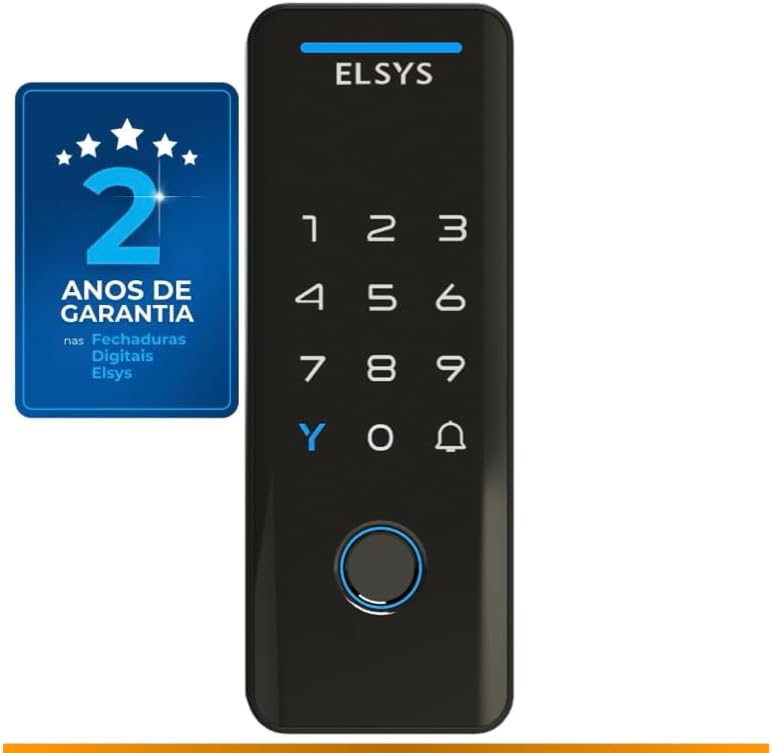
앞쪽 view of the Elsys DS4100V digital lock, highlighting its sleek design and 2-year warranty.

The Elsys DS4100V digital lock seamlessly integrates with Alexa for convenient voice control and smart home automation.
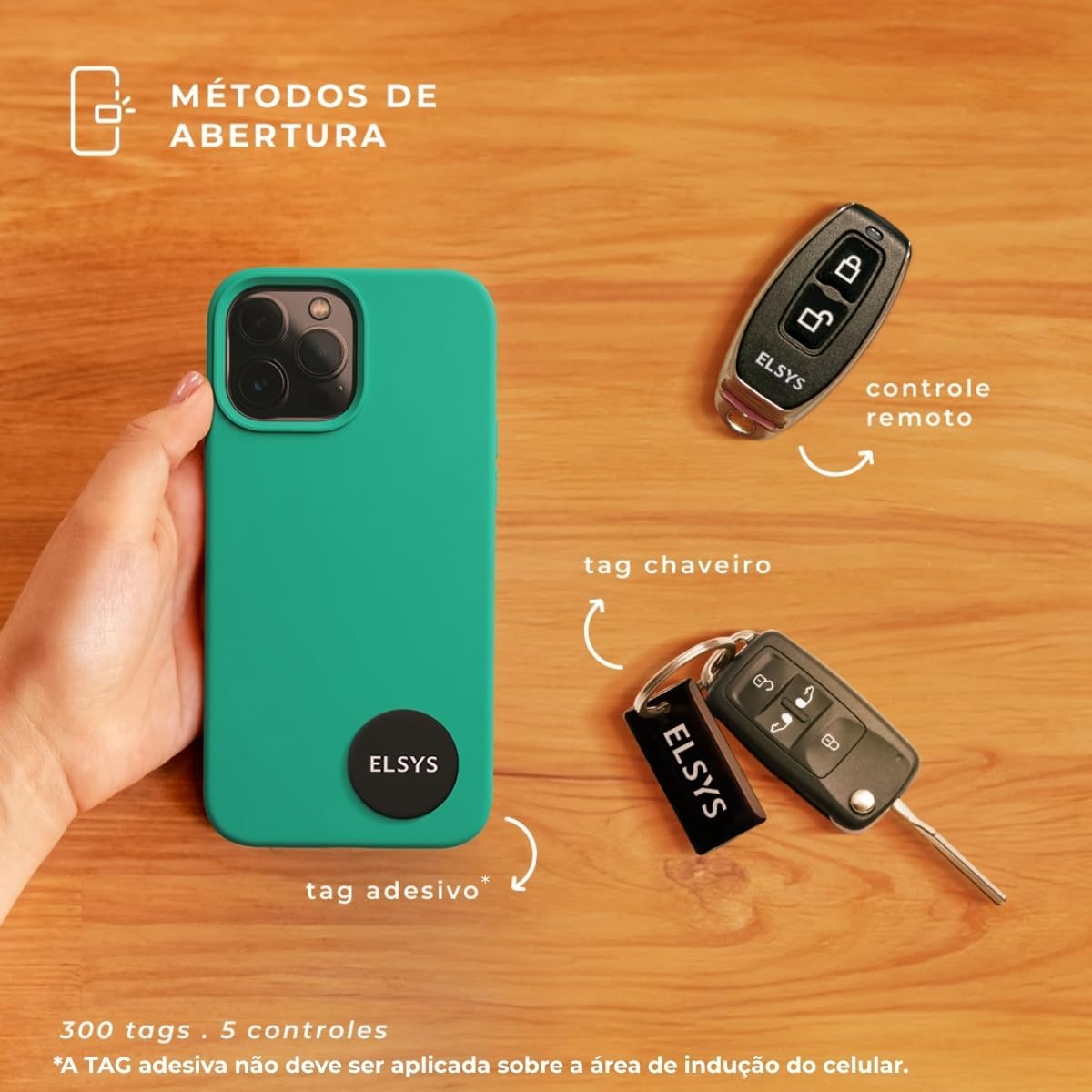
Multiple opening methods including numeric passwords (up to 200) and biometric fingerprints (up to 100).

Additional access options include remote control (up to 5) and various tags (up to 300), such as key tags and adhesive tags.
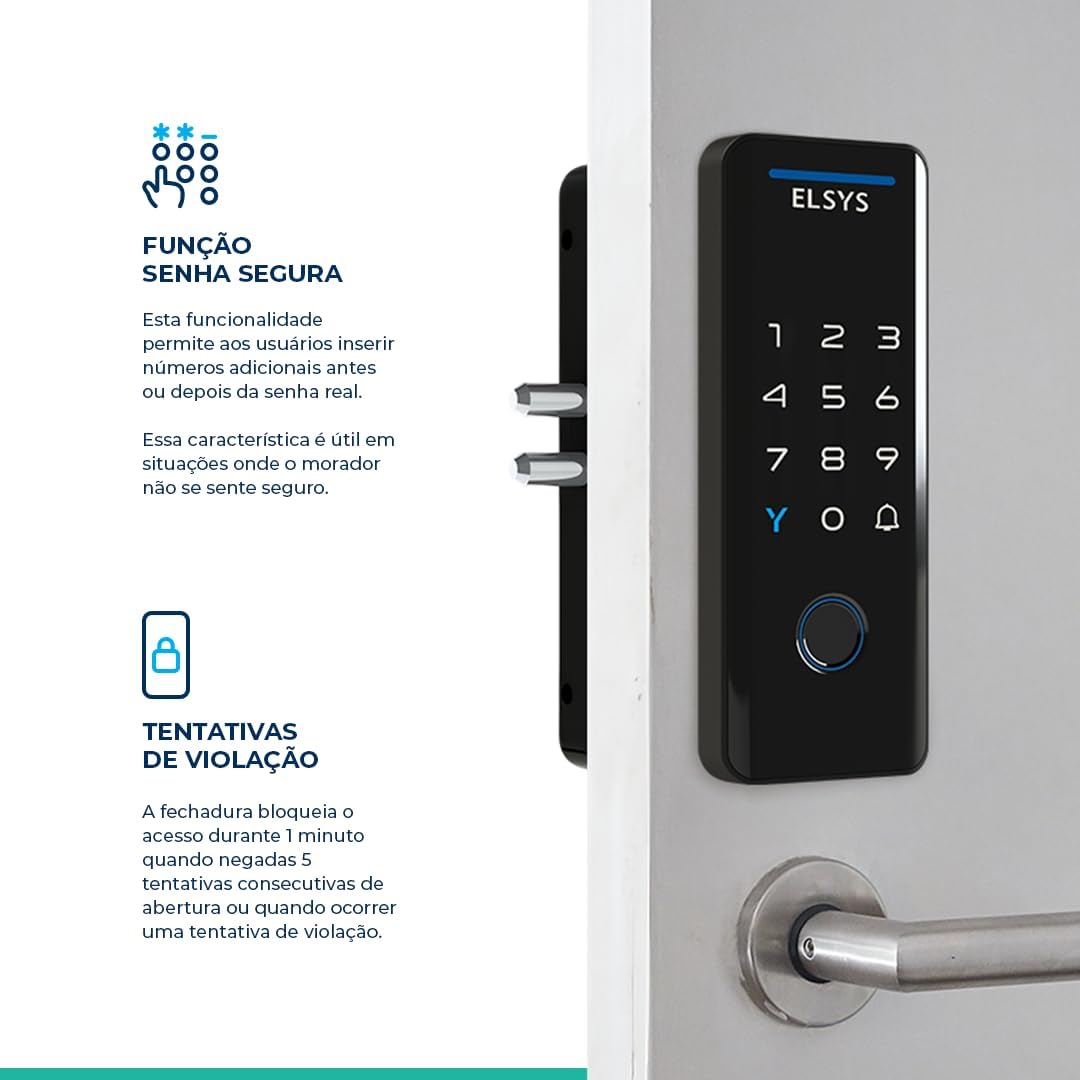
The lock features a dual locking mechanism for enhanced security and an integrated digital doorbell function.

The secure password function allows you to enter random numbers before or after your actual password for added privacy. The lock also features a violation attempt blocking mechanism.

The Elsys DS4100V offers automatic locking, impact resistance up to 160kg, a USB-C port for emergency charging, and a low battery alert.
3. 패키지 내용
The Elsys DS4100V Digital Overlay Lock package includes the following items:
- 1x Elsys DS4100V Digital Lock Unit
- 1x 설치 키트
- AA 알카라인 배터리 4 개
- 1x 설치 템플릿
- 1x 퀵 스타트 가이드
- 3x 키 Tags
- 3x 접착제 Tags
4. 사양
| 특징 | 세부 사항 |
|---|---|
| 제조업체 | 엘리스 |
| 모델 번호 | ESF-DS4100V |
| 부품 번호 | ESF-4100V |
| 색상 | 검은색 |
| 스타일 | 테크노 |
| 재료 | 금속 |
| 잠금 유형 | 조합 자물쇠 |
| 전원 | 4x AA Alkaline Batteries (included) |
| 비상 전원 | USB-C 포트 |
| 무게 | 900그램 |
| 제품 크기(L x W x H) | 33 x 18 x 12cm |
| 패키지 크기 | 20.9 x 14.2 x 9.2cm |
| 도어 두께 호환성 | 30mm ~ 150mm |

Detailed dimensions of the Elsys DS4100V digital lock: 170mm height, 63mm width, 33mm depth.

The lock is compatible with a wide range of door types and thicknesses, from 30mm to 150mm.
5. 설정 및 설치
Proper installation is crucial for the optimal performance and security of your Elsys DS4100V Digital Overlay Lock. It is recommended to follow the detailed instructions provided in the included Quick Start Guide and use the installation template.
설치 단계 종료view:
- 문 준비: Use the provided template to mark and drill necessary holes on your door. Ensure the door thickness is between 30mm and 150mm.
- Install the Outer Unit: Mount the external part of the lock, ensuring cables are routed correctly.
- Install the Inner Unit: Connect the internal part of the lock, securing it to the outer unit and the door.
- 배터리 삽입: Open the battery compartment and insert the 4 AA alkaline batteries, observing polarity.
- 테스트 기능: After installation, test all locking and unlocking functions, including manual override.
For professional installation services, you can scan the QR code below or visit the provided link:

A technician installing the Elsys DS4100V digital lock. Scan the QR code or visit Elsys Installation Service 전문가의 도움을 받으세요.
6. 사용 설명서
6.1. Initial Setup and User Registration
Refer to the Quick Start Guide for initial programming steps, including setting the master password and registering your first users, fingerprints, and tags.
6.2. Opening Methods
- 숫자 비밀번호: Enter your registered password on the luminous keypad, followed by the '#' key.
- 생체 지문: 등록된 손가락을 지문 센서에 올려놓으세요.
- 열쇠 Tag/Adhesive Tag: Present your registered tag to the designated reading area on the lock.
- 원격 제어: Use a paired remote control to unlock the door.
- Elsys Casa+ App: Use the mobile application for remote unlocking and management.

Manage your lock remotely and view access logs using the Elsys Casa+ application.
6.3. Secure Password Function
To enhance security, you can enter random numbers before or after your actual password. For example, if your password is '123456', you can enter '987123456098' and the lock will still recognize the '123456' sequence. This prevents others from easily guessing your password by observing your input.
6.4. Guest Function (Temporary Passwords)
The guest function allows you to create temporary, single-use passwords. This is ideal for visitors, service personnel, or deliveries. These passwords can be set to expire after a single use or a specific time period.

Utilize the guest function for temporary access and the convenience of adhesive tags for quick entry.
6.5. 초인종 기능
Press the doorbell icon on the keypad to activate the integrated audible doorbell.
7. 유지관리
7.1. 배터리 교체
The lock is powered by 4 AA alkaline batteries. When the battery level is low, the lock will provide an audible and/or visual warning. Replace all four batteries promptly to ensure continuous operation. Always use new, high-quality alkaline batteries.
7.2. 비상 전원
If the batteries completely drain before replacement, you can provide emergency power using a USB-C cable connected to a power bank or adapter. Connect the USB-C cable to the port located on the bottom of the outer unit to temporarily power the lock and gain access.
7.3. 청소
Clean the lock's surface with a soft, dry cloth. Avoid using abrasive cleaners, solvents, or harsh chemicals, as these can damage the glass finish and electronic components.
8. 문제 해결
- 잠금이 응답하지 않음: Check battery levels. If low, replace batteries or use emergency USB-C power.
- Incorrect Password/Tag/Fingerprint: Ensure you are using a registered access method. Clean the fingerprint sensor if using biometrics.
- Violation Lock Activated: If 5 incorrect attempts are made, the lock will temporarily disable access for 1 minute. Wait for the lockout period to end before trying again.
- Automatic Locking Failure: Check for any obstructions preventing the door from closing completely or the lock mechanism from engaging.
- Connectivity Issues (Wi-Fi/Alexa): Ensure your home Wi-Fi network is stable and the lock is within range. Re-pair with the Elsys Casa+ app if necessary.
9. 보증 및 지원
9.1. 보증 정보
The Elsys DS4100V Digital Overlay Lock comes with a 2년 보증 from the date of purchase. This warranty covers manufacturing defects and ensures the proper functioning of the product under normal use. Please retain your proof of purchase for warranty claims.

Elsys provides a 2-year warranty for its digital locks, backed by quality certifications.
9.2. 기술 지원
For technical assistance, troubleshooting, or any questions regarding your Elsys DS4100V Digital Overlay Lock, please refer to the contact information provided in your Quick Start Guide or visit the official Elsys support web대지.