
소개
This manual provides essential instructions for the safe and efficient operation of your Altec Lansing SoundRover View Portable Bluetooth Speaker. Please read this guide thoroughly before using the device and retain it for future reference. The SoundRover View is designed for portable entertainment, featuring a 14-inch 1080P display, powerful audio output, and versatile connectivity options.
상자 안에 무엇이 들어있나요?
- Altec Lansing SoundRover View 스피커
- 마이크로폰
- 운반 케이스
- 전원 어댑터
- 사용자 설명서
제품 특징
- 14-inch 1080P Display: Integrated screen for video playback and visual content.
- 150W 피크 전력: 강력하고 선명한 오디오 성능을 제공합니다.
- 배터리 수명 연장: Removable LiFePO battery provides up to 6 hours of video playback or 18 hours of audio playback.
- IPX4 방수 : 어느 방향에서든 튀는 물로부터 보호해줍니다.
- 휴대성: Equipped with a built-in trolley handle and durable wheels for easy transport.
- 다양한 연결성: Supports Bluetooth 5.0, HDMI, USB, Aux In, FM radio, screen mirroring, and dual microphone inputs.
설정
1. 초기 충전
Before first use, fully charge the SoundRover View speaker. Connect the included power adapter to the speaker's charging port and then to a power outlet. The charging indicator will show the battery status.
2. Battery Installation/Removal
The SoundRover View features a removable and replaceable LiFePO battery. To install or remove the battery, locate the battery compartment on the side or rear of the unit. Open the cover, insert or remove the battery, and secure the cover. Ensure the battery is correctly oriented.

Figure 1: Removable battery for extended playtime.
3. 전원 켜기 / 끄기
Press and hold the Power button located on the control panel to turn the speaker on or off. The display will illuminate upon powering on.
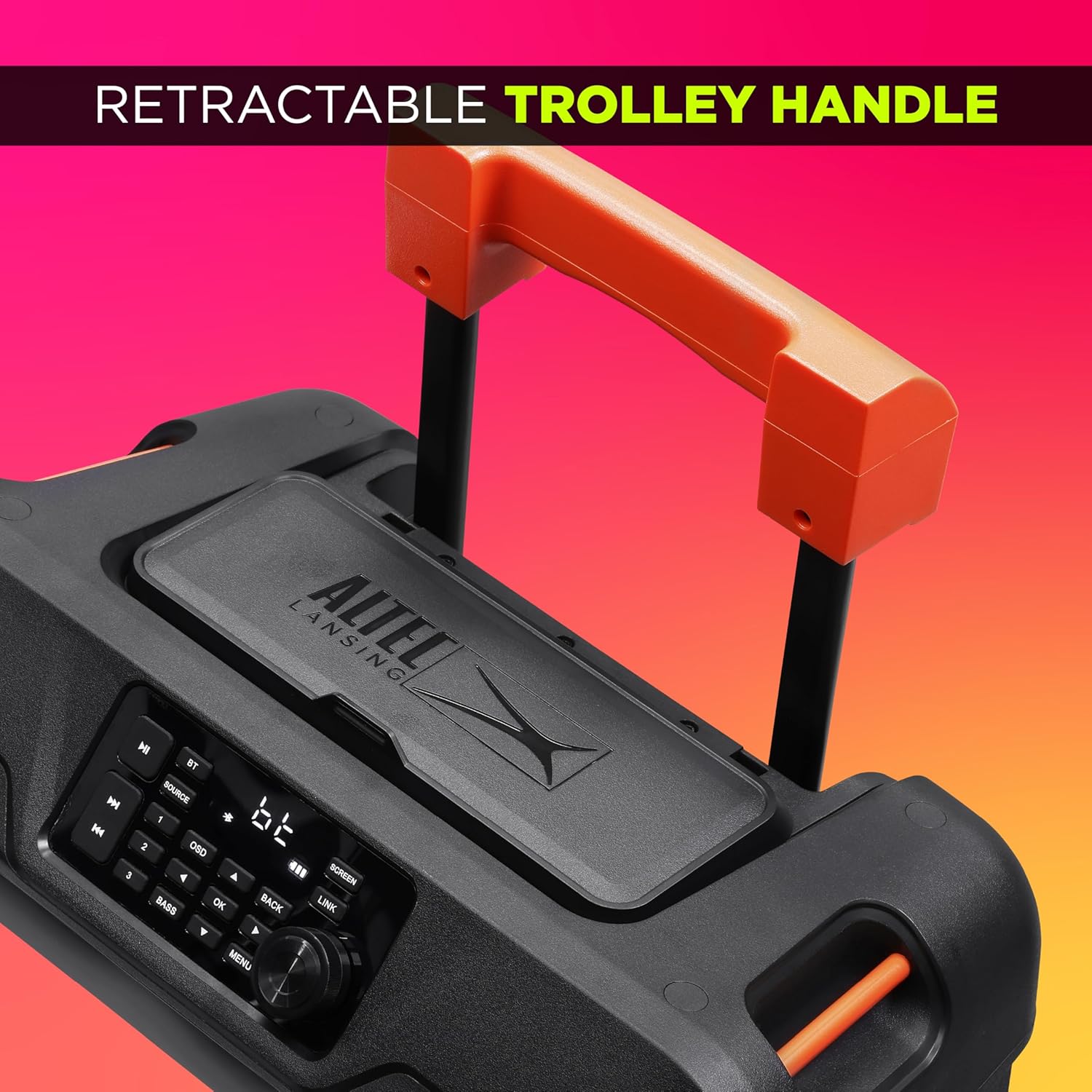
Figure 2: Control panel with various input ports.
작동 지침
1. 블루투스 페어링
- 스피커의 전원이 켜져 있는지 확인하십시오.
- Press the 'Source' button on the control panel until 'BT' (Bluetooth) mode is selected. The Bluetooth indicator will flash.
- 모바일 기기에서 블루투스를 활성화하고 사용 가능한 기기를 검색하세요.
- Select "SoundRover View"장치 목록에서.
- 연결이 완료되면 블루투스 표시등이 깜빡임을 멈추고 계속 켜져 있습니다.
2. Using the 14-inch 1080P Display
The integrated 14-inch 1080P display can be used for playing videos from USB, HDMI input, or via screen mirroring from a compatible device. Use the navigation buttons on the control panel to select input sources and control playback.

Figure 3: The 14-inch HD display in use.
3. Wired Connectivity (HDMI, USB, Aux In)
- HDMI : Connect an HDMI cable from your source device (e.g., streaming stick, laptop) to the HDMI IN port on the speaker. Select HDMI as the source on the speaker.
- USB: 오디오 또는 비디오가 포함된 USB 드라이브를 삽입하세요. files into the USB port. Select USB as the source.
- 보조 입력: Connect an audio device using a 3.5mm auxiliary cable to the Aux In port. Select Aux as the source.
4. 마이크 사용
The SoundRover View supports dual microphone inputs. Connect the included microphone(s) to the MIC IN ports. Adjust microphone volume using the dedicated controls on the speaker.

Figure 4: Storage for two wireless microphones.
5. 휴대성 특징
Utilize the retractable trolley handle and durable wheels to easily move the speaker. Ensure the handle is fully extended and locked before moving. For stability, use the tie-downs if securing the speaker during transport.

Figure 5: Retractable trolley handle for easy transport.
유지
- 청소: 부드럽고 마른 천을 사용하여 스피커 외부를 닦으세요. 연마성 세제나 용제를 사용하지 마세요.
- 방수 기능: The speaker is IPX4 water resistant, meaning it can withstand splashes. Do not submerge the speaker in water. Ensure all port covers are securely closed when exposed to moisture.
- 배터리 관리 : For optimal battery life, avoid fully discharging the battery frequently. Store the speaker in a cool, dry place when not in use for extended periods.
- 저장: Store the speaker in a dry environment, away from extreme temperatures and direct sunlight.
문제 해결
| 문제 | 가능한 원인 | 해결책 |
|---|---|---|
| 스피커의 전원이 켜지지 않습니다. | 배터리가 방전되었거나 올바르게 설치되지 않았습니다. | Charge the speaker or ensure the battery is properly installed. |
| 스피커에서 소리가 나지 않습니다. | Volume is too low, incorrect source selected, or device not paired. | Increase volume, select correct input source, or re-pair Bluetooth device. |
| 블루투스 페어링에 실패했습니다. | 스피커가 페어링 모드에 있지 않거나 기기에서 너무 멀리 떨어져 있습니다. | Ensure speaker is in BT mode and within range (approx. 10 meters). Forget device on phone and re-pair. |
| Display is blank or not showing content. | Incorrect input source selected or no signal from connected device. | Verify the input source (HDMI, USB, Screen Mirroring) is correctly selected and the source device is active. |
명세서
- 모델 이름: SoundRover View
- 모델 번호: IMT8300
- 상표: 알텍랜싱
- 표시하다: 14-inch 1080P
- 피크 파워 : 150와트
- 배터리 유형: Removable LiFePO
- 배터리 수명: Up to 18 hours (audio), 6 hours (video)
- 방수 기능: IPX4
- 연결성: Bluetooth 5.0, HDMI (In/Out), USB, 3.5mm Aux In, XLR (Mic In)
- 포함된 구성 요소: Speaker, Microphone, Carry Case
- 품목 무게: 25 파운드
- 한국어: 021331053954
보증 정보
Altec Lansing products are covered by a limited warranty. For specific warranty terms and conditions, please refer to the warranty card included with your product or visit the official Altec Lansing web사이트. 보증 청구를 위해 구매 증빙 자료를 보관하세요.
지원하다
For technical assistance, troubleshooting not covered in this manual, or general inquiries, please contact Altec Lansing customer support. Contact information can typically be found on the official Altec Lansing web사이트 또는 제품 포장에 표시되어 있습니다.