
VALUCAM VC-PTI08-A180-PV
VALUCAM Dual-Lens 4K (8MP) TiOC Outdoor POE Camera
Model: VC-PTI08-A180-PV User Manual

1. 제품 오버view
The VALUCAM Dual-Lens 4K (8MP) TiOC Outdoor POE Camera (Model: VC-PTI08-A180-PV) is an advanced surveillance solution designed for both home and commercial environments. This camera features dual 4MP CMOS sensors, delivering an ultra-clear 8MP (4096 × 1860) video resolution at 20 frames per second. Its 2.8mm lenses provide a seamless 180° panoramic view이를 통해 사각지대를 효과적으로 없앨 수 있습니다.
Key functionalities include Smart Motion Detection (SMD 4.0) for accurate human and vehicle detection, dual-light technology for full-color night vision, and TiOC 2.0 active deterrence with red and blue strobe lights and customizable audio alerts. The camera supports Power over Ethernet (PoE) for simplified installation and offers versatile storage options. Its robust IP67 weatherproof design ensures reliable performance in various environmental conditions.
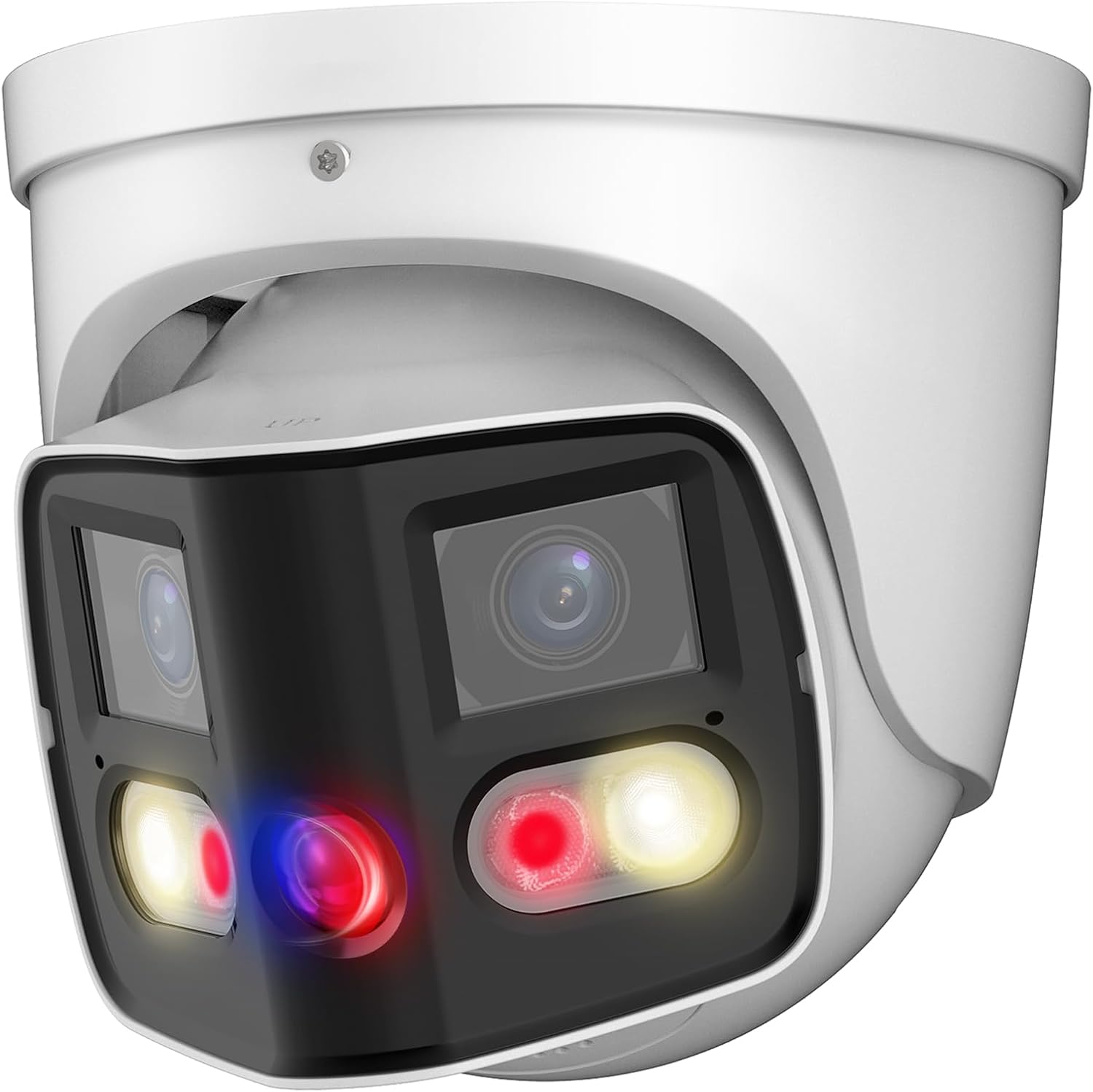
Figure 1.1: VALUCAM Dual-Lens 4K TiOC Outdoor POE Camera (VC-PTI08-A180-PV)
2. 패키지 내용
Before installation, please verify that all items are included in your package:
- 1 x VALUCAM 8MP Turret POE IP Camera
- 1 x 빠른 시작 가이드
- 1 x Hexagon socket
- 1 x Positioning stickers
- 장착용 나사
- Waterproof Accessories
Note: Power adapter is not included and must be purchased separately if not using Power over Ethernet (PoE).
3. 설치 가이드
3.1 물리적 설치
The camera is designed for wall mounting. Ensure the mounting surface is strong enough to support the camera's weight and withstand environmental factors.
- 장착 위치 선택: 원하는 조건을 충족하는 위치를 선택하세요. viewing angle and is within reach of your network cable (for PoE) or power source.
- 드릴 구멍 표시하기: Use the provided positioning sticker to mark the drilling points on the wall.
- Drill Holes and Install Anchors: 표시된 위치에 구멍을 뚫고 필요한 경우 벽 앵커를 삽입하십시오.
- 카메라 보안: 카메라 받침대를 드릴로 뚫은 구멍에 맞춰 정렬한 후 제공된 나사를 사용하여 고정하십시오.
- 케이블 연결: Connect the Ethernet cable to the camera's PoE port. If not using PoE, connect a 12V DC power supply to the power input. Ensure waterproof accessories are used for outdoor installations.

Figure 3.1: Typical Wiring Diagram for PoE and Non-PoE Setup

Figure 3.2: Camera Dimensions and Port Layout
3.2 네트워크 및 소프트웨어 설정
For initial setup and configuration, it is recommended to connect the camera directly to a computer via Ethernet or to a network with a DHCP server.
- 소프트웨어 다운로드: Obtain the latest versions of SmartPSS Lite (for PC) or DMSS (for mobile devices) from the VALUCAM official website or app stores. A configuration tool may also be available for initial IP address setup.
- 카메라 초기화: Follow the instructions within the software to initialize the camera. This typically involves setting a new password for security.
- 네트워크 설정 구성: Assign a static IP address or ensure the camera obtains an IP address from your network's DHCP server.
- Integrate with NVR (Optional): If using a Dahua/Dahua OEM/Valucam NVR, add the camera to your NVR system for centralized recording and management.
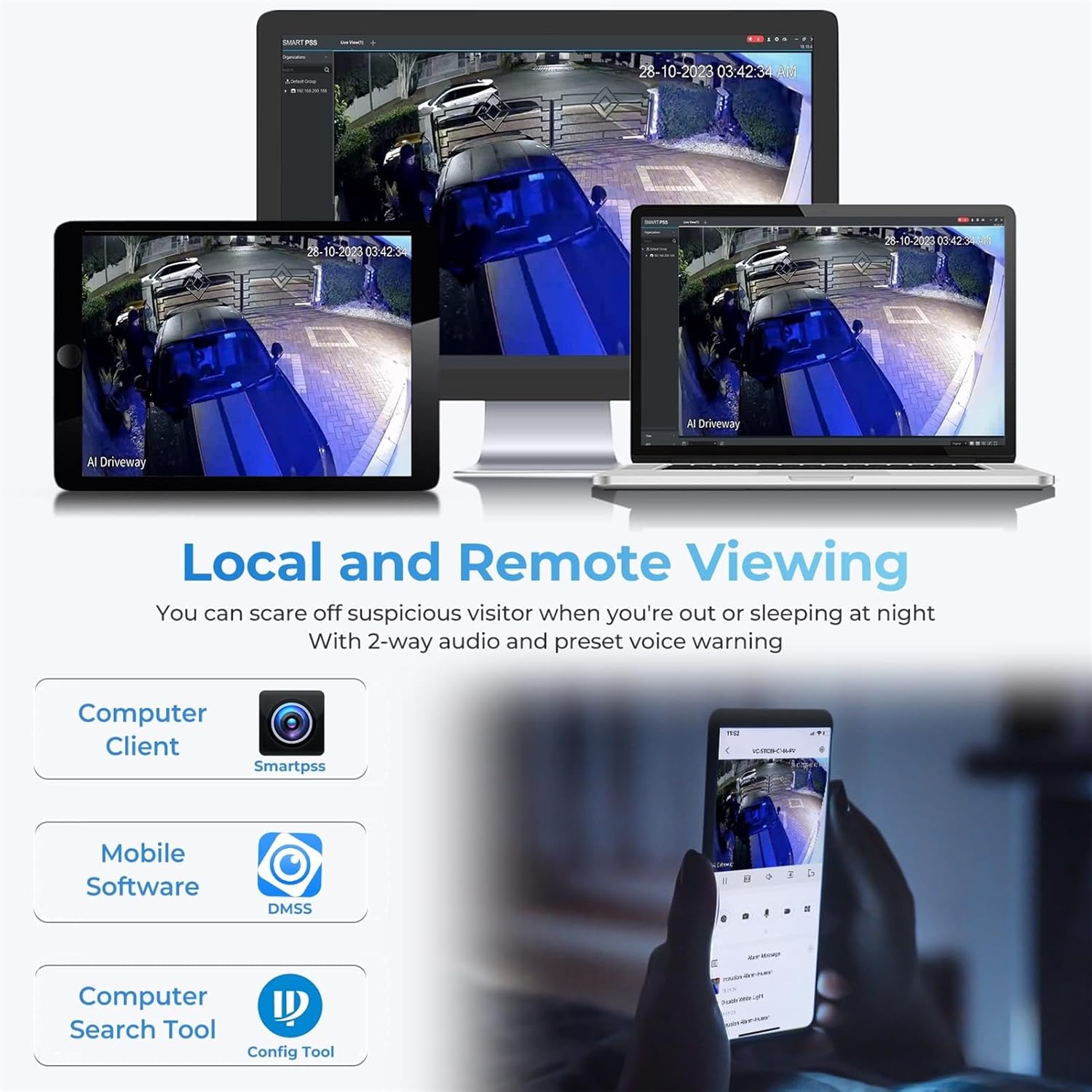
Figure 3.3: Local and Remote Viewing Options via Software
4. 카메라 작동
4.1 라이브 View 그리고 녹음
Access the live video feed through SmartPSS Lite on your computer or the DMSS app on your smartphone/tablet. From here, you can view 실시간 푸tage, initiate manual recordings, and take snapshots.
4.2 주요 기능 및 구성
- 180 ° 파노라마 View: The dual-lens design provides a wide, seamless 180° panoramic field of view. Configure detection areas within this panoramic view for precise monitoring.
- Smart Motion Detection (SMD 4.0): Enable SMD 4.0 to significantly reduce false alarms caused by animals or environmental factors. This feature accurately distinguishes between human and vehicle targets.
- Dual Color Night Vision (TiOC 2.0): The camera automatically switches between IR (infrared) and warm white light for full-color video capture in low-light conditions upon human/vehicle detection.
- 능동적 억제: Utilize the built-in red and blue strobe lights and customizable audio alerts to deter intruders. You can set custom voice messages via the DMSS app.
- 양방향 오디오 : Engage in real-time two-way communication through the camera's built-in microphone and speaker. This allows for interaction with visitors or deterring unwanted guests.
- EPTZ (Electronic Pan, Tilt, Zoom): Digitally zoom in and track specific areas within the camera's field of view for detailed surveillance.
- 저장 옵션 : The camera supports various storage methods including MicroSD card (up to 256GB), Network Video Recorders (NVR), Network Attached Storage (NAS), and FTP.

Figure 4.1: Seamless 180° Panoramic Coverage

Figure 4.2: SMD 4.0 for Accurate Human/Vehicle Detection

Figure 4.3: Comparison of IR and Full Color Night Vision
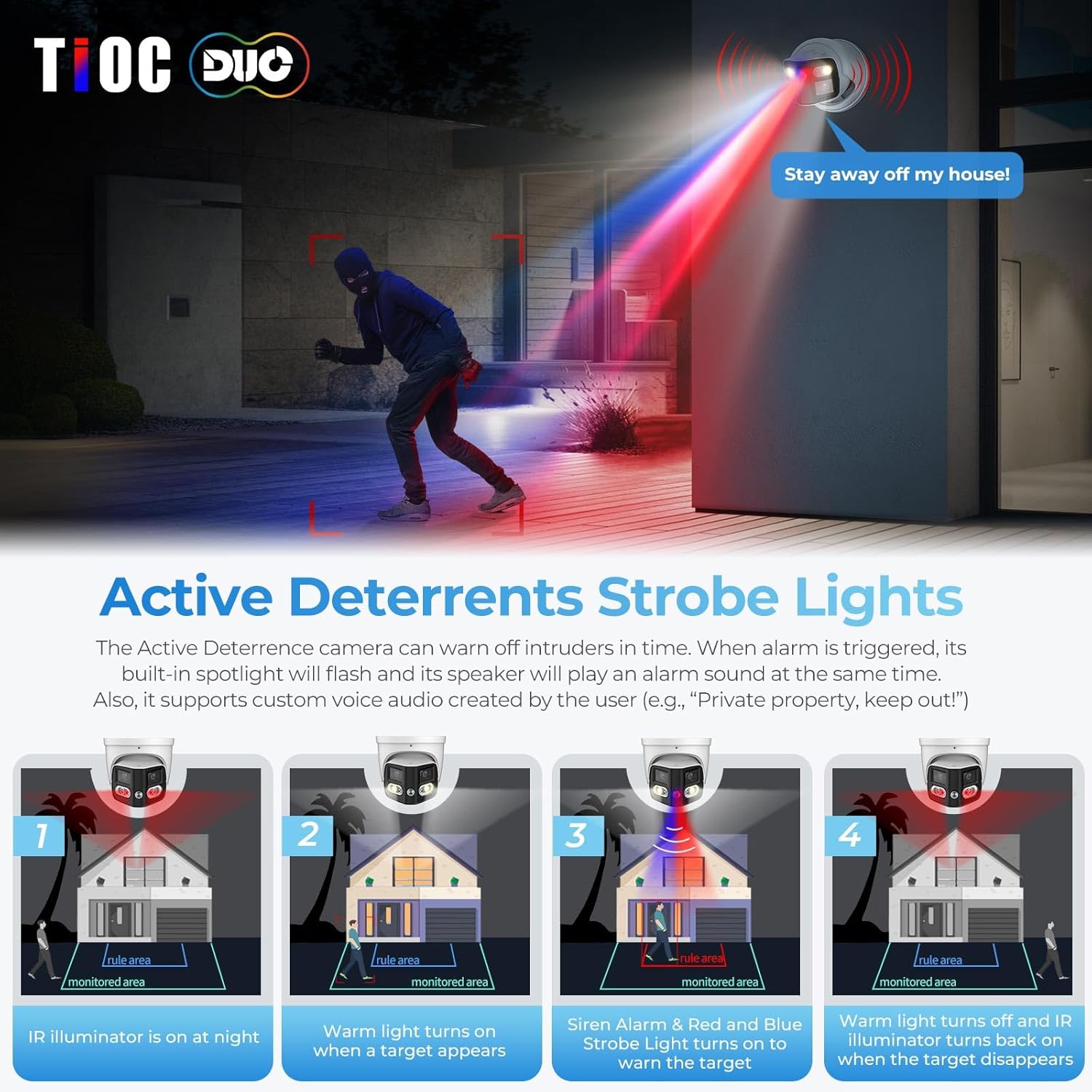
Figure 4.4: Active Deterrence with Strobe Lights and Audio

Figure 4.5: Two-Way Audio Communication Interface
5. 유지관리
- 청소: 카메라 렌즈와 하우징을 부드러운 천으로 정기적으로 닦아주세요.amp 천으로 닦아주세요. 표면을 손상시킬 수 있는 연마성 세제나 용제는 사용하지 마세요.
- 펌웨어 업데이트: Periodically check for and install firmware updates from the VALUCAM official web사이트. 펌웨어 업데이트에는 성능 향상, 새로운 기능 및 보안 강화가 포함되는 경우가 많습니다.
- 케이블 검사: For outdoor installations, periodically inspect all cables and connections for signs of wear, damage, or corrosion to ensure continuous operation and weather resistance.
6. 문제 해결
| 문제 | 가능한 원인 | 해결책 |
|---|---|---|
| 비디오 피드 없음 | No power; Network connectivity issue; Incorrect IP address. | Check power supply/PoE connection. Verify Ethernet cable connection. Ensure camera and viewing device are on the same network segment or configured correctly. Use the Config Tool to find and set the IP address. |
| 화질이 나쁘다 | 렌즈가 더럽습니다. 조명 조건이 어둡습니다. 네트워크 대역폭 문제가 있습니다. | Clean the camera lens. Ensure sufficient lighting or verify night vision settings. Check network bandwidth and reduce video stream quality if necessary. |
| 빈번한 허위 경보 | Motion detection sensitivity too high; Environmental factors (e.g., swaying trees, rain). | Adjust SMD 4.0 settings to reduce sensitivity to non-human/vehicle motion. Define specific detection zones to exclude areas with frequent irrelevant motion. |
| 양방향 오디오가 작동하지 않음 | Microphone/speaker settings disabled; Volume too low; Network latency. | Check audio settings in the software (DMSS/SmartPSS Lite). Increase volume levels. Ensure stable network connection. |
7. 사양
| 특징 | 세부 사항 |
|---|---|
| 모델명 | VC-PTI08-A180-PV |
| 실내/실외 사용 | 실내, 실외 |
| 비디오 캡처 해상도 | 4K (8MP, 4096 × 1860) |
| 프레임 속도 | 초당 20프레임 |
| View잉 각도 | 180도 (파노라마) |
| 렌즈 유형 | 2.8mm 고정 렌즈 |
| 나이트 비전 범위 | 82 피트 |
| 저조도 기술 | Smart Dual IR / Color Night Vision |
| 연결 프로토콜 | 이더넷(PoE) |
| 저장 | Micro SD card (up to 256GB), NVR, NAS, FTP |
| 오디오 | Built-in Dual Mic, Two-Way Audio |
| 제지 | Red and Blue Strobe Lights, Customizable Audio Alerts |
| 발각 | Human/Vehicle Detection (SMD 4.0), Perimeter Protection |
| 내후성 | IP67 방수 |
| 재료 | All Metal, Aluminum |
| 전원 | Corded Electric (12V DC) / PoE |
| 치수(길이 x 너비 x 높이) | 5.31 x 5.31 x 5.32 인치 |
| 품목 무게 | 2.53파운드 |
8. 보증 및 지원
The VALUCAM Dual-Lens 4K (8MP) TiOC Outdoor POE Camera comes with a 2-year Valucam warranty제품 품질과 성능에 대한 안심을 보장합니다.
For technical assistance, troubleshooting, or warranty claims, please refer to the contact information provided on the official VALUCAM website or your purchase documentation. Lifetime support is available to assist you with any inquiries or issues you may encounter.
Ask a question about this manual
Ask about setup, troubleshooting, compatibility, parts, safety, or missing instructions. Manuals+ will review the question and use this page’s manual context to help answer it.