
1. 서론
Welcome to the DITONG HY300 Plus HD Projector user manual. This guide will help you set up, operate, and maintain your new projector. The HY300 Plus is a portable projector equipped with Android 11 and dual-band WiFi 6, offering a seamless and high-quality viewing experience for movies, presentations, and more, both indoors and outdoors.
2. 제품 오버view
2.1개의 구성요소
The DITONG HY300 Plus projector package typically includes the following items:
- DITONG HY300 Plus Projector
- 전원 어댑터
- 원격 제어

Image: The DITONG HY300 Plus projector in white, accompanied by its black remote control and a protective cover for the lens.
2.2 주요 특징
- 안드로이드 11 OS: Built-in smart operating system for direct access to streaming apps without external devices.
- Dual-band WiFi 6 (5G + 2.4G): Ensures faster and more reliable wireless connectivity for smooth streaming and screen mirroring.
- 전자 초점: Easily adjust image clarity using the remote control.
- 4K Decoding & 720P Native Resolution: Supports 4K video input with a native resolution of 1280x720P for clear images.
- 자동 키스톤 보정: 이미지 왜곡을 자동으로 조정하여 완벽한 직사각형 화면을 만듭니다.
- 180° Flexible Projection Angle: 벽, 천장 또는 바닥에 영상을 투사할 수 있습니다.
- 저소음 작동: 25dB 미만의 저소음으로 작동합니다. view경험.
- 고휘도 : 8000 Lux (250 ANSI lumens) for vivid and bright images.
- 다양한 화면 비율: Supports 16:9, 4:3, and 16:10.
- 블루투스 연결: 외부 오디오 장치를 연결합니다.

이미지: 오버view of the DITONG HY300 Plus features, including electronic focus, Bluetooth 5.0, 4K decoding, 720P native resolution, WiFi 5G/2.4G, and auto keystone correction.

Image: A demonstration of the electronic focus feature, showing a clear image projected onto a screen with the projector and remote control in the foreground.

Image: Illustrates the 180-degree flexible projection angle, showing the projector casting an image onto a wall and a ceiling in a bedroom setting.

Image: Depicts the dual-band WiFi 5G/2.4G capability, showing a fast connection for screen mirroring with a projected image of a car chase.

Image: Illustrates the low noise level of the projector, comparing its sound output to common ambient noises like whispering and a motorcycle passing.
3. 설정
3.1 언박싱 및 검사
Carefully remove all components from the packaging. Inspect for any signs of damage. If any items are missing or damaged, contact customer support immediately.
3.2 전원 연결
- 전원 어댑터를 프로젝터의 전원 입력 포트에 연결합니다.
- 전원 어댑터를 적합한 전기 콘센트에 연결하십시오.
3.3 초기 전원 켜기
프로젝터 또는 리모컨의 전원 버튼을 눌러 기기를 켜세요. 프로젝터가 부팅되면서 안드로이드 11 인터페이스가 표시됩니다.
3.4 설치 위치 및 투사 거리
프로젝터를 안정적이고 평평한 표면에 놓으십시오. 최적의 결과를 얻으려면 viewing, consider the projection distance:
- For a 130-inch display, an optimal projection distance is approximately 1.68 meters.
- The projector supports various screen sizes from 40 inches to 130 inches depending on distance.

Image: A diagram illustrating optimal projection distances for different screen sizes, showing that 1.68 meters is ideal for a 130-inch display.
3.5 장착 옵션
The HY300 Plus is designed for versatile placement:
- 휴대용 사용: Place it on a table or flat surface.
- 천장 마운트: The bottom of the projector features a 1/4-inch screw hole, compatible with standard ceiling mounts or camera tripods.
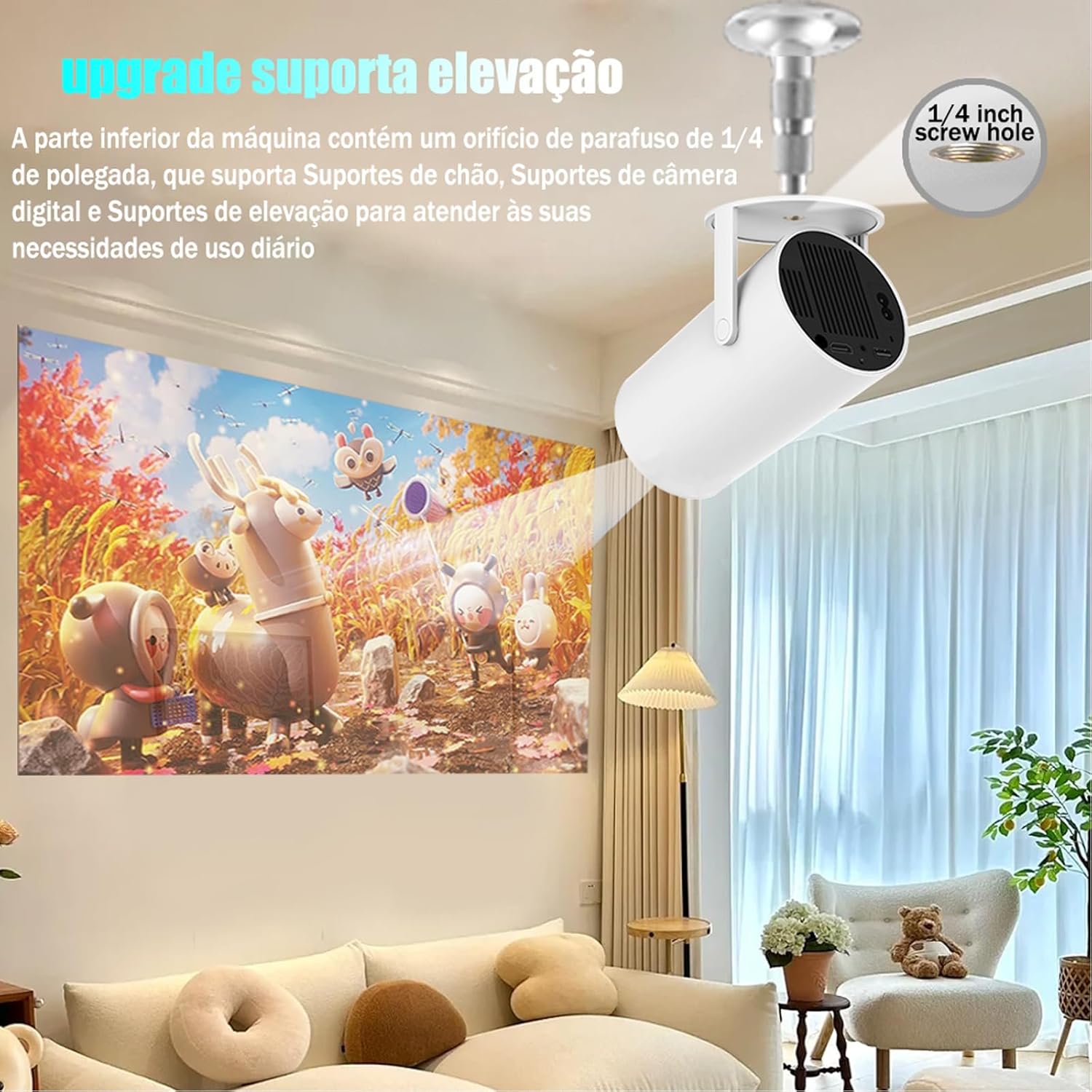
Image: The projector shown mounted to a ceiling, highlighting the 1/4-inch screw hole for various mounting solutions.
4. 사용 설명서
4.1 리모콘 기능
Use the included remote control to navigate the projector's interface. Key functions include:
- 전원 켜기/끄기
- 탐색(위, 아래, 왼쪽, 오른쪽, 확인)
- Back/Home buttons
- 볼륨 조절
- 초점 조정

Image: The DITONG HY300 Plus projector with its remote control, demonstrating the electronic focus feature.
4.2 Electronic Focus Adjustment
To adjust the image clarity:
- Point the remote control at the projector.
- Press the dedicated focus buttons (usually marked with a circle or 'F' icon) on the remote to sharpen the image.
4.3 자동 키스톤 보정
The HY300 Plus features automatic keystone correction. When the projector is moved or angled, it will automatically adjust the image to maintain a rectangular shape. Manual adjustments are typically not required.
4.4 외부 장치 연결
- HDMI : Connect laptops, gaming consoles, or other HDMI-enabled devices using an HDMI cable.
- Screen Mirroring (WiFi): Connect your smartphone or tablet wirelessly via WiFi for screen mirroring. Ensure both devices are connected to the same WiFi network.
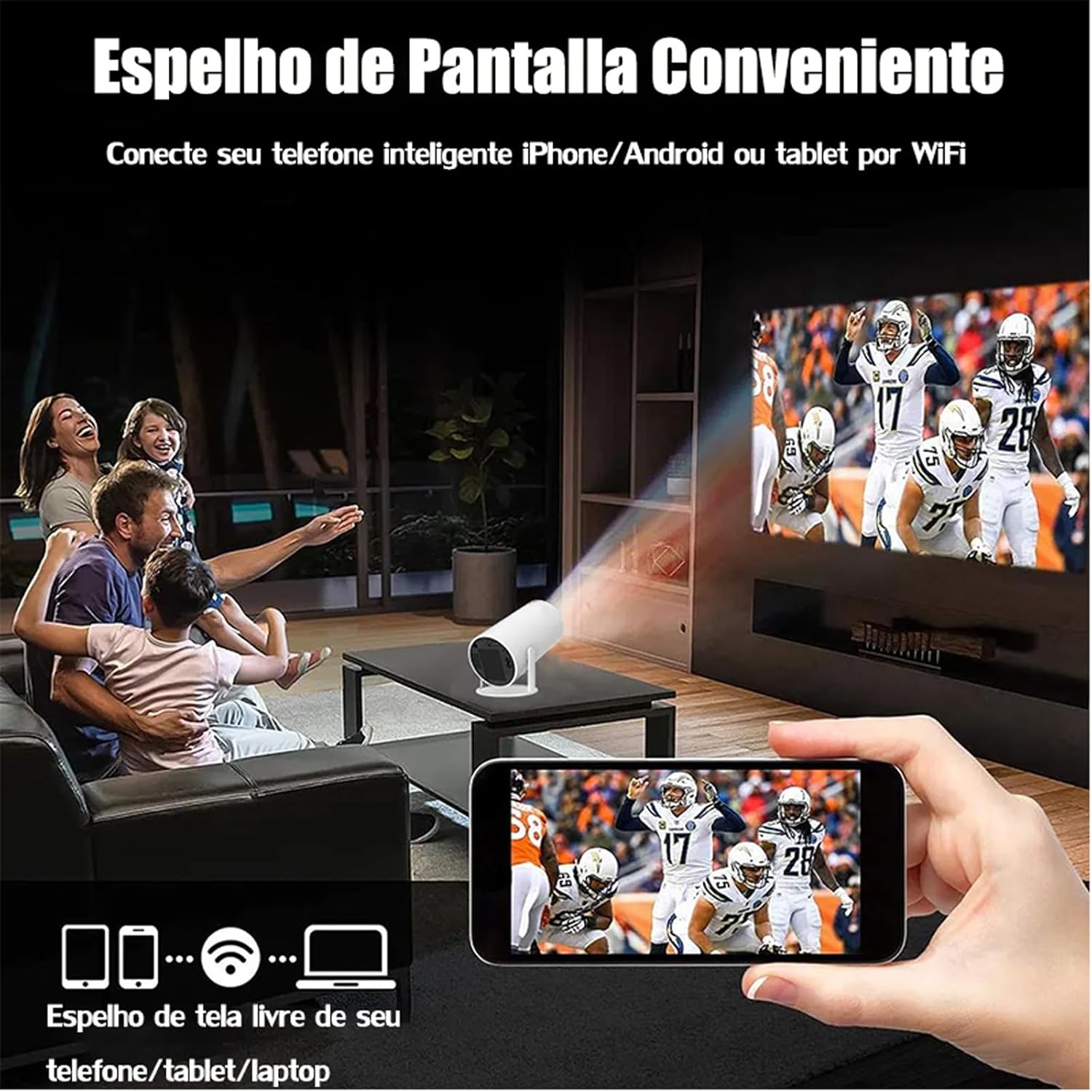
Image: A family watching a football game projected onto a screen, with a smartphone in the foreground demonstrating wireless screen mirroring.
4.5 Android 11 탐색
The projector's smart interface allows you to download and use various applications. Use the remote control to navigate through menus, select apps, and adjust settings. Connect to your home WiFi network to access online content.
4.6 오디오 출력
The projector has built-in speakers. For enhanced audio, you can connect external Bluetooth speakers or headphones via the Bluetooth interface.
5. 유지관리
적절한 유지관리는 프로젝터의 수명과 최적의 성능을 보장합니다.
- 렌즈 세척: Gently wipe the projector lens with a soft, lint-free cloth or a lens cleaning brush. Avoid abrasive materials that could scratch the lens.
- 통풍: Ensure the projector's ventilation ports are clear of dust and obstructions to prevent overheating. Do not block the air vents during operation.
- 저장: When not in use, store the projector in a cool, dry place, away from direct sunlight and extreme temperatures. Use the protective cover if provided.
6. 문제 해결
If you encounter issues with your DITONG HY300 Plus projector, refer to the following common problems and solutions:
- 이미지 없음:
- Ensure the power adapter is securely connected and the projector is powered on.
- Check the input source. Make sure the correct HDMI or mirroring input is selected.
- 흐릿한 이미지:
- Use the remote control to adjust the electronic focus.
- 투사 표면이 평평하고 프로젝터가 안정적인지 확인하세요.
- 소리 없음:
- 프로젝터와 연결된 기기의 볼륨 레벨을 확인하세요.
- If using external speakers, ensure they are properly connected via Bluetooth.
- WiFi 연결 문제:
- 프로젝터가 와이파이 공유기의 신호 범위 내에 있는지 확인하십시오.
- 프로젝터와 와이파이 공유기를 재시작하세요.
- 와이파이 비밀번호가 올바르게 입력되었는지 확인하세요.
If the problem persists, please contact DITONG customer support for further assistance.
7. 사양
Below are the detailed specifications for the DITONG HY300 Plus HD Projector:
| 특징 | 사양 |
|---|---|
| 상표 | DITONG |
| 모델 | HY300 PLUS |
| 운영 체제 | 안드로이드 11 |
| 무선 연결 | Dual-band WiFi 6 (5G + 2.4G) |
| 블루투스 | 예 |
| 디스플레이 기술 | 액정표시장치 |
| 명도 | 8000 Lux (250 ANSI lumens) |
| 네이티브 해상도 | 1280 x 720픽셀 |
| 지원되는 해상도 | 최대 4K |
| 종횡비 | 16:9, 4:3, 16:10 |
| 새로 고침 빈도 | 60Hz |
| 집중하다 | 전자 초점 |
| 키스톤 보정 | 오토매틱 |
| 호환 장치 | Smartphones, devices with HDMI output |
| 커넥터 유형 | Bluetooth, HDMI, Wifi |
| 폼 팩터 | 가지고 다닐 수 있는 |
| 장착 유형 | 천장 마운트 |
| 제품 무게 | 2.27g |
| 권tage | 1.2E+2볼트 |
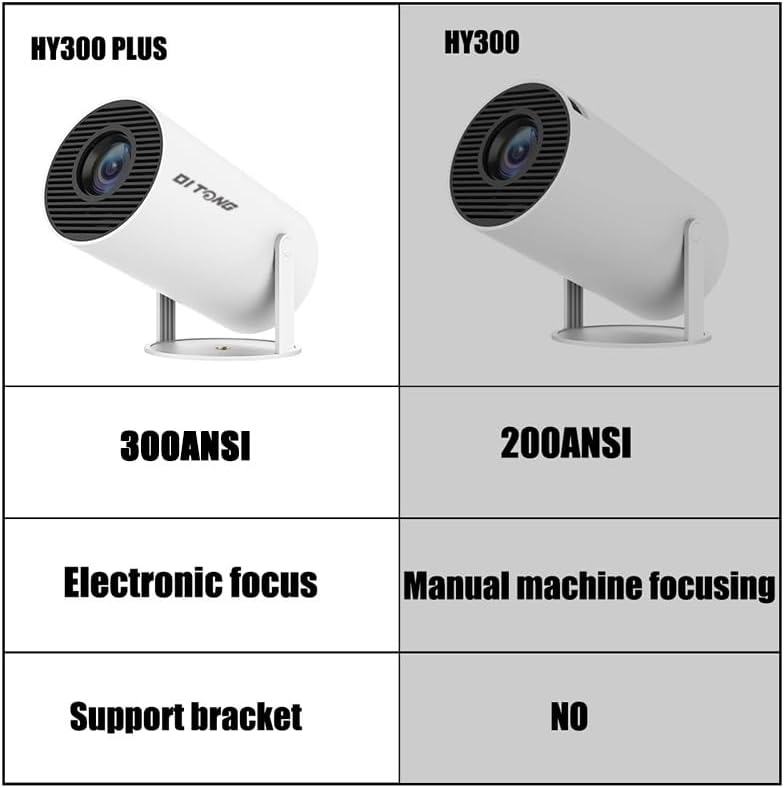
Image: A comparison table highlighting the differences between the HY300 Plus and the original HY300, showing the Plus model has 300 ANSI lumens, electronic focus, and a support bracket.
8. 보증 및 지원
The DITONG HY300 Plus Projector comes with a manufacturer's warranty. Please refer to the product packaging or the official DITONG web구체적인 보증 약관은 해당 사이트에서 확인하세요.
For technical support, troubleshooting assistance, or warranty claims, please contact DITONG customer service through the contact information provided with your purchase or on the official DITONG support channels.