
1. 서론
The iKiKin V600 OBD2 Diagnostic Scanner is a versatile tool designed to assist in diagnosing vehicle issues. It provides comprehensive OBD2 functions, allowing users to read and clear fault codes, view live data, perform battery tests, and access various vehicle information. This manual will guide you through the proper use and maintenance of your device.
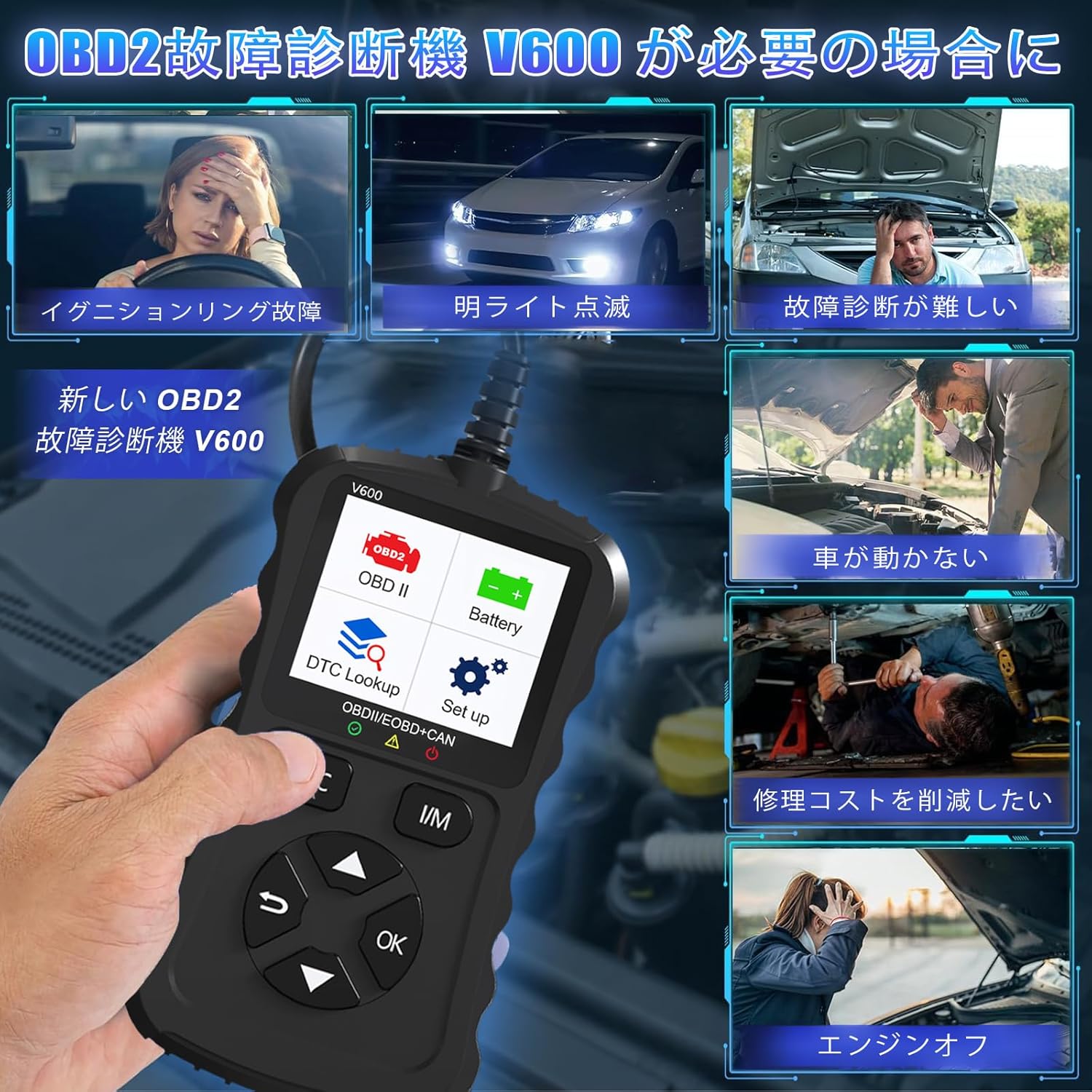
Figure 1.1: Common scenarios where the V600 diagnostic tool can be utilized.
2. 제품 오버view
The iKiKin V600 is a handheld diagnostic scanner featuring a clear TFT color screen and intuitive button controls. It is designed for ease of use and portability.
2.1 주요 특징
- 다국어 지원: Supports 13 languages, including English and Japanese.
- 포괄적인 OBD2 기능: Reads and clears Diagnostic Trouble Codes (DTCs), displays live data stream, freeze frame data, I/M readiness status, O2 sensor test, EVAP system test, and vehicle information.
- DTC 조회: Built-in database with over 35,000 DTC definitions for quick reference.
- 배터리 테스트 기능: 실시간 배터리 용량tage monitoring to assess battery health.
- 플러그 앤 플레이: Simple connection to the vehicle's OBD2 port.
- 핸드헬드 디자인: Compact and portable for convenient use.

그림 2.1: 전면 view of the iKiKin V600 OBD2 Diagnostic Scanner.
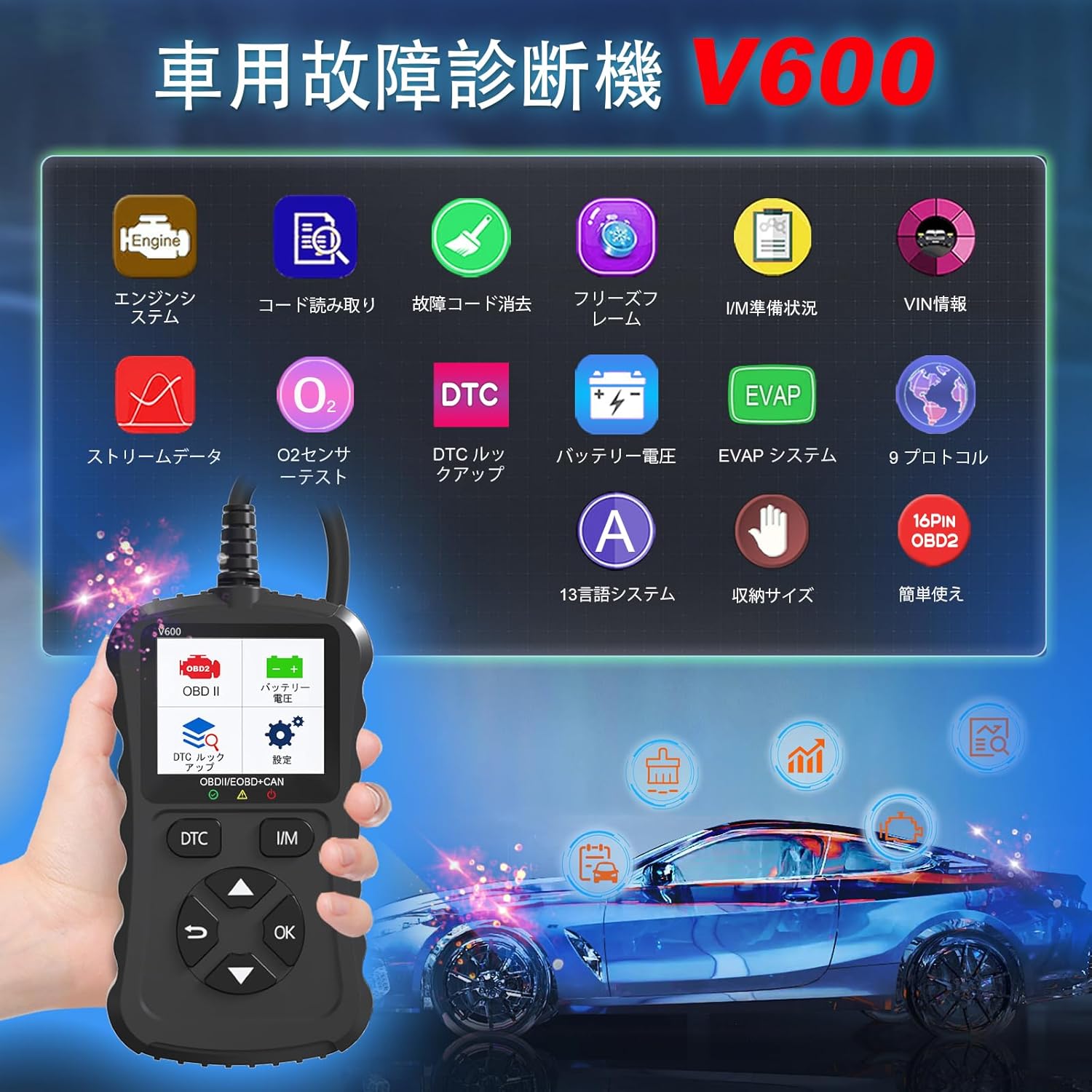
Figure 2.2: The V600 scanner displaying its main menu with various diagnostic options.
3. 설정
3.1 장치 연결
- 차량의 시동 스위치가 꺼져 있는지 확인하십시오.
- Locate the 16-pin OBD2 diagnostic port in your vehicle. This port is typically found under the dashboard on the driver's side.
- Plug the V600 scanner's connector firmly into the vehicle's OBD2 port.
- 차량의 시동 스위치를 ON 위치로 돌리십시오(시동을 걸지 마십시오). 스캐너가 자동으로 켜집니다.

Figure 3.1: Connecting the V600 to the vehicle's OBD2 port.
3.2 언어 설정
The default language of the diagnostic tool is English. To change the language:
- 메인 메뉴에서 "설정"으로 이동하세요.
- "언어"를 선택하세요.
- Choose your desired language (e.g., Japanese) from the list.
- The device may require an update after changing the language. Follow on-screen prompts or refer to the support section if you encounter issues.
4. 사용 설명서
4.1 오류 코드 읽기 및 삭제
This function allows you to identify and clear Diagnostic Trouble Codes (DTCs) that trigger the Check Engine Light.
- Connect the scanner to your vehicle and turn the ignition ON.
- Select "Read Codes" from the main menu to display current, pending, and permanent DTCs.
- 코드를 삭제하려면 메뉴에서 "코드 삭제"를 선택하십시오. 메시지가 나타나면 작업을 확인하십시오.
- 메모: Clearing codes will turn off the Check Engine Light. However, if the underlying issue is not resolved, the light may reappear.
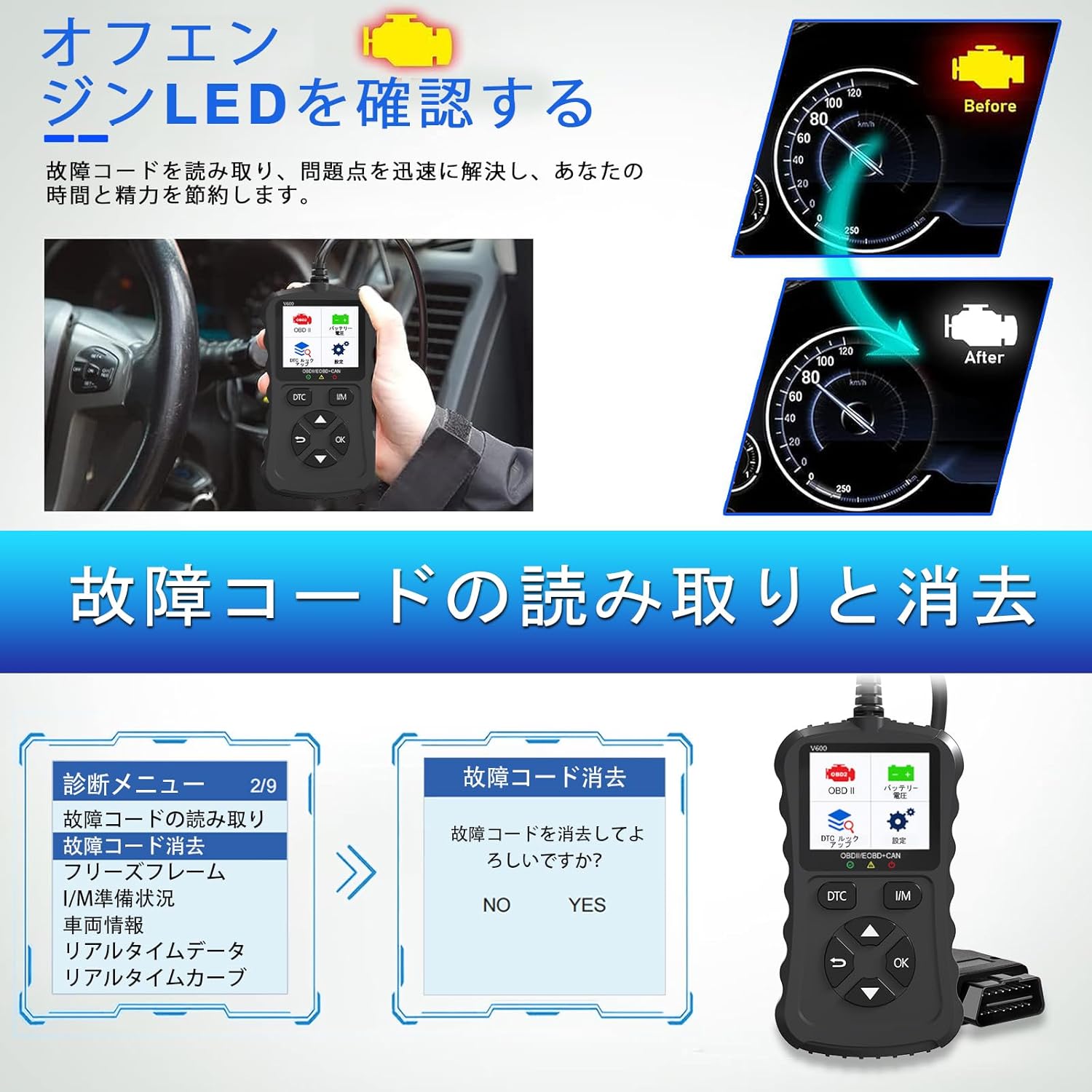
Figure 4.1: Clearing fault codes and turning off the engine warning light.
4.2 라이브 데이터 스트림
View 차량의 센서 및 모듈에서 제공되는 실시간 작동 매개변수.
- 메뉴에서 "실시간 데이터"를 선택하세요.
- 모니터링하려는 매개변수를 선택하세요.
- The data will be displayed numerically or graphically.
4.3 정지 화면 데이터
When an emission-related fault occurs, the ECU stores a snapshot of operating conditions at that moment. This is called Freeze Frame Data.
- Select "Freeze Frame" from the menu to view this stored data.
4.4 I/M 준비 상태
This function checks the operation of the emission system on OBD2 compliant vehicles. It indicates if the various emission-related systems are ready for inspection and maintenance testing.
- Select "I/M Readiness" to view the status of monitors.
- A dedicated I/M hotkey allows for a quick one-click check.
4.5 O2 센서 테스트
Retrieves O2 sensor monitoring test results for the most recently completed tests from the vehicle's on-board computer.
- "산소 센서 테스트"를 선택하세요. view 결과.
4.6 EVAP 시스템 테스트
Initiates a leak test for the vehicle's Evaporative Emission System (EVAP).
- Select "EVAP System Test" to perform this diagnostic.
4.7 배터리 용량tage 테스트
차량 배터리 용량을 모니터링합니다.tage in real-time, providing insights into its health and estimated lifespan.
- Select "Battery Voltage" from the menu.
- The screen will display the current voltage.

그림 4.2: 배터리 용량tage test and DTC lookup display.
4.8 DTC 조회
Access a built-in database of over 35,000 Diagnostic Trouble Code definitions.
- Select "DTC Lookup" from the menu.
- DTC 코드를 입력하세요 view its definition and potential causes.
4.9 차량 정보
Retrieves the Vehicle Identification Number (VIN), Calibration ID, and Calibration Verification Number (CVN) of the vehicle.
- 이 정보를 표시하려면 "차량 정보"를 선택하십시오.
5. 호환성
The iKiKin V600 OBD2 Diagnostic Scanner is compatible with OBD2 protocol vehicles equipped with a 16-pin DLC (Data Link Connector).
- American Vehicles: Compatible with vehicles manufactured from 1996 onwards.
- 유럽 차량: Compatible with vehicles manufactured from 2000 onwards.
- Japanese Domestic Vehicles: Compatible with OBD2 vehicles manufactured from 2008 onwards.
중요 참고 사항: This device is not compatible with vehicles that do not have a 16-pin OBD2 connector or vehicles that are not OBD2 compliant (e.g., some hybrid vehicles may have specific diagnostic requirements outside standard OBD2 protocols). If the fault cause is outside the standard OBD2 definition range, the scanner may not be able to read the fault codes. In such cases, a full system diagnostic tool may be required.
6. 유지관리
To ensure the longevity and optimal performance of your iKiKin V600 OBD2 Diagnostic Scanner, follow these maintenance guidelines:
- 기기를 깨끗하고 먼지와 습기가 없는 상태로 유지하세요. 청소 시에는 부드럽고 마른 천을 사용하세요.
- 장치를 떨어뜨리거나 강한 충격을 가하지 마십시오.
- 사용하지 않을 때는 장치를 서늘하고 건조한 곳에 보관하십시오.
- 기기를 직접 분해하거나 수리하지 마십시오. 보증이 무효화됩니다.
- Regularly check for software updates to ensure the latest vehicle compatibility and features.
7. 문제 해결
7.1 장치 전원이 켜지지 않음
- Ensure the scanner is correctly plugged into the vehicle's 16-pin OBD2 port.
- 차량의 시동 스위치가 ON 위치에 있는지 확인하십시오.
- Check the vehicle's battery. If the battery is too low, the scanner may not receive sufficient power.
7.2 Cannot Read Fault Codes
- Confirm the vehicle is OBD2 compliant and has a 16-pin connector.
- Ensure a stable connection between the scanner and the vehicle.
- If the fault cause is outside the standard OBD2 definition range, the scanner may not be able to read the codes. In such cases, consult a professional or use a full system diagnostic tool.
7.3 Check Engine Light Reappears After Clearing Codes
- Clearing codes only resets the warning light. If the underlying mechanical or electrical issue is not resolved, the fault code will be detected again, and the light will illuminate.
- Address the root cause of the fault code by performing necessary repairs.
8. 사양
| 특징 | 사양 |
|---|---|
| 상표 | 아이키킨 |
| 모델명 | V600 |
| 품목 무게 | 200g |
| 패키지 크기 | 18.3 x 11.9 x 3.7cm |
| 전원 | 배터리 전원 공급 (OBD2 포트 경유) |
| 차량 서비스 유형 | 범용 장착 (OBD2 호환 차량) |
| 지원되는 프로토콜 | 9 OBD2 protocols |
| DTC 데이터베이스 | 35,000개 이상의 정의 |
| 한국어: | 724873544378 |
9. 보증 및 지원
The iKiKin V600 OBD2 Diagnostic Scanner comes with a half-year manufacturer's warranty.
For any questions regarding product operation, software updates, or language changes, please contact iKiKin customer support. Refer to the product packaging or the seller's web연락처 정보 사이트.