
HOCO TWS EW34
HOCO EW34 True Wireless Earphones User Manual
Model: TWS EW34 | Brand: HOCO
소개
Thank you for choosing the HOCO EW34 True Wireless Earphones. This manual provides essential information on how to set up, operate, maintain, and troubleshoot your earphones to ensure optimal performance and longevity. Please read this manual carefully before using the product.
패키지 내용
시작하기 전에 패키지에 모든 품목이 들어 있는지 확인하세요.
- HOCO EW34 완전 무선 이어폰 (좌우 세트)
- 충전 케이스
- 충전 케이블
- 사용 설명서 (본 문서)
설정
1. 초기 충전
Before first use, fully charge the charging case and earphones. Place both earphones into the charging case. Connect the charging cable to the charging port on the case and to a USB power source.

Image: HOCO EW34 earphones placed inside their open charging case, showing the charging indicators.
The indicator light on the charging case will show the charging status. Ensure the case is fully charged before using the earphones for the first time.

Image: The HOCO EW34 charging case, closed, displaying the USB charging port on the side.
2. 블루투스 페어링
- 이어폰이 충전되어 있고 충전 케이스에 들어 있는지 확인하세요.
- Open the charging case. The earphones will automatically enter pairing mode, indicated by a flashing light (if applicable).
- 기기(스마트폰, 태블릿 등)에서 Bluetooth를 활성화하세요.
- 검색 "HOCO EW34" in the list of available Bluetooth devices.
- Select "HOCO EW34" to connect. Once connected, a voice prompt will confirm the successful pairing.
- 이어폰을 케이스에서 꺼내면 기기에서 블루투스가 활성화된 경우 마지막으로 페어링된 장치에 자동으로 다시 연결됩니다.
작동 지침
이어폰 착용하기
Gently insert the earphones into your ears, ensuring a comfortable and secure fit. Adjust them slightly until the sound quality is optimal and they feel stable.
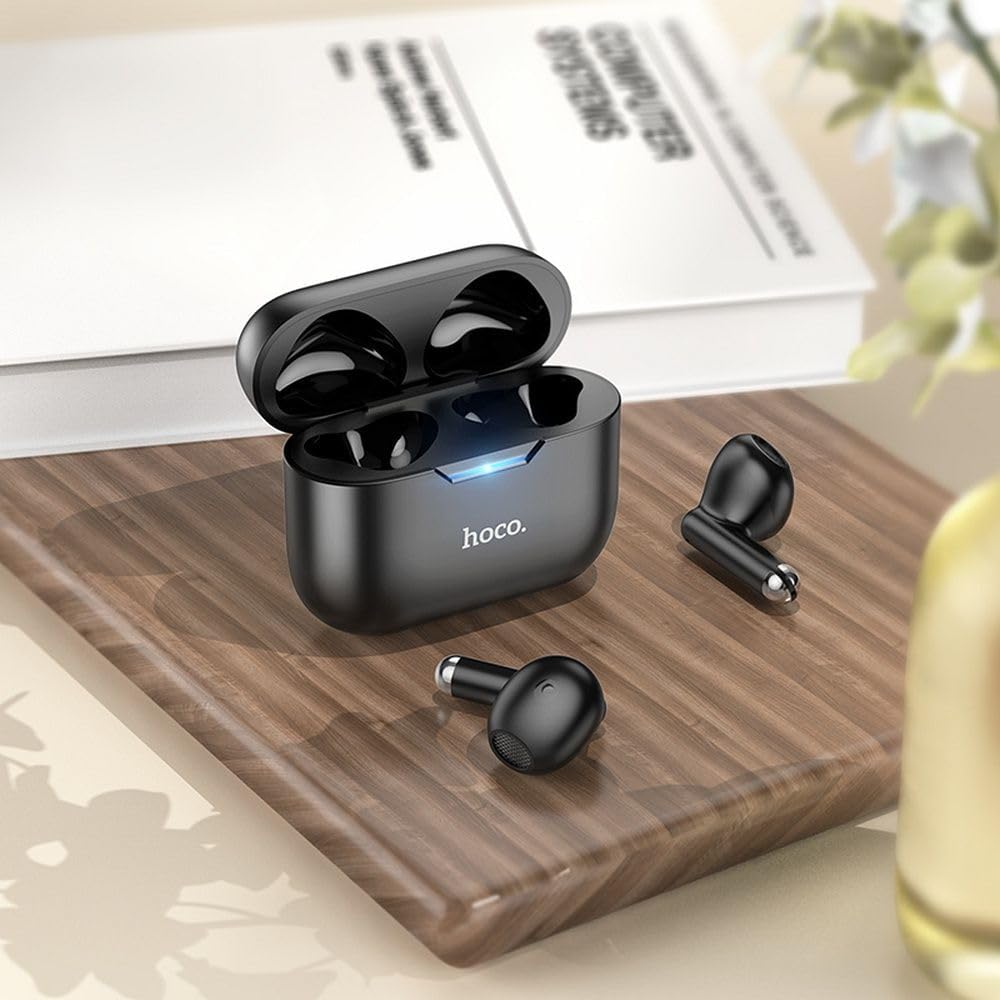
Image: The HOCO EW34 earphones and their charging case resting on a wooden surface next to a book, illustrating their compact size.
기본 컨트롤(터치 감지)
The HOCO EW34 earphones feature touch-sensitive controls. Specific functions may vary slightly based on your device and application.
- 재생/일시 중지: 두 이어폰 중 하나를 한 번 탭합니다.
- 다음 트랙: 오른쪽 이어폰을 두 번 탭하세요.
- 이전 트랙 : 왼쪽 이어폰을 두 번 탭하세요.
- 전화 받기/종료: 전화가 걸려올 때 이어폰 중 하나를 한 번 탭하세요.
- 전화 거부: 전화가 걸려올 때 이어폰 한쪽을 2초 동안 길게 누르세요.
- Voice Assistant 활성화 : 이어폰 중 하나를 세 번 탭하세요.
유지
Proper maintenance ensures the longevity and performance of your HOCO EW34 earphones.
- 청소: 이어폰과 충전 케이스는 부드럽고 마른 보풀 없는 천으로 닦아주세요. 강한 화학 약품이나 연마제를 사용하지 마세요.
- 저장: 사용하지 않을 때는 이어폰을 충전 케이스에 보관하여 먼지와 손상으로부터 보호하세요.
- 배터리 관리 : Avoid fully discharging the battery frequently. Charge the earphones and case regularly, even if not in constant use, to maintain battery health.
- 물을 피하세요: 이어폰은 방수 기능이 없습니다. 물, 땀 또는 높은 습도에 노출되지 않도록 하십시오.
문제 해결
HOCO EW34 이어폰 사용 중 문제가 발생하면 다음 해결 방법을 시도해 보세요.
| 문제 | 가능한 해결책 |
|---|---|
| 이어폰이 기기와 페어링되지 않습니다. |
|
| 한쪽 또는 양쪽 이어폰에서 소리가 나지 않습니다. |
|
| 충전 케이스가 충전되지 않습니다. |
|
| 음질이 좋지 않습니다. |
|
명세서
Here are the technical specifications for the HOCO EW34 True Wireless Earphones:
- 블루투스 버전: 5.3
- 칩: JL AC6983
- 충전 케이스 배터리 용량 : 250mAh
- 이어폰 배터리 용량: 30mAh(각)
- 토크/음악 시간: 4시간
- 대기 시간: 150시간
- 치수(케이스): 57 × 46 × 23.5mm
- 총 중량: 42g
- 모델 이름: TWS EW34
- 색상: 검은색
보증 및 지원
For warranty information, please refer to the warranty card included with your purchase or visit the official HOCO web사이트. 보증 약관은 지역에 따라 다를 수 있습니다.
If you require further assistance or encounter issues not covered in this manual, please contact HOCO customer support through their official website or the retailer from whom you purchased the product. Please have your product model number (TWS EW34) and proof of purchase ready when contacting support.
Ask a question about this manual
Ask about setup, troubleshooting, compatibility, parts, safety, or missing instructions. Manuals+ will review the question and use this page’s manual context to help answer it.