
소개
Thank you for choosing the HyperGear Halo Waterproof LED Wireless Speaker. This manual provides essential information for setting up, operating, and maintaining your speaker to ensure optimal performance and longevity. The Halo speaker combines powerful HD sound with a vibrant 360° multicolor LED light show, designed for both indoor and outdoor use. Its IPX6 waterproof rating makes it suitable for various environments, from poolside parties to everyday listening.
상자 안에 무엇이 들어있나요?
- HyperGear Halo Waterproof LED Wireless Speaker
- USB-C 충전 케이블
- 3.5mm Aux Cord
설치 가이드
1. 스피커 충전
Before first use, fully charge your Halo speaker. Connect the included USB-C charging cable to the speaker's charging port and the other end to a USB power adapter (not included). The LED indicator will show charging status and turn off when fully charged.
2. 전원 켜기 / 끄기
Press and hold the Power button on the speaker's top panel to turn it on or off. A sound prompt will indicate the power status.
3. 블루투스 페어링
- 스피커 전원이 켜져 있고 블루투스 페어링 모드인지 확인하십시오(LED가 깜빡이는 것으로 표시됨).
- 기기(스마트폰, 태블릿, 컴퓨터)에서 Bluetooth를 활성화하고 사용 가능한 기기를 검색하세요.
- Select "HyperGear Halo" from the list.
- 페어링이 완료되면 스피커에서 확인음이 나고 LED 표시등이 깜빡임을 멈춥니다.
범위 내에 있는 경우, 스피커의 전원을 켜면 마지막으로 페어링된 장치에 자동으로 다시 연결됩니다.

The top panel of the HyperGear Halo speaker, showing controls and its connection to a smartphone via Bluetooth.
작동 지침
기본 제어
| 버튼/기능 | 행동 |
|---|---|
| 전원 버튼 | Press and hold to Power On/Off |
| 재생/일시정지 | Press once to Play/Pause music |
| 볼륨 업(+) | 볼륨을 높이려면 한 번 누르십시오. |
| 볼륨 작게 (-) | 볼륨을 줄이려면 한 번 누르십시오. |
| 다음 트랙 | Press and hold Volume Up (+) |
| 이전 트랙 | Press and hold Volume Down (-) |
| 전화 받기/종료하기 | Press Play/Pause button once |
| 전화 거부 | Press and hold Play/Pause button |
| 라이트 모드 버튼 | 누르면 6가지 LED 조명 모드가 순환됩니다. |
Party Mode (Stereo Pairing)
To achieve immersive stereo sound, you can pair two HyperGear Halo speakers together:
- Ensure both Halo speakers are powered on and not connected to any other Bluetooth device.
- On one speaker (this will be the primary speaker), double-press the Power button. It will enter pairing mode for Party Mode.
- 두 스피커는 자동으로 서로 연결됩니다. 연결이 완료되면 확인음이 들립니다.
- Now, connect your device to the primary speaker via Bluetooth as described in the 'Bluetooth Pairing' section. Both speakers will play synchronized audio and light shows.

Two HyperGear Halo speakers paired together for Party Mode, offering synchronized audio and light effects.
Alternative Playback Modes

The side panel of the HyperGear Halo speaker, revealing the AUX, microSD, and USB-C ports for versatile connectivity.
- 보조 입력: Connect your device using the included 3.5mm Aux cord to the speaker's AUX port for a wired audio connection.
- 마이크로SD 카드: Insert a microSD card loaded with audio file지정된 슬롯에 카드를 삽입하십시오. 스피커가 카드에 저장된 음악을 자동으로 재생합니다.
기능 이상view
- IPX6 방수 등급: Designed to withstand splashes, rain, and spills, making it ideal for outdoor adventures and poolside use.
- Powerful 5W Front-Firing Sound: Equipped with a 52mm full-range driver for rich, dynamic audio with pulse-pounding bass. The front-firing design ensures clearer sound projection.
- 360° Multicolor LED Lights: Features a vibrant light ring that synchronizes with your music, offering 6 different lighting modes to enhance your listening experience.
- 내장 마이크: Allows for convenient hands-free calling.
- 블루투스 5.3 기술: Provides a stable, stutter-free wireless connection with a range of up to 33 feet.
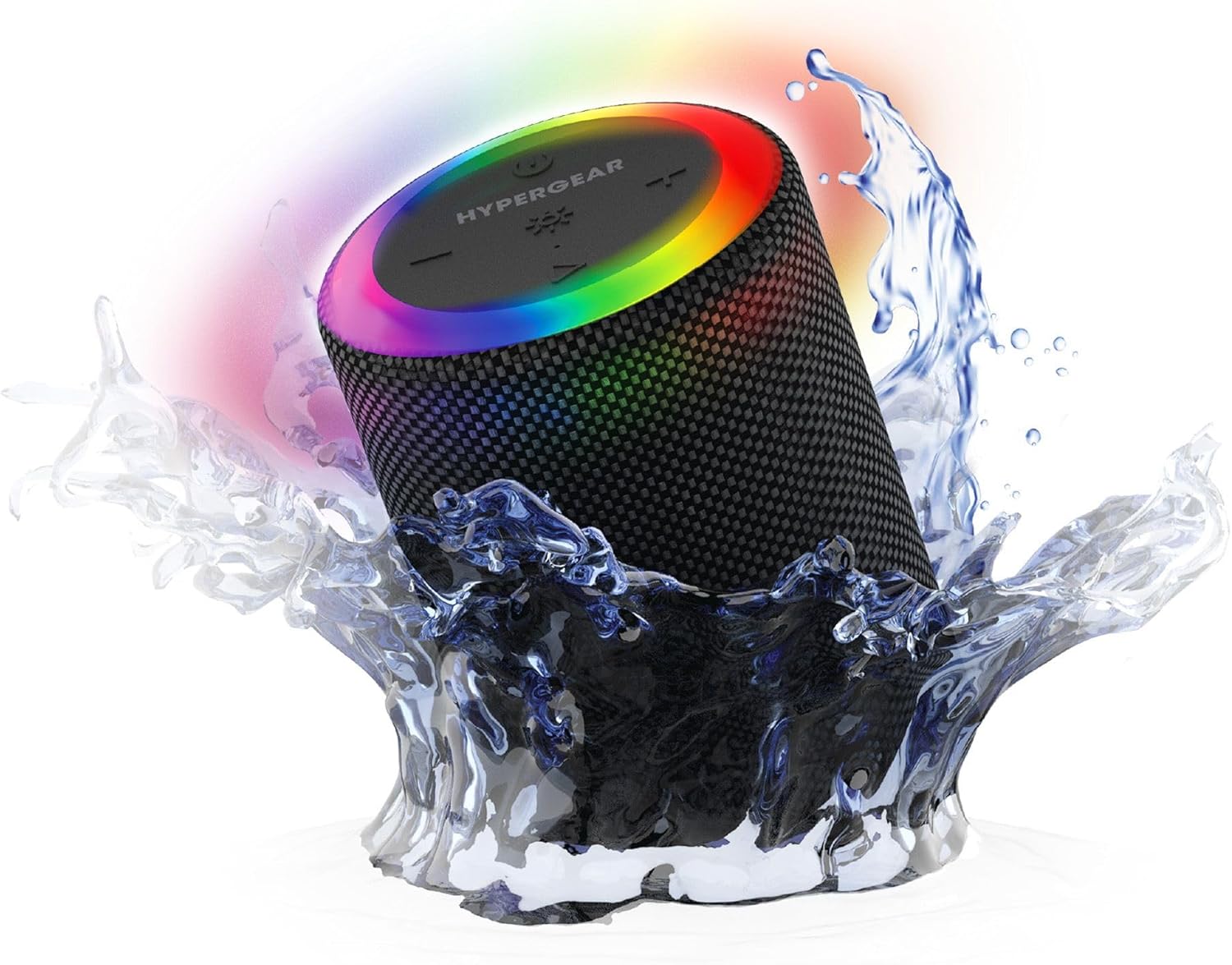
The HyperGear Halo speaker immersed in water, highlighting its robust waterproof design.

Visual representation of the HyperGear Halo speaker's powerful audio features, including its 5W output and 52mm driver.

The HyperGear Halo speaker showcasing its beat-synced 360° multicolor LED light ring with various lighting modes.
명세서
| 특징 | 세부 사항 |
|---|---|
| 모델명 | Halo Waterproof LED Wireless Speaker |
| 스피커 유형 | 멀티미디어 |
| 연결 기술 | 블루투스 5.3 |
| 오디오 출력 모드 | Mono (Stereo with Party Mode) |
| 스피커 최대 출력 전력 | 5 와트 |
| 오디오 드라이버 크기 | 52 밀리미터 |
| 방수 레벨 | IPX6 방수 |
| 제품 치수 | 3.27인치 깊이 x 3.27인치 너비 x 4.13인치 높이 |
| 품목 무게 | 1.05파운드 |
| 전원 | 배터리 구동 |
| 포함된 구성 요소 | USB-C Charging Cable, 3.5mm Aux Cord |
| 제어 방법 | 단추 |
| 한국어: | 633755158858 |
유지
- 청소: 부드러운 천으로 스피커를 닦고 damp 옷감. 강한 화학 물질이나 연마성 세제를 사용하지 마십시오.
- 저장: 스피커는 직사광선과 극한의 온도를 피해 시원하고 건조한 곳에 보관하세요.
- 배터리 관리 : To preserve battery life, avoid fully discharging the speaker frequently. Charge it regularly, even if not in use for extended periods.
- 방수 씰: Ensure the silicone cover for the charging and AUX ports is securely closed when near water to maintain its IPX6 rating.
문제 해결
| 문제 | 가능한 해결책 |
|---|---|
| 스피커의 전원이 켜지지 않습니다. | 스피커가 충전되어 있는지 확인하십시오. 전원에 연결한 후 다시 시도하십시오. |
| Bluetooth 장치와 페어링할 수 없습니다. | Make sure the speaker is in pairing mode (flashing LED). Turn off and on Bluetooth on your device. Ensure no other devices are connected to the speaker. Move speaker closer to your device. |
| 스피커에서 소리가 나지 않습니다. | Check volume levels on both the speaker and your device. Ensure the correct input mode (Bluetooth, Aux, MicroSD) is selected. If using Aux, ensure the cable is fully inserted. |
| Party Mode not working. | Ensure both speakers are fully charged and not connected to any other Bluetooth devices. Try resetting both speakers by powering them off and on, then re-attempt Party Mode pairing. |
| LED 조명이 작동하지 않습니다. | Press the Light Mode button to cycle through modes. Ensure the speaker is powered on. |
보증 및 지원
The HyperGear Halo Waterproof LED Wireless Speaker comes with a 한정 보증. For specific details regarding warranty coverage, duration, and claims, please refer to the warranty card included with your product or visit the official HyperGear website. For technical support or further assistance, please contact HyperGear customer service through their official channels.