
소개
This manual provides essential instructions for the safe and efficient operation, maintenance, and troubleshooting of your Oster OCAF900 Digital Espresso Coffee Machine. Please read all instructions carefully before first use and keep this manual for future reference.
중요한 안전 정보
화재, 감전 및/또는 인명 부상의 위험을 줄이기 위해 전기 제품을 사용할 때는 항상 다음 사항을 포함한 기본적인 안전 예방 조치를 따르세요.
- 모든 지침을 읽으세요.
- 뜨거운 표면을 만지지 마십시오. 손잡이나 손잡이를 사용하십시오.
- 감전을 예방하려면 코드, 플러그 또는 기기를 물이나 기타 액체에 담그지 마십시오.
- 어린이가 가전제품을 사용하거나 어린이 근처에서 사용할 때는 면밀한 감독이 필요합니다.
- 사용하지 않을 때와 세척하기 전에는 콘센트에서 플러그를 뽑으세요. 부품을 끼우거나 떼기 전에 식힌 후, 그리고 기기를 세척하기 전에 식히세요.
- 코드나 플러그가 손상된 경우 또는 기기가 오작동하거나 어떤 식으로든 손상된 경우에는 기기를 작동하지 마십시오.
- 기기 제조업체에서 권장하지 않는 부속품을 사용하면 화재, 감전 또는 부상이 발생할 수 있습니다.
- 옥외에서는 사용하지 마십시오.
- 코드가 테이블이나 카운터 가장자리에 걸려 있거나 뜨거운 표면에 닿지 않도록 하세요.
- 뜨거운 가스나 전기 버너 근처 또는 가열된 오븐에 두지 마십시오.
- 항상 제품에 플러그를 먼저 꽂은 후, 코드를 벽면 콘센트에 꽂으세요. 전원을 끊으려면 모든 조절기를 "끔"으로 돌린 후 벽면 콘센트에서 플러그를 뽑으세요.
- 본 제품을 본래 용도 외에는 사용하지 마십시오.
- 뜨거운 액체가 담긴 가전제품을 옮길 때는 각별히 주의해야 합니다.
제품 끝view
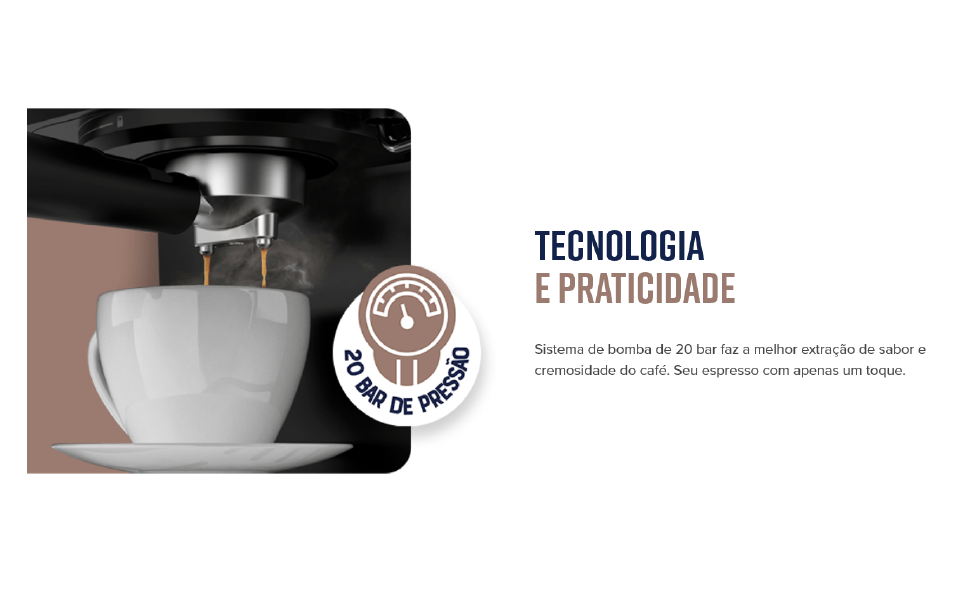
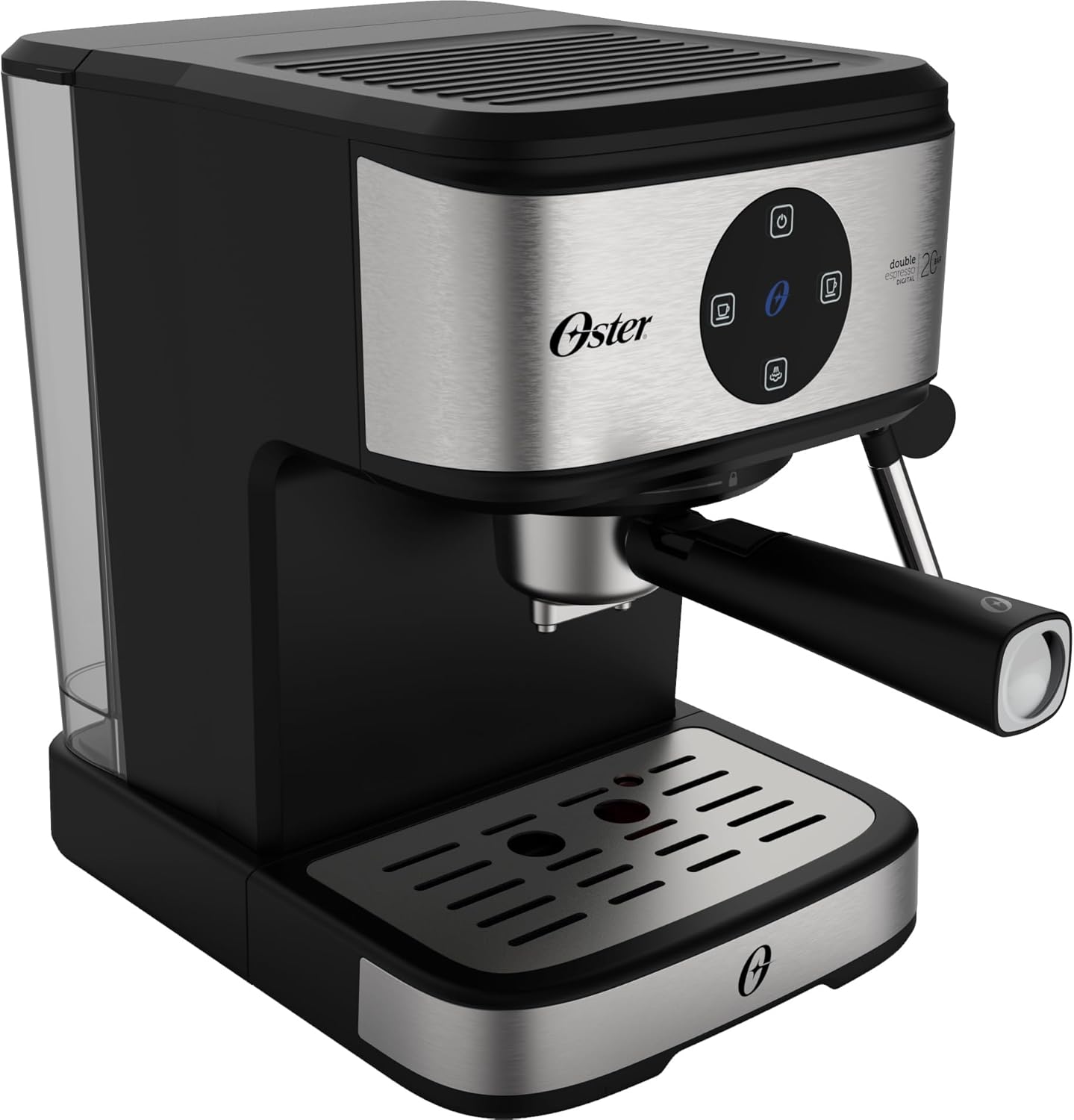
The Oster OCAF900 is a digital espresso coffee machine designed for both ground coffee and Nespresso-compatible capsules. It features a 20-bar pump for optimal extraction, a milk frother, and programmable functions.
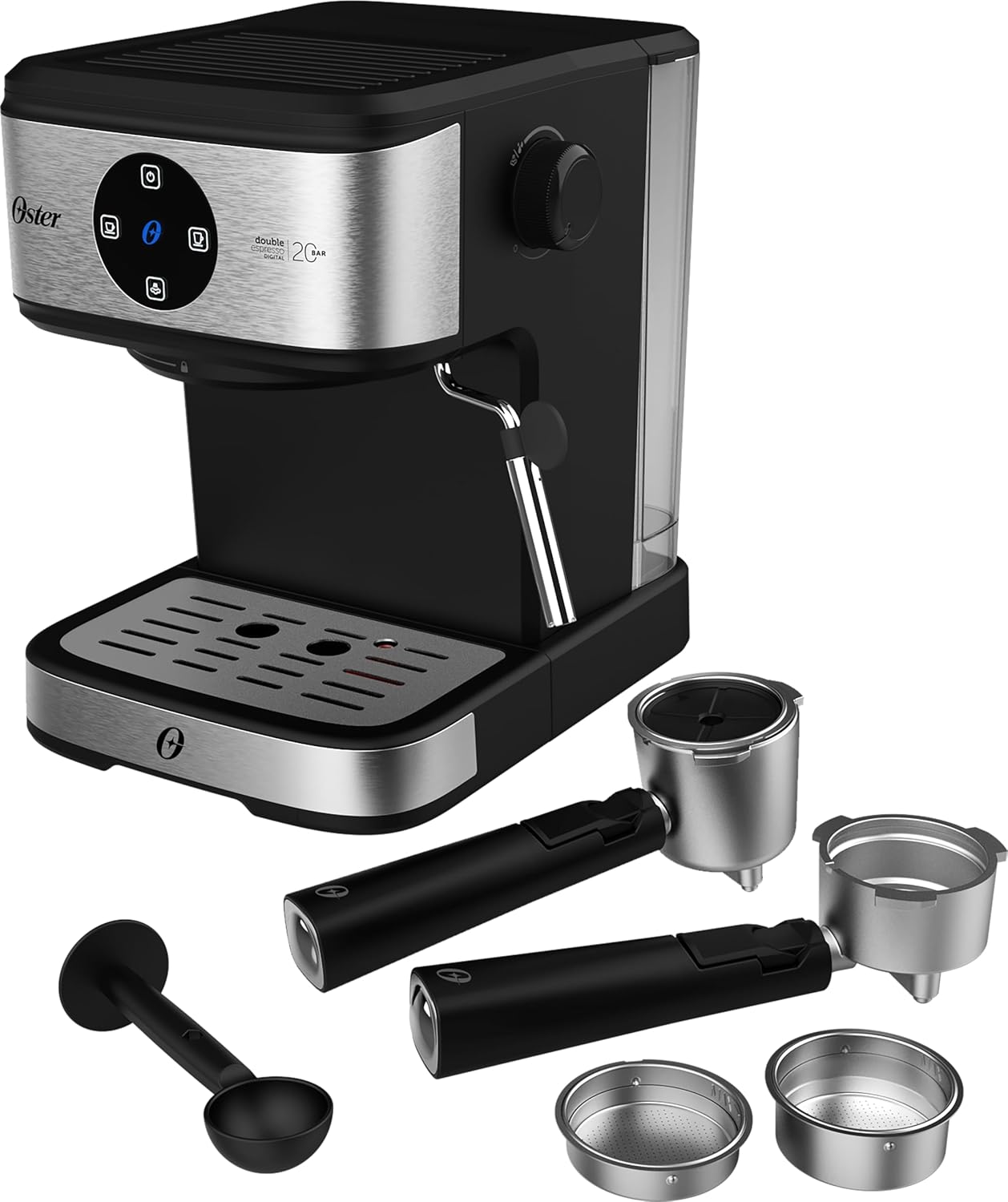
앞쪽 view of the Oster OCAF900 Digital Espresso Coffee Machine, showcasin세련된 디자인과 디지털 제어판을 갖추고 있습니다.

Included accessories: portafilters for single and double espresso, a measuring spoon/tamper, and a capsule adapter.
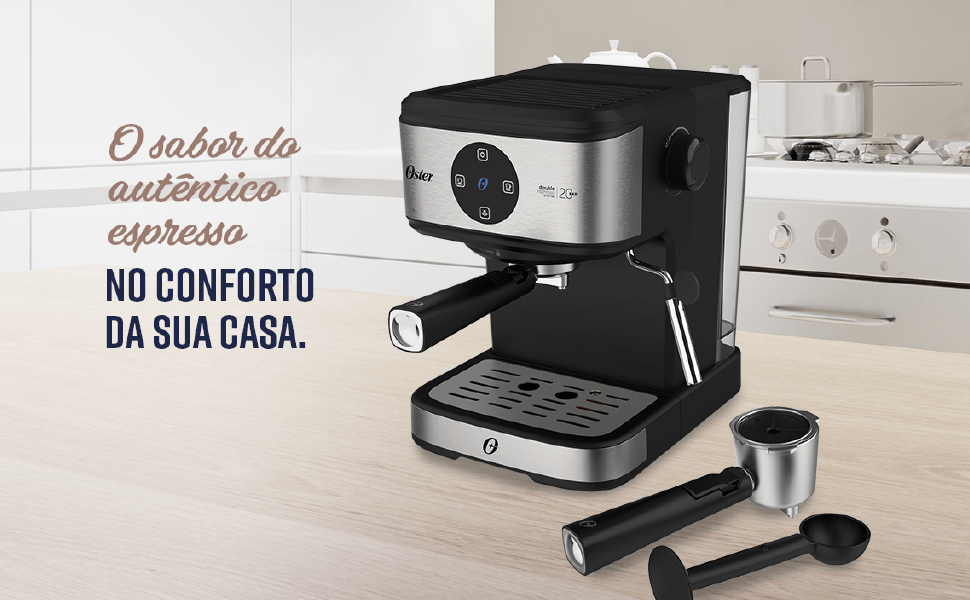
위에view of key features: 1.6L capacity, anti-heating system, 1100W power, milk and water frother, single/double espresso portafilter, and 4 pre-programmed/customizable functions.
설정 및 첫 사용
- 짐 풀기: 모든 포장재를 조심스럽게 제거하고 모든 부품이 들어 있는지 확인하세요.
- 초기 청소: Before first use, wash the water tank, portafilters, and drip tray with warm, soapy water. Rinse thoroughly and dry. Wipe the exterior of the machine with a damp 옷감.
- 물 탱크 채우기: Fill the removable water tank with fresh, cold water up to the MAX level indicator. Ensure the tank is properly seated in the machine.
- 전원 연결: 전원 코드를 접지된 220V 콘센트에 꽂으세요.
- 디지털 패널 작동:
- Remove any protective sticker from the digital control panel.
- To turn on the machine, simply touch the power command button (usually the top button).
- To turn off the machine, press and hold the power command button for 5 seconds.
- 펌프 프라이밍: Before making coffee, run a cycle with only water to prime the pump and rinse the internal components. Place a cup under the coffee outlet, select a coffee function (without coffee), and let water flow through.
Visual guide for operating the digital panel: removing the sticker, turning on with a simple touch, and turning off by pressing for 5 seconds.
작동 지침
원두 커피로 에스프레소 만들기
- Ensure the machine is on and the water tank is filled.
- Select the appropriate filter basket for single or double espresso and place it into the portafilter.
- Add finely ground espresso coffee to the filter basket. Do not overfill; the coffee level should be slightly below the rim to ensure proper sealing.
- 가볍게 tamp the coffee grounds with the measuring spoon's flat end.
- 포타필터를 양조 헤드에 정렬하고 단단히 오른쪽으로 돌려서 단단히 고정시킵니다.
- Place your espresso cup(s) on the drip tray under the portafilter spouts.
- Select your desired espresso shot (single or double) from the digital control panel. The machine will begin brewing.
- Once brewing is complete, carefully remove the portafilter. Always remove the portafilter with the coffee grounds immediately after use to prevent steam buildup and potential damage to electronic components.
The Oster OCAF900 brewing a rich espresso shot into a cup, demonstrating the 20-bar pressure extraction.
Using Nespresso-Compatible Capsules
- Ensure the machine is on and the water tank is filled.
- Insert the capsule adapter into the portafilter.
- Place a Nespresso-compatible capsule into the adapter.
- 포타필터를 양조 헤드에 정렬하고 단단히 오른쪽으로 돌려서 단단히 고정시킵니다.
- Place your cup under the portafilter spout.
- Select your desired coffee shot from the digital control panel.
- Once brewing is complete, carefully remove the portafilter and dispose of the used capsule.

Illustration of the machine's 2-in-1 compatibility, allowing use of both ground coffee and Nespresso-compatible capsules.
Frothing Milk / Hot Water Dispensing
- Ensure the machine is on and has reached operating temperature.
- 거품기를 사용하려면 차가운 우유(일반 우유 또는 식물성 우유)를 주둥이 바로 아래까지 채우세요.
- 스팀 막대를 우유 표면 바로 아래에 놓습니다.
- Turn the steam control knob to the steam/hot water position.
- Move the pitcher up and down to create foam. Once desired foam is achieved, turn off the steam.
- For hot water, place a cup under the steam wand and turn the steam control knob to the hot water position.
- After frothing, always clean the steam wand immediately by wiping it with a damp cloth and briefly releasing steam to clear any milk residue.

The Oster OCAF900 using its steam wand to froth milk, creating a creamy texture for lattes and cappuccinos.
비디오 데모
This video demonstrates the general operation and features of the Oster OCAF900 Digital Espresso Coffee Machine, including brewing espresso and frothing milk. Note: This is a preview 동영상.
관리 및 유지 보수
매일 청소
- 포타필터: After each use, remove the portafilter and discard the coffee grounds. Rinse the portafilter and filter basket under warm water.
- 스팀 완드: 우유 거품을 낸 직후 스팀완드를 물로 깨끗이 닦아주세요.amp 천을 사용하세요. 스팀 기능을 잠시 작동시켜 내부에 남아있는 우유 찌꺼기를 제거하세요.
- 드립 트레이: 넘침과 세균 증식을 방지하기 위해 정기적으로 물받이를 비우고 청소하세요.
- 수조: 물탱크는 매일 비우고 헹궈주세요. 사용할 때마다 깨끗한 물로 다시 채워주세요.
- 외부: 부드러운 천으로 기기 외부를 닦아주세요.amp 옷감. 연마성 세제나 수세미를 사용하지 마십시오.
스케일 제거
Over time, mineral deposits (limescale) can build up in your machine, affecting performance and coffee taste. Descale your machine regularly, depending on your water hardness and frequency of use (e.g., every 2-3 months).
- Prepare a descaling solution according to the descaler manufacturer's instructions (or use a mixture of white vinegar and water).
- 물탱크에 석회질 제거 용액을 채우세요.
- 커피 추출구와 스팀 완드 아래에 큰 용기를 놓으세요.
- Run several brewing cycles (without coffee) and steam cycles until the water tank is empty.
- 물탱크를 깨끗이 헹구고 새 물로 다시 채우십시오.
- Run several cycles with fresh water to rinse out any remaining descaling solution.
문제 해결
| 문제 | 가능한 원인 | 해결책 |
|---|---|---|
| Coffee does not brew or flows slowly. |
|
|
| 커피맛이 탄다. |
|
|
| Touch panel issues (e.g., turns off randomly). |
|
|
| 우유 거품이 제대로 나지 않습니다. |
|
|
명세서
| 특징 | 세부 사항 |
|---|---|
| 모델 | OCAF900 |
| 상표 | 오스터 |
| 권tage | 220 볼트 |
| 힘 | 1100 와트 |
| 압력 | 20 바 |
| 물탱크 용량 | 1.6리터 |
| 재료 | 스테인리스 스틸 |
| 색상 | 블랙 이녹스 |
| 치수(제품) | 28.9P x 21.8L x 27.3A cm (28.9 x 21.8 x 27.3 cm) |
| 특별 기능 | Cup warmer, Milk frother, Permanent filter, Automatic cleaning function, Programmable |
| GTIN | 7898742840014 |
보증 정보
Your Oster OCAF900 Digital Espresso Coffee Machine comes with a standard manufacturer's warranty. Please refer to the warranty card included with your product for specific terms and conditions, including the warranty period and coverage details.
Extended warranty options may be available for purchase. For more information on extended warranty plans, please consult your retailer or the Oster official web대지.
고객 지원
If you encounter any issues not covered in the troubleshooting section, or require further assistance, please contact Oster customer support. You can find contact information on the official Oster web사이트나 제품 포장에 표시하세요.
When contacting support, please have your product model (OCAF900) and serial number (if applicable) ready.