
소개
Thank you for choosing the Digitek DWM-107 2-in-1 Wireless Microphone System. This manual provides essential information for the proper setup, operation, and maintenance of your device. Please read it thoroughly before use to ensure optimal performance and longevity of the product.
The Digitek DWM-107 is a versatile wireless microphone system designed for high-quality audio capture across various platforms, including smartphones, cameras, and computers. It features dual transmitters, a receiver, TFT card recording, 360-degree sound capture, and advanced noise cancellation.
상자 안에 무엇이 들어있나요?
Carefully unpack your Digitek DWM-107 system and ensure all components are present:
- 2 x Microphone Transmitters (Tx)
- 1 x Receiver (Rx)
- 1 x Battery Compartment (Charging Box)
- 1 x TRRS to TRRS Audio Cable (for smartphones/tablets)
- 1 x TRRS to TRS Audio Cable (for cameras/laptops)
- 1 x USB-C 충전 케이블
- 1 x USB-C to USB-C 케이블
- 1 x USB-C to Lightning 케이블
- 1 x 윈드스크린
- 1 x 사용자 설명서

Image: All components included in the Digitek DWM-107 package.
제품 끝view
송신기(Tx)
- 마이크로폰: 내장형 무지향성 마이크.
- 전원 버튼: 길게 누르면 전원이 켜지거나 꺼집니다. 짧게 누르면 음소거/음소거 해제됩니다.
- 소음 제거 버튼: 소음 감소 기능을 활성화/비활성화합니다.
- TFT Card Slot: For direct audio recording.
- 충전 포트: 충전용 USB-C 포트.
- 상태 표시기: LED lights indicating power, pairing, and recording status.
수신기(수신기)
- 출력 포트: 3.5mm jack for connecting to recording devices.
- Monitoring Port: 실시간 오디오 모니터링을 위한 3.5mm 잭.
- 전원 버튼: 전원을 켜거나 끄려면 길게 누릅니다.
- 충전 포트: 충전용 USB-C 포트.
- 디스플레이 화면: Shows battery levels, signal strength, and recording status.
충전 박스
- 충전 슬롯: For two transmitters and one receiver.
- 배터리 표시기: LED display showing the charging box's battery level.
- USB-C 포트: For charging the box itself.
설치 지침
- 기기를 충전하세요: Before first use, fully charge the transmitters and receiver using the provided charging box and USB-C cable. The charging box itself should also be charged.
- 전원 켜기: Press and hold the power button on both the transmitter(s) and the receiver until their screens or indicator lights turn on.
- 자동 페어링: The transmitters and receiver are designed to pair automatically upon power-on. A successful connection will be indicated on the receiver's display. If pairing fails, power cycle both devices.
- 녹음 장치에 연결하세요:
- For Smartphones/Tablets (Android/iOS): Use the TRRS to TRRS Audio Cable or the USB-C to Lightning/USB-C cable to connect the receiver's output port to your device's audio input.
- For Cameras/Laptops: Use the TRRS to TRS Audio Cable to connect the receiver's output port to your camera's microphone input or laptop's audio input.
- 송신기를 연결하세요: Clip the transmitter to the speaker's clothing, ensuring the microphone is facing towards the mouth for optimal sound capture. Use the included windscreen to reduce wind noise if recording outdoors.

Image: Seamless plug-and-play connectivity with automatic pairing.
작동 지침
오디오 녹음
- Once connected, open your recording application on your smartphone, camera, or computer.
- Start recording. The audio from the transmitter(s) will be captured by your device.
- Monitor audio in real-time by plugging headphones into the receiver's monitoring port.

Image: Real-time audio monitoring for optimal sound adjustment.
TFT Card Recording
The DWM-107 transmitters support direct recording to a TFT (microSD) card, providing a backup or standalone recording option.
- Insert a formatted TFT card (up to 32GB, Class 10 recommended) into the TFT card slot on the transmitter.
- Press the dedicated record button on the transmitter to start/stop recording. The transmitter's display will indicate recording status.
- 기록된 내용에 접근하려면 files, connect the transmitter to a computer via USB-C or insert the TFT card into a card reader.

Image: Transmitter with TFT card recording function.
소음 제거
Activate the built-in noise cancellation feature to reduce ambient background noise for clearer audio.
- Press the noise cancellation button on the transmitter to toggle the feature on or off.
- An indicator on the transmitter's display will confirm the status of noise cancellation.

Image: Noise cancellation technology for crystal-clear audio.
360-Degree Sound Capture
The omnidirectional microphone captures sound from all directions, ensuring comprehensive audio coverage.

Image: 360-degree sound capture for comprehensive audio recording.
다양한 응용 프로그램
The DWM-107 is suitable for various recording scenarios:
- 인터views
- 튜토리얼
- 팟캐스트
- Vlogs and Travel Videos
- 라이브 스트리밍

이미지: 전amples of versatile uses for the Digitek DWM-107 wireless microphone.
배터리 및 충전
The DWM-107 system is designed for extended use with efficient charging.
- 송신기/수신기 배터리 수명: 최대 9시간 연속 사용이 가능합니다.
- 충전 상자 용량: 850mAh, capable of recharging the units multiple times.
- 충전 시간: Approximately 1.2 to 1.5 hours for a full charge of the units within the charging box.
- 충전 방법: Use the provided USB-C cable to charge the charging box. The units charge automatically when placed inside the powered charging box.

Image: Battery and charging specifications for the DWM-107 system.
호환성
The Digitek DWM-107 offers wide compatibility with various devices:
- Android Smartphones and Tablets
- iOS Smartphones and Tablets (iPhone, iPad)
- DSLR 카메라
- 캠코더
- PC 및 노트북
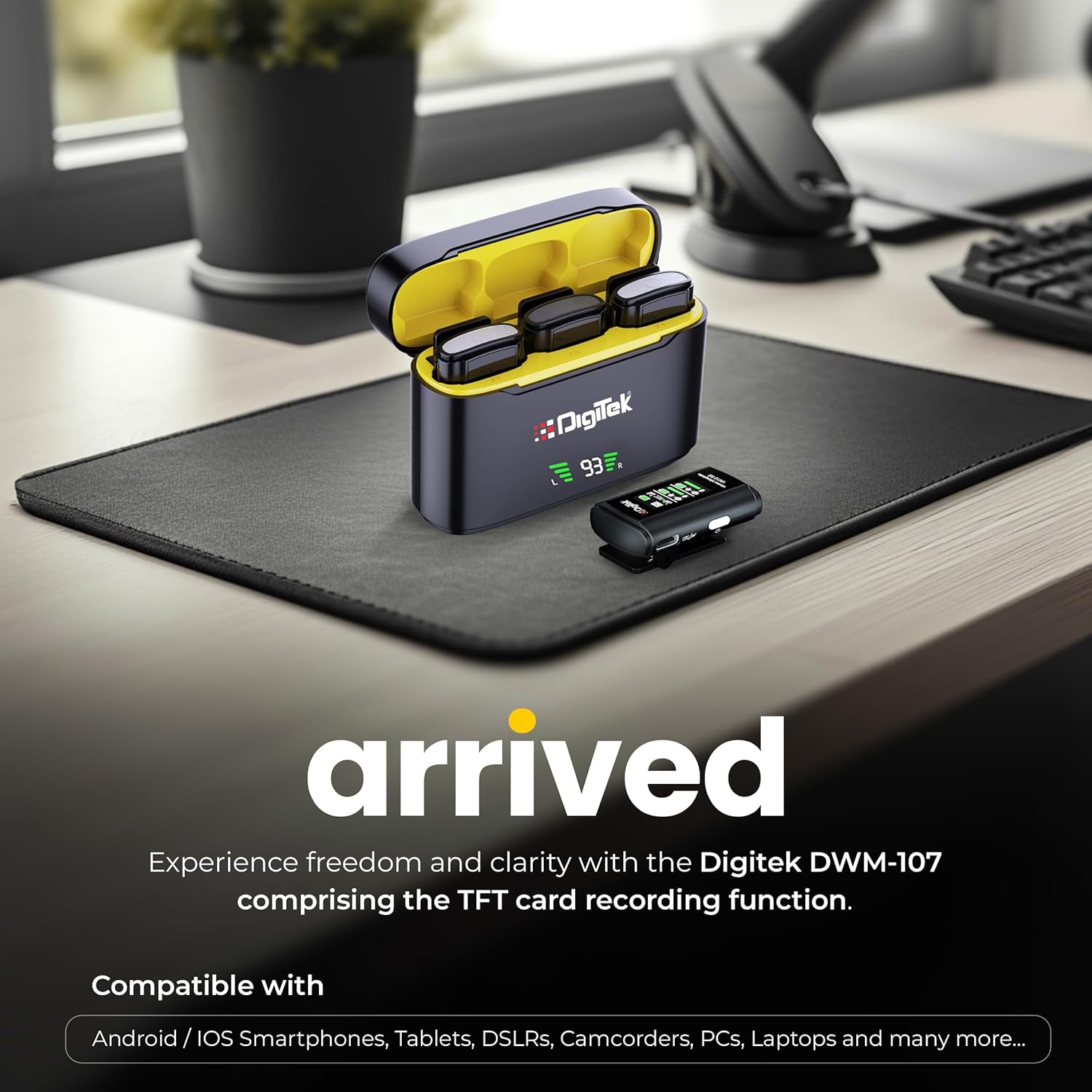
Image: Digitek DWM-107 compatibility with Android, iOS, DSLR, and PC devices.
유지
- 청소: 부드럽고 마른 천으로 기기를 닦으십시오. 강한 화학 약품이나 연마성 재료는 사용하지 마십시오.
- 저장: 마이크 시스템은 직사광선과 극한 온도 변화를 피해 서늘하고 건조한 곳에 보관하십시오.
- 배터리 관리 : For long-term storage, ensure the batteries are partially charged (around 50%) to preserve battery health. Recharge periodically if stored for extended periods.
- 케이블 관리: 케이블을 조심스럽게 다루십시오. 손상을 방지하기 위해 급격한 굽힘이나 과도한 당김을 피하십시오.
문제 해결
| 문제 | 가능한 원인 | 해결책 |
|---|---|---|
| 오디오 출력이 없습니다 |
|
|
| Poor audio quality / Distortion |
|
|
| TFT card recording not working |
|
|
| 배터리 수명이 짧음 |
|
|
명세서
| 특징 | 세부 사항 |
|---|---|
| 모델 번호 | DWM-107 |
| 연결 기술 | 2.4G Wireless (UHF) |
| 무선 범위 | 최대 60미터(개방형) |
| 주파수 응답 | 16 KHz (Full frequency audio quality) |
| 신호 대 잡음 비율 | 78데시벨 |
| 극성 패턴 | 전방위 |
| 임피던스 | 32옴 |
| Battery Life (Tx/Rx) | 최대 9시간 |
| 충전 박스 용량 | 850mAh |
| 충전 시간 | 약 1.2~1.5시간 |
| TFT Card Support | Yes (up to 32GB, Class 10 recommended) |
| 소음 제거 | 내장형 |
| 치수(길이 x 너비 x 높이) | 15 x 8 x 6cm |
| 품목 무게 | 450g |
| 재료 | 플라스틱 |
| 색상 | 검은색 |
보증 및 지원
For warranty information and customer support, please refer to the warranty card included in your product packaging or visit the official Digitek website. You may also contact the manufacturer directly:
- 제조업체: IMS 상품 Pvt. 주식회사
- 주소: 704, 7th floor, Ring Road Mall, Sec-3, Rohini, Delhi 110085
- 무료 지원: 1800-123-544-444
보증 청구를 위해 구매 증빙서류를 보관하세요.