
1. 서론
Thank you for choosing the AWEI T29 Wireless Earbuds. These earbuds feature Bluetooth 5.2 technology for stable connectivity, Active Noise Cancellation (ANC) for an immersive audio experience, and IPX6 water resistance for durability. This manual provides detailed instructions on how to set up, operate, and maintain your earbuds to ensure optimal performance.
2. 패키지 내용
패키지에 모든 품목이 들어 있는지 확인하세요.
- Wireless Bluetooth Headset (Earbuds)
- Wireless Bluetooth Headset Charging Case
- USB-C 충전 케이블
- 사용자 설명서 (본 설명서)
3. 제품 오버view
The AWEI T29 earbuds are designed for comfort and high-quality audio. The compact charging case protects and recharges your earbuds on the go.

Image: AWEI T29 Wireless Earbuds and Charging Case. This image displays the two earbuds placed within their open charging case, showcasin세련된 디자인이 특징입니다.
4. 설정
4.1 이어버드와 케이스 충전
처음 사용하기 전에 이어버드와 충전 케이스를 완전히 충전하세요.
- 제공된 USB-C 충전 케이블을 케이스의 충전 포트와 전원에 연결하십시오.
- Place the earbuds into the charging case. Ensure they are properly seated; indicator lights on the earbuds will confirm charging status.
- The charging case takes approximately 1 hour to fully charge.

Image: AWEI T29 Earbuds Charging Indicator. This image illustrates the charging case with earbuds inside, showing a visual representation of battery life and charging time.
4.2 장치와의 초기 페어링
충전 케이스에서 이어버드를 꺼내면 자동으로 페어링 모드로 들어갑니다.
- 충전 케이스를 여세요. 이어버드가 자동으로 켜집니다.
- 스마트폰, 태블릿 또는 기타 Bluetooth 지원 기기에서 Bluetooth 설정으로 이동합니다.
- Bluetooth를 켜고 사용 가능한 기기를 검색하세요.
- Select "AWEI T29" from the list of devices to connect.
- 연결되면 이어버드를 케이스에서 꺼내면 마지막으로 페어링된 기기에 자동으로 다시 연결됩니다.
5. 사용 설명서
5.1 전원 켜기/끄기
- 전원 켜기: 충전 케이스를 열면 이어버드의 전원이 자동으로 켜집니다.
- 전원 끄기 : 이어버드를 충전 케이스에 다시 넣고 뚜껑을 닫으세요. 전원이 자동으로 꺼집니다.
5.2 스마트 터치 컨트롤
AWEI T29 이어버드는 각 이어버드에 직관적인 터치 컨트롤 기능을 갖추고 있습니다.
- 재생/일시 중지: 양쪽 이어버드를 한 번 탭하세요.
- 다음 노래: 오른쪽 이어버드를 두 번 탭하세요.
- 이전 노래: 왼쪽 이어버드를 두 번 탭하세요.
- 볼륨 업: 오른쪽 이어버드를 세 번 탭하세요.
- 볼륨 작게 : 왼쪽 이어버드를 세 번 탭하세요.
- 전화 받기/종료: Single tap either earbud during an incoming call.
- 전화 거부: 전화가 오는 동안 한쪽 이어버드를 길게 누르세요.
- Voice Assistant 활성화 : 왼쪽 이어버드를 길게 누르세요.
- ANC Mode Cycle (ANC On/Off/Transparency): 오른쪽 이어버드를 길게 누르세요.
5.3 능동형 소음 제거(ANC)
The built-in intelligent chip with ANC effectively reduces ambient noise, providing a clearer listening experience for music and calls.

Image: Person wearing AWEI T29 Earbuds with Active Noise Cancellation. This image shows a person wearing the earbuds, illustrating the noise cancellation feature in action.

Image: ANC Effectiveness Graph for AWEI T29 Earbuds. This graph visually represents the reduction of ambient noise before and after activating the Active Noise Cancellation feature.
5.4 하이파이 음질
The AWEI T29 earbuds are equipped with a 13mm speaker, Nano Titanium Diaphragms for clearer treble, and a Pure Copper Voice Coil for vigorous bass, delivering an immersive sound experience.
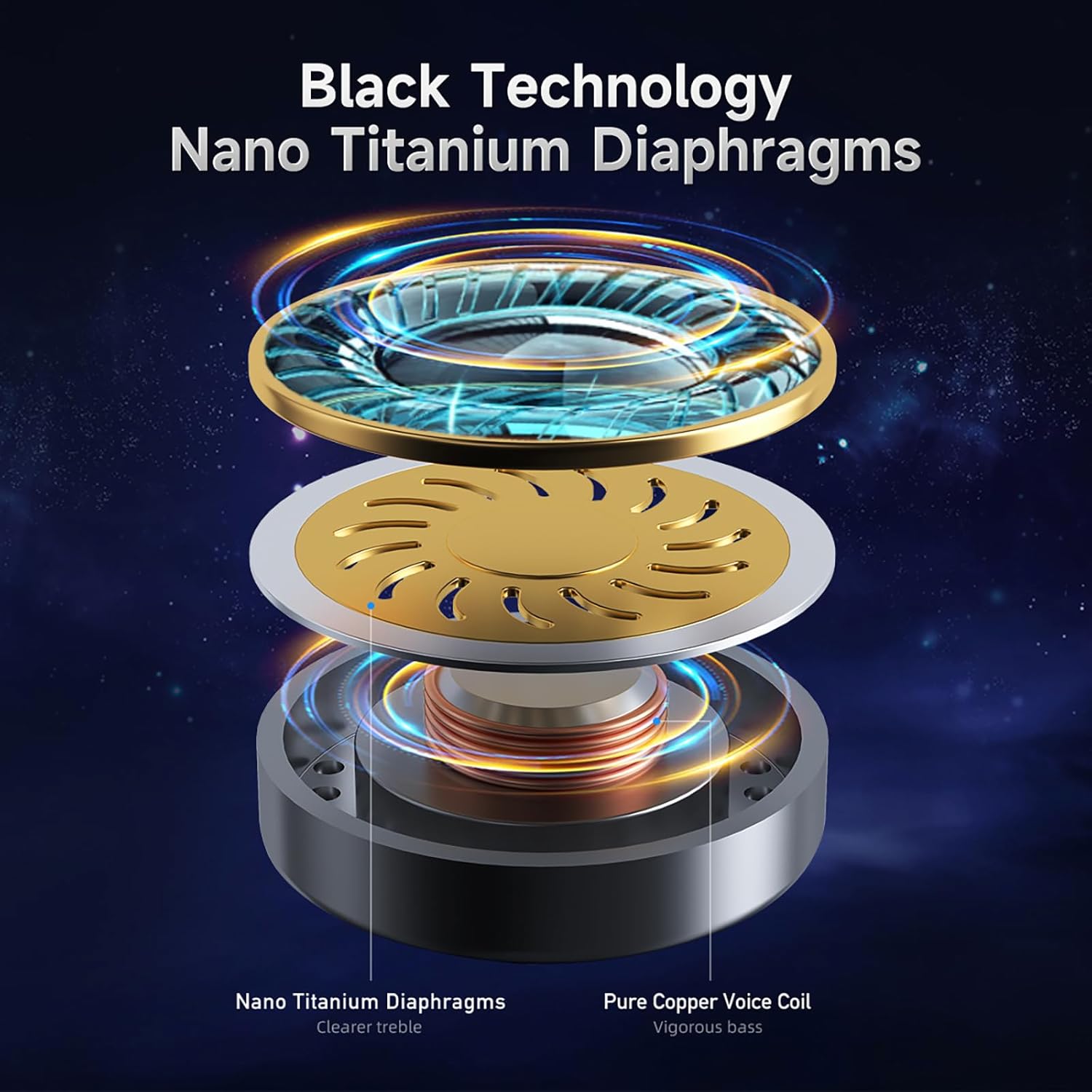
Image: AWEI T29 Earbud Internal Components Diagram. This diagram illustrates the internal structure of the earbud, highlighting the Nano Titanium Diaphragms and Pure Copper Voice Coil.
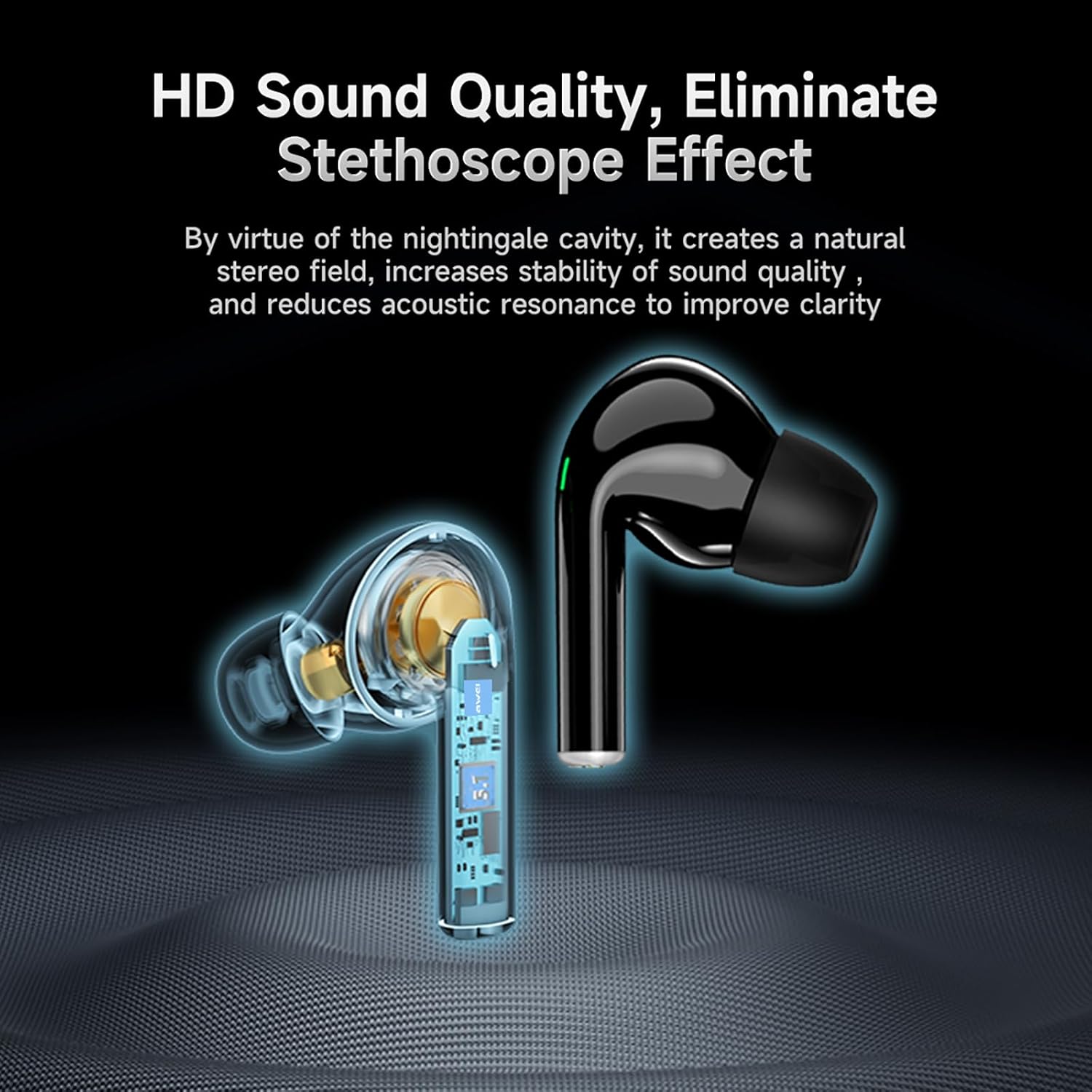
Image: AWEI T29 Earbud Sound Quality Features. This image shows a cutaway view of an earbud, emphasizing its internal design for high-definition sound quality and reduction of the stethoscope effect.
6. 유지관리
6.1 청소
최적의 성능과 위생을 유지하려면:
- 부드럽고 마른 보푸라기 없는 천으로 이어버드와 충전 케이스를 조심스럽게 닦으세요.
- 연마성 세척제, 용제 또는 강한 화학 물질을 사용하지 마십시오.
- 충전 접점이 깨끗하고 이물질이 없는지 확인하세요.
6.2 방수성
The AWEI T29 earbuds are rated IPX6 waterproof, meaning they are resistant to strong jets of water. This makes them suitable for workouts and light rain. However, they are not designed for submersion in water or for use during swimming.
7. 문제 해결
AWEI T29 이어버드 사용 중 문제가 발생하면 다음 일반적인 해결 방법을 참조하십시오.
- 이어버드가 페어링되지 않음: Ensure both earbuds are charged, Bluetooth is enabled on your device, and the earbuds are in pairing mode. Try resetting the earbuds by placing them back in the case and then removing them.
- 한쪽 또는 양쪽 이어버드에서 소리가 나지 않습니다. Check the volume level on your device and ensure the earbuds are properly connected. Try re-pairing the earbuds.
- 충전 문제: Verify that the USB-C cable is securely connected to both the charging case and the power source. Ensure the charging contacts on the earbuds and inside the case are clean.
- 음질이 좋지 않음: Ensure the earbuds are properly seated in your ears for a good seal. Clean any debris from the earbud nozzles.
- 간헐적 연결: Ensure your device is within the 10-meter Bluetooth range and there are no significant obstructions between the earbuds and your device.
8. 사양
Key technical specifications for the AWEI T29 Wireless Earbuds:
| 특징 | 사양 |
|---|---|
| 모델 | T29 |
| 블루투스 버전 | 5.2 |
| 스피커 크기 | 13mm |
| 방수 등급 | IPX6 |
| 이어버드 재생 시간(1회 충전) | 최대 9시간 |
| 총 재생 시간(충전 케이스 포함) | 최대 30시간(양쪽 귀 사용 모드), 60시간(한쪽 귀 사용 모드) |
| 충전 시간(케이스) | 약 1시간 |
| 제어 유형 | 터치 컨트롤 |
| 소음 제어 | 능동 소음 제거 |
| 호환 장치 | 스마트폰, PC, 태블릿, 노트북, TV |
| 품목 무게 | 150g (총 패키지 무게) |
9. 보증 및 지원
For warranty information or technical assistance, please refer to the warranty card included in your package or contact Awei customer support through the retailer where you purchased the product. Please have your product model (T29) and purchase details ready when contacting support.


