
소개
This instruction manual provides essential information for the proper use and maintenance of your Oklar Wrist Blood Pressure Monitor. Please read this manual thoroughly before using the device to ensure accurate measurements and safe operation. This device is intended for home use by adults to measure systolic and diastolic blood pressure and pulse rate.
설정
1. 배터리 설치
The Oklar Blood Pressure Monitor requires two AAA batteries for operation. Locate the battery compartment on the device, typically on the underside or side. Insert the batteries according to the polarity indicators (+/-) inside the compartment. Close the battery cover securely.

Image: The Oklar Blood Pressure Monitor, showing its compact design and integrated wrist cuff.
2. Wearing the Monitor
Proper placement of the wrist cuff is crucial for accurate readings. The adjustable cuff fits wrists from 4.9 inches to 8.5 inches. Ensure the monitor is worn on your wrist with the display facing upwards. The device should be positioned at the same level as your heart during measurement. This typically means resting your arm on a table or supporting it with your other hand.
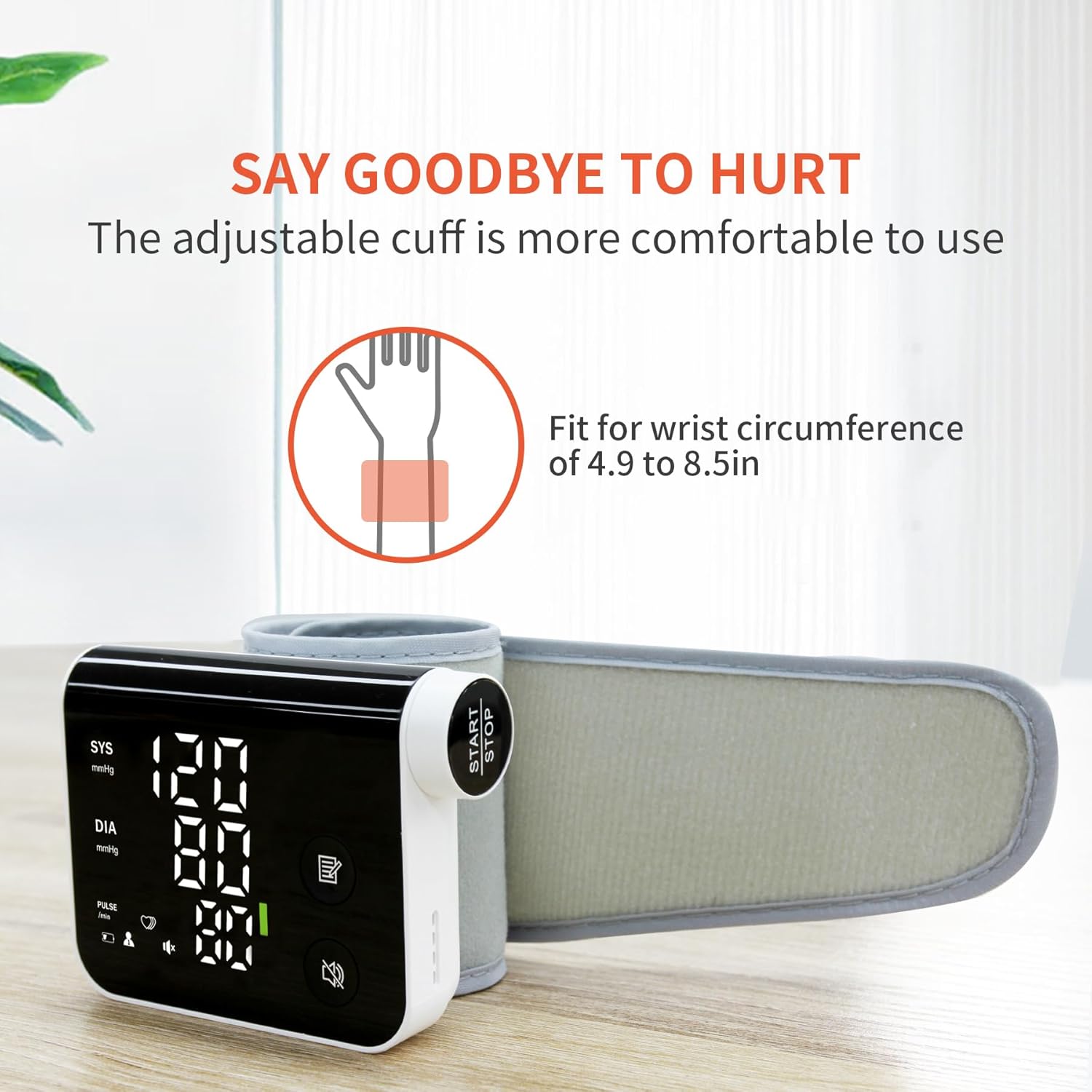
Image: A person demonstrating how to wear the adjustable wrist cuff of the blood pressure monitor.
작동 지침
1. 측정하기
To begin a measurement, simply press the "Start/Stop" button. The device will automatically inflate the cuff and begin the measurement process. Remain still and silent during the measurement for optimal accuracy. The results will be displayed on the LED screen and announced via voice guidance.

이미지: 클로즈업 view highlighting the large 'Start/Stop' button and the rotating knob for easy operation.
2. Voice Guidance and Volume Control
The monitor features friendly voice guidance that announces measurement results, making it suitable for users with visual impairments. You can turn the voice function ON/OFF or choose from 3 volume levels by pressing the dedicated voice button on the device.
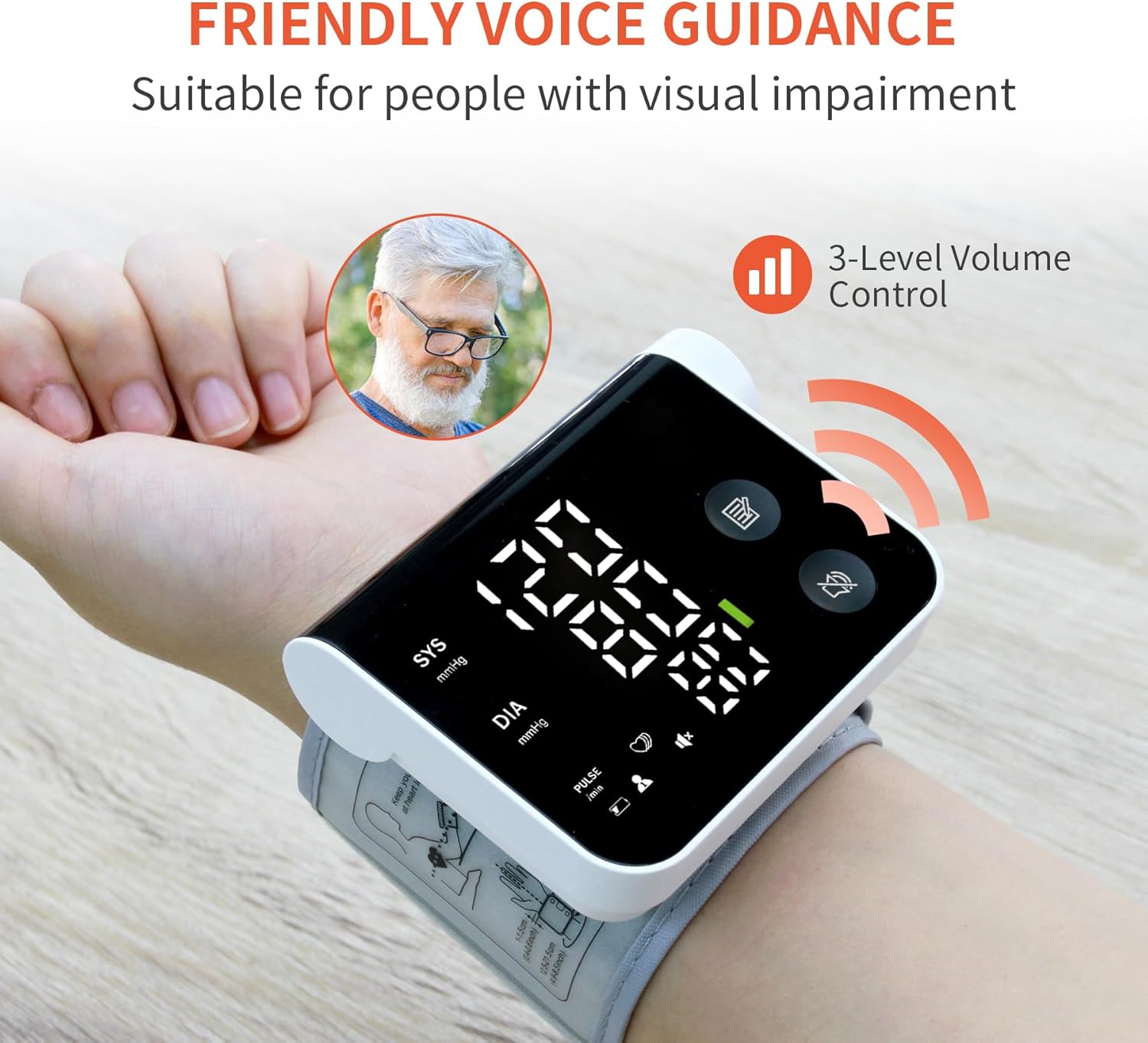
Image: The monitor on a wrist, illustrating the voice guidance feature and its volume control options.
3. Dual-User Mode and Memory
The device supports two user profiles, allowing each user to store up to 120 measurement records separately. This feature facilitates easy tracking of individual blood pressure trends over time.
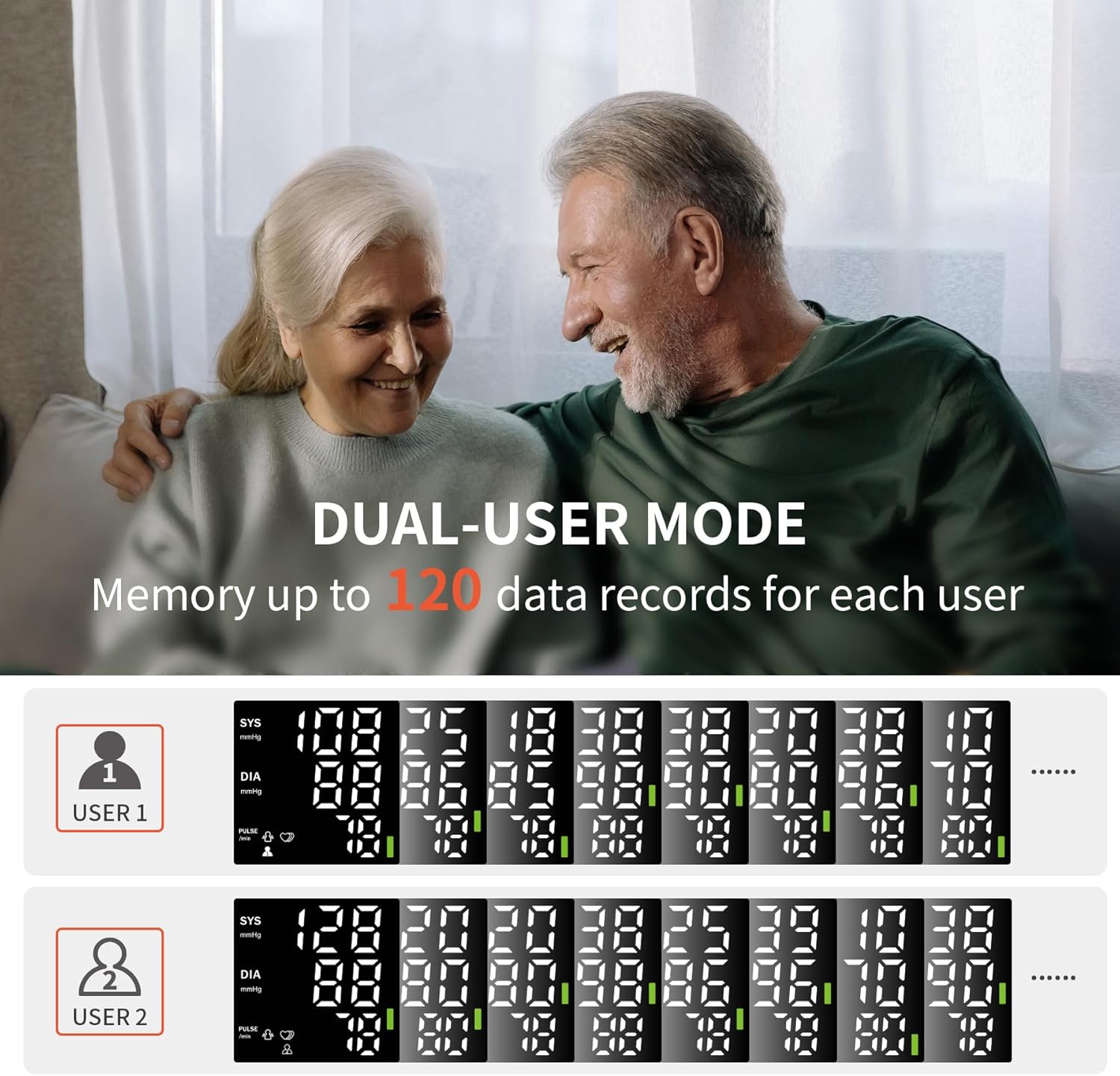
Image: A visual representation of the dual-user mode, displaying distinct memory logs for two different users.
4. View이전 읽기
당신은 빠르게 할 수 있습니다 view stored measurement records by rotating the knob. Rotate the knob clockwise to see the latest records first, or counterclockwise to view from oldest to newest. This allows for convenient review of your historical data.
Video: A demonstration of the Oklar Blood Pressure Monitor's features, including how to take a measurement and navigate stored readings.
유지
To ensure the longevity and accuracy of your Oklar Blood Pressure Monitor, follow these maintenance guidelines:
- 청소: 기기와 커프를 부드럽고 마른 천으로 닦으십시오. 연마성 세척제를 사용하거나 기기를 물에 담그지 마십시오.
- 저장: Store the monitor in its portable storage bag in a cool, dry place, away from direct sunlight and extreme temperatures.
- 배터리 교체: 디스플레이에 배터리 부족 표시등이 나타나면 배터리를 교체하세요. 기기를 장시간 사용하지 않을 경우에는 배터리를 분리해 두세요.
- 손상을 방지하세요: Do not drop the device or subject it to strong impacts. Avoid bending or twisting the cuff excessively.
문제 해결
혈압계 사용 중 문제가 발생하면 다음의 일반적인 문제 및 해결 방법을 참조하십시오.
| 문제 | 가능한 원인 | 해결책 |
|---|---|---|
| "Er" Error Message | 측정 중 움직임, 커프의 잘못된 위치 또는 팔이 심장 높이에 있지 않은 경우. | Remain still and silent. Re-adjust the cuff to ensure it's properly positioned and at heart level. Repeat the measurement. |
| Heart Symbol Flashing | Indicates an irregular heartbeat detected during measurement. | This symbol suggests an irregularity in your pulse. Consult your doctor if this occurs frequently. |
| 화면이 표시되지 않거나 기기가 켜지지 않습니다 | Batteries are low, incorrectly inserted, or missing. | 배터리 극성을 확인하십시오. 새 AAA 배터리로 교체하십시오. |
명세서
- 상표: 오클라르
- 모델 이름: W05
- 품목 모델 번호: W05
- 디스플레이 유형: Digital LED Large Screen Display
- 밴드 사이즈: Adjustable, fits wrists from 4.9 inches to 8.5 inches
- 메모리: Up to 120 records per user (2 users)
- 포함된 구성 요소: 휴대용 보관 가방
- 재료 특징: 튼튼한
- 제조업체: 심천 Jamr 기술 유한 회사
- 한국어: 763971504907
Important Health Information
식이 보충제에 대한 진술은 FDA에서 평가하지 않았으며, 어떠한 질병이나 건강 상태를 진단, 치료, 치유 또는 예방하기 위한 것이 아닙니다.
This blood pressure monitor is a tool for monitoring. It is not a substitute for professional medical advice, diagnosis, or treatment. Always consult with a qualified healthcare professional for any health concerns or before making any decisions related to your health or treatment.
보증 및 지원
For specific warranty information and customer support, please refer to the documentation included with your product packaging or contact Oklar customer service directly. Keep your purchase receipt as proof of purchase for any warranty claims.