
소개
This manual provides comprehensive instructions for the ASWEE P4 Smart Watch, a versatile fitness tracker with call capabilities, a 1.85" TFT display, and various health monitoring features. Please read this manual thoroughly before using your device.
상자 안에 무엇이 들어있나요?
- ASWEE P4 Smart Watch
- 충전 케이블
- 사용자 설명서
제품 끝view
The ASWEE P4 Smart Watch features a rectangular 1.85-inch TFT-LCD display with a 240x280 resolution. It includes a physical button on the side for navigation and interaction. The watch is designed for comfortable wear and easy access to its functions.
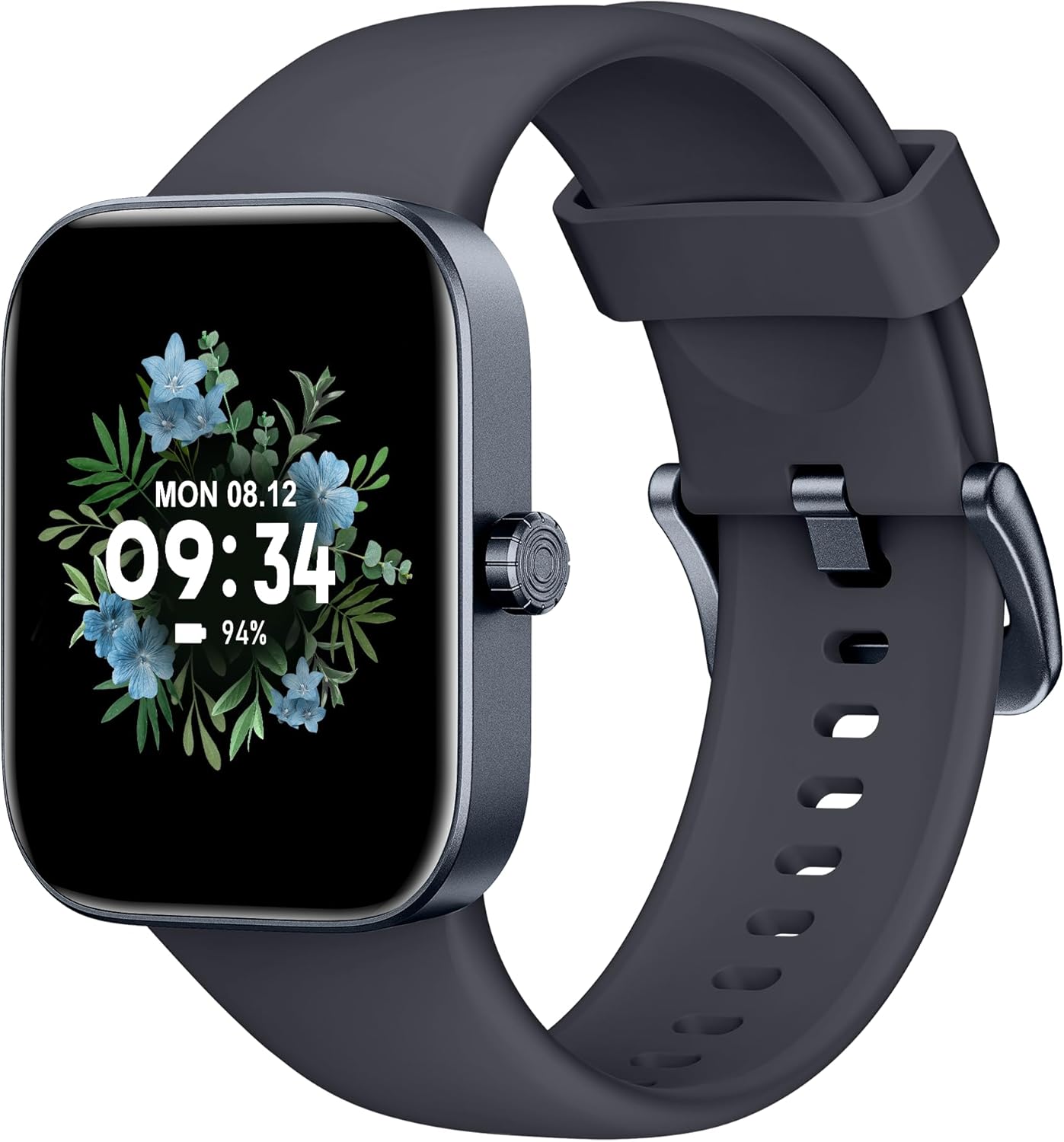
앞쪽 view of the ASWEE P4 Smart Watch, displaying time and date with a floral background.
설정
장치 충전하기
The ASWEE P4 Smart Watch comes with a magnetic charging cable. Align the magnetic end of the cable with the charging contacts on the back of the watch. The watch will indicate when it is charging. A full charge typically takes approximately 2 hours and provides up to 7 days of active use or 15 days on standby.

Illustration showing the magnetic charging cable connected to the back of the ASWEE P4 Smart Watch, highlighting battery life indicators.
앱 설치 및 페어링
To utilize all features of your ASWEE P4 Smart Watch, you need to download and install the "FitPro" application on your smartphone. Scan the QR code provided in the watch's packaging or search for "FitPro" in your device's app store.
아이폰과 페어링
Follow these steps to pair your watch with an iPhone:
- iPhone에서 Bluetooth가 활성화되어 있는지 확인하십시오.
- Open the "FitPro" app.
- Navigate to "Setting" and then "Bind device".
- Select your watch (e.g., KM13Pro) from the scan results.
- Confirm the pairing request by clicking "Pair" and then "Allow" for notifications.
- Go to your iPhone's Bluetooth settings and connect to "KM13Pro Audio" for call functionality.
Video tutorial demonstrating how to bind the ASWEE P4 Smart Watch to an iPhone and how to unbind it.
Pairing with Android Phone
Follow these steps to pair your watch with an Android phone:
- Android 휴대폰에서 Bluetooth가 활성화되어 있는지 확인하세요.
- Open the "FitPro" app.
- Navigate to "Set" and then "Bind device".
- Select your watch (e.g., KM13Pro) from the scan results.
- Confirm the pairing request by clicking "Pair".
Video tutorial demonstrating how to bind the ASWEE P4 Smart Watch to an Android phone and how to unbind it.
작동 지침
기본 탐색
The watch features a touch-sensitive screen for navigation. Swipe left/right or up/down to access different functions and menus. The side button typically serves as a home or back button.
Call and Text Functionality
With its built-in speaker and microphone, the ASWEE P4 allows you to answer/dial calls directly from your wrist when connected via Bluetooth. You can also receive SMS text and SNS messages (Facebook, Twitter, WhatsApp, etc.) with vibration alerts.

Image showing the ASWEE P4 Smart Watch on a wrist, with notification icons for various messaging apps, indicating Bluetooth 5.0 connectivity for calls and texts.
건강 추적
이 스마트워치는 종합적인 건강 모니터링 기능을 제공합니다.
- 심박수: 24-hour tracking with a high-precision PPG sensor. Stores 7 days of resting heart rate data.
- 혈중 산소: Measures SpO2 levels using a reflective-light based sensor.
- 수면 모니터링: Tracks sleep quality through Awake, Light, and Deep sleep stages, helping to improve sleep duration and quality.
- 스트레스 모니터링: 스트레스 수준에 대한 통찰력을 제공합니다.

Image illustrating the ASWEE P4 Smart Watch's 24-hour data tracking capabilities, including heart rate, stress level, and blood oxygen monitoring.

Image depicting the ASWEE P4 Smart Watch's sleep health assistant feature, showing sleep duration and patterns.
피트니스 모드
The ASWEE P4 supports multiple workout modes, including running, bike riding, basketball, and tennis. It accurately monitors data points like heart rate, time, and calories burned to enhance workout efficiency.

이미지 표시casing the ASWEE P4 Smart Watch's various sports modes, including running, bike riding, basketball, and jumping jack, with activity data like steps, distance, and calories.
사용자 정의
Choose from over 100 stylish watch faces or create your own using photos from your phone gallery.
유지
청소
시계와 스트랩을 부드러운 천으로 정기적으로 닦아주세요.amp 옷감. 가혹한 화학 물질이나 연마재를 사용하지 마십시오.
저장
시계를 사용하지 않을 때는 서늘하고 건조한 곳에 보관하세요.
문제 해결
시계가 켜지지 않음
- 시계가 완전히 충전되었는지 확인하세요. 충전 케이블과 전원에 최소 30분 동안 연결해 두세요.
페어링 문제
- 휴대폰에서 블루투스가 켜져 있고 시계가 블루투스 범위 내에 있는지 확인하세요.
- 휴대폰과 시계를 모두 다시 시작하세요.
- If previously paired, try "forgetting" the device in your phone's Bluetooth settings and re-pairing through the FitPro app.
- Ensure the FitPro app has necessary permissions (Bluetooth, location).
부정확한 건강 데이터
- 시계를 손목에 꼭 맞게 착용하세요. 너무 꽉 조이거나 너무 느슨하지 않도록 하세요.
- 시계 뒷면의 센서를 청소하세요.
- 환경적 요인과 개인의 생리적 특성이 측정 결과에 영향을 미칠 수 있습니다.
알림이 나타나지 않음
- Check app permissions for FitPro to ensure it can access notifications.
- Verify that notification push settings are enabled within the FitPro app for desired applications.
- 시계가 Bluetooth를 통해 휴대폰에 연결되어 있는지 확인하세요.
명세서
| 특징 | 세부 사항 |
|---|---|
| 모델명 | P4 |
| 상표 | ASWEE |
| 화면 크기 | 1.85 인치 |
| 디스플레이 기술 | TFT-LCD |
| 해결 | 240 x 280 PPI |
| 운영 체제 | 웨어 OS |
| 연결성 | 블루투스 5.3 |
| 방수성 | IP68, 5 ATM |
| 배터리 수명(일반 사용) | 최대 7일 |
| 대기 시간 | 최대 15일 |
| 충전 시간 | 약 2시간 |
| 특별 기능 | Fitness Tracker, Sleep Monitor, Reminders, Multimedia control, Answer/Dial Call, Heart Rate Monitor, Blood Oxygen Monitor, Stress Monitor |
| 품목 무게 | 2.89 온스 |
참고: 사양은 사전 통지 없이 변경될 수 있습니다.
보증 및 지원
For warranty information and technical support, please refer to the official ASWEE web해당 사이트를 방문하거나 고객 서비스에 문의하세요. 구매 증빙 자료로 구매 영수증을 보관하세요.