
소개
Thank you for choosing the deli 4V Cordless Electric Screwdriver. This powerful and versatile tool is designed for various tasks, including light fixtures, home furnishings, electronics, and general repairs. Featuring a 3.6V rechargeable battery with a 1500mAh capacity, USB-C charging, and a high 5 N.m torque, this screwdriver offers efficiency and convenience for everyday use. This manual provides essential information for safe operation, setup, maintenance, and troubleshooting. Please read it thoroughly before using the product.
안전 지침
화재, 감전, 신체 상해의 위험을 줄이려면 전동 공구를 사용할 때 항상 기본적인 안전 예방 조치를 따르세요.
- 작업 공간을 깨끗하게 유지하세요: 어수선한 영역은 부상을 유발합니다.
- 위험한 환경을 피하십시오: 전동공구를 사용하지 마십시오amp 젖은 장소 또는 비에 노출시키십시오. 작업 영역을 밝게 유지하십시오.
- 어린이의 접근을 차단하세요: 모든 방문자는 작업 영역에서 안전한 거리를 유지해야 합니다.
- 적절한 옷차림: Do not wear loose clothing or jewelry. They can be caught in moving parts. Wear non-slip footwear. Wear hair covering to contain long hair.
- 눈 보호 장비 착용: 항상 안전 안경을 착용하세요.
- 안전한 작업: cl을 사용하세요amps or a vise to hold work when practical. It's safer than using your hand and frees both hands to operate the tool.
- 지나치지 마십시오: 언제나 적절한 발판과 균형을 유지하세요.
- 도구를 주의해서 관리하세요: 더 좋고 안전한 성능을 위해 도구를 날카롭고 깨끗하게 유지하십시오. 부속품 윤활 및 교체 지침을 따르십시오.
- 연결 해제 도구: Disconnect the tool from the power source before servicing, when changing accessories, or when not in use.
- 우발적인 시작을 방지하세요: 플러그를 꽂기 전에 스위치가 꺼져 있는지 확인하세요.
- 손상된 부품 확인: 공구를 추가로 사용하기 전에 손상된 보호대 또는 기타 부품이 제대로 작동하고 의도한 기능을 수행하는지 신중하게 확인해야 합니다.
- 올바른 액세서리를 사용하십시오. Do not use accessories not specifically designed for this tool.
- Never Force the Tool: 설계된 속도로 작업을 더 잘 수행하고 더 안전하게 수행할 것입니다.
패키지 내용
아래 나열된 모든 품목이 패키지에 포함되어 있는지 확인하세요. 품목이 누락되었거나 손상된 경우 고객 지원팀에 문의하세요.
- deli 5 N.m Power Screwdriver (Model EDL-DP04-E3B1)
- 10x S2 Alloy Steel Bits
- 1x 60mm Magnetic Extension Rod
- 1x USB-A to USB-C 충전 케이블
- 1x 사용자 설명서
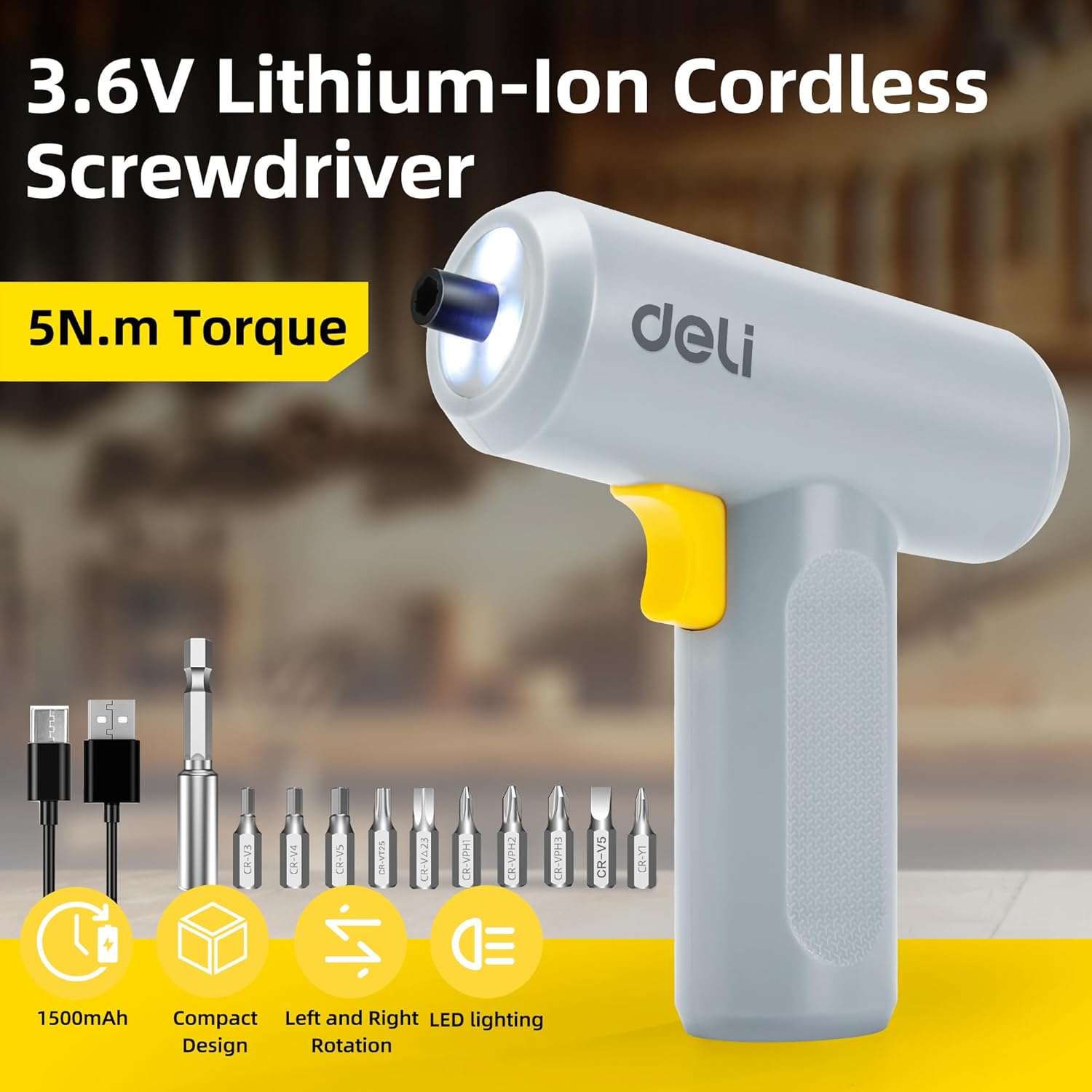
Image: The deli electric screwdriver shown with its complete set of accessories, including the 10 S2 steel bits, magnetic extension rod, and USB-C charging cable.
제품 끝view
Familiarize yourself with the components and features of your deli electric screwdriver.

Image: A detailed diagram highlighting the key components of the deli electric screwdriver, including the magnetic chuck, circular LED light, two-way start button, 1500mAh battery, USB-C fast charging port, and its ergonomic design.
- Magnetic Chuck: 드라이버 비트를 안전하게 고정합니다.
- Circular LED Light: Illuminates the work area, especially useful in narrow or dimly lit spaces.
- Two-Way Start Button: Allows for easy forward and reverse rotation with a single control.
- 1500mAh 배터리: High-capacity lithium-ion battery for extended use.
- USB-C Fast Charging Port: 편리하고 현대적인 충전 인터페이스.
- Ergonomic and Minimalist Design: Provides a comfortable and secure grip for safe operation.
설정
1. Charging the Screwdriver
Before first use, fully charge the screwdriver's internal battery.
- Locate the USB-C charging port on the bottom of the screwdriver handle.
- 제공된 USB-A - USB-C 충전 케이블을 드라이버에 연결합니다.
- Plug the USB-A end of the cable into a compatible USB power adapter (not included), computer USB port, or power bank.
- The charging indicator light (if present, typically near the charging port) will illuminate to show charging status. Refer to the indicator behavior for full charge status.
- A full charge can power the screwdriver to drive approximately 300 screws.
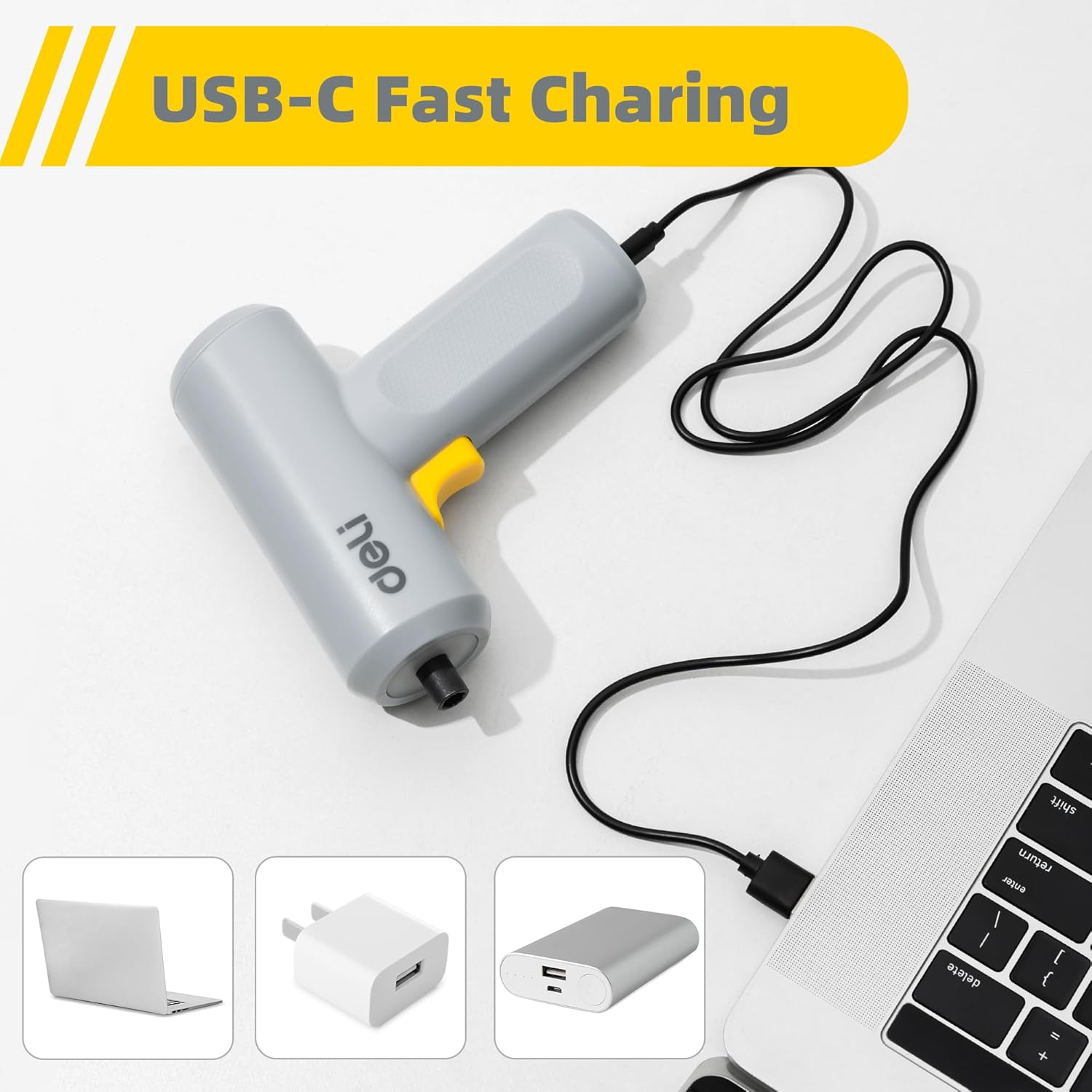
Image: The deli electric screwdriver being charged via its USB-C port, demonstrating its compatibility with various USB power sources such as laptops, wall adapters, and power banks.

이미지: 예시 view of the screwdriver's internal battery, highlighting its 1500mAh capacity and the capability to drive up to 300 screws per charge.
2. 드라이버 비트 설치
The screwdriver uses a magnetic chuck for quick and secure bit changes.
- Select the appropriate S2 alloy steel bit for your task from the included set.
- Insert the hex end of the bit directly into the magnetic chuck at the front of the screwdriver. The magnetic chuck will hold the bit firmly in place.
- For hard-to-reach areas, first insert the selected bit into the 60mm magnetic extension rod, then insert the extension rod into the screwdriver's magnetic chuck.
- 조금 제거하려면 척에서 똑바로 잡아당기면 됩니다.

Image: The deli electric screwdriver positioned next to its assortment of S2 steel bits and the extension rod, illustrating the circular LED light at the front.
작동 지침
1. Powering On and Direction Control
The screwdriver features an innovative two-way start button for intuitive operation.
- To drive screws (forward rotation), press the "R" (Right/Forward) side of the two-way button.
- To remove screws (reverse rotation), press the "L" (Left/Reverse) side of the two-way button.
- 드라이버를 멈추려면 버튼을 놓으세요.

이미지: 클로즈업 view of the screwdriver's yellow two-way start button, clearly marked with 'L' for reverse and 'R' for forward rotation.
2. LED 조명 사용
The screwdriver is equipped with a circular LED light that automatically illuminates when the screwdriver is in operation.
- The three LEDs form a ring light strip around the chuck, providing clear visibility of your work area.
- This feature is particularly useful when working in dimly lit conditions or in confined spaces.
Image: The deli electric screwdriver with its circular LED light activated, illustrating how it illuminates the work area, especially in tight or dark spots.
유지
- 청소: Regularly wipe the screwdriver body with a soft, dry cloth. Do not use harsh chemicals or abrasive cleaners. Ensure no liquids enter the tool.
- 비트 케어: Keep the S2 steel bits clean and free from debris. Store them in a dry place to prevent rust. Replace worn or damaged bits to ensure optimal performance and prevent damage to screw heads.
- 배터리 보관: If storing the screwdriver for an extended period, ensure the battery is partially charged (around 50%) and store it in a cool, dry place. Avoid storing it in extreme temperatures. Recharge periodically to maintain battery health.
- 일반 검사: Periodically check the screwdriver for any signs of damage, loose parts, or wear. Do not operate a damaged tool.
문제 해결
| 문제 | 가능한 원인 | 해결책 |
|---|---|---|
| 드라이버가 켜지지 않습니다. | 배터리가 소진되었습니다. | 제공된 USB-C 케이블을 사용하여 드라이버를 충전하세요. |
| 드라이버에 전원이 공급되지 않거나 사용 중에 멈춥니다. | 배터리 충전량이 적습니다. | 배터리를 완전히 충전하세요. |
| Bit slips in the chuck. | 비트가 완전히 삽입되지 않았거나 척이 더럽습니다. | Ensure the bit is fully inserted. Clean the magnetic chuck if necessary. |
| Screws are stripped or damaged. | Incorrect bit size or excessive force. | Use the correct bit size for the screw head. Apply appropriate pressure and avoid over-tightening. |
| LED 조명이 켜지지 않습니다. | Screwdriver not operating or malfunction. | Ensure the screwdriver is powered on. If the issue persists, contact customer support. |
명세서
| 특징 | 사양 |
|---|---|
| 상표 | 총알 |
| 모델 번호 | EDL-DP04-E3B1 |
| 권tage | 4볼트(DC) |
| 배터리 유형 | 리튬 이온 |
| 배터리 용량 | 1500mAh |
| 최대 토크 | 5 Newton Meters (N.m) |
| 무부하 속도 | 250 RPM |
| 척 사이즈 | 0.25 Inches (Hex) |
| 충전 포트 | USB-C |
| 재료 | 아크릴로니트릴 부타디엔 스티렌(ABS), 합금강 |
| 포함된 구성 요소 | 10 S2 Steel Bits, Magnetic Extension Rod, USB-A to USB-C Charging Cable |
보증 및 지원
보증 정보 또는 기술 지원이 필요하시면 제품에 동봉된 보증 카드를 참조하시거나 제조사에 직접 문의하십시오. 구매 영수증은 구매 증빙 자료로 보관해 주시기 바랍니다.
Manufacturer: deli
For further assistance, you may visit the official deli store online: deli Official Store