
소개
This manual provides detailed instructions for the setup, operation, maintenance, and troubleshooting of your ZTE MC888 Ultra 5G Router. The MC888 Ultra is a high-performance 5G router designed to deliver fast and reliable internet connectivity. It supports download speeds up to 3.8 Gbps and upload speeds up to 280 Mbps, features dual Gigabit LAN/WAN ports, and includes an RJ11 port for voice calls via VoIP, VoLTE, or VoNR.
안전 정보
- 장치를 사용하기 전에 모든 지침을 주의 깊게 읽으십시오.
- Do not open or modify the device. Unauthorized modifications can void your warranty and create safety hazards.
- Use only the power adapter and accessories supplied with the router.
- 장치를 물, 습기 및 극한의 온도로부터 멀리 두십시오.
- 과열을 방지하려면 라우터 주변의 적절한 환기를 확보하세요.
- 라우터를 강한 전자기장이 발생하는 곳 근처에 두지 마십시오.
패키지 내용
패키지에 모든 품목이 들어 있는지 확인하세요.
- ZTE MC888 울트라 5G 라우터
- 전원 어댑터
- 이더넷 케이블
- 빠른 시작 가이드(이 설명서에는 포함되지 않음)
장치 오버view
Familiarize yourself with the ports and indicators on your ZTE MC888 Ultra 5G Router.
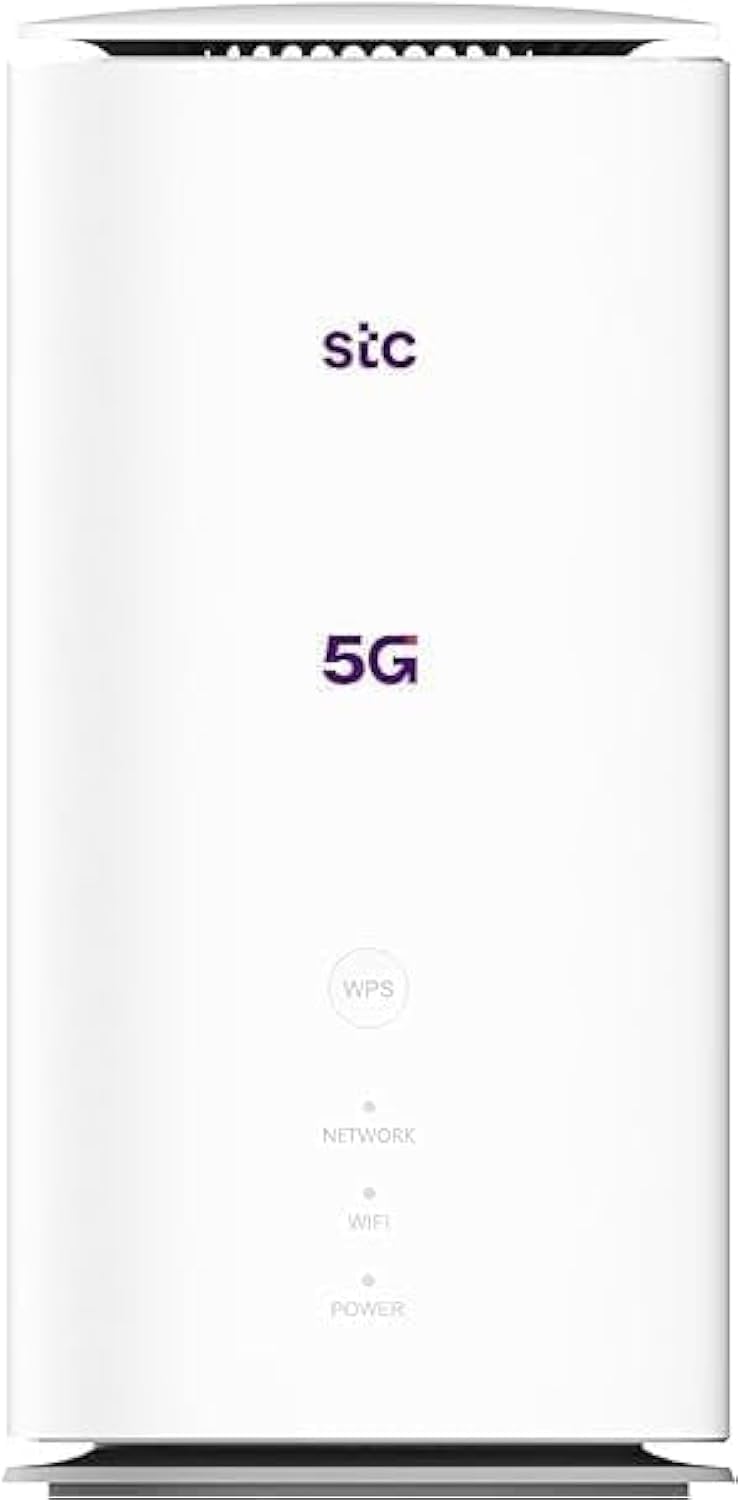
이미지: 앞면과 뒷면 view of the ZTE MC888 Ultra 5G Router, showing LED indicators, SIM card slot, power port, LAN/WAN ports, and RJ11 port.
전면 패널 표시기 :
- 전원 LED: 전원 상태를 나타냅니다.
- 네트워크 LED: 5G/4G 네트워크 연결 상태를 나타냅니다.
- 와이파이 LED: Wi-Fi 활동을 나타냅니다.
후면 패널 포트:
- 전원 포트: 전원 어댑터에 연결합니다.
- LAN/WAN Ports (x2): Gigabit Ethernet ports for wired connections or WAN input.
- RJ11 포트 : For connecting a telephone for VoIP, VoLTE, or VoNR calls.
- SIM 카드 슬롯: 5G/4G 유심 카드를 삽입하세요.
- 재설정 버튼: 공장 기본 설정을 복원하는 데 사용됩니다.
설정
1. SIM 카드 삽입
- 라우터의 전원이 꺼져 있는지 확인하십시오.
- 후면 패널에서 SIM 카드 슬롯을 찾으세요.
- 표준 나노 SIM 카드를 금색 접촉면이 아래쪽을 향하고 홈이 있는 모서리가 올바른 방향으로 오도록 슬롯에 삽입하십시오. 딸깍 소리가 나면서 제자리에 고정될 때까지 밀어 넣으십시오.
2. 전원 연결
- Connect the supplied power adapter to the router's power port.
- 전원 어댑터의 다른 쪽 끝을 벽면 콘센트에 꽂습니다.
3. 전원 켜기
- The router will automatically power on. Wait for the Power LED to turn solid, and the Network LED to indicate a stable 5G/4G connection. This may take a few minutes.
4. 장치 연결
- Wi-Fi 연결: Find the Wi-Fi network name (SSID) and password printed on the label at the bottom of the router. Select this network on your device (smartphone, laptop, etc.) and enter the password.
- 이더넷 연결: Use the provided Ethernet cable to connect your computer or other network device to one of the LAN/WAN ports on the router.
운영
접근하기 Web 인터페이스
- 열기 web 라우터에 연결된 장치의 브라우저.
- Enter the router's default IP address (e.g., 192.168.0.1 or 192.168.1.1) into the address bar and press Enter. The exact IP address is usually found on the router's label.
- 로그인하려면 기본 사용자 이름과 비밀번호(라우터 라벨에도 나와 있음)를 입력하세요.
Wi-Fi 설정 변경
에서 web interface, navigate to the Wi-Fi settings section to change your SSID, password, security type, or enable/disable guest networks.
RJ11 Voice Call Functionality
The RJ11 port allows you to connect a standard analog telephone. You can manage sending and receiving calls via a configured VoIP account, or through VoLTE or VoNR, depending on your mobile operator's compatibility and SIM card support. Refer to your service provider for specific setup details.
액세스 포인트 모드
The router supports Access Point (AP) mode, allowing it to extend an existing wired network wirelessly. This feature can be configured through the web interface under network settings.
유지
펌웨어 업데이트
라우터를 주기적으로 점검하세요 web interface for available firmware updates. Keeping your firmware up-to-date ensures optimal performance, security, and access to new features. Follow the on-screen instructions for safe updating.
청소
Clean the router with a soft, dry cloth. Do not use liquid cleaners or aerosols. Ensure the device is powered off before cleaning.
공장 초기화
If you experience persistent issues or forget your login credentials, you can perform a factory reset. With the router powered on, use a pin to press and hold the Reset button on the rear panel for approximately 5-10 seconds until the indicators flash. The router will restart with default settings.
문제 해결
- 인터넷에 연결되지 않음: Check the Network LED. If it's off or red, ensure the SIM card is correctly inserted and has an active data plan. Try restarting the router.
- 느린 Wi-Fi 속도: Ensure your devices are within range. Reduce interference from other electronic devices. Try changing the Wi-Fi channel in the web 인터페이스.
- 접근할 수 없습니다 Web 인터페이스: Verify your device is connected to the router via Wi-Fi or Ethernet. Double-check the IP address and login credentials. Try clearing your browser's cache.
- Wi-Fi 연결 끊김: Update router firmware. Ensure the router is placed in a central location. Check for conflicting Wi-Fi networks.
명세서
| 상표 | 중국(中国) |
| 모델명 | MC888 울트라 |
| 모델 번호 | MC888 ULTRA |
| 연결 기술 | Wi-Fi, 5G/4G Cellular |
| 무선 표준 | 802.11ac |
| 주파수 대역 클래스 | 듀얼 밴드 |
| 최대 다운로드 속도 | 3.8Gbps |
| 최대 업로드 속도 | 280Mbps |
| LAN 포트 대역폭 | 1000Mbps(기가비트) |
| 포트 수 | 2 x Gigabit LAN/WAN, 1 x RJ11 |
| 안테나 유형 | 내부 |
| 보안 프로토콜 | 뉴스 |
| 특별 기능 | Access Point Mode, RJ11 for VoIP/VoLTE/VoNR |
| 숫양 | 4GB (XNUMX기가바이트) |
| 호환 장치 | PC, Laptop, Smartphone, Tablet, Gaming Console, Smart TV, Surveillance Camera, Printer, Ethernet-enabled devices |
| 포함된 구성 요소 | Router, Ethernet Cable, Charger |
보증 및 지원
보증 정보
The ZTE MC888 Ultra 5G Router comes with a 2-year agent warranty. Please retain your proof of purchase for warranty claims. The warranty covers manufacturing defects and malfunctions under normal use. It does not cover damage caused by misuse, accidents, unauthorized repairs, or acts of nature.
고객 지원
For technical assistance, warranty service, or further inquiries, please contact your local ZTE authorized service center or the retailer from whom you purchased the product. You may also visit the official ZTE web지원 리소스와 FAQ를 제공하는 사이트입니다.


