
1. 서론
This user manual provides detailed instructions for the assembly, operation, and maintenance of your FLEXISPOT Lite Electric Standing Desk. Please read this manual thoroughly before installation and use to ensure proper function and safety. Keep this manual for future reference.
2. 중요한 안전 정보
이러한 안전 지침을 따르지 않을 경우 부상이나 제품 손상이 발생할 수 있습니다.
- The desk has a maximum load capacity of 70kg(154파운드). 이 중량 제한을 초과하지 마십시오.
- 조립은 반드시 어른이 하셔야 합니다.
- 사용하기 전에 모든 나사와 볼트가 단단히 조여졌는지 확인하십시오.
- 작동 중에는 움직이는 부품으로 인한 부상을 방지하기 위해 어린이와 애완동물이 책상에 가까이 가지 않도록 하십시오.
- Do not place hands or other objects near the lifting mechanism while the desk is in motion.
- 청소나 유지관리 작업을 하기 전에 전원을 차단하세요.
- 책상에 제공된 전원 어댑터만 사용하십시오.
- 제어판이나 모터 부품에 액체를 쏟지 않도록 하십시오.
3. 제품 오버view 및 기능
The FLEXISPOT Lite Electric Standing Desk is designed to promote a healthy work environment by allowing seamless transitions between sitting and standing positions. It features a robust motor, memory presets, and an anti-collision system.

Figure 3.1: FLEXISPOT Lite Electric Standing Desk setup with accessories.
주요 특징:
- 인체공학적 디자인: Facilitates alternating between sitting and standing to reduce physical strain.
- Quiet and Durable Motor: Operates at less than 50 dB, ensuring a quiet workspace.
- Electric Height Adjustment with Memory: Easily adjust height with a control panel and save up to four preferred height settings.
- 견고한 구조: Steel frame with a T-foot design provides stability and supports up to 70 kg.
- 넓은 데스크탑: 140x60 cm maple tabletop with rounded corners and integrated wire holes.
- Anti-Collision Rebound Function: 주행 중 장애물이 감지되면 자동으로 정지하고 후진합니다.
- 통합 액세서리: Includes two hooks and a cup holder for convenience.
4. 설치 및 조립
This section outlines the general steps for assembling your FLEXISPOT Lite Electric Standing Desk. Refer to the separate assembly guide included in your package for detailed, step-by-step instructions and diagrams.
4.1 풀기
- 포장을 조심스럽게 열고 모든 구성품을 꺼내세요.
- Place all parts on a clean, flat, and soft surface (e.g., a carpet) to prevent scratches.
- 조립 가이드에 나열된 모든 부품이 있는지 확인하세요.
4.2 구성 요소 식별
주요 구성 요소를 숙지하세요:
- 데스크톱 섹션
- Leg columns (lifting columns)
- 발 지지대
- 제어 상자
- 제어판
- 전원 어댑터 및 케이블
- Hardware (screws, bolts, tools)
- Accessories (hooks, cup holder)
4.3 조립 단계(일반)
- 리프팅 기둥을 데스크탑 프레임에 부착하세요.
- 발 지지대를 리프팅 기둥 하단에 고정하십시오.
- Mount the control box and control panel to the underside of the desktop.
- Connect all cables from the motors to the control box, and then connect the power adapter.
- Attach the desktop sections together (if applicable) and secure them to the frame.
- Install the cup holder and hooks as desired.
Note: Refer to the detailed assembly manual for specific screw types, torque requirements, and visual aids for each step.
5. 책상 조작
This section explains how to use the control panel to adjust your desk height and utilize its features.

Figure 5.1: Smart Control Panel.
5.1 제어판 기능
- LED 디스플레이: 현재 책상 높이를 센티미터 단위로 표시합니다.
- 위/아래 버튼(▲ / ▼): 길게 누르면 책상 높이가 위아래로 연속적으로 조절됩니다. 원하는 높이에서 멈추려면 버튼에서 손을 떼세요.
- Sit/Stand Button (i): This button may function as a quick switch between a default sitting and standing height, or as a general indicator. Refer to your specific control panel model for exact functionality.
- Memory Preset Buttons (1, 2, 3, 4): 이 버튼들을 사용하면 선호하는 높이 설정을 최대 4개까지 저장하고 불러올 수 있습니다.
5.2 메모리 사전 설정
- 위/아래 버튼을 사용하여 책상 높이를 원하는 대로 조절하세요.
- Press the 'M' or 'Set' button (if available, otherwise proceed to step 3). The display may flash.
- Immediately press one of the number buttons (1, 2, 3, or 4) to save the current height to that preset. The display will show 'S-' followed by the number, confirming the setting.
5.3 Recalling Memory Presets
Simply press the desired number button (1, 2, 3, or 4). The desk will automatically move to the saved height.
5.4 Anti-Collision Rebound Function
The desk is equipped with an anti-collision system. If the desk encounters an obstruction while moving up or down, it will automatically stop and reverse slightly to prevent damage or injury.
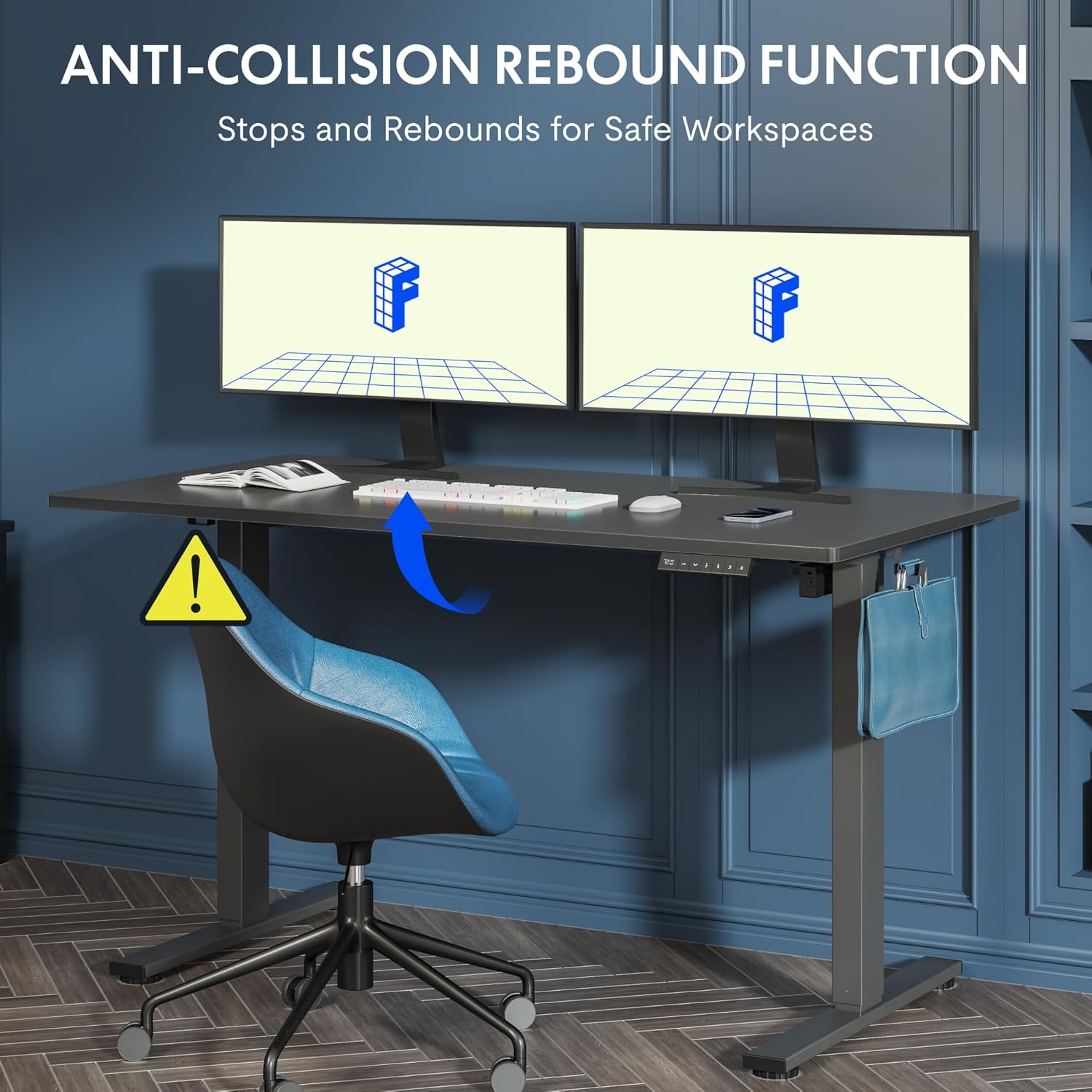
Figure 5.2: Anti-Collision Rebound Function in action.
6. 유지관리 및 관리
정기적인 유지관리를 통해 스탠딩 데스크의 수명과 최적의 성능을 보장할 수 있습니다.
- 청소: 데스크탑과 프레임은 부드러운 천으로 닦아주세요.amp 천으로 닦으세요. 연마성 세제나 강한 화학 물질은 피하세요.
- 점검: 모든 나사와 볼트가 단단히 조여져 있는지 정기적으로 점검하세요. 필요하면 다시 조이세요.
- 케이블 관리 : Ensure all cables are neatly routed and not pinched or tangled, which could affect operation.
- 하중 용량: Do not overload the desk beyond its 70 kg capacity.
7. 문제 해결 가이드
책상에 문제가 발생하면 다음의 일반적인 문제와 해결 방법을 참조하세요.
| 문제 | 가능한 원인 | 해결책 |
|---|---|---|
| 책상이 움직이지 않고 제어에 반응하지 않습니다. | Power cable disconnected; control box cable loose; motor cable loose. | Check all cable connections. Ensure the power cable is securely plugged into the wall outlet and the control box. |
| 책상이 고르지 않게 움직이거나 이상한 소리가 납니다. | Overload; loose screws; obstruction. | Reduce weight on the desk. Check and tighten all assembly screws. Ensure no obstructions are in the path of the lifting columns. |
| Desk stops moving unexpectedly. | Anti-collision system activated; motor overheating. | Check for obstructions and remove them. If no obstruction, allow the motor to cool down for 20 minutes before attempting operation again. |
| 제어판에 오류 코드가 표시되었습니다. | 특정 시스템 오류. | Refer to the detailed assembly manual for specific error code meanings and troubleshooting steps. If the issue persists, contact customer support. |
8. 기술 사양

Figure 8.1: Desk Dimensions and Performance Metrics.
| 사양 | 세부 사항 |
|---|---|
| 상표 | 플렉스팟 |
| 모델 번호 | QS1M-1460-IE |
| 색상 | 흰색 프레임 + 단풍나무 상판 |
| 데스크탑 크기 (길이 x 너비) | 140cm x 60cm |
| 높이 조절 범위 | 73.5cm - 118cm |
| 재료 | Wood (Maple Top), Metal (Alloy Steel Frame) |
| 최대 하중 용량 | 70kg |
| 품목 무게 | 26.9kg |
| 소음 수준 | < 50dB (데시벨) |
| 조정 속도 | 20mm/초 |
| 특별 기능 | Ergonomic, Adjustable, Anti-Collision, Memory Presets |
9. 보증 및 고객 지원
For warranty information, specific troubleshooting not covered in this manual, or to purchase replacement parts, please contact FLEXISPOT customer support directly. Refer to the product packaging or the official FLEXISPOT web연락처 정보 사이트.