
Ctronics 710C-4K
Ctronics 4K 실내 감시 카메라
Model: 710C-4K
제품 끝view
The Ctronics 710C-4K Indoor Surveillance Camera is a comprehensive solution designed to enhance your home security and capture important moments with exceptional clarity. Featuring advanced 4K recording capabilities, this camera ensures every detail is precisely captured, day or night. It integrates smart AI tracking, real-time object detection, and flexible storage options to provide reliable and convenient monitoring.

Image: The Ctronics 4K Indoor Surveillance Camera, showcasing its sleek design and the clarity of its 4K resolution, with a live view of a child and a dog.
주요 특징
- 4K UHD Starlight Vision: Experience unparalleled clarity with 4K UHD resolution, an F/1.6 aperture, 8 infrared lights, and WDR technology, providing clear images up to 20 meters even in low-light conditions.
- AI Human/Pet/Vehicle Detection & Auto Tracking: Smart AI functions for real-time object detection and automatic tracking of humans, pets, and vehicles, minimizing false alerts and ensuring comprehensive coverage.
- Flexible PTZ Control: Enjoy a wider 120-degree tilt range and 8 preset positions, allowing for complete room coverage without blind spots.
- 듀얼 밴드 Wi-Fi 연결: Reliable 2.4/5 GHz Wi-Fi connection ensures stable streaming and remote access.
- 다양한 저장 옵션: Supports TF cards up to 256GB, cloud storage, NVR, NAS, and ONVIF/FTP protocols for continuous 4K recording.
- Seamless Mobile & PC Management: Control and manage alarms and recordings effortlessly via the Ctronics app on your mobile phone or PC.
- Customizable Alarm Sounds: Personalize alarm sounds to enhance security or serve as a welcoming chime.
패키지 내용
패키지에 모든 품목이 들어 있는지 확인하세요.
- Ctronics 4K Indoor Surveillance Camera (Model: 710C-4K)
- 전원 어댑터
- 장착 나사 및 앵커
- 사용 설명서 (본 문서)

Image: A child holding the Ctronics camera box, indicating the compact packaging of the product.
설치 가이드
1. 물리적 설치
The Ctronics 710C-4K camera offers versatile installation options to suit your needs:
- 탁상 배치: 카메라를 테이블, 선반, 책상과 같은 평평한 표면에 놓기만 하면 됩니다.
- 벽면 장착: Use the provided screws and anchors to securely mount the camera to a wall.
- 천장 장착: The camera can also be inverted and mounted to the ceiling for optimal overhead coverage.
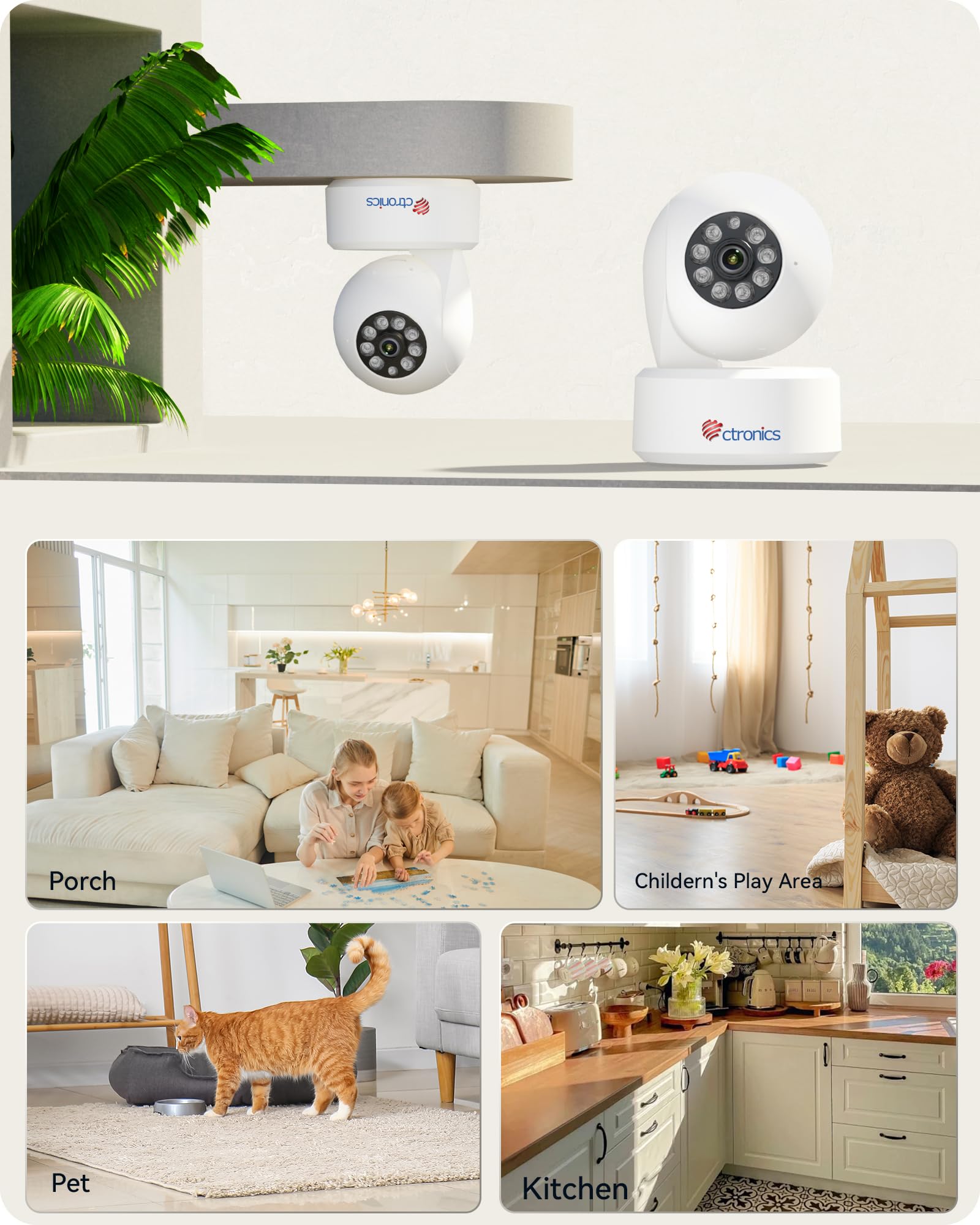
Image: Illustration of the camera's flexible mounting options and common indoor usage scenarios.
2. 전원 연결
제공된 전원 어댑터를 카메라의 전원 입력 포트에 연결한 후 일반 콘센트에 꽂으세요. 카메라 전원이 자동으로 켜집니다.
3. 네트워크 연결
The camera supports dual-band Wi-Fi (2.4 GHz and 5 GHz) for flexible and stable network connectivity. Ensure your Wi-Fi router is within range.
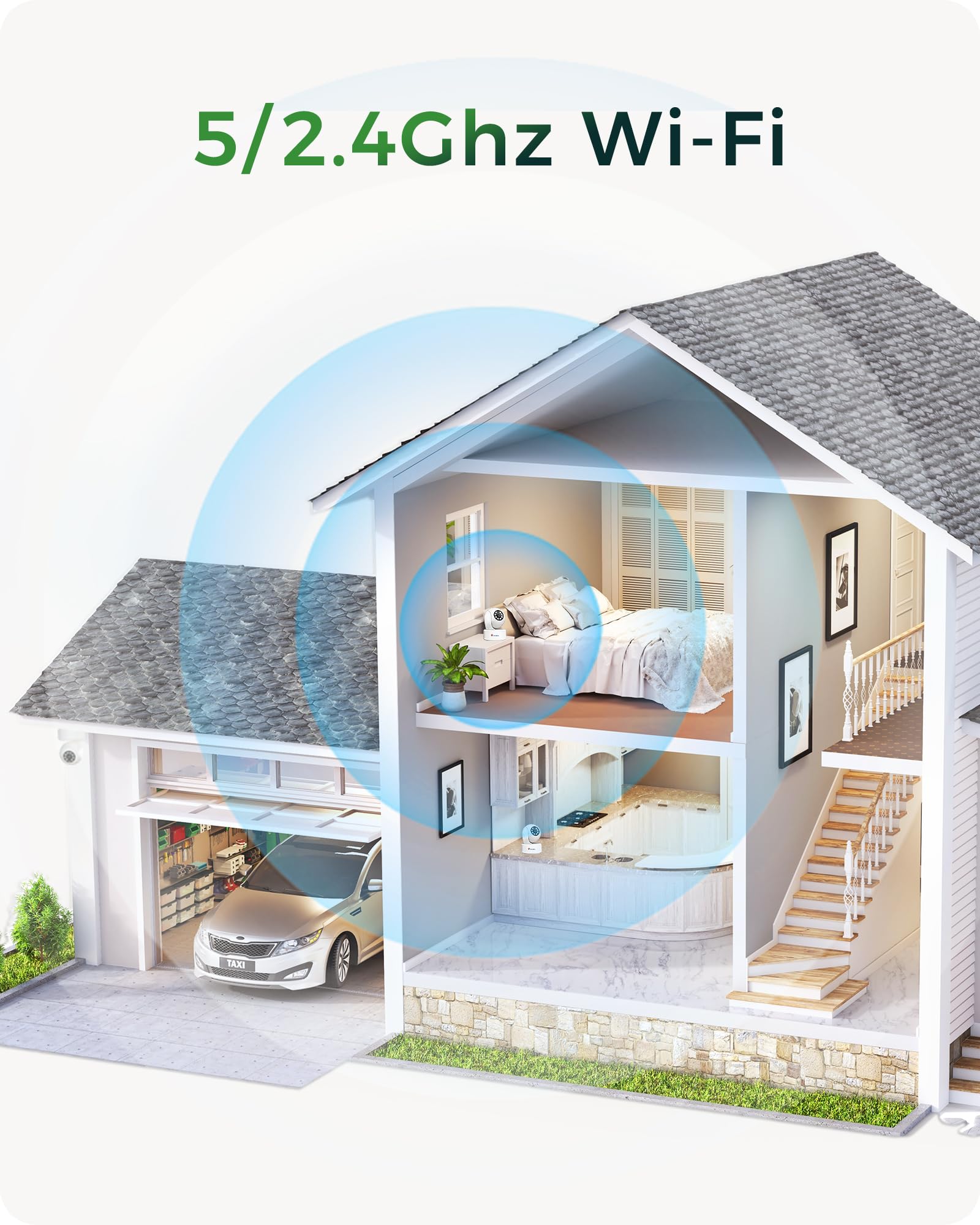
Image: Visual representation of the camera's dual-band Wi-Fi capability providing seamless coverage across a home.
4. 앱 설치 및 초기 설정
Download the 'Ctronics Pro' app or 'HiP2P Client' software on your mobile device (iOS/Android) or PC (Windows). Follow the in-app instructions to add your camera, connect it to your Wi-Fi network, and complete the initial setup. This typically involves scanning a QR code on the camera or entering its device ID.
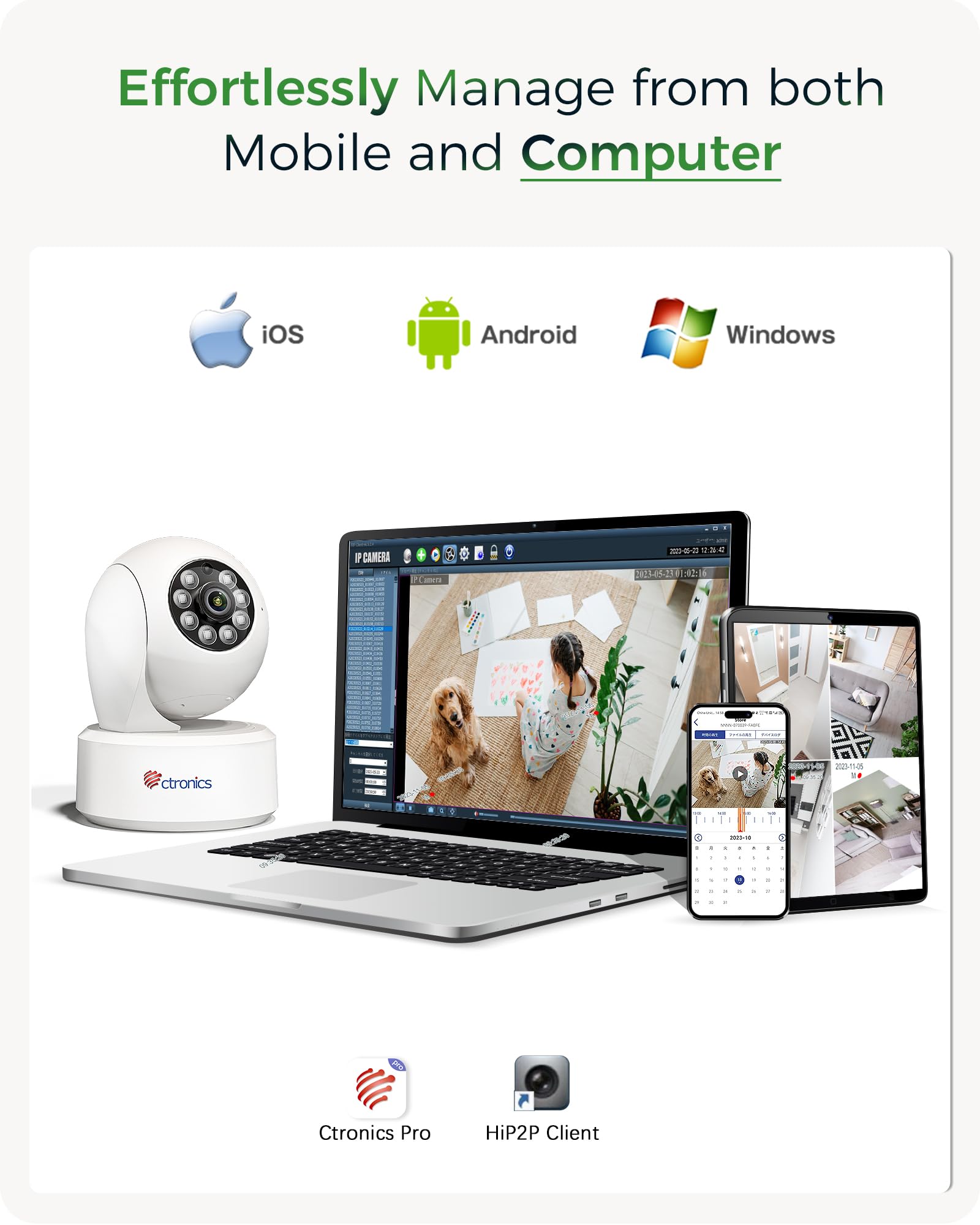
Image: The Ctronics camera can be effortlessly managed from both mobile devices and computers using the dedicated Ctronics Pro or HiP2P Client applications.
카메라 작동하기
1. 라이브 View 및 PTZ 제어
Access the live feed from your camera through the Ctronics app. Use the on-screen controls to pan (horizontal rotation), tilt (vertical movement up to 120 degrees), and zoom the camera lens. You can also set and recall up to 8 preset positions for quick view특정 지역을 대상으로 합니다.

Image: The camera offers an expanded 120-degree tilt range and the ability to set 8 preset positions and customize detection zones for comprehensive monitoring.
2. 녹음 및 저장
The camera supports continuous 4K recording. You have several options for storing your footage:
- TF 카드: Insert a MicroSD (TF) card (up to 256GB) into the camera's slot for local storage.
- 클라우드 스토리지: Subscribe to Ctronics cloud service for secure, off-site storage of your recordings.
- NVR/NAS/FTP: Integrate the camera with your existing Network Video Recorder (NVR), Network Attached Storage (NAS), or FTP server using ONVIF or FTP protocols for 24/7 recording.
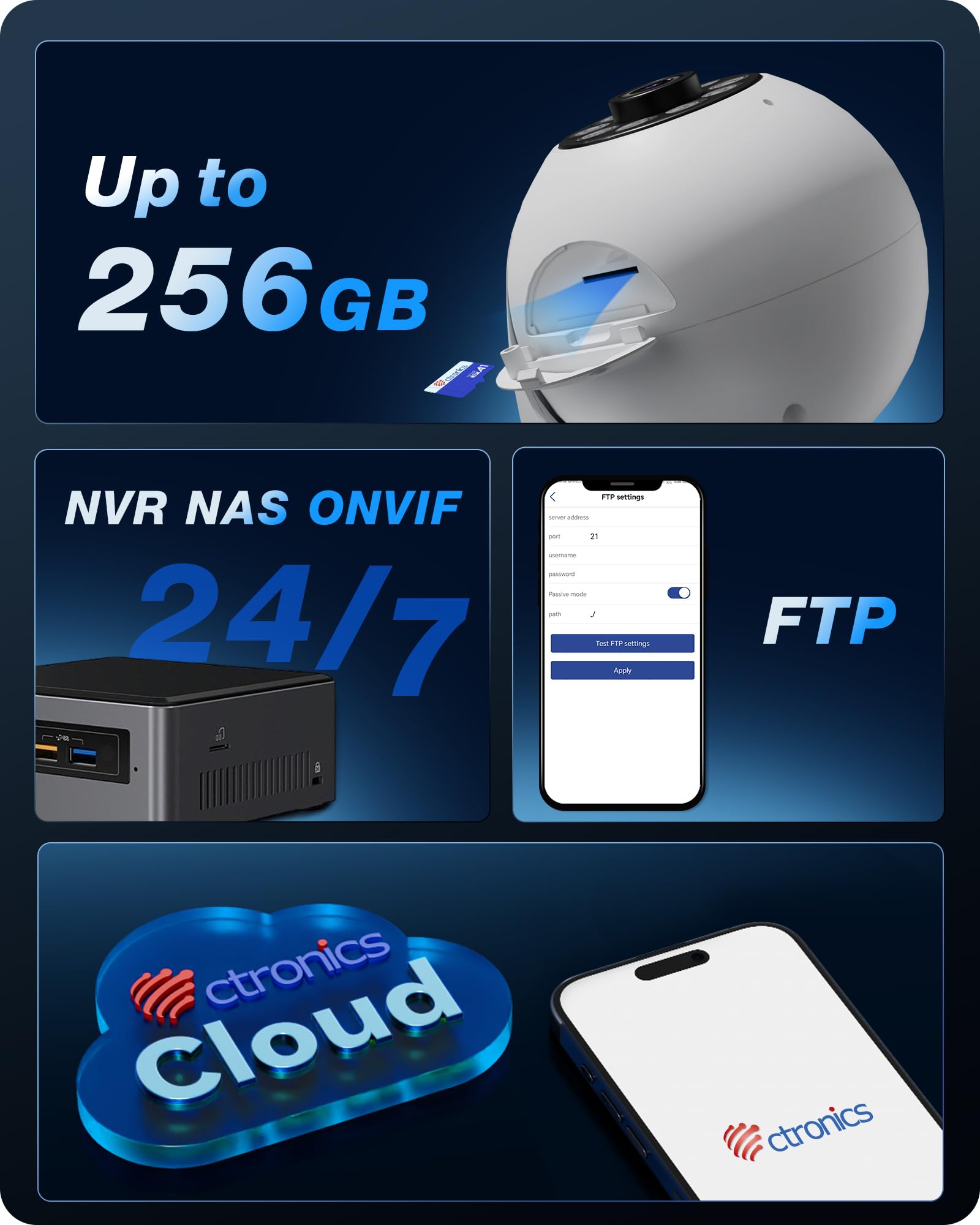
이미지: 이상view of the camera's versatile storage solutions, including local TF card, cloud, and integration with NVR/NAS/FTP systems.
3. Intelligent Detection and Tracking
Enable AI detection features to receive alerts for specific events:
- 인간 탐지: Detects human figures and sends alerts.
- 애완동물 감지: Identifies pets and can trigger specific actions or alerts.
- 차량 감지: Recognizes vehicles within the camera's field of view.
- 자동 추적 : Once a target is detected, the camera can automatically pan and tilt to follow its movement.

이미지: 전amples of the camera's AI-powered detection capabilities for humans, pets, and vehicles, along with its auto-tracking function.

Image: Two dogs next to the Ctronics camera, demonstrating its use for pet monitoring.

Image: A white cat next to the Ctronics camera, highlighting its ability to detect and track pets.

Image: A baby sitting next to the Ctronics camera, illustrating its suitability for baby monitoring.
4. 야간 투시경
The camera is equipped with 8 infrared lights and a 4K UHD Starlight lens, allowing for clear vision up to 20 meters in complete darkness. The F/1.6 aperture and WDR technology further enhance image quality in challenging lighting conditions.

Image: A visual comparison demonstrating the significant clarity improvement of 8MP (4K) resolution over lower megapixel cameras, crucial for detailed night vision.
5. Custom Alarm Sounds
Through the Ctronics app, you can customize the alarm sounds. This feature can be used for security alerts or as a personalized chime to welcome guests.
유지
To ensure optimal performance and longevity of your Ctronics camera, follow these maintenance guidelines:
- 청소: 부드럽고 마른 천으로 카메라 렌즈와 본체를 부드럽게 닦으세요. 강한 화학 물질이나 연마재는 사용하지 마세요.
- 소프트웨어 업데이트: Regularly check for firmware updates through the Ctronics app. Keeping your camera's software up-to-date ensures access to the latest features and security enhancements.
- 전원 주기: If the camera becomes unresponsive, disconnect the power adapter for a few seconds and then reconnect it to perform a power cycle.
문제 해결
If you encounter issues with your Ctronics camera, please refer to the following common solutions:
- 카메라가 Wi-Fi에 연결되지 않음: Ensure the camera is within range of your Wi-Fi router. Verify that you are selecting the correct Wi-Fi band (2.4 GHz or 5 GHz) and entering the correct password. Try restarting your router and the camera.
- 이미지 품질이 좋지 않음: Check if the lens is clean. Ensure there is adequate lighting in the monitored area. For night vision, confirm that the infrared lights are not obstructed.
- 앱 기능 문제: If the mobile app is not performing as expected, ensure it is updated to the latest version. For advanced settings not available in the app, you can access the camera's web IP 주소를 입력하여 인터페이스를 만듭니다. web 브라우저.
- 녹음 안함: Verify that a TF card is properly inserted and formatted, or that your cloud storage subscription is active. For NVR/NAS/FTP, ensure the connection and configuration are correct.
- 잘못된 경고: Adjust the sensitivity settings for motion detection in the app. Utilize the AI detection features (human/pet/vehicle) to filter out irrelevant movements.
추가적인 도움이 필요하시면 Ctronics 고객 지원팀에 문의하십시오.
기술 사양
| 모델명 | 710C-4K |
| 비디오 녹화 해상도 | 4K(3840x2160) |
| 효과적인 비디오 해상도 | 2560 (likely refers to a specific aspect or component resolution, 4K is the overall output) |
| 프레임 속도 | 초당 15프레임 |
| 연결 기술 | Wired, Wi-Fi (2.4 GHz / 5 GHz) |
| 특별 기능 | 4K, PTZ Technology, AI Detection (Human, Pet, Vehicle), Auto Tracking |
| 용법 | Surveillance, 360-degree Coverage, Indoor Security, Baby Monitoring |
| 장착 유형 | Ceiling Mount, Tabletop, Wall Mount |
| 나이트 비전 범위 | 20 미터 |
| View잉 각도 | 80도 |
| 기울기 범위 | 120도 |
| 재료 | 플라스틱 |
| 힘 | 5볼트, 5와트 |
| 치수(길이 x 너비 x 높이) | 10 x 10 x 15cm |
| 무게 | 370그램 |
| 방수 레벨 | 방수가 아닙니다 |
보증 및 지원
Ctronics products are designed for reliability and performance. For any questions, technical support, or warranty claims, please contact Ctronics customer service. Details can typically be found on the Ctronics official web웹사이트 또는 Ctronics 앱 내에서.
고객 재확인에서 언급된 바와 같이views, Ctronics provides excellent support, often assisting with app functionality and web interface access for advanced settings.
Ask a question about this manual
Ask about setup, troubleshooting, compatibility, parts, safety, or missing instructions. Manuals+ will review the question and use this page’s manual context to help answer it.