
소개
구매해주셔서 감사합니다asing the Edifier MG300 Computer Speakers PC SoundBar. This manual provides essential information for setting up, operating, and maintaining your new soundbar. Please read this manual thoroughly before use to ensure proper functionality and to maximize your listening experience.
안전 정보
감전, 화재 또는 기기 손상의 위험을 줄이려면 다음 안전 수칙을 준수하십시오.
- 장치를 비나 습기에 노출시키지 마십시오.
- 기기 위에 꽃병과 같이 액체가 담긴 물건을 올려 놓지 마세요.
- 라디에이터, 난방 조절기, 스토브 또는 기타 장치(다음을 포함)와 같은 열원 근처에 설치하지 마십시오. amp열을 생성하는 발전기.
- 제조사가 지정한 부속품/액세서리만 사용하세요.
- 모든 서비스는 자격을 갖춘 서비스 담당자에게 의뢰하세요.
패키지 내용
다음 항목에 대한 상자를 체크해 주세요.
- Edifier MG300 Soundbar
- USB-A to USB-C 케이블
- 사용자 설명서
제품 끝view
The Edifier MG300 Soundbar features dual 52mm full-range speakers and dual inverter tubes for balanced audio. It includes dynamic RGB lighting effects and a hidden microphone for clear voice communication. Control buttons are located on the top panel for easy access.
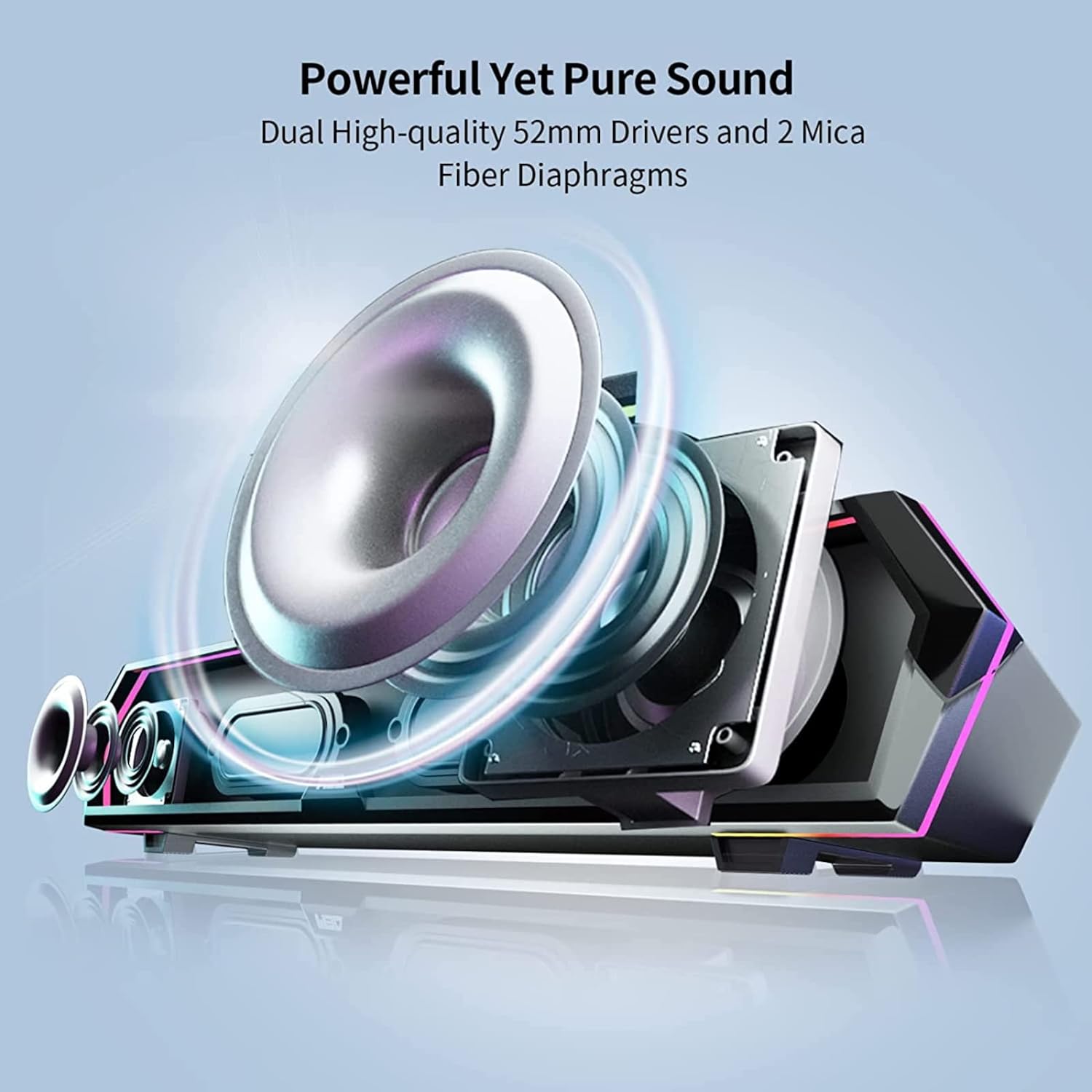
Image: Internal Speaker Components
This image illustrates the internal structure of the soundbar, showcasing the dual 52mm drivers and mica fiber diaphragms designed for powerful and pure sound reproduction.
설정
1. 배치
Position the Edifier MG300 soundbar on a stable, flat surface, ideally directly under your computer monitor. Its compact design (485mm x 70mm x 80mm) is optimized to save desktop space.

Image: Soundbar Placement
The soundbar is shown positioned beneath a computer monitor, demonstrating its space-saving design and ideal placement for desktop use.
2. Power and Connection Options
The MG300 offers two primary connection methods: USB-A and Bluetooth 5.3.
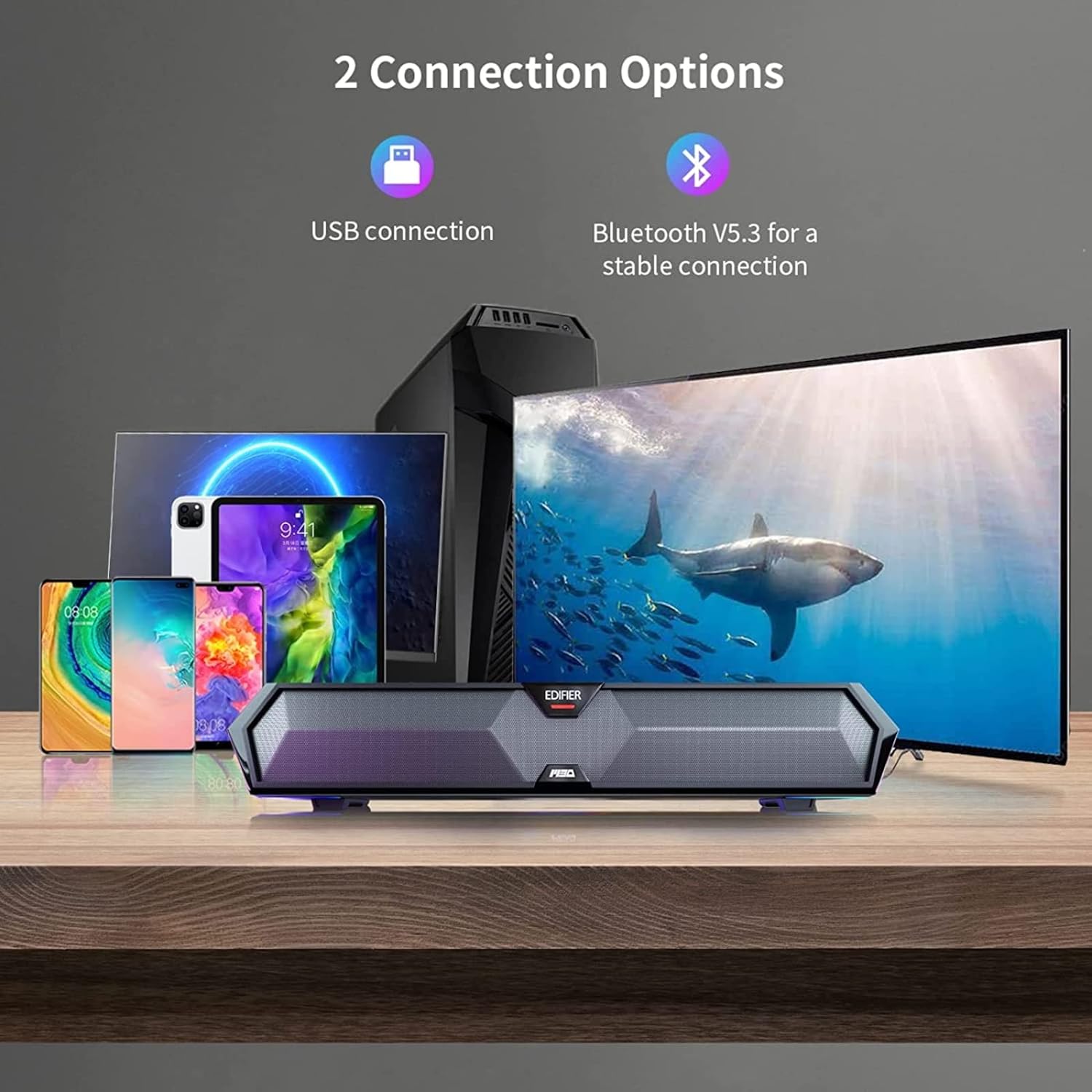
Image: Connection Options
This image illustrates the two main ways to connect the soundbar: via USB to a computer or wirelessly via Bluetooth to mobile devices.
USB Connection (for PC)
- Connect the provided USB-A to USB-C cable to the USB-C port on the back of the soundbar.
- Plug the USB-A end into an available USB port on your computer.
- The soundbar will power on automatically and be recognized as an audio output device by your computer.
블루투스 연결(모바일 기기용)
- Press the Bluetooth button on the top panel of the soundbar to enter Bluetooth pairing mode. The RGB lights will flash to indicate pairing mode.
- 모바일 기기(스마트폰, 태블릿)에서 Bluetooth를 활성화하고 사용 가능한 기기를 검색하세요.
- Select "Edifier MG300" from the list of devices to pair.
- Once connected, the RGB lights will stop flashing and remain solid.
작동 지침
1. 전원 켜기/끄기
전원 버튼을 길게 누르세요.U) on the top panel to turn the soundbar on or off.
2. 볼륨 조절
볼륨을 높이세요 (+) 그리고 볼륨을 낮추세요 (-) buttons on the top panel to adjust the audio level.
3. RGB 조명 제어
The soundbar features dynamic RGB lighting effects. Press the light control button (O:) on the top panel to cycle through different lighting modes or to turn the lights off.
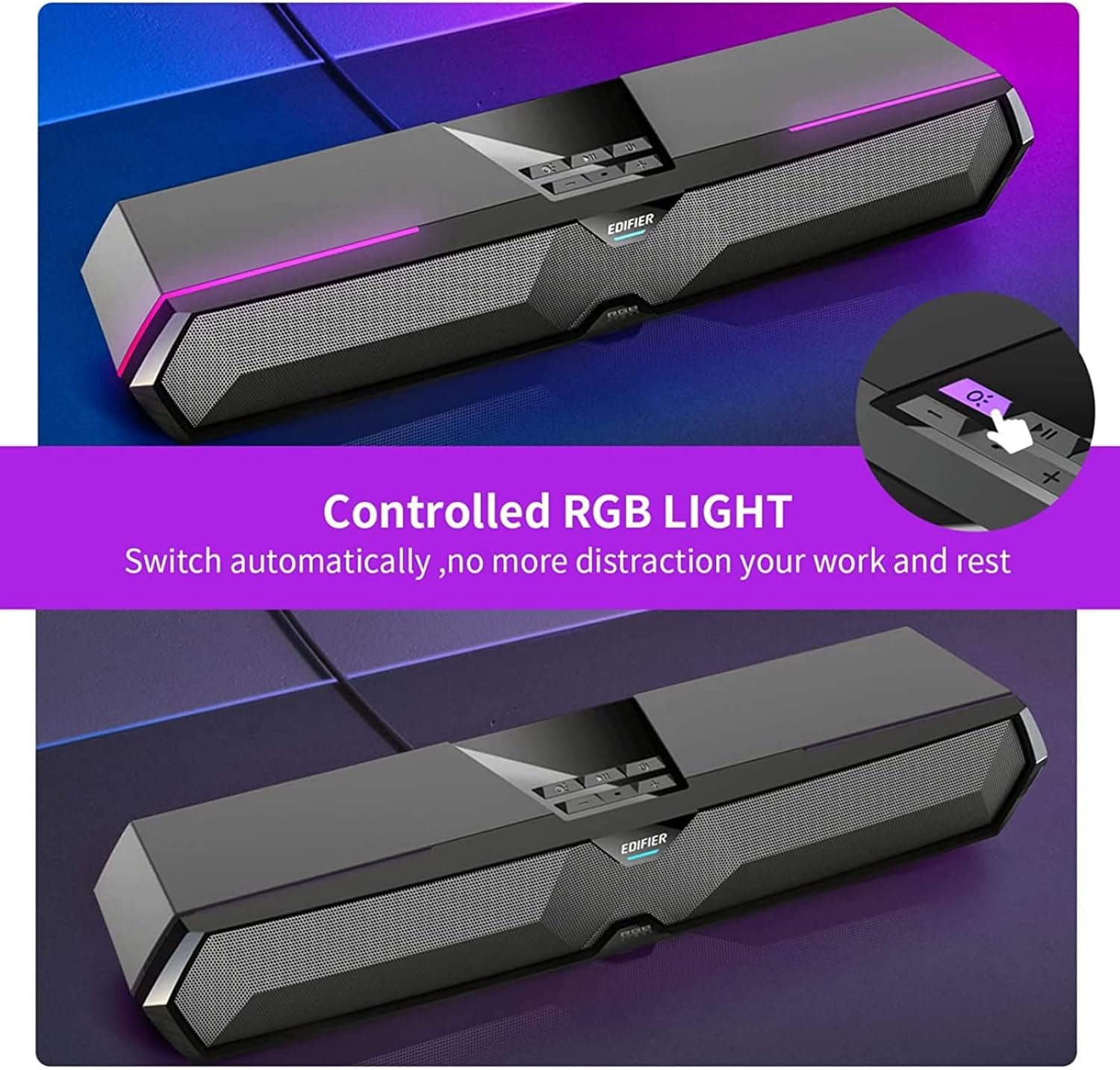
Image: RGB Light Control
This image shows the control panel on the soundbar, indicating the button used to manage the RGB lighting effects.
4. Music and Game Sound Modes
The MG300 offers optimized sound effects for both music and gaming. Press the mode button (often integrated with play/pause or a dedicated button) to switch between these modes. In music mode, vocals are amplified for a richer listening experience. In game mode, environmental details are enhanced for immersive realism.

Image: Game and Music Modes
This image demonstrates the soundbar's adaptability, showing it in use for both gaming and music listening, each with optimized sound profiles.
5. Using the Hidden Microphone
The soundbar features a hidden microphone, cleverly integrated under a silicone protective sleeve on the top panel. This design helps isolate external vibrations, ensuring crystal clear voice calls and communication during gaming or online meetings.

Image: Hidden Microphone in Use
This image depicts the soundbar's hidden microphone being utilized during a gaming session, emphasizing its clarity for in-game communication.
유지
To ensure the longevity and optimal performance of your Edifier MG300 soundbar, follow these maintenance guidelines:
- 청소: Use a soft, dry cloth to wipe the surface of the soundbar. Do not use liquid cleaners or aerosol sprays, as they may damage the finish or internal components.
- 저장: 장기간 사용하지 않을 경우 사운드바를 직사광선과 극한 온도 변화를 피해 서늘하고 건조한 곳에 보관하십시오.
- 장애물을 피하십시오: Ensure that the speaker grilles are not obstructed to maintain proper sound dispersion and prevent overheating.
문제 해결
If you encounter any issues with your Edifier MG300 soundbar, please refer to the following common problems and solutions:
- 소리 없음:
- Ensure the soundbar is powered on and connected correctly (USB or Bluetooth).
- Check the volume levels on both the soundbar and your connected device.
- If using USB, verify that the soundbar is selected as the default audio output device in your computer's sound settings.
- If using Bluetooth, ensure the device is paired and within range. - 나쁜 음질:
- Ensure the soundbar is placed on a stable surface and not obstructed.
- Try adjusting the volume and switching between music/game modes.
- If connected via Bluetooth, try moving closer to the soundbar to improve signal strength. - RGB 조명이 작동하지 않음:
- Press the light control button (O:) to cycle through modes or turn them on.
- Ensure the soundbar is powered on. - 마이크가 작동하지 않음:
- Ensure the soundbar is connected via USB to your PC.
- Check your computer's sound settings to ensure the soundbar's microphone is selected as the input device.
명세서
| 모델명 | MG300 |
| 스피커 유형 | 멀티룸 |
| 특징 | 가지고 다닐 수 있는 |
| 추천 용도 | 컴퓨터 용 |
| 호환 장치 | 컴퓨터, 노트북, 스마트폰, 태블릿 |
| 서라운드 사운드 채널 구성 | 2.0 |
| 총 출력 전력(RMS) | 2.5W + 2.5W (5 Watts total) |
| 블루투스 버전 | V5.3 |
| 주파수 응답 | 80Hz - 20kHz |
| 치수(폭 x 높이 x 깊이) | 485mm x 70mm x 80mm (깊이 15.67인치 x 너비 3.33인치 x 높이 2.89인치) |
| 순중량 | 0.9kg(2.6파운드) |
| 오디오 입력 | Bluetooth, USB-A Soundcard |
| 제어 방법 | 만지다 |
| 오디오 드라이버 크기 | 52 밀리미터 |
공식 제품 영상
Video: Edifier MG300 Overview
이 비디오는 이상을 제공합니다view of the Edifier MG300 soundbar, showcasing its features and design. It highlights the multi-driver PC soundbar and subwoofer, Bluetooth 5.3 connectivity, seamless PC and mobile connection, game sound effects, dynamic RGB lighting, USB connection, hidden mic, and immersive sound capabilities.
보증 및 지원
The Edifier MG300 SoundBar comes with a Limited Warranty. For detailed warranty information or technical support, please refer to the official Edifier web사이트를 방문하거나 고객 서비스에 문의하세요. 보장 범위를 확대하는 보호 플랜도 이용 가능합니다.