
1. 서론
This manual provides detailed instructions for the installation, operation, and maintenance of your Chameye C420 4K 20X Optical Zoom PTZ Camera. Please read this manual thoroughly before using the product to ensure proper and safe operation. Keep this manual for future reference.
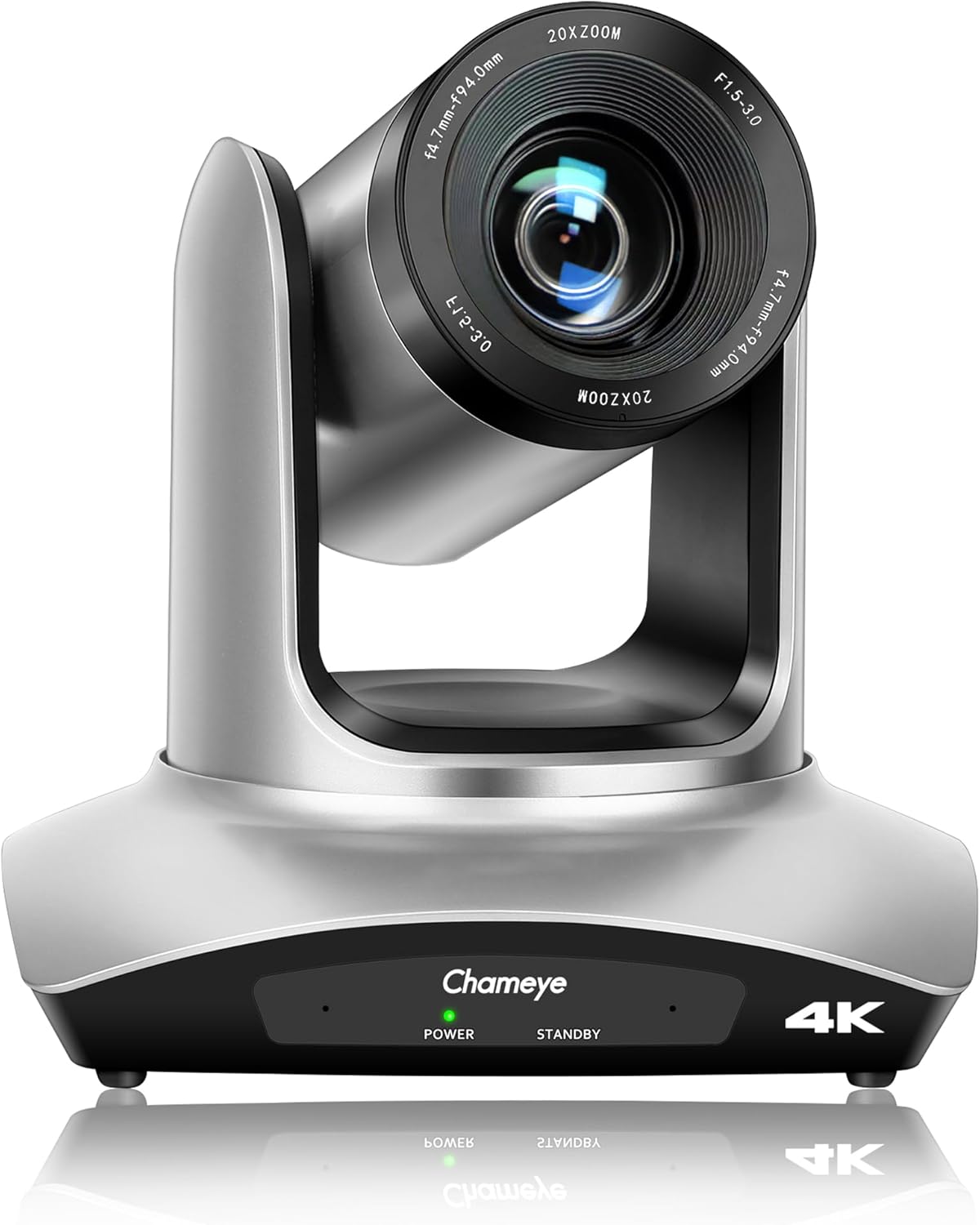
앞쪽 view of the Chameye C420 4K PTZ Camera, showcasing its lens and base with power and standby indicators.
2. 제품 오버view
2.1 주요 특징
- 4K UHD 해상도: Delivers crystal-clear video quality up to 3840x2160 at 30fps, utilizing a 1/2.8-inch CMOS sensor with 8.5MP effective pixels.
- 20배 광학 줌: Provides high-quality remote capture with a 60° wide field of view, allowing for detailed imaging from a distance.
- 유연한 연결성: Supports HDMI, USB 3.0, and IP streaming (RTSP, RTMP, H.264/H.265 encoding).
- PoE(Power over Ethernet): Enables power, control, and video/audio streaming through a single network cable via the LAN port.
- 팬/틸트 운동: Offers 355° pan and 120° tilt ranges for precise camera positioning.
- 여러 사전 설정: Supports 10 preset positions via IR remote control and 255 presets with the Chameye PTZ controller E300.
- 폭넓은 호환성: Plug-and-play USB3.0 compatibility with Windows (XP to 11), Mac OS (10.4+), and major platforms like Zoom, Teams, YouTube, vMix, OBS, WebEx, and GoToMeeting.
- Advanced Image Technology: Features fast auto-focus, image flip and mirror functions, and high SNR CMOS with 2D/3D noise reduction for optimal performance in various lighting conditions.
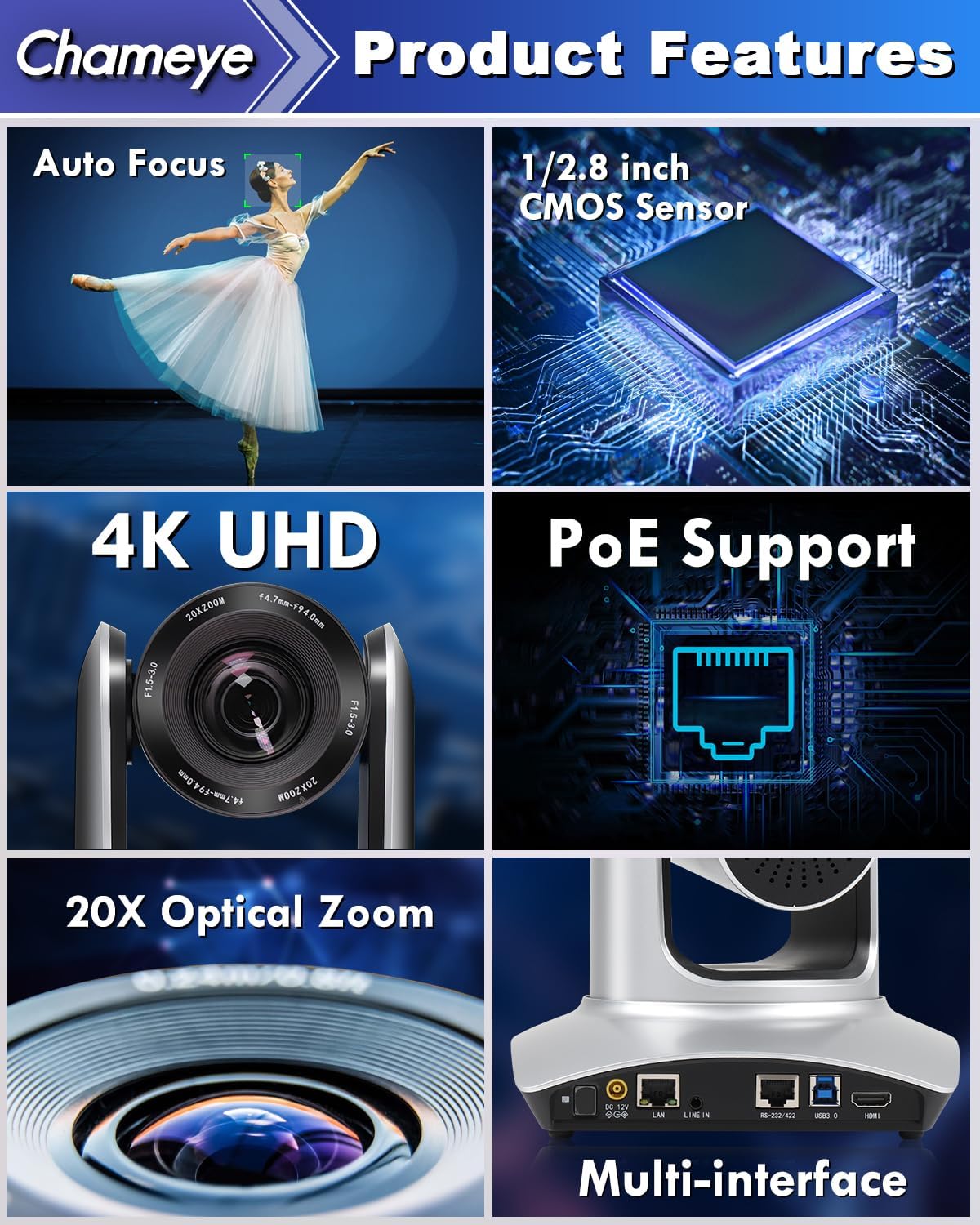
A collage highlighting the main features of the Chameye C420 PTZ Camera, including its auto-focus capability, 1/2.8-inch CMOS sensor, 4K UHD resolution, Power over Ethernet (PoE) support, 20x optical zoom, and multiple connectivity interfaces.
2.2 패키지 내용
패키지에 모든 품목이 들어 있는지 확인하세요.
- Chameye C420 PTZ Camera
- IR 리모콘
- E300 PTZ Controller (if purchased as part of a bundle)
- HDMI 케이블
- LAN 케이블
- USB 케이블
- 전원 어댑터
- 장착 하드웨어
- 사용 설명서 (본 문서)
3. 설정
3.1 물리적 설치
- 설치: The camera can be installed on a wall, tripod, or ceiling. Ensure the mounting surface is stable and can support the camera's weight.
- 위치: Place the camera in a location that provides the desired field of view for your application (e.g., conference room, church, classroom).
3.2 카메라 연결
The Chameye C420 offers multiple connectivity options:
- PoE(Power over Ethernet): Connect a single LAN cable from the camera's LAN port to a PoE-enabled router or switch. This provides both power and network connectivity.
- HDMI 출력: Connect an HDMI cable from the camera's HDMI port to a display or video switcher for direct video output.
- USB 3.0 출력 : Connect a USB 3.0 cable from the camera's USB 3.0 port to a computer for video capture and control.
- RS-232/422 Control: Use the RS-232/422 port for external PTZ control systems.
- 라인 입력: Connect an external audio source to the Line In port if needed.
- DC 12V 전원: If not using PoE, connect the included power adapter to the DC 12V port and a power outlet.

The back panel of the Chameye C420 PTZ Camera, detailing its various input and output ports for power, audio, video, and control, including LAN (PoE), HDMI, USB3.0, and RS-232/422.

A two-step diagram showing how to set up the Chameye C420 PTZ Camera: Step 1 involves connecting the camera to a PoE router/switch, and Step 2 shows configuring and starting real-time streaming on a monitor.
4. 운영
4.1 전원 켜기/끄기
Once connected to power (either via PoE or DC 12V adapter), the camera will automatically power on. The power indicator light on the front of the camera will illuminate. To power off, disconnect the power source.
4.2 적외선 리모컨 사용하기
The included IR remote control allows for basic camera functions:
- 팬/틸트: 방향 화살표를 사용하여 카메라를 수평(패닝) 및 수직(틸트)으로 이동하세요.
- 줌: Use the zoom in/out buttons to adjust the optical zoom.
- 집중하다: 초점을 수동으로 조정하거나 자동 초점을 활성화하세요.
- 사전 설정 : Set and recall up to 10 preset positions. To set a preset, move the camera to the desired position, press the 'SET' button, then press a number (0-9). To recall, press the number.
- 메뉴: 고급 설정을 위해 OSD(화면 디스플레이) 메뉴에 접근하세요.
4.3 Advanced Control (E300 PTZ Controller)
For more comprehensive control, including up to 255 preset positions and multi-camera management, use the Chameye PTZ controller E300 (sold separately or as part of a bundle). Refer to the E300 controller's manual for detailed instructions.
4.4 Live Streaming and Video Conferencing
The Chameye C420 is compatible with various platforms:
- USB 3.0: Connect to a computer and select the camera as a video input device in applications like Zoom, Teams, OBS, vMix, WebEx, or GoToMeeting. No drivers are required for Windows (XP to 11) or Mac OS (10.4+).
- IP 스트리밍: Configure the camera's IP settings via its web interface. Use streaming software (e.g., OBS, vMix) to receive the RTSP/RTMP stream for platforms like YouTube and Facebook Live.

The Chameye C420 PTZ Camera positioned next to a monitor displaying a live streaming interface, compatible with platforms like vMix, YouTube, Facebook Live, Skype, and Twitch.
5. 유지관리
- 청소: 카메라 본체는 부드럽고 마른 천으로 닦으십시오. 렌즈는 렌즈 전용 클리닝 천과 세척액을 사용하십시오. 강한 화학 약품은 사용하지 마십시오.
- 환경: Operate the camera in a clean, dry environment. Avoid extreme temperatures, humidity, and direct sunlight.
- 펌웨어 업데이트: 정기적으로 제조업체를 확인하십시오 web최적의 성능과 새로운 기능에 대한 액세스를 보장하기 위한 펌웨어 업데이트 사이트입니다.
6. 문제 해결
6.1 일반적인 문제 및 해결 방법
| 문제 | 가능한 원인 | 해결책 |
|---|---|---|
| 전원이 없습니다 | Power cable disconnected; PoE not active. | Ensure power adapter is securely connected or PoE switch is providing power. |
| 비디오 출력이 없습니다 | HDMI/USB cable loose; incorrect input selected on display/software. | Check cable connections; select correct input source; verify software settings. |
| 리모컨이 작동하지 않습니다 | Batteries low/dead; IR sensor blocked; too far from camera. | Replace batteries; ensure clear line of sight to camera's IR sensor; operate within range. |
| 이미지가 흐릿하거나 초점이 맞지 않음 | Manual focus engaged; auto-focus not functioning. | Adjust focus manually using the remote or enable auto-focus. |
| 네트워크 스트리밍 문제 | Incorrect IP settings; network congestion; firewall blocking. | Verify IP address and network settings; check network bandwidth; configure firewall rules. |
7. 사양
- 모델: C420
- 감지기: 1/2.8-inch CMOS, 8.5MP Effective Pixels
- 비디오 해상도: 4K (3840x2160) @ 30fps; 1080P @ 60fps
- 광학 줌: 20배
- 분야 View: 60°
- 팬 범위 : 355°
- 기울기 범위 : 120°
- 연결성: HDMI, USB 3.0, LAN (PoE), RS-232/422, Line In
- 인코딩 : H.264/H.265 (IP Streaming)
- 치수: 7.28 x 7.28 x 7.09인치(18.5 x 18.5 x 18cm)
- 무게: 7.13파운드(3.23kg)
8. 보증 및 지원
Chameye provides the following support for the C420 PTZ Camera:
- 30일 환불 보장: 어떤 이유에서든.
- 3년 제한 보증: 정상적인 사용 중에 발생하는 제조상의 결함 및 오작동을 보상합니다.
- 평생 온라인 지원: Access to technical assistance for the product's lifespan.
- 고객 서비스: Support team guarantees responses within 24 hours to resolve issues efficiently.
For support, please visit the official Chameye web사이트를 방문하거나 고객 서비스에 직접 문의하세요.