
1. 제품 오버view
The ELECTROPRIME CAMSOY S20 is a compact 1080P WiFi action camera designed for security monitoring, pet monitoring, or as a baby monitor. It features two-way audio, IR night vision, and motion detection capabilities, making it a versatile solution for various surveillance needs. Its small size and 360-degree adjustable mount allow for flexible placement.
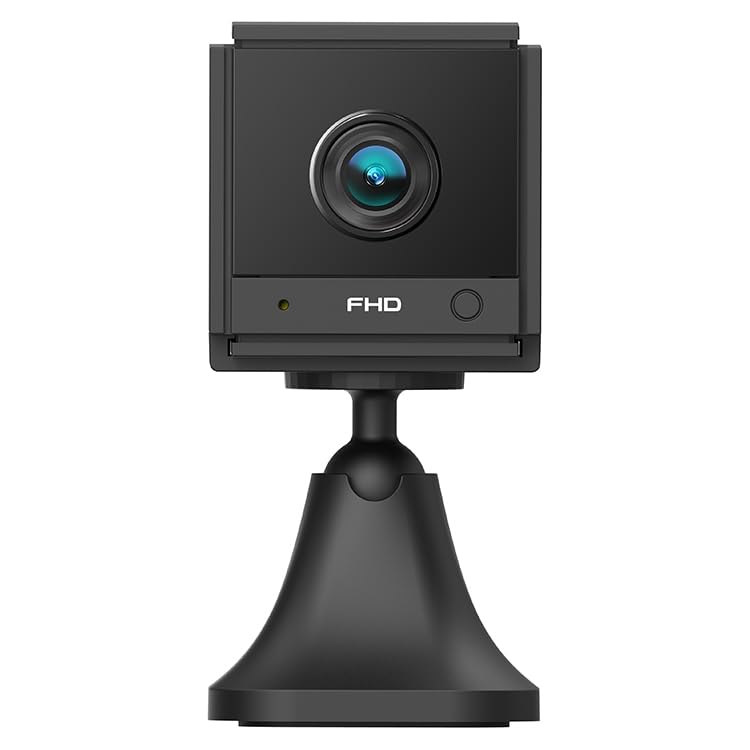
이미지 1.1: 각도 view of the ELECTROPRIME CAMSOY S20 1080P WiFi Action Camera, showing the lens and adjustable mount.
2. 패키지 내용
다음 품목이 패키지에 포함되어 있는지 확인하세요.
- ELECTROPRIME CAMSOY S20 Action Camera
- 조정 가능한 장착 브래킷
- USB 충전 케이블
- 사용 설명서 (본 문서)
- Built-in 800mAh Li-ion Battery (pre-installed)
3. 제품 특징
- Full 1080P HD Video: 선명하고 상세한 영상을 캡처합니다.tage.
- IR 나이트 비전 : Equipped with 6 infrared LEDs for clear vision up to 5-7 meters in low light or darkness.
- 양방향 오디오 : 원격 통신을 위한 내장 마이크 및 스피커.
- 모션 감지 알람 : Alerts you to detected movement.
- Wi-Fi 연결: Supports 2.4G WiFi (IEEE802.11b/g/n) for remote view잉 및 제어.
- 컴팩트한 디자인: 미니 사이즈로 눈에 띄지 않게 배치할 수 있습니다.
- 조정 가능한 마운트: 360-degree free adjustable mount for flexible positioning.
- 로컬 스토리지: Supports Micro-SD Card up to 128GB (card not included).
- 내장 배터리: 800mAh Li-ion battery provides backup power for 3-4 hours.
4. 설정 가이드
4.1 카메라 충전하기
Before initial use, fully charge the camera. Connect the provided USB charging cable to the camera's Micro USB interface and plug the other end into a standard USB power adapter (not included) or a computer's USB port. The charging indicator light will show the charging status.
4.2 Installing a Micro-SD Card
The camera supports Micro-SD cards up to 128GB for local video storage. Locate the Micro-SD card slot on the camera. Gently insert the Micro-SD card with the gold contacts facing down until it clicks into place. To remove, push the card in again until it springs out.
4.3 카메라 장착
Attach the camera to the adjustable mounting bracket. The bracket allows for 360-degree rotation, enabling you to position the camera at the desired angle. Secure the bracket to a wall, ceiling, or flat surface using appropriate fasteners (not included).
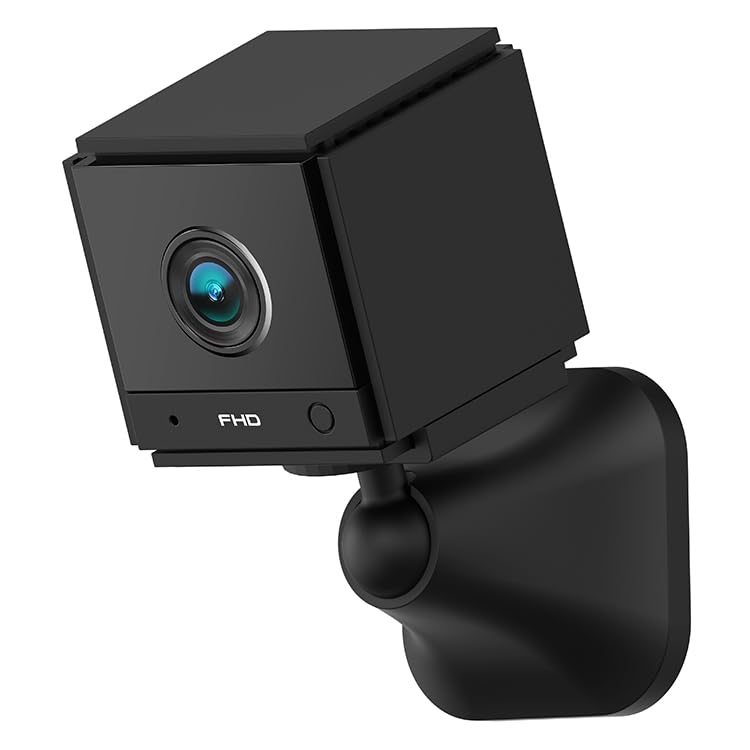
이미지 4.1: 앞면 view of the ELECTROPRIME CAMSOY S20 camera, showing the lens and indicator lights.
4.4 Wi-Fi 연결 및 앱 설정
- 앱 다운로드: 검색 the recommended camera application on your smartphone's app store (e.g., "CAMSOY" or a similar security camera app, refer to packaging for specific app name).
- 전원 켜기: 카메라의 전원 버튼을 표시등이 켜질 때까지 길게 누르세요.
- 장치 추가: Open the app, create an account if necessary, and select "Add Device" or a similar option.
- 카메라 종류를 선택하세요: Follow the in-app instructions to select your camera model.
- Wi-Fi에 연결: The app will guide you through connecting the camera to your 2.4G Wi-Fi network. Ensure your Wi-Fi password is correct.
- 편성: The camera will pair with your smartphone. Once connected, you can view 실시간 영상 및 접속 설정.
Note: The camera supports both AP Mode (direct connection to phone) and WiFi Mode (connection via router). Refer to the app for specific mode selection and setup.
5. 사용 설명서
5.1 전원 켜기/끄기
- 전원 켜기: 전원 표시등이 켜질 때까지 전원 버튼을 약 3초간 길게 누르세요.
- 전원 끄기 : 전원 버튼을 약 3초간 길게 눌러 표시등이 꺼지도록 합니다.
5.2 라이브 View 그리고 녹음
Once connected to the app, open the app to access the live video feed. From the live view 인터페이스에서 다음을 수행할 수 있습니다.
- View 실시간 영상.
- Manually start/stop video recording to the Micro-SD card or your phone.
- 스냅샷을 찍으세요.
- 기록된 foo에 액세스tage from the Micro-SD card.
5.3 양방향 오디오
라이브에서 view interface of the app, locate the microphone icon. Tap and hold the icon to speak through the camera's speaker. Release to listen through the camera's microphone.
5.4 야간 투시경
The camera automatically switches to IR night vision mode in low-light conditions. The 6 infrared LEDs provide clear black and white video up to 5-7 meters.
5.5 동작 감지 및 경보
Enable motion detection in the camera settings within the app. You can set sensitivity levels and define detection zones. When motion is detected, the camera can:
- 스마트폰으로 푸시 알림을 보내세요.
- Start recording video to the Micro-SD card.
- Trigger a siren alarm (if enabled in settings).
6. 유지관리
- 청소: 부드럽고 마른 천을 사용하여 카메라 렌즈와 본체를 닦으세요. 액체 세척제나 연마재를 사용하지 마세요.
- 배터리 관리 : To prolong battery life, avoid extreme temperatures. If storing for extended periods, charge the battery to about 50% every few months.
- 펌웨어 업데이트: Check the camera app periodically for available firmware updates to ensure optimal performance and security.
- 저장: 카메라를 사용하지 않을 때는 직사광선과 습기를 피해 서늘하고 건조한 곳에 보관하십시오.
7. 문제 해결
7.1 카메라 전원이 켜지지 않음
- Ensure the camera is fully charged. Connect it to a power source using the USB cable.
- 전원 버튼을 3 초 이상 길게 누릅니다.
7.2 Wi-Fi에 연결할 수 없습니다
- Wi-Fi 네트워크가 2.4GHz인지 확인하십시오. 카메라는 5GHz Wi-Fi를 지원하지 않습니다.
- 앱에 입력한 Wi-Fi 비밀번호가 올바른지 확인하세요.
- 설치 시 카메라를 Wi-Fi 공유기 가까이에 두십시오.
- 라우터와 카메라를 다시 시작하세요.
- Reset the camera to factory settings (refer to app or camera for reset button location).
7.3 비디오 품질이 좋지 않음
- 와이파이 신호 강도를 확인하세요. 신호가 약하면 스트리밍 품질에 영향을 줄 수 있습니다.
- 카메라 렌즈가 깨끗하고 먼지나 얼룩이 없는지 확인하세요.
- Adjust the camera's position to avoid glare or strong backlighting.
7.4 Micro-SD Card Not Recording
- Ensure the Micro-SD card is inserted correctly and fully.
- Format the Micro-SD card through the camera app.
- Check if the Micro-SD card is full. Back up important footage를 실행하고 카드를 포맷하세요.
- Verify the Micro-SD card is not damaged and is within the supported capacity (up to 128GB).
8. 사양
| 모델 번호 | NC0399B |
| 해결 | 2MP / 1080P Full HD |
| View 각도 | (H)110 degrees, (D)140 degrees |
| 나이트 비전 | 6pcs 940nm SMT IR Led, Range 5~7 meters, Built-in IR-CUT |
| 비디오 코덱 | H.264 / H.264 + |
| 회로망 | 2.4G WiFi IEEE802.11b/g/n |
| 배터리 | Built-in 800mAh Li-ion Battery, lasts 3-4 hours (power cut off) |
| 오디오 | 양방향 오디오(내장 마이크 및 스피커) |
| 인터페이스 | 마이크로 USB |
| 작동 모드 | AP Mode, WiFi Mode, Motion Detection Alarm |
| 저장 | Micro-SD Card Max. 128GB (Class 10 recommended) |
| 호환 장치 | 스마트폰 |
| 색상 | 검은색 |
| 제조업체 | ELECTROGADGETSSTORE |
9. 보증 및 지원
For warranty information and technical support, please refer to the documentation provided at the time of purchase or contact the seller/manufacturer directly. The manufacturer of this product is ELECTROGADGETSSTORE.
보증 청구를 위해 구매 증빙서류를 보관하세요.