
1. 서론
This manual provides essential information for the safe and efficient use of your Google TV 7000 Series 4K Ultra HD LED Television. Please read these instructions thoroughly before operating the device and retain them for future reference.
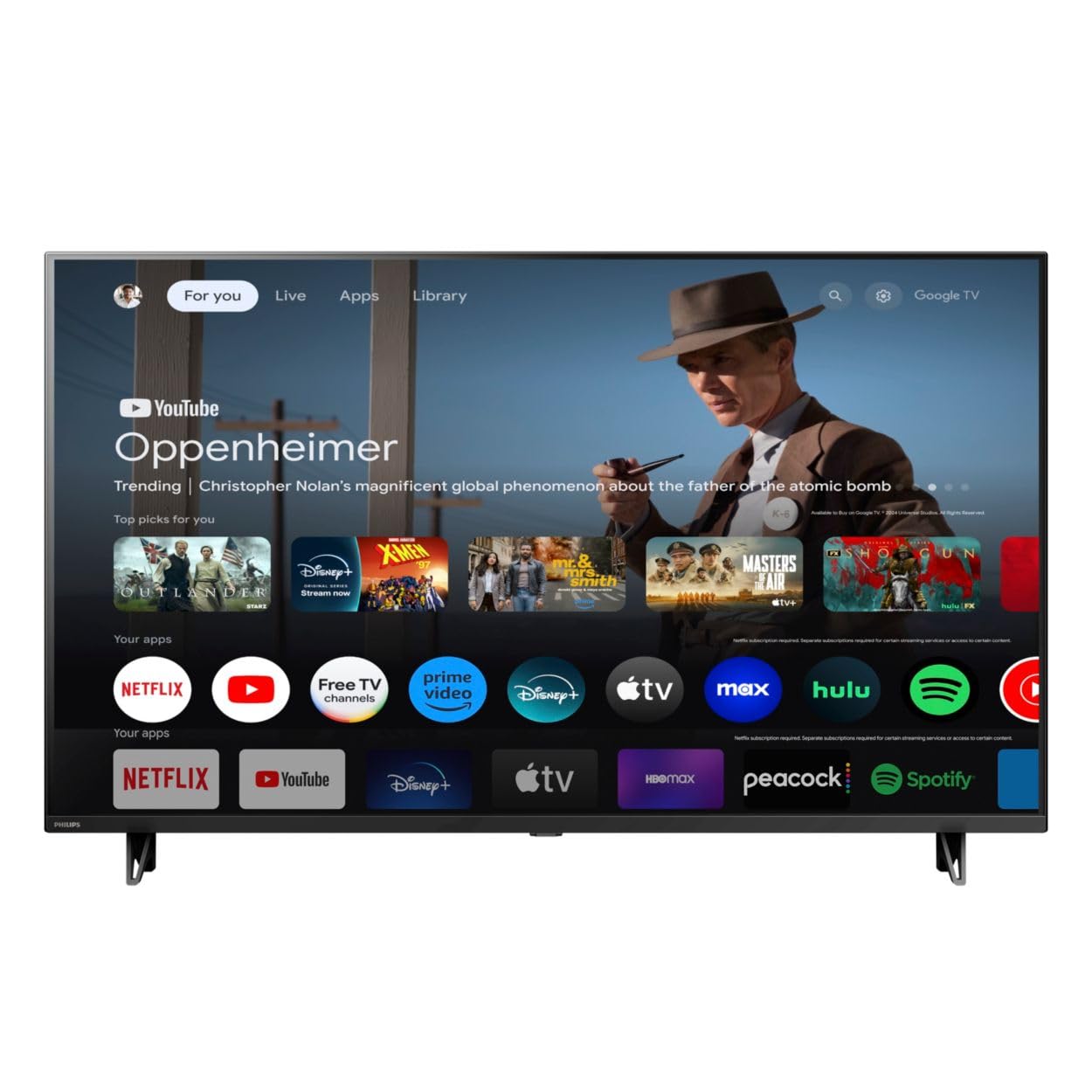
앞쪽 view of the Google TV 7000 Series 4K Ultra HD LED Television, showcasin슬림한 베젤과 디스플레이가 특징입니다.
2. 설정
2.1 언박싱 및 패키지 구성품
포장에서 모든 물품을 조심스럽게 꺼내십시오. 모든 구성품이 있는지 확인하십시오.
- Google TV 7000 Series Television
- 원격 제어
- 리모컨용 배터리
- 탁상 스탠드
- Screws for tabletop stand
- 빠른 시작 가이드
- 사용 설명서 (본 문서)
2.2 전원 연결
Connect the power cord to the TV's power input, then plug the other end into a wall outlet. Ensure the power outlet is easily accessible.
2.3 외부 장치 연결
Your television supports various connectivity options:
- HDMI : Connect devices like Blu-ray players, game consoles, or set-top boxes to the HDMI ports. This model features Audio Return Channel (HDMI 2).
- USB: Use the USB port for media playback or connecting compatible accessories.
- 이더넷: 안정적인 유선 인터넷 연결을 위해 이더넷 케이블을 LAN 포트에 연결하세요.
- 헤드폰 출력: 개인 청취를 위해 헤드폰을 연결하십시오.
- 디지털 오디오 출력(광): 외부 오디오 시스템에 연결합니다.
- CVBS+오디오 좌/우 입력: 구형 아날로그 기기 연결용.
2.4 초기 설정
처음 전원을 켜면 TV가 초기 설정 과정을 안내합니다. 여기에는 다음이 포함됩니다.
- 언어 선택
- Connecting to a Wi-Fi network or using Ethernet
- Signing in with your Google account to access Google TV features and apps
- Scanning for available channels (ATSC, NTSC)
2.5 장착 옵션
You can place your TV on a tabletop using the included stand or mount it on a wall.
- 테이블탑 스탠드: Attach the tabletop stand using the provided screws as per the quick start guide.
- 벽걸이 : For wall mounting, use a VESA compatible mount (600 x 400 mm). Consult a professional for wall mounting to ensure safety and proper installation.
3. 사용 설명서
3.1 원격 제어view
The remote control allows you to navigate the Google TV interface, adjust settings, and control playback. It supports voice control for Google Assistant.
3.2 기본 기능
- 힘: 전원 버튼을 눌러 TV를 켜거나 끄세요.
- 용량: 볼륨 버튼을 사용하여 사운드 레벨을 조정합니다.
- 채널: Use the channel buttons to switch between TV channels.
- 입력: Select the desired input source (HDMI, USB, etc.).
3.3 Google TV 인터페이스 탐색
Use the directional pad and 'OK' button on your remote to navigate the Google TV home screen. The home screen provides access to your installed apps, recommended content, and settings.
3.4 스마트 기능
- Chromecast 내장: Cast content from your compatible mobile devices or computer directly to your TV.
- Google 어시스턴트 내장: Press the Google Assistant button on your remote to use voice commands for searching content, controlling smart home devices, getting information, and more.
- 스트리밍 앱: Access popular streaming services like Netflix, YouTube, Discovery+, Tubi TV, and Prime Video directly from the Google TV interface.
3.5 화면 및 사운드 설정
사용자 정의 viewTV 설정 메뉴를 통한 시청 및 청취 경험:
- 그림 스타일: Choose from various preset picture modes or customize settings like brightness, contrast, color, and sharpness. Features include Dynamic contrast, Film mode, Blue stretch, and Custom Color management.
- HDR 지원: 이 TV는 HDR10과 HLG를 지원하여 호환되는 콘텐츠의 대비와 색상을 향상시킵니다.
- 게임 모드: Optimize picture settings for gaming to reduce input lag.
- 사운드 스타일: Select sound presets or adjust bass and treble. Features include Dolby Audio and Auto Volume Leveling.
- 종횡비: Adjust the screen aspect ratio (e.g., Automatic, 4:3, Movie Expand, Full).
3.6 연결성
Your TV offers various ways to connect to networks and devices:
- 와이파이: 무선으로 홈 네트워크에 연결하여 인터넷에 접속하세요.
- 블루투스: 헤드폰이나 게임 컨트롤러와 같은 호환되는 블루투스 장치를 연결하세요.
- 이더넷: 안정적인 유선 인터넷 연결을 제공합니다.
4. 유지관리
4.1 화면 및 TV 본체 청소
- 청소하기 전에는 항상 TV의 플러그를 뽑아 두세요.
- 부드럽고 마른 보풀 없는 천으로 화면과 TV 본체를 살살 닦아주세요.
- 완고한 자국의 경우 가볍게 damp천에 물이나 특수 화면 세척제를 묻혀 닦으세요. 화면에 세척제를 직접 뿌리지 마세요.
- 연마성 세척제, 왁스, 용매 사용을 피하세요.
4.2 소프트웨어 업데이트
Your Google TV may receive automatic software updates to improve performance and add new features. Ensure your TV is connected to the internet to receive these updates. You can also manually check for updates in the settings menu.
4.3 원격 제어 관리
Replace batteries when the remote control's response becomes sluggish. Do not mix old and new batteries or different types of batteries. Keep the remote control away from moisture and direct sunlight.
5. 문제 해결
텔레비전에 문제가 발생하면 다음의 일반적인 해결 방법을 참조하십시오.
| 문제 | 가능한 해결책 |
|---|---|
| 전원이 없습니다 | 전원 코드가 TV와 벽면 콘센트에 모두 단단히 꽂혀 있는지 확인하세요. 콘센트가 제대로 작동하는지 확인하세요. |
| 화면은 나오지 않지만 소리는 나옵니다 | 올바른 입력 소스가 선택되었는지 확인하세요. 외부 장치 연결을 확인하세요. |
| 소리는 나지 않지만 화면은 나옵니다 | 볼륨 레벨과 음소거 상태를 확인하십시오. 외부 오디오 시스템이 제대로 연결되어 있고 전원이 켜져 있는지 확인하십시오. |
| 리모컨이 작동하지 않습니다 | 배터리를 교체하세요. 리모컨과 TV IR 센서 사이에 장애물이 없는지 확인하세요. |
| 네트워크 연결 문제 | 라우터와 모뎀을 다시 시작하세요. Wi-Fi 네트워크에 다시 연결하거나 이더넷 케이블 연결을 확인하세요. |
| Picture quality issues (e.g., pixelation) | Check the signal strength for broadcast channels. For streaming content, ensure a stable internet connection. Adjust picture settings. |
5.1 공장 초기화
If problems persist, a factory reset may resolve them. This will erase all personal settings and installed apps, returning the TV to its original factory state. Consult the on-screen menu for the factory reset option, usually found under System or Device Preferences in Settings.
6. 사양
Key technical specifications for the Google TV 7000 Series 4K Ultra HD LED Television:
| 특징 | 사양 |
|---|---|
| 화면 크기 | 43 인치 |
| 디스플레이 기술 | LCD UltraHD Display, LED Backlight |
| 해결 | 4K(2160p) |
| 새로 고침 빈도 | 120 PMR (Picture Motion Rate) |
| 지원되는 HDR 형식 | HDR10, HLG |
| 운영 체제 | 안드로이드 11 (구글 TV) |
| 연결 기술 | 블루투스, 이더넷, USB, Wi-Fi |
| 오디오 기능 | Dolby Audio, Auto Volume Leveling |
| 특별 기능 | Chromecast Built-in, Google Assistant Built-in, Game Mode, Digital Noise Reduction, MPEG artifact reduction, Dynamic contrast |
| 제품 크기(D x W x H) | 9.8인치 깊이 x 37.9인치 너비 x 23.9인치 높이 |
| 품목 무게 | 14.99 파운드 |
| VESA 마운트 표준 | 600 x 400mm |
| 제조업체 | 필립스 |
| 모델 번호 | 43PUL7652/F7 |
| 한국어: | 609585254893 |
7. 보증 및 지원
7.1 보증 정보
This product comes with a Limited Warranty. Please refer to the warranty card included in your package or contact the manufacturer for specific terms and conditions regarding coverage and duration.
7.2 고객 지원
For technical assistance, troubleshooting beyond this manual, or warranty claims, please contact the manufacturer, Philips, or your retailer. Have your model number (43PUL7652/F7) and serial number ready when contacting support.