
1. 서론
구매해주셔서 감사합니다asing the Sharp GX-BT390 Crystal Clear Series Bluetooth Speaker. This portable speaker is designed to deliver high-quality audio with enhanced bass, featuring IP67 waterproof and dustproof capabilities, LED light modes, and True Wireless Stereo (TWS) pairing. This manual provides essential information for setup, operation, and maintenance to ensure optimal performance and longevity of your device.
2. 패키지 내용
모든 항목이 있는지 확인하세요.
- 샤프 GX-BT390 블루투스 스피커
- 충전 케이블(USB-C)
- 사용자 설명서
3. 제품 오버view
Familiarize yourself with the various parts of your Sharp GX-BT390 speaker.
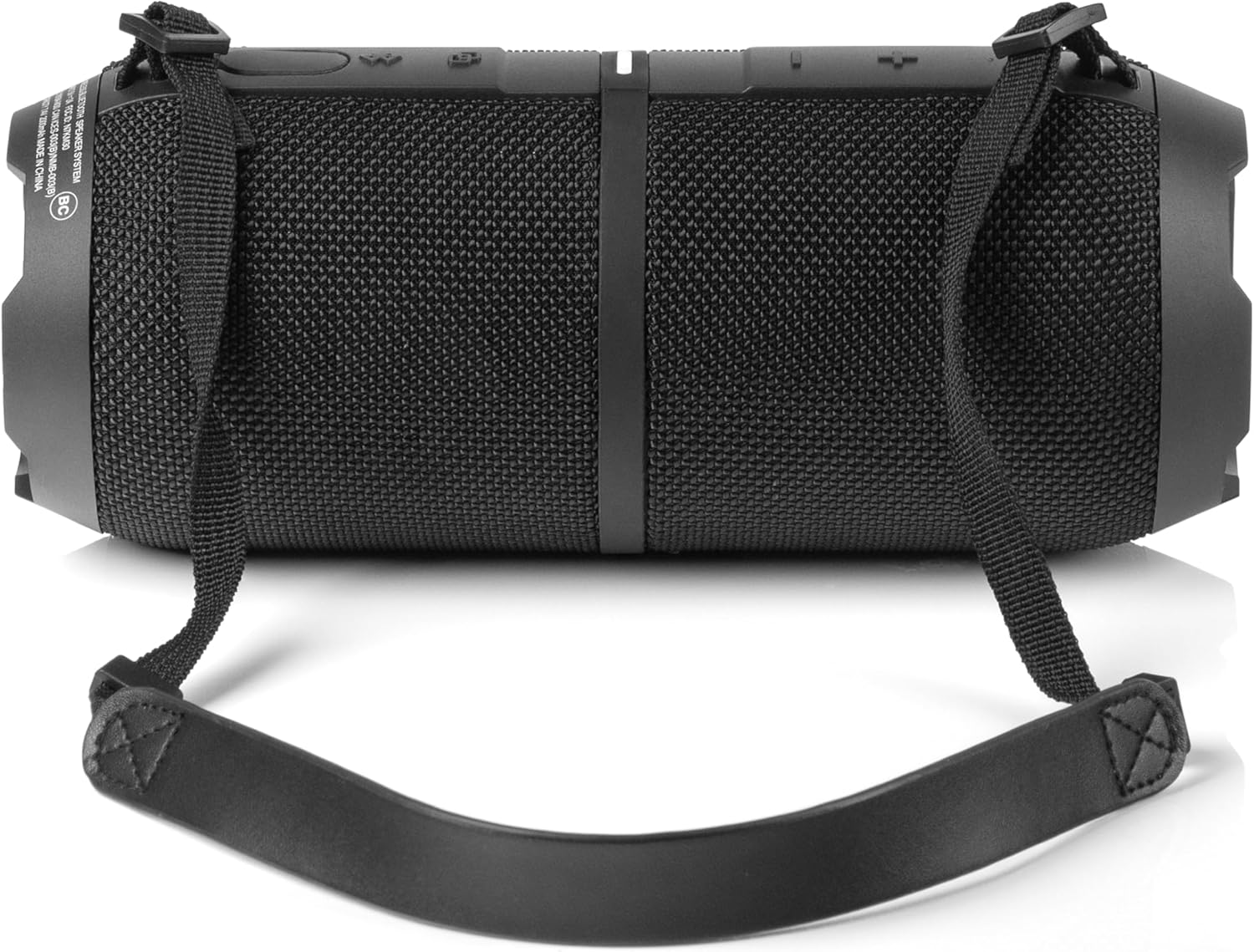
그림 3.1: 전면 view of the Sharp GX-BT390 speaker, highlighting the control panel with volume buttons, play/pause, and power indicator.

그림 3.2: 뒤로 view of the Sharp GX-BT390 speaker, illustrating the sealed charging port and attachment points for the carrying strap.

그림 3.3: 측면 view of the Sharp GX-BT390 speaker, showing the textured surface and the adjustable carrying strap.

Figure 3.4: The Sharp GX-BT390 speaker with its end cap illuminated, displaying the Sharp logo and an active LED light mode.
제어 및 표시기:
- 전원 버튼: 길게 누르면 켜거나 끌 수 있습니다.
- 볼륨 높이기(+): 볼륨을 높이세요.
- 볼륨 낮추기(-): 볼륨을 낮추세요.
- 재생/일시 정지 버튼: Play or pause music, answer/end calls.
- 블루투스 페어링 버튼: 블루투스 페어링 모드를 시작합니다.
- LED 표시등: 전원 상태, 충전 상태, 블루투스 연결 상태를 보여줍니다.
- 라이트 모드 버튼: LED 조명 모드를 순환하며 전환해 보세요.
4. 설정
4.1 스피커 충전
- Open the protective cover on the back of the speaker to access the USB-C charging port.
- 제공된 USB-C 케이블을 스피커의 충전 포트에 연결하십시오.
- USB-C 케이블의 다른 쪽 끝을 호환되는 USB 전원 어댑터(별도 구매)에 연결하십시오.
- LED 표시등은 충전 상태를 표시합니다. 완전히 충전하는 데는 일반적으로 약 3~4시간이 걸립니다.
- Once fully charged, disconnect the cable and securely close the protective cover to maintain IP67 water and dust resistance.
4.2 전원 켜기/끄기
- 전원을 켜려면: Press and hold the Power button for approximately 2 seconds until you hear an audible tone and the LED indicator illuminates.
- 전원을 끄려면: Press and hold the Power button for approximately 2 seconds until you hear an audible tone and the LED indicator turns off.
4.3 블루투스 페어링
- 스피커의 전원이 켜져 있고 Bluetooth 장치와 1m 이내에 있는지 확인하세요.
- The speaker will automatically enter Bluetooth pairing mode when first powered on, or if no device is connected. The LED indicator will flash rapidly.
- Bluetooth 기기(스마트폰, 태블릿 등)에서 Bluetooth를 활성화하고 사용 가능한 기기를 검색하세요.
- Select "Sharp GX-BT390" from the list of devices.
- Once paired, you will hear a confirmation tone, and the LED indicator will glow solid blue.
- 페어링에 실패하면 스피커와 기기를 끄고 단계를 다시 반복하십시오.
5. 사용 설명서
5.1 음악 재생
- 재생/일시 중지: 재생/일시정지 버튼을 한 번 누르세요.
- 볼륨 업: '+' 버튼을 누르세요.
- 볼륨 작게 : '-' 버튼을 누르세요.
- 다음 트랙: '+' 버튼을 길게 누르세요.
- 이전 트랙 : '-' 버튼을 길게 누르세요.
5.2 핸즈프리 통화
The Sharp GX-BT390 features a built-in microphone for hands-free calls when connected to your smartphone.
- 전화 받기: 재생/일시정지 버튼을 한 번 누르세요.
- 통화 종료: 통화 중에 재생/일시 정지 버튼을 한 번 누르세요.
- 전화 거부: 재생/일시정지 버튼을 2초 동안 길게 누릅니다.
5.3 True Wireless Stereo(TWS) 페어링
You can pair two Sharp GX-BT390 speakers together for a stereo sound experience.
- Ensure both GX-BT390 speakers are powered on and not connected to any Bluetooth device.
- On one speaker (this will be the primary speaker), press and hold the Bluetooth pairing button for 3 seconds. You will hear a tone.
- 두 스피커가 자동으로 서로를 검색하여 연결합니다. 연결되면 확인음이 들립니다.
- 이제 4.3절에 설명된 대로 블루투스 장치를 기본 스피커에 연결하십시오.
5.4가지 LED 조명 모드
The speaker features two LED mood lighting effects that synchronize with the music.
- Press the Light Mode button to cycle through the available light modes.
- Press the Light Mode button again to select the next mode or turn off the lights.
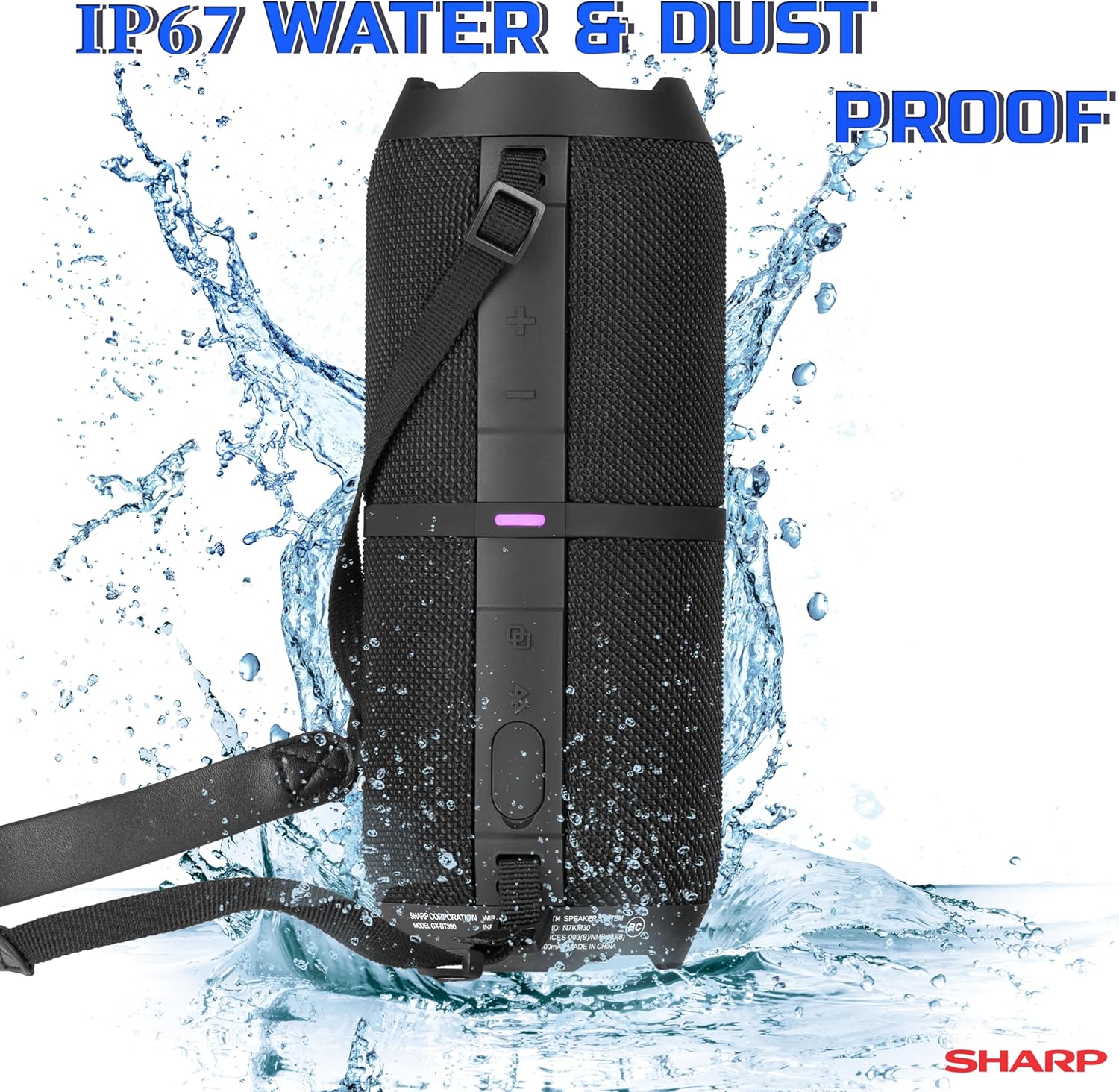
그림 5.1: 이상view of key features including hands-free calling, LED light effects, IP67 rating, 10-hour playtime, 30W power output, and Bluetooth connectivity.
6. 유지관리
To ensure the longevity and performance of your Sharp GX-BT390 speaker, follow these maintenance guidelines:
- 청소: 부드러운 천으로 스피커를 닦고 damp 천. 연마성 세척제나 용매를 사용하지 마십시오.
- 방수 및 방진 기능(IP67): The speaker is rated IP67, meaning it is protected from dust ingress and can withstand immersion in water up to 1 meter for 30 minutes. Ensure the charging port cover is securely closed to maintain this rating. Avoid prolonged exposure to water or extreme conditions.
- 저장: 스피커는 직사광선과 극한의 온도를 피해 시원하고 건조한 곳에 보관하세요.
- 배터리 관리 : 배터리 수명을 유지하려면 장시간 사용하지 않더라도 스피커를 정기적으로 충전하세요. 배터리를 자주 완전히 방전시키지 마세요.

Figure 6.1: Visual representation of the speaker's IP67 waterproof and dustproof capabilities.
7. 문제 해결
스피커에 문제가 발생하면 다음의 일반적인 문제와 해결 방법을 참조하세요.
| 문제 | 가능한 원인 | 해결책 |
|---|---|---|
| 스피커 전원이 켜지지 않습니다 | 배터리 부족; 전원 버튼을 충분히 길게 누르지 않음 | 스피커를 충전하세요. 전원 버튼을 2초간 길게 누르세요. |
| 소리가 나지 않습니다 | Volume too low; Device not paired; Speaker muted | Increase volume on speaker and device; Re-pair Bluetooth; Check device mute settings |
| 블루투스 페어링 실패 | Speaker too far from device; Device Bluetooth off; Interference | Ensure speaker is within 1 meter; Turn device Bluetooth on/off; Move away from other wireless devices |
| 음질이 좋지 않음 | 배터리 부족; 기기가 너무 멀리 떨어져 있음; 장애물 | Charge speaker; Move device closer; Remove obstructions between speaker and device |
| TWS 페어링 실패 | Speakers not in pairing mode; Already connected to another device | Ensure both speakers are disconnected from other devices; Follow TWS pairing steps carefully |
8. 사양
Detailed technical specifications for the Sharp GX-BT390 Bluetooth Speaker:
| 특징 | 사양 |
|---|---|
| 모델명 | GX-BT390(K) |
| 스피커 유형 | 야외용 휴대용 블루투스 스피커 |
| 연결 기술 | 블루투스 |
| 무선 통신 기술 | 블루투스 |
| 스피커 최대 출력 전력 | 60와트 (30W RMS) |
| 오디오 출력 모드 | 스테레오 (TWS 페어링 포함) |
| 특별 기능 | 베이스 부스트, 내장 마이크, 방진, LED 조명, 경량 |
| 방수 레벨 | IP67(방수 및 방진) |
| 전원 | 배터리 구동(리튬 이온 배터리 1개 포함) |
| 배터리 수명 | 최대 10시간 |
| 최대 범위 | 33피트(10미터) |
| 제어 방법 | 터치 버튼 |
| 제품 치수 | 4"D x 8.5"W x 4"H (10.16cm D x 21.59cm W x 10.16cm H) |
| 품목 무게 | 1.75파운드(28온스) |

Figure 8.1: Internal component diagram illustrating the speaker drivers responsible for 30-watt rich bass and powerful sound.
9. 보증 및 지원
The Sharp GX-BT390 Bluetooth Speaker comes with a Limited Warranty. Please refer to the warranty card included in your package for specific terms and conditions. For technical support or service inquiries, please contact Sharp customer service through their official web사이트 또는 제품 설명서와 함께 제공된 연락처 정보를 참조하세요.