
1. 서론
Thank you for choosing the ABSOSO Single Din Wireless CarPlay Stereo. This manual provides essential information for the proper installation, operation, and maintenance of your new car stereo system. Please read this manual thoroughly before use to ensure optimal performance and safety.
2. 안전 정보
- 기기를 사용할 때는 항상 책임감 있게 행동하고 현지 교통 법규를 준수하십시오. 부주의 운전은 사고로 이어질 수 있습니다.
- 자격이 없는 경우 직접 제품을 설치하거나 수리하지 마십시오. 잘못된 설치는 제품이나 차량에 손상을 줄 수 있습니다.
- 단락이나 전기적 위험을 방지하기 위해 모든 배선이 올바르게 연결되었는지 확인하세요.
- 화면을 깨끗하게 유지하고 장애물이 없도록 하여 선명한 시야를 확보하십시오.
- 본 제품을 극한의 온도, 장시간 직사광선 또는 과도한 습기에 노출시키지 마십시오.
3. 상자 안에 무엇이 들어있나요?
설치를 진행하기 전에 모든 구성 요소가 있는지 확인하세요.
- 싱글 DIN 카플레이 스테레오 유닛
- 듀얼 USB 케이블
- GPS 안테나
- 백업 카메라 케이블
- Wiring Harness & Wires
- 장착 키트
- 사용 설명서 (본 문서)
4. 제품 오버view
The ABSOSO Single Din Wireless CarPlay Stereo features a 10.1-inch rotatable touchscreen designed for enhanced in-car entertainment and navigation. It supports wireless Apple CarPlay and Android Auto, Bluetooth connectivity, AM/FM radio, and includes GPS navigation capabilities.
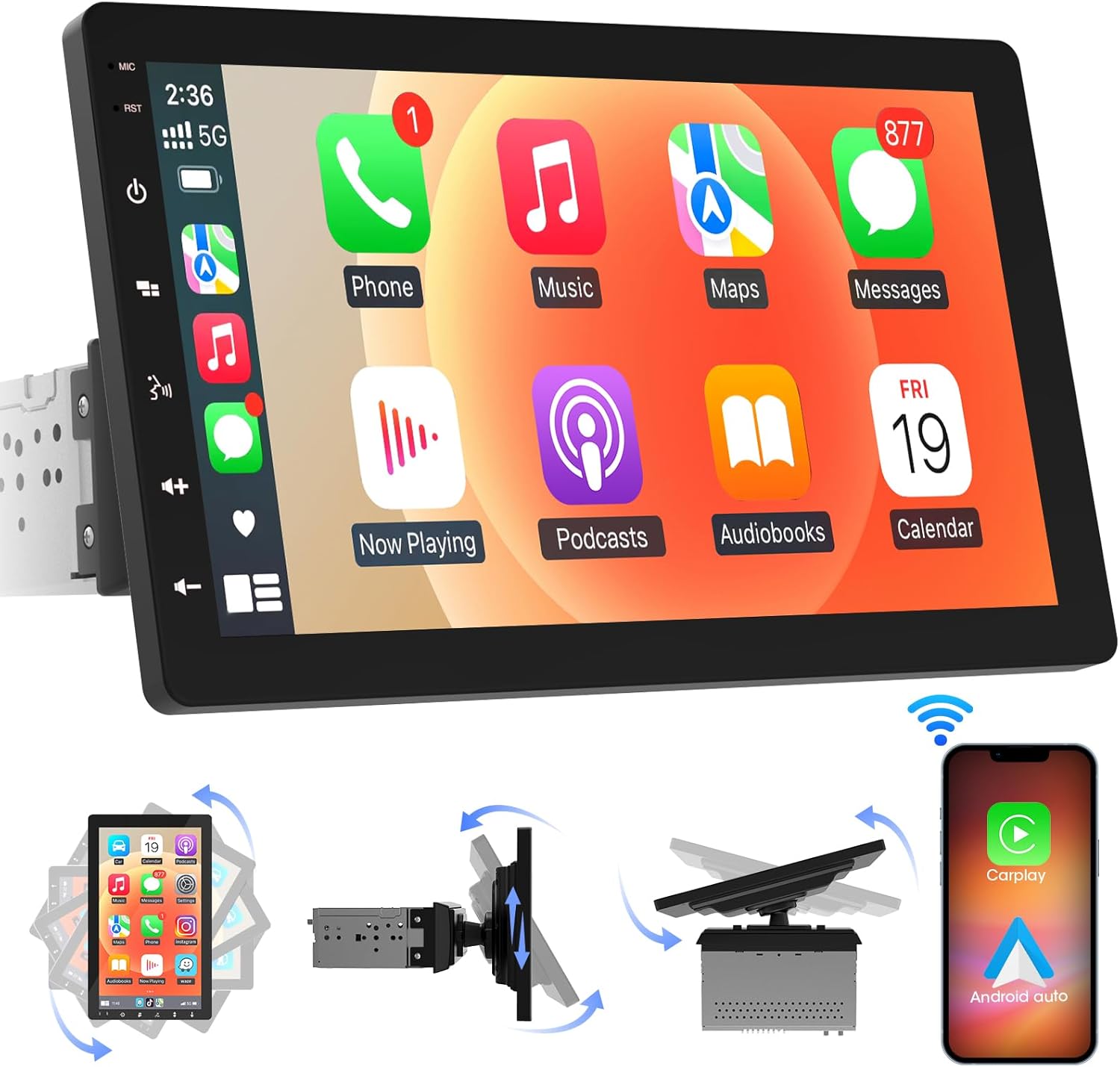
이미지 4.1: 앞면 view of the ABSOSO Single Din Wireless CarPlay Stereo displaying the Apple CarPlay interface.
5. 설정 및 설치
This unit is designed for standard single DIN dash openings. Professional installation is recommended to ensure correct wiring and functionality. Refer to the wiring diagram provided with the unit for specific connections.
5.1 장치 장착
The modular design allows for flexible installation. The main unit fits into a single DIN slot, and the 10.1-inch screen can be adjusted for optimal view주고받음.

Image 5.1: Visual comparison of a car dashboard before and after the installation of the ABSOSO 10.1-inch rotatable car stereo, highlighting the integrated appearance.
5.2 배선 연결
Connect the power, speaker, and accessory wires according to your vehicle's wiring harness and the provided diagram. Ensure the backup camera input cable is routed correctly if you plan to use a rearview 카메라.
5.3 GPS 안테나 설치
GPS 안테나를 깨끗한 곳에 설치하세요. view of the sky, typically on the dashboard or under the windshield, to ensure accurate satellite reception.
6. 사용 설명서
6.1 전원 켜기/끄기
The unit will power on automatically with the vehicle's ignition. To manually power off, press and hold the power button on the unit.
6.2 무선 CarPlay 및 Android Auto
This stereo supports wireless Apple CarPlay and Android Auto. To connect, enable Bluetooth and Wi-Fi on your smartphone and follow the on-screen prompts to pair with the stereo. Once connected, you can access navigation, music, messages, and voice assistants directly from the stereo's display.

Image 6.1: The ABSOSO car stereo showcasing its wireless connectivity features, including Apple CarPlay, Android Auto, and MirrorLink, with various app interfaces.
6.3 HD Touchscreen Operation
The 10.1-inch HD IPS display offers a responsive touch interface. Navigate through menus and applications by tapping, swiping, and pinching. Five capacitive touch buttons are located along the left edge for quick access to common functions.

Image 6.2: The 10.1-inch screen of the ABSOSO car stereo, emphasizing its HD resolution, sleek touch buttons, and 178-degree view최적의 선명도를 위해 각도를 조절하세요.
6.4 Mirrorlink Functionality
Mirrorlink allows you to display your smartphone's screen directly onto the stereo. This feature is useful for viewing navigation, videos, or other content from your phone on a larger display.
6.5 블루투스 연결
Pair your smartphone via Bluetooth for hands-free calling and wireless audio streaming. Access your phone's contacts and call history directly from the stereo.
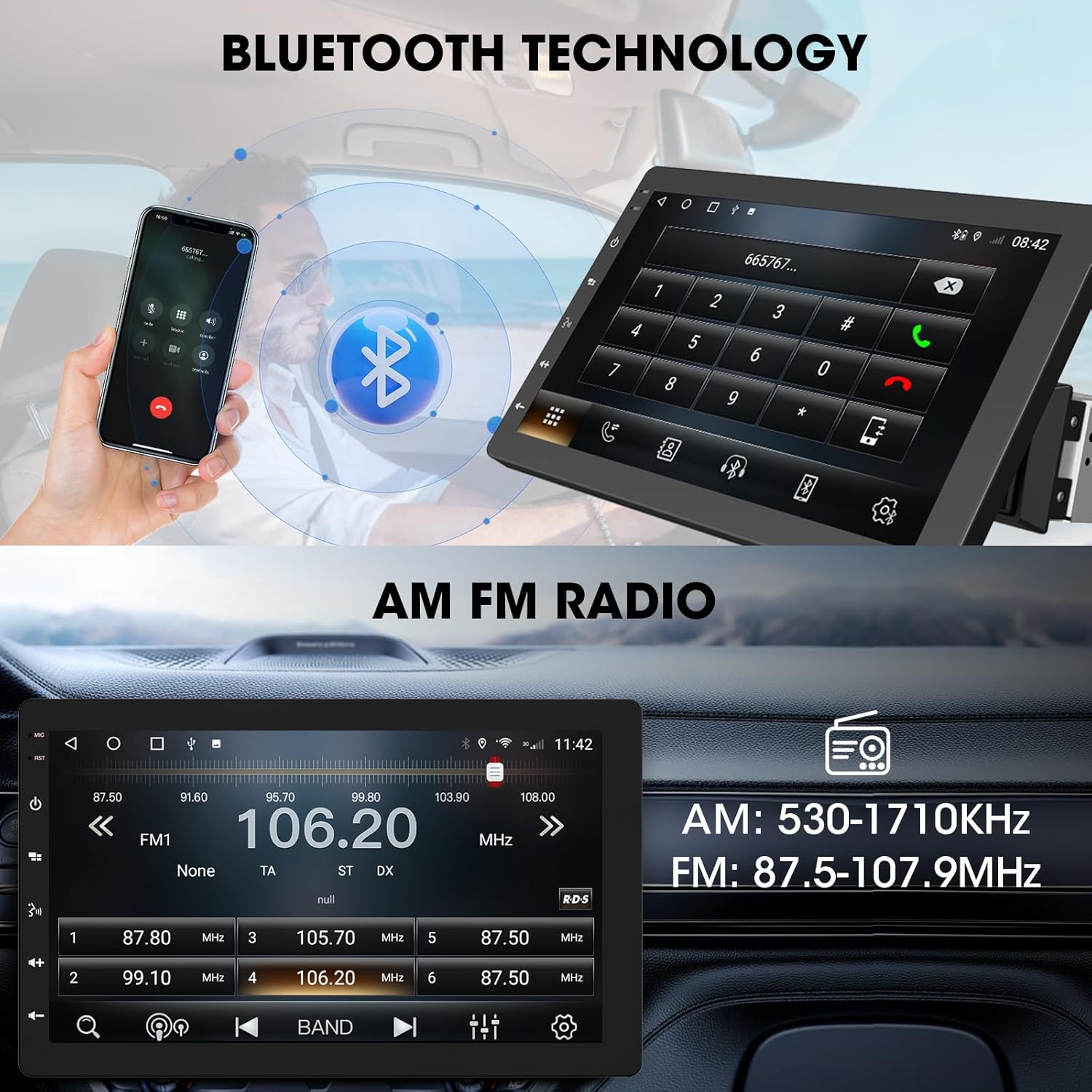
Image 6.3: The ABSOSO car stereo illustrating Bluetooth technology for hands-free calls and the interface for AM/FM radio tuning.
6.6 FM/AM 라디오
Tune into your favorite FM and AM radio stations. The unit features 30 station memory presets for quick access to sports, news, and music.
6.7 GPS Navigation & WiFi Hotspot
The stereo includes built-in GPS navigation with support for offline maps (2G RAM + 64GB ROM storage). Connect to a 2.4 GHz or 5 GHz Wi-Fi hotspot for online navigation and app downloads.
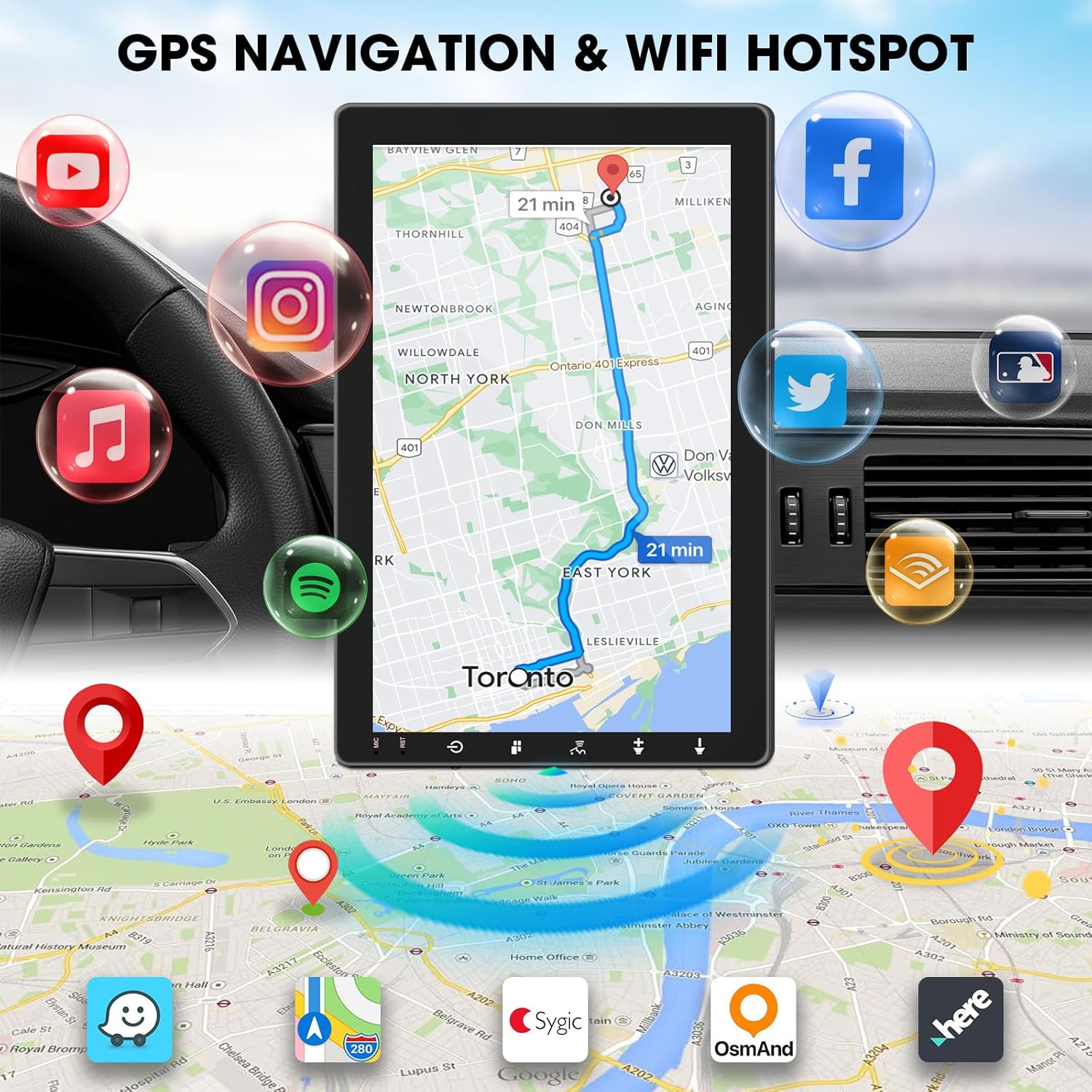
Image 6.4: The ABSOSO car stereo screen showing GPS navigation with a map, surrounded by icons representing various applications accessible via WiFi hotspot.
6.8 Adjustable Floating Screen
The 10.1-inch display is rotatable by 360 degrees and can be adjusted vertically and tilted to achieve optimal viewing angles, reducing glare and improving visibility.
6.9 Sound Tuning
Customize your audio experience with preset equalizer settings. The unit delivers a maximum power output of 200W and includes pre-amp and subwoofer outputs for enhanced sound quality.
6.10 Backup Camera Input
Connect a compatible backup camera (sold separately) to the RCA input. The stereo will automatically display the rearview camera feed when the vehicle is in reverse, aiding in accurate parking and maneuvering.

Image 6.5: Illustration of the backup camera input connection to the ABSOSO car stereo, showing how the camera feed is displayed on the screen when reversing.
7. 유지관리
7.1 화면 청소
부드럽고 보풀이 없는 천을 사용하여 터치스크린을 부드럽게 닦으세요. 잘 지워지지 않는 얼룩은 가볍게 닦아주세요.amp천에 물이나 화면에 안전한 세척제를 묻혀 닦아주세요. 연마재나 강한 화학 물질은 사용하지 마세요.
7.2 일반 관리
Keep the unit free from dust and debris. Ensure proper ventilation around the unit to prevent overheating. Do not block any vents or openings.
8. 문제 해결
- 전원 없음: 모든 전원 연결부와 퓨즈를 점검하십시오. 차량의 시동이 켜져 있는지 확인하십시오.
- 소리 없음: 스피커 연결 상태를 확인하십시오. 볼륨 레벨과 음소거 설정을 확인하십시오. 올바른 오디오 소스가 선택되었는지 확인하십시오.
- 블루투스/카플레이/안드로이드 오토 연결 문제: Ensure your phone's Bluetooth and Wi-Fi are enabled. Try restarting both the stereo and your phone. Forget and re-pair the device.
- GPS 신호 손실: GPS 안테나가 깨끗한지 확인하십시오. view 하늘의. 안테나 연결을 확인하세요.
- 화면 응답 없음: 기기를 다시 시작해 보세요. 문제가 지속되면 고객 지원팀에 문의하세요.
9. 사양
- 제품 크기: 6.4인치 깊이 x 9.8인치 너비 x 5.9인치 높이
- 품목 무게: 4.73파운드
- 표시하다: 10.1 Inch HD IPS Touchscreen (1280*720P)
- 연결성: Bluetooth, USB, Wi-Fi (2.4 GHz & 5 GHz)
- 특별 기능: 360° Rotatable Floating Touchscreen, Wireless Android Auto, Apple CarPlay, Mirrorlink, GPS Navigation (Online/Offline Maps), AM/FM Radio, AV Input, Rearview Camera Input, USB Charging, Voice Control, Preset EQ, Video Output, Amp앰프/서브우퍼 출력
- 메모리: 2G RAM + 64GB ROM
- 오디오 출력 모드: 스테레오 재생
- 서라운드 사운드 채널 구성: 4
- 비디오 인코딩 : H.264, H.265/HEVC
10. 보증 및 지원
For warranty information and technical support, please refer to the documentation included with your purchase or contact ABSOSO customer service directly. Keep your purchase receipt as proof of purchase for any warranty claims.
For further assistance, visit the official ABSOSO web사이트를 방문하거나 지원 채널에 문의하세요.