
1. 서론
This manual provides detailed instructions for the safe and effective use of your iJoy Disney Winnie The Pooh Wireless Bluetooth Speaker. Please read this manual thoroughly before operating the device and retain it for future reference.
2. 상자 안에 무엇이 들어있나요?
Carefully unpack your speaker and ensure all items are present:
- iJoy Disney Winnie The Pooh Wireless Bluetooth Speaker
- USB 충전 케이블
- 백업 AUX 케이블
- 사용 설명서(본 문서)

Image: The speaker shown next to its retail packaging, illustrating the product and its box.
3. 제품 오버view
3.1 제어 버튼
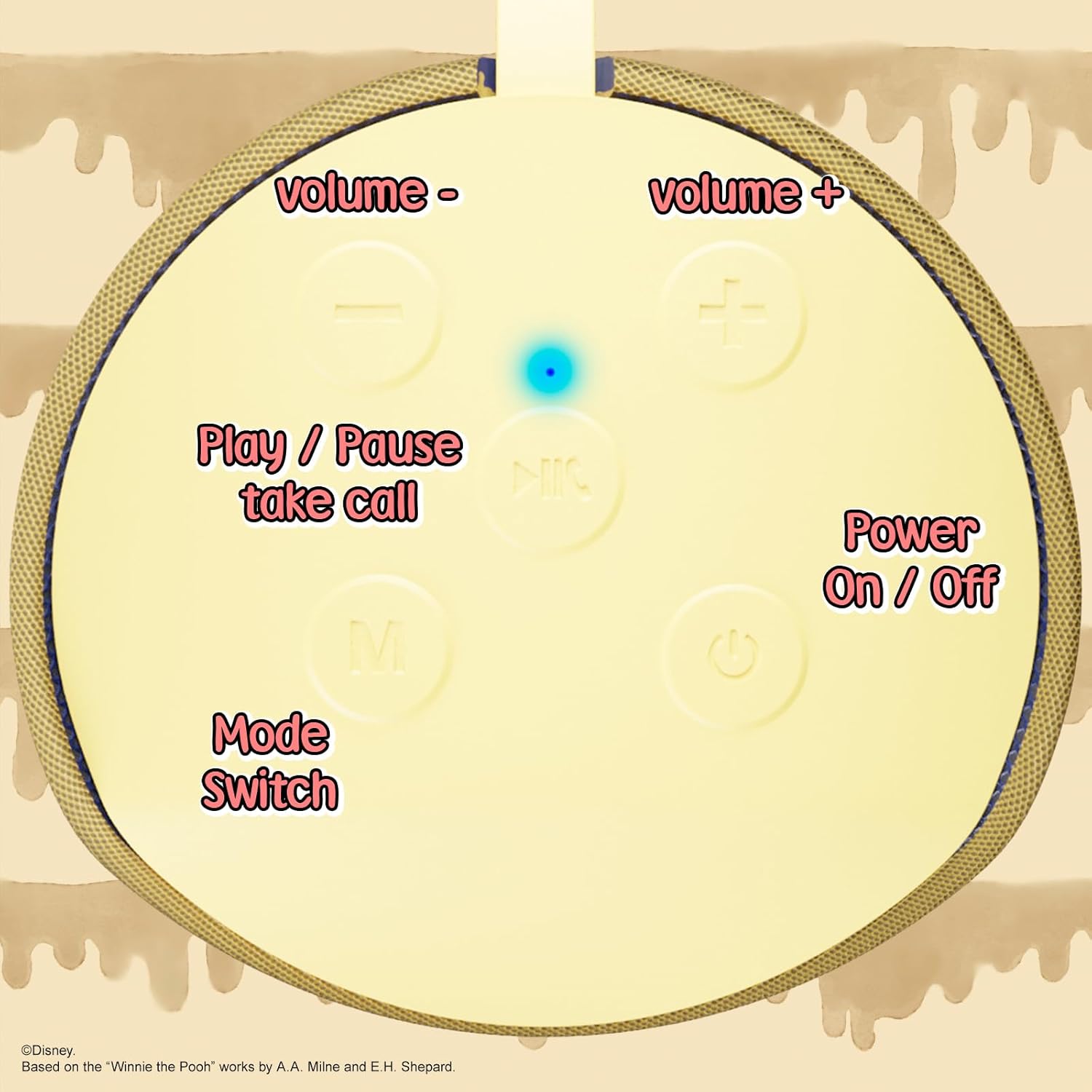
Image: A close-up of the speaker's top panel, displaying the control buttons.
- 전원 켜기 / 끄기 버튼 : 길게 누르면 스피커 전원이 켜지거나 꺼집니다.
- 재생/일시 정지 버튼: Press to play or pause audio. Also used to answer or end phone calls.
- 볼륨 높이기(+) 버튼: 누르면 볼륨이 커집니다. 길게 누르면 다음 곡으로 넘어갑니다.
- 볼륨 낮추기(-) 버튼: 누르면 볼륨이 줄어듭니다. 길게 누르면 이전 트랙으로 이동합니다.
- 모드 전환(M) 버튼: Press to switch between Bluetooth, FM Radio, SD Card, and USB modes.
3.2 포트 및 표시등

이미지: 자세한 view of the speaker's rear panel, highlighting the AUX port, SD card slot, USB port, and Micro USB charging port.
- AUX 포트 : For connecting external audio devices via the provided 3.5mm AUX cable.
- SD 카드 슬롯: 오디오를 바로 재생하려면 microSD 카드를 삽입하세요.
- USB 포트: 오디오를 바로 재생하려면 USB 플래시 드라이브를 삽입하세요.
- 마이크로 USB 충전 포트: 스피커를 충전하려면 여기에 USB 충전 케이블을 연결하세요.
- LED 표시 등 : 충전 상태 및 블루투스 페어링 상태를 표시합니다.
4. 설정
4.1 스피커 충전
- 충전 케이블의 Micro USB 끝을 스피커의 Micro USB 충전 포트에 연결합니다.
- 케이블의 표준 USB 단자를 USB 전원 어댑터(별도 구매) 또는 컴퓨터의 USB 포트에 연결하십시오.
- The LED indicator light will illuminate during charging and turn off once fully charged.
- 일반적으로 완전 충전에는 약 2시간이 걸립니다.
4.2 블루투스 페어링
- 스피커가 완전히 충전되었는지 확인하십시오.
- Press and hold the Power On/Off button to turn on the speaker. You will hear an audible prompt, and the LED indicator will flash, indicating it's in pairing mode.
- 모바일 기기(스마트폰, 태블릿 등)에서 Bluetooth를 활성화하세요.
- 검색 available Bluetooth devices. The speaker will appear as "iJoy Winnie The Pooh Speaker" or similar.
- Select the speaker from the list to pair. Once successfully paired, you will hear a confirmation sound, and the LED indicator will stop flashing and remain solid.
- 스피커는 전원이 켜지면 마지막으로 페어링된 기기에 자동으로 다시 연결됩니다. 단, 기기의 Bluetooth가 활성화되어 있고 범위 내에 있어야 합니다.
5. 사용 설명서
5.1 블루투스 모드
After successful pairing, you can stream audio wirelessly from your device to the speaker. Use your device's controls or the speaker's Play/Pause, Volume Up/Down buttons to manage playback.
5.2 FM 라디오 모드
- 모드(M) 버튼을 눌러 FM 라디오 모드로 전환하세요.
- 재생/일시정지 버튼을 눌러 사용 가능한 FM 방송국을 자동으로 검색하고 저장하세요.
- 볼륨 높이기(+) 및 볼륨 낮추기(-) 버튼(짧게 누르기)을 사용하여 저장된 방송국 사이를 이동하세요.
5.3 SD 카드 / USB 재생
- Insert a microSD card into the SD card slot or a USB flash drive into the USB port.
- 스피커는 자동으로 해당 모드로 전환되어 오디오 재생을 시작합니다. files. If not, press the Mode (M) button to select the correct mode.
- Use the speaker's Play/Pause, Volume Up/Down buttons to control playback.
5.4 AUX 모드
- Connect one end of the provided 3.5mm AUX cable to the speaker's AUX port.
- 다른 쪽 끝을 오디오 장치의 헤드폰 잭에 연결합니다.
- The speaker will automatically switch to AUX mode. If not, press the Mode (M) button.
- Control playback and volume primarily from your connected audio device.
5.5 핸즈프리 통화
스마트폰과 블루투스로 연결했을 때:
- 전화 받기: 재생/일시정지 버튼을 한 번 누르세요.
- 통화 종료: 통화 중에 재생/일시 정지 버튼을 한 번 누르세요.
- 전화 거부: 재생/일시정지 버튼을 길게 누르세요.
6. 유지관리
- 부드럽고 마른 천으로 스피커를 닦으세요. 연마성 세제나 용제를 사용하지 마세요.
- The speaker is IPX4 splashproof, meaning it can withstand splashes of water. Do not submerge it in water.
- 스피커를 사용하지 않을 때는 시원하고 건조한 곳에 보관하세요.
- 스피커를 극한 온도, 직사광선 또는 높은 습도에 노출시키지 마십시오.
7. 문제 해결
| 문제 | 가능한 원인 | 해결책 |
|---|---|---|
| 스피커가 켜지지 않음 | 배터리 부족 | 스피커를 완전히 충전하세요. |
| 블루투스로 페어링이 불가능합니다 | Speaker not in pairing mode / Device Bluetooth off / Too far from device | Ensure speaker is in pairing mode (flashing LED). Turn on Bluetooth on your device. Move speaker closer to device (within 30 feet). |
| 소리가 나지 않습니다 | Volume too low / Incorrect mode / Device not playing audio | Increase speaker and device volume. Press 'M' button to select correct mode. Ensure audio is playing on your connected device. |
| FM 라디오 수신 상태가 좋지 않습니다. | Weak signal / Interference | Move the speaker to a different location. The AUX cable can act as an antenna; try connecting it. |
8. 사양
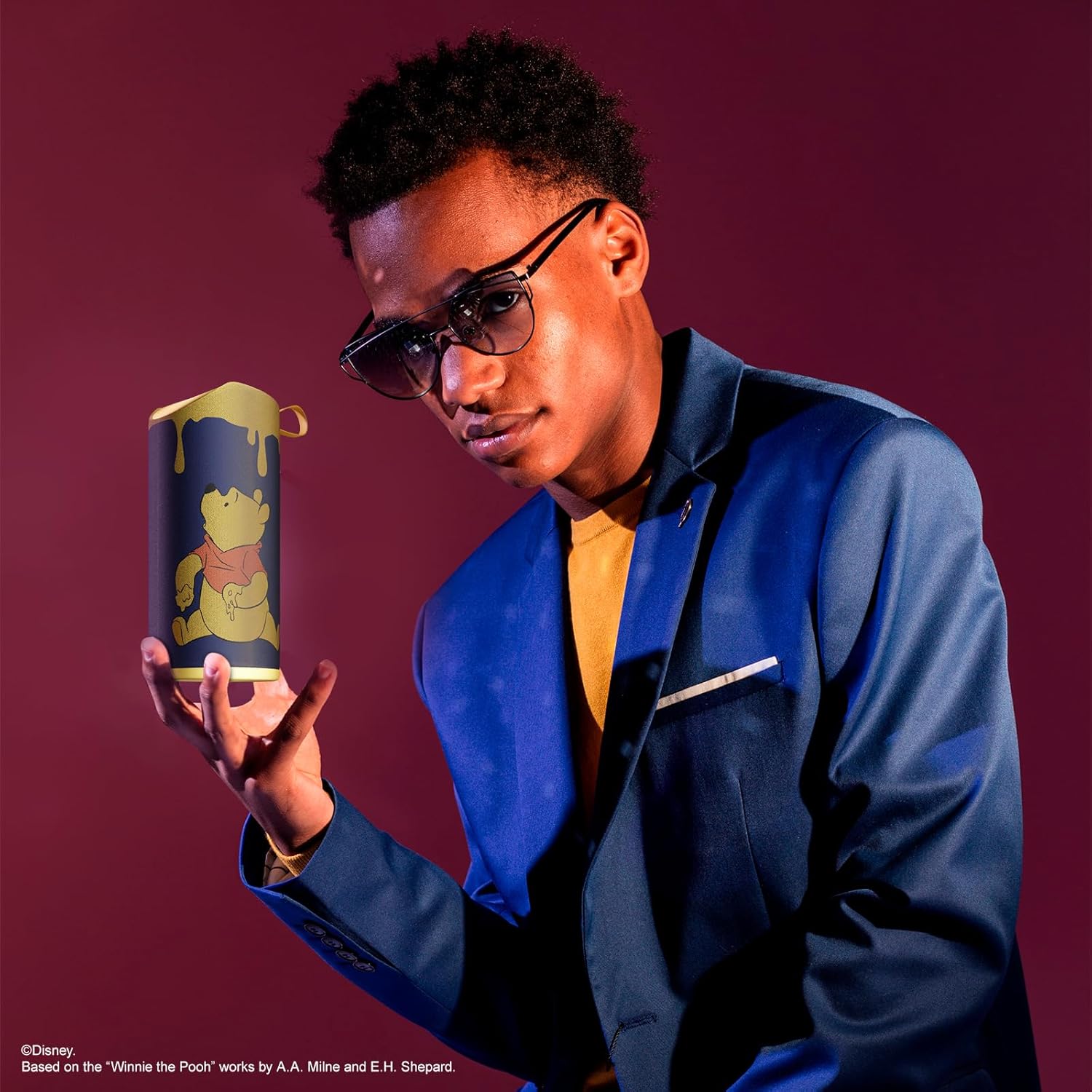
Image: The speaker with visual indicators showing its height of 6.3 inches and width of 2.9 inches.
| 특징 | 세부 사항 |
|---|---|
| 모델 번호 | SS-KH7C-FS4O |
| 연결 기술 | 블루투스 |
| 무선 통신 범위 | 최대 30피트(10미터) |
| 스피커 유형 | 탑 |
| 스피커 최대 출력 전력 | 20 와트 |
| 오디오 출력 모드 | 단핵증 |
| 배터리 용량 | 800밀리amp 시간 |
| 충전 시간 | 약 2시간 |
| 노는 시간 | Up to 3 Hours (depending on volume and usage) |
| 방수 레벨 | IPX4(방수) |
| 제품 치수 | 3"D x 3"W x 6"H (7.62cm D x 7.62cm W x 15.24cm H) |
| 품목 무게 | 8온스(226.8g) |
| 포함된 구성 요소 | 블루투스 스피커, USB 충전 케이블, 보조 AUX 케이블, 사용 설명서 |
| 특별 기능 | Built-in Microphone, LED Indicator Lights, Portable, SD Card Slot, USB Port, FM Radio |
9. 보증 및 지원
9.1 보증 정보
This iJoy Disney Winnie The Pooh Wireless Bluetooth Speaker comes with a 90-day manufacturer's warranty from the date of purchase. This warranty covers manufacturing defects and workmanship under normal use. It does not cover damage caused by misuse, accidents, unauthorized modifications, or normal wear and tear.
9.2 고객 지원
For technical assistance, warranty claims, or further inquiries, please contact iJoy customer support through their official website or the retailer where the product was purchased. Please have your model number (SS-KH7C-FS4O) and proof of purchase ready.