
Pisichen QTH-16INTS
피시첸 휴대용 터치스크린 모니터 사용 설명서
Model: QTH-16INTS
1. 서론
This manual provides comprehensive instructions for the setup, operation, and maintenance of your Pisichen Portable Touchscreen Monitor. Please read this manual thoroughly before using the product to ensure proper functionality and to maximize your user experience.
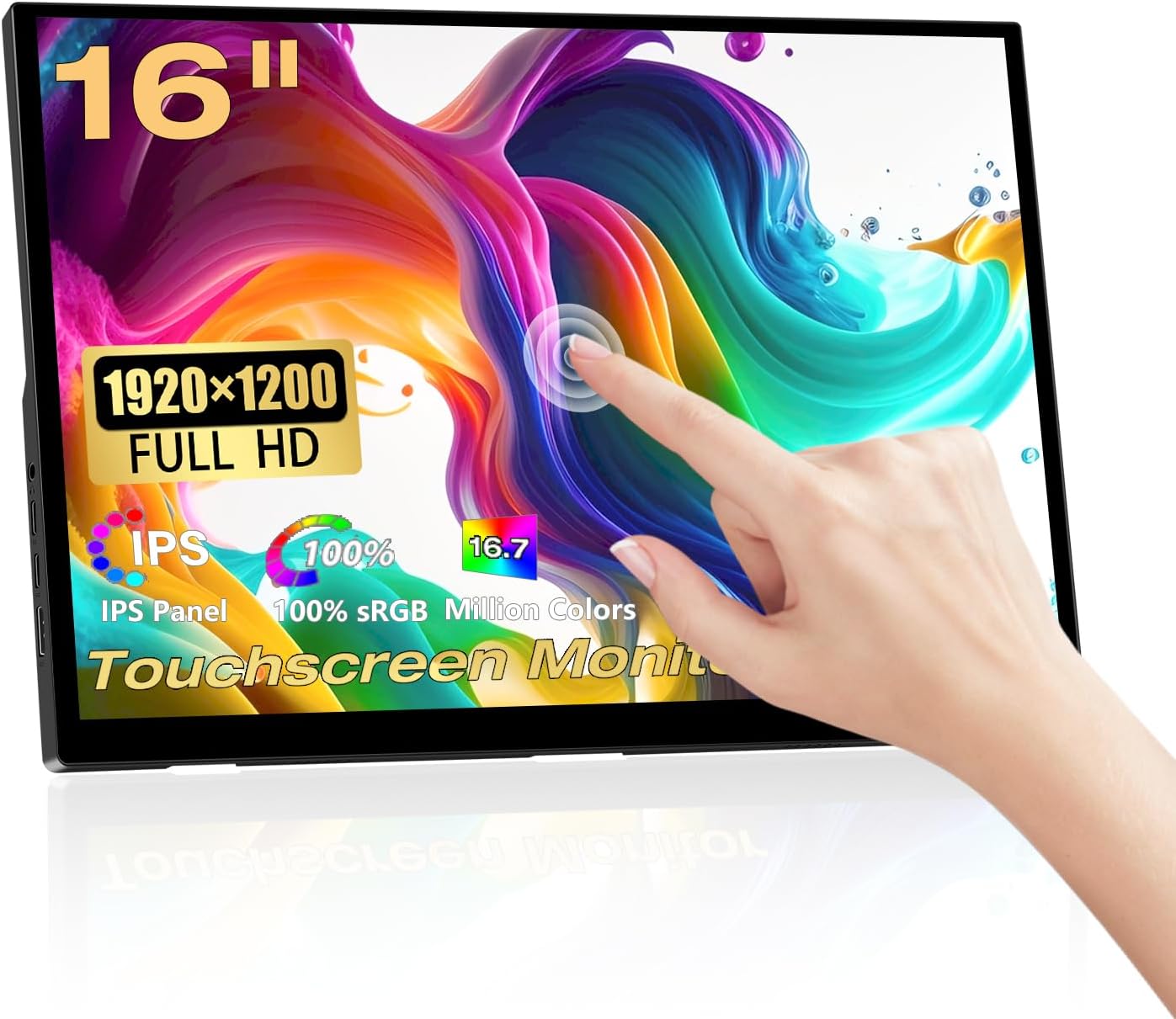
Image: Pisichen 16 Inch Portable Touchscreen Monitor, showcasing its sleek design and touch capabilities.
2. 주요 특징
- FHD Portable Display: 16-inch Full HD (1920x1200P) IPS panel with 178° full viewing angle, 60Hz refresh rate, 1000:1 contrast, and 300 cd/m² brightness. Supports 100% sRGB and 16.7 million colors for accurate and vibrant visuals. Features blue light reduction and flicker-free technology for eye comfort.
- Responsive 10-Point Capacitive Touchscreen: Offers smooth and natural interaction with 10-point multi-touch capability, allowing for intuitive control without a mouse or keyboard.
- HDR Technology & Integrated Kickstand: High Dynamic Range (HDR) mode provides deeper and more realistic colors. The built-in adjustable kickstand (0-90°) and VESA compatibility (75x75mm) offer flexible placement options.
- 다양한 연결성: Equipped with a standard HDMI port, two full-featured USB-C 3.1 ports, and an OTG USB-A port (for mouse/keyboard). Supports single Type-C cable for video and power transmission.
- 다중 디스플레이 모드: Supports duplicate mode, extend mode, and second screen mode for various applications with laptops, PCs, smartphones (USB Type-C 3.1 version), PS4/PS5, and other compatible devices.
- 내장형 듀얼 스피커: Features 1.5W dual speakers for audio output.

Image: The monitor displaying vibrant colors, highlighting its IPS panel for immersive visual enjoyment.

Image: Two monitors demonstrating the 178-degree ultra-wide viewing angle of the IPS panel, showing consistent color from different perspectives.

이미지: 클로즈업 views of the monitor's design details, including the 90-degree integrated adjustable stand, VESA mount holes, and non-slip rubber mat.
3. 패키지 내용
아래 나열된 모든 품목이 패키지에 포함되어 있는지 확인해 주세요. 품목이 누락되었거나 손상된 경우 고객 지원팀에 문의해 주세요.
- Pisichen Portable Touchscreen Monitor (QTH-16INTS)
- 전원 어댑터
- USB-A to USB-C Cable (x2)
- HDMI to HDMI 케이블
- USB-C to USB-C 케이블
- 사용자 설명서

Image: An illustration showing the monitor and its included accessories: Power Adapter, two USB-A to USB-C cables, one HDMI to HDMI cable, one USB-C to USB-C cable, and the User Manual.
4. 설정 및 연결
Your Pisichen Portable Touchscreen Monitor offers flexible connectivity options to suit various devices. Ensure your device supports the necessary video output and power delivery for optimal performance.
4.1. Available Ports

Image: A diagram illustrating the various ports on the monitor: 3.5mm audio port, USB C port 1, USB C port 2, HDMI port, Brightness/Up button, Menu/OK button, Volume/Down button, and USB-A port.
- 3.5mm 오디오 포트: 헤드폰이나 외부 스피커를 연결하는 데 사용합니다.
- USB C Port 1 (Full-featured): Supports video, audio, touch, and power delivery.
- USB C Port 2 (Full-featured): Supports video, audio, touch, and power delivery.
- HDMI 포트 : HDMI 출력이 있는 장치에서 비디오 및 오디오 입력을 받습니다.
- USB-A 포트: For connecting peripherals like a mouse or keyboard (OTG function).
- 제어 버튼: Brightness/Up, Menu/OK, Volume/Down for OSD navigation.
4.2. 연결 방법

Image: A visual guide demonstrating two primary connection methods: single USB-C cable connection for video, audio, touch, and power, and two-cable connection using HDMI for video/audio and USB-C for power and touch data.
- Single Cable Connection (USB-C):
If your device (laptop, smartphone, etc.) has a full-featured USB-C 3.1 port (which supports DisplayPort Alternate Mode and Power Delivery), you can connect the monitor using a single USB-C to USB-C cable. This cable will transmit video, audio, touch signals, and power to the monitor.
Note: If the power supplied by the single USB-C cable is insufficient, the monitor may require additional power via the included power adapter connected to one of the USB-C ports.
- Two Cable Connection (HDMI + USB-C):
For devices with an HDMI output (e.g., PC, game console, older laptops), connect the HDMI port on your device to the monitor's HDMI port using the provided HDMI cable. For touch functionality and power, connect a USB-A to USB-C cable from your device's USB-A port to one of the monitor's USB-C ports. The power adapter can also be used for dedicated power if needed.
Note: For touch functionality to work with HDMI, the USB-A to USB-C cable must be connected from your device to the monitor.
5. 사용 설명서
5.1. 전원 켜기/끄기
The monitor will typically power on automatically when connected to a powered device via USB-C or HDMI. To manually power off, disconnect the power source. The monitor does not have a dedicated power button.
5.2. 화면 디스플레이(OSD) 메뉴
Use the control buttons on the side of the monitor to navigate the OSD menu. The buttons are typically labeled or intuitively positioned for Brightness/Up, Menu/OK, and Volume/Down.
- 를 누르세요 메뉴 / 확인 OSD 메뉴를 열려면 버튼을 클릭하세요.
- 사용하세요 밝기/업 그리고 볼륨/다운 메뉴 옵션을 탐색하는 버튼입니다.
- 누르다 메뉴 / 확인 옵션을 선택하거나 설정을 확인하려면 다시 클릭하세요.
- To exit the menu, navigate to the 'Exit' option or wait for the menu to time out.
Common OSD settings include: Brightness, Contrast, Color Temperature, HDR Mode, Aspect Ratio, Input Source, and Volume.
5.3. 터치스크린 기능
The monitor supports 10-point capacitive touch. Ensure the USB-C cable (for single-cable connection) or the USB-A to USB-C cable (for HDMI connection) is properly connected to your device for touch input to function.

Image: A laptop and the portable monitor side-by-side, demonstrating the 10-point capacitive touch functionality for responsive interaction.

Image: A close-up showing the upgraded bezel-less touch panel, emphasizing its seamless design for accurate clicking and interaction.
호환성: Touch functionality is generally supported by Windows, Chrome OS, and Android devices. macOS typically requires third-party drivers for full touch support, and basic touch (like mouse movement) might be recognized as a trackpad.
5.4. 디스플레이 모드
Depending on your connected device and operating system, you can configure the monitor for various display modes:
- 복제 모드(미러 모드): 기본 화면과 휴대용 모니터에 동일한 콘텐츠를 표시합니다.
- 확장 모드: 데스크톱을 두 화면으로 확장하여 더 넓은 작업 공간을 제공합니다.
- 두 번째 화면 전용 모드: Displays content only on the portable monitor, with your primary screen turned off.
These settings are typically adjusted within your operating system's display settings (e.g., Windows Display Settings, macOS System Preferences).
5.5. Adaptive Image Ratios
The monitor is designed to automatically recognize the input image ratio and adjust the display accordingly. However, some devices or content might require manual adjustment through the OSD menu or your device's display settings to prevent distortion.

Image: A comparison showing how the monitor adjusts to correct display ratios versus a distorted image when the ratio is not properly matched.
6. 유지관리
적절한 관리와 유지보수를 통해 휴대용 모니터의 수명을 연장할 수 있습니다.
- 화면 청소: 부드럽고 보풀이 없는 천으로 화면을 부드럽게 닦으세요. 잘 지워지지 않는 얼룩의 경우, 가볍게 닦아주세요.amp물이나 화면 전용 세척액을 천에 적셔 사용하세요. 독한 화학 약품, 알코올 또는 연마성 물질은 사용하지 마세요.
- C 청소asing: 부드럽고 마른 천을 사용하여 모니터의 c를 닦으십시오.asing.
- 저장: When not in use, store the monitor in a cool, dry place, away from direct sunlight and extreme temperatures. It is recommended to use a protective sleeve or case to prevent scratches during transport.
- 액체를 피하세요: 모니터를 액체나 과도한 습기로부터 멀리하십시오.
- 조심스럽게 다루십시오: 모니터를 떨어뜨리거나 강한 충격을 가하지 마십시오.
7. 문제 해결
If you encounter issues with your Pisichen Portable Touchscreen Monitor, please refer to the following common problems and solutions:
| 문제 | 가능한 원인 / 해결책 |
|---|---|
| 디스플레이 없음 / 검은색 화면 |
|
| Touchscreen Not Responding or Slow |
|
| Flickering Display / Visual Artifacts |
|
| Image is Distorted or Cut Off |
|
| 스피커에서 소리가 나지 않습니다 |
|
If the problem persists after trying these solutions, please contact Pisichen customer support for further assistance.
8. 사양
| 특징 | 세부 사항 |
|---|---|
| 모델 번호 | QTH-16INTS |
| 화면 크기 | 16 인치 |
| 패널 유형 | IPS |
| 해결 | 1920 x 1200 픽셀(FHD) |
| 종횡비 | 16시 10분 |
| 명도 | 300칸델라/제곱미터 |
| 대비율 | 1000시 1분 |
| View잉 각도 | 178° (IPS) |
| 새로 고침 빈도 | 60Hz |
| 색상 영역 | 100% sRGB |
| 디스플레이 색상 | 16.7만 |
| 터치스크린 | 10포인트 정전식 터치 |
| 포트 | 2x Full-featured USB-C 3.1, 1x HDMI, 1x USB-A (OTG), 1x 3.5mm Audio Jack |
| 스피커 | 내장형 듀얼 1.5W 스피커 |
| VESA 마운트 | 75x75mm Compatible |
| 제품 치수 | 0.39 x 14 x 9.2 인치 |
| 품목 무게 | 3.52파운드 |
| 제조업체 | Shenzhen Konowa Electronics Co., LTD |
9. 보증 및 지원
For warranty information, technical support, or any inquiries regarding your Pisichen Portable Touchscreen Monitor, please contact the manufacturer or seller directly.
You can visit the official Pisichen store on Amazon for more information and contact options: Pisichen Store.
Protection plans may also be available for purchase separately to extend coverage beyond the standard warranty period. Please refer to the product listing for details on available protection plans.
Ask a question about this manual
Ask about setup, troubleshooting, compatibility, parts, safety, or missing instructions. Manuals+ will review the question and use this page’s manual context to help answer it.